
Content Type: use_case
Page Role: informational
Intent Type: informational
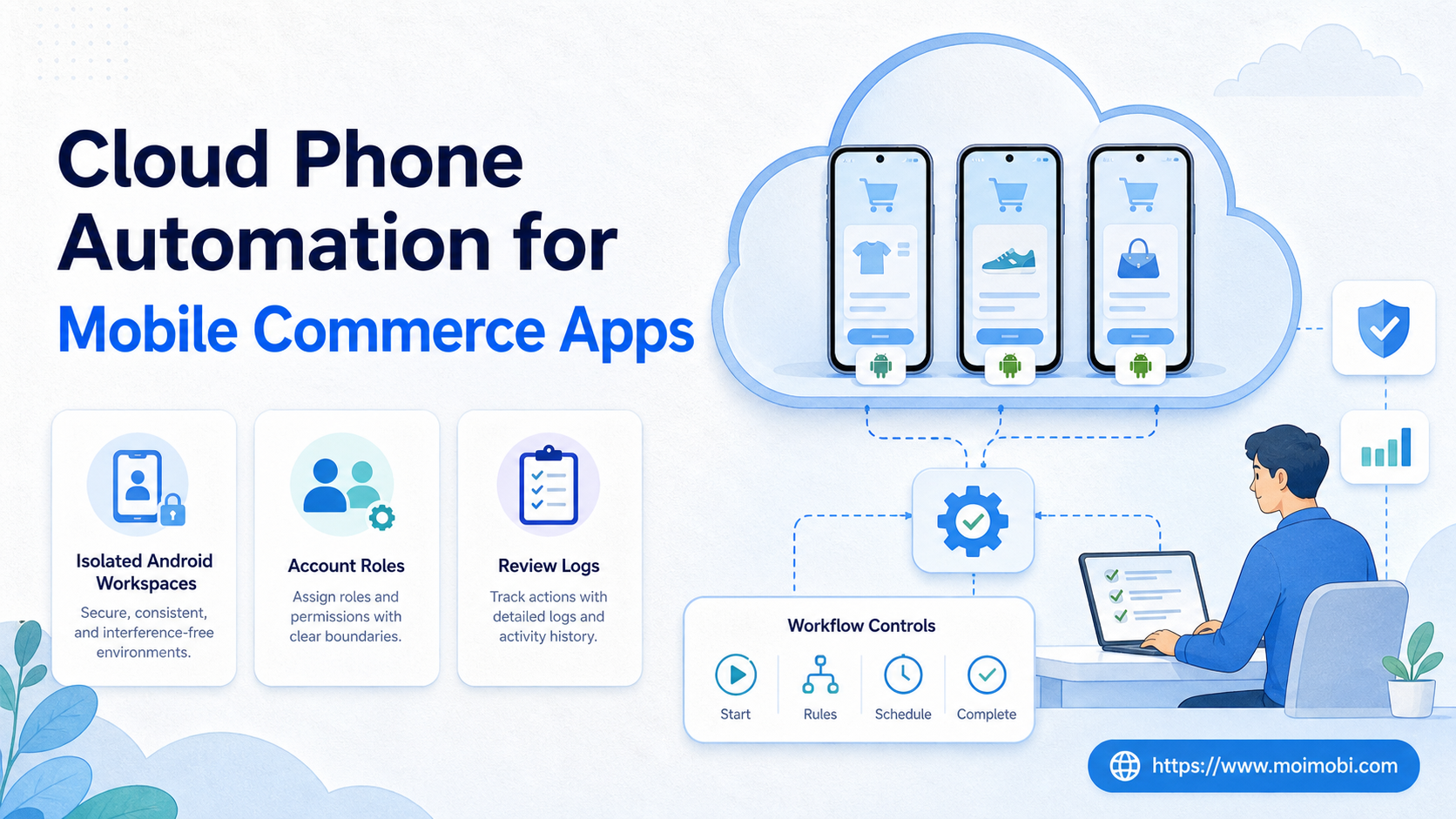
Cloud phone automation means running repeatable mobile app work inside remote Android environments with clearer account ownership, review, and recovery. For mobile commerce teams, it can help organize app-side publishing, message handling, catalog checks, social commerce tasks, and follow-up workflows without handing every account to a personal phone.
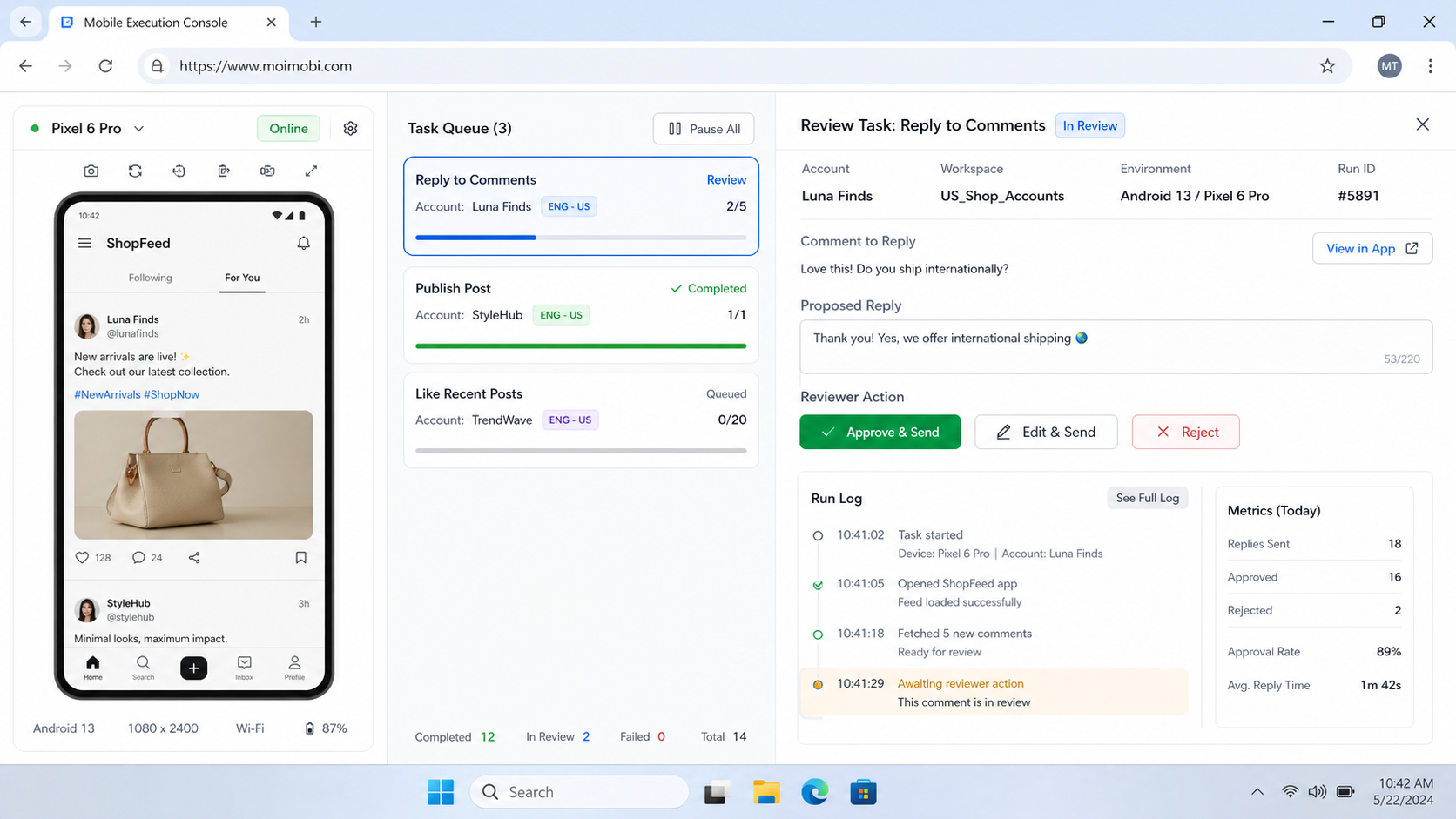
The important word is not only automation. The useful part is controlled execution. A team needs to know which account ran on which device, who reviewed the task, what failed, and when a human should take over.
Moimobi treats cloud phone capacity as one layer in a broader execution system. Browser profiles, cloud Android devices, task queues, team permissions, and AI-assisted workflows work together so mobile commerce teams can operate accounts without mixing every session into one shared environment.
Key Takeaways
- Cloud phone automation is strongest when the workflow must happen inside mobile apps.
- Mobile commerce teams should assign accounts, devices, operators, and review rules before scaling.
- A cloud phone is not a substitute for platform rules, customer consent, or human judgment.
- Teams should measure reply quality, publishing accuracy, task completion, and recovery time.
- The first pilot should cover one account group before expanding to a larger device pool.
What Is Cloud Phone Automation for Mobile Commerce Apps?
For mobile commerce apps, cloud phone automation is not a trick for pushing unlimited actions through remote phones. A better definition is narrower: it is a controlled way to run mobile-first workflows in dedicated Android environments, with repeatable steps and visible records.
Mobile commerce work often touches apps that teams cannot fully manage from a browser. A store operator may need to check a marketplace app, a social commerce manager may need to publish from TikTok or Instagram, and a support team may need to reply inside messaging apps. These tasks involve login sessions, app state, media uploads, push notifications, and handoffs between people.
The wrong model is a shared device pool where every operator opens any app at any time. That creates confusion. It becomes hard to trace who changed a product listing, which account replied to a buyer, or why a task failed.
The workable model is account-based execution. One account or account group gets a dedicated mobile environment. The task queue defines what should happen. The operator or AI worker follows an approved workflow. The result is logged for review.
For teams that also use web dashboards, a cloud phone should not replace every browser workflow. Web admin tasks can stay in browser profiles. Mobile-only checks, app-side replies, and app publishing can move into cloud phones. That split keeps the system practical instead of turning every workflow into a device task.
Why Cloud Phone Automation for Mobile Commerce Apps Matters
Mobile commerce has an execution problem. Content, offers, messages, product updates, and customer conversations may start in one system and finish in another. A campaign can move from a spreadsheet to a product page, then into a short-video app, then into a customer inbox.
The team needs a framework for deciding where each step belongs:
- Browser work: planning, product data checks, web dashboard updates, reporting, and CRM notes.
- Mobile work: app publishing, mobile inbox review, social commerce checks, app notification handling, and account-side verification.
- Human review: price changes, customer disputes, refund issues, sensitive replies, and unusual account behavior.
This execution model matters when the mobile step is frequent enough to deserve a controlled workflow. It gives the team a place to run mobile tasks without depending on personal devices. It also makes assignment clearer: this account, this device, this task, this reviewer, this result.
External platform rules still matter. TikTok’s community rules describe expectations around integrity and platform behavior, and teams should design workflows that respect those boundaries rather than chase volume alone. See TikTok’s official Community Guidelines when designing social commerce workflows for that platform.
Automation also needs realistic technical boundaries. Appium describes mobile automation through drivers and app/device interaction models, which is useful context for teams comparing direct scripting with managed execution environments. The official Appium introduction is a good starting point for understanding that mobile automation is more than sending clicks to a screen.
Scenario Map for a Mobile Commerce Team
A practical mobile commerce workflow usually has more than one role. The operator who prepares content may not be the person who approves customer messages. The account owner may not be the person who reviews failed tasks.
| Role | Mobile Task | Environment | Success Signal |
|---|---|---|---|
| Content operator | Publish or verify product posts in a mobile app | Assigned cloud Android device | Post created, media checked, account logged |
| Support operator | Review app inbox and draft replies | Account-specific phone workspace | Reply queue cleared with review notes |
| Campaign manager | Check account activity and task completion | Moimobi operations dashboard | Tasks passed, failed, or escalated |
| AI worker | Prepare captions, reply drafts, and repeatable task plans | Controlled browser or mobile execution layer | Human-approved output and logged action |
This mapping prevents a common mistake: treating mobile commerce automation as one large queue. The better pattern is smaller queues by account role. Publishing, customer reply, catalog checks, and monitoring should not all run under the same rule.
For TikTok-heavy commerce teams, the TikTok mobile commerce workflow page is a natural next step. It connects the platform-specific work to a controlled execution setup instead of treating short-video operations as a generic scheduler.
Key Benefits and Use Cases
The main benefit is operational clarity. A team can separate mobile accounts, assign work, keep sessions in the right environment, and review results after execution. That does not promise perfect outcomes. It does reduce confusion when multiple people and accounts are involved.
Common use cases include mobile product checks, social commerce publishing, inbox review, comment triage, lead follow-up, and campaign monitoring. Each use case should have a clear owner. If nobody owns the next step, automation only moves the bottleneck.
Mobile execution also helps when a task needs to run repeatedly across accounts. For example, a team may check whether product links open correctly in mobile apps, whether a campaign post has been published, or whether new messages need human response. The device environment gives those checks a consistent place to run.
The strongest use cases share three traits:
- The workflow depends on a mobile app.
- The account should stay separated from other accounts.
- The team needs proof of what happened after the task ran.
If the task is only a web dashboard update, a browser profile or API workflow may be better. If the task involves sensitive customer judgment, automation should prepare the work and route it to a human reviewer.
How to Get Started with Cloud Phone Automation for Mobile Commerce Apps
Do not start by connecting every account. That makes errors harder to isolate. Start with one account group, one workflow, and one review owner.
- Choose the first workflow. Pick a repeatable task such as content verification, app inbox review, or post-publishing checks. Avoid high-risk customer disputes in the first test.
- Assign account environments. Map each account or account group to a dedicated mobile workspace. Record owner, region, platform, and intended use.
- Define the task steps. Write the steps as an SOP before automating. Include login state checks, input fields, approval points, and stop rules.
- Separate AI from execution. Let AI draft captions, replies, summaries, and task plans. Keep execution inside the assigned environment with review logs.
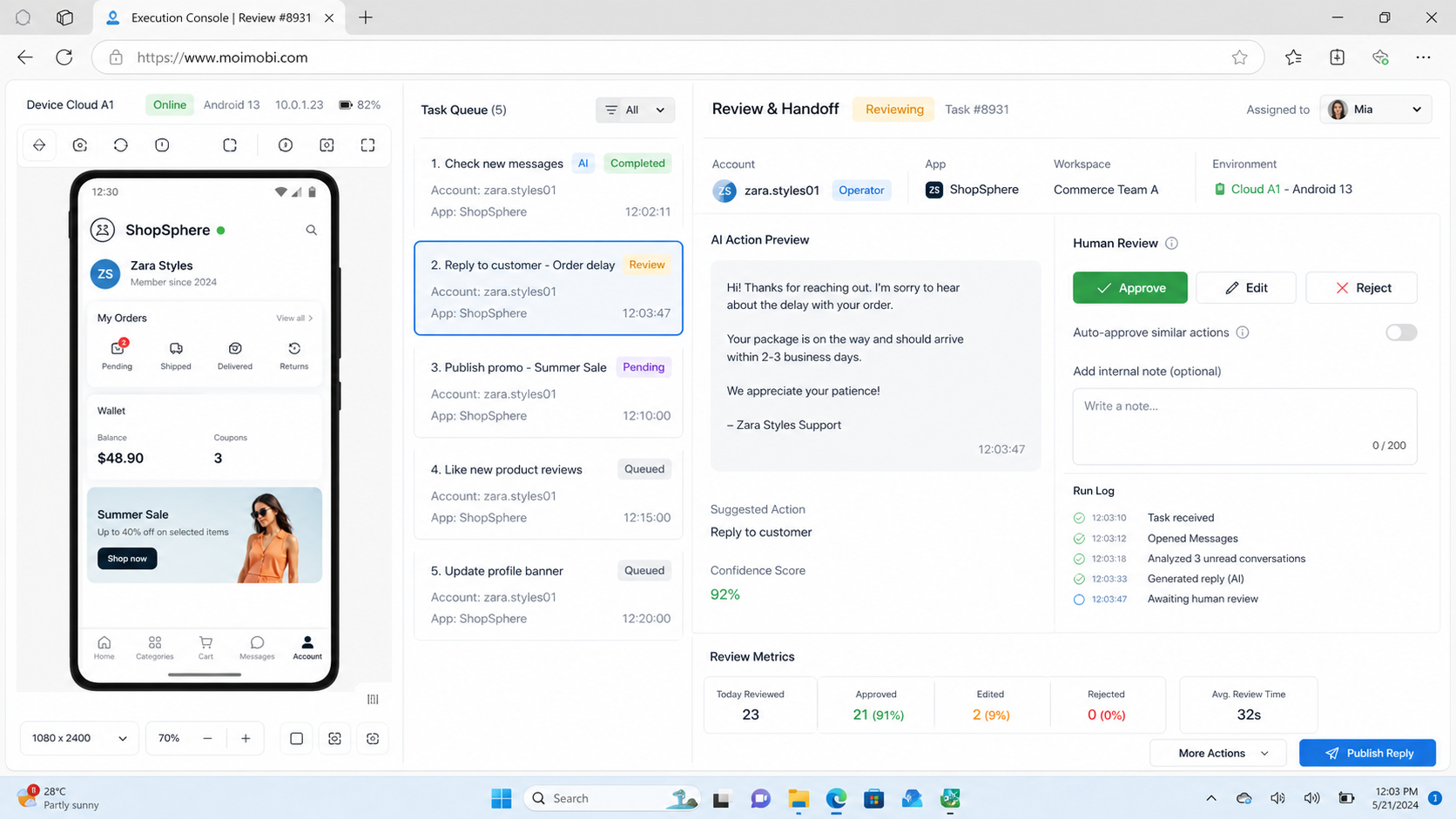
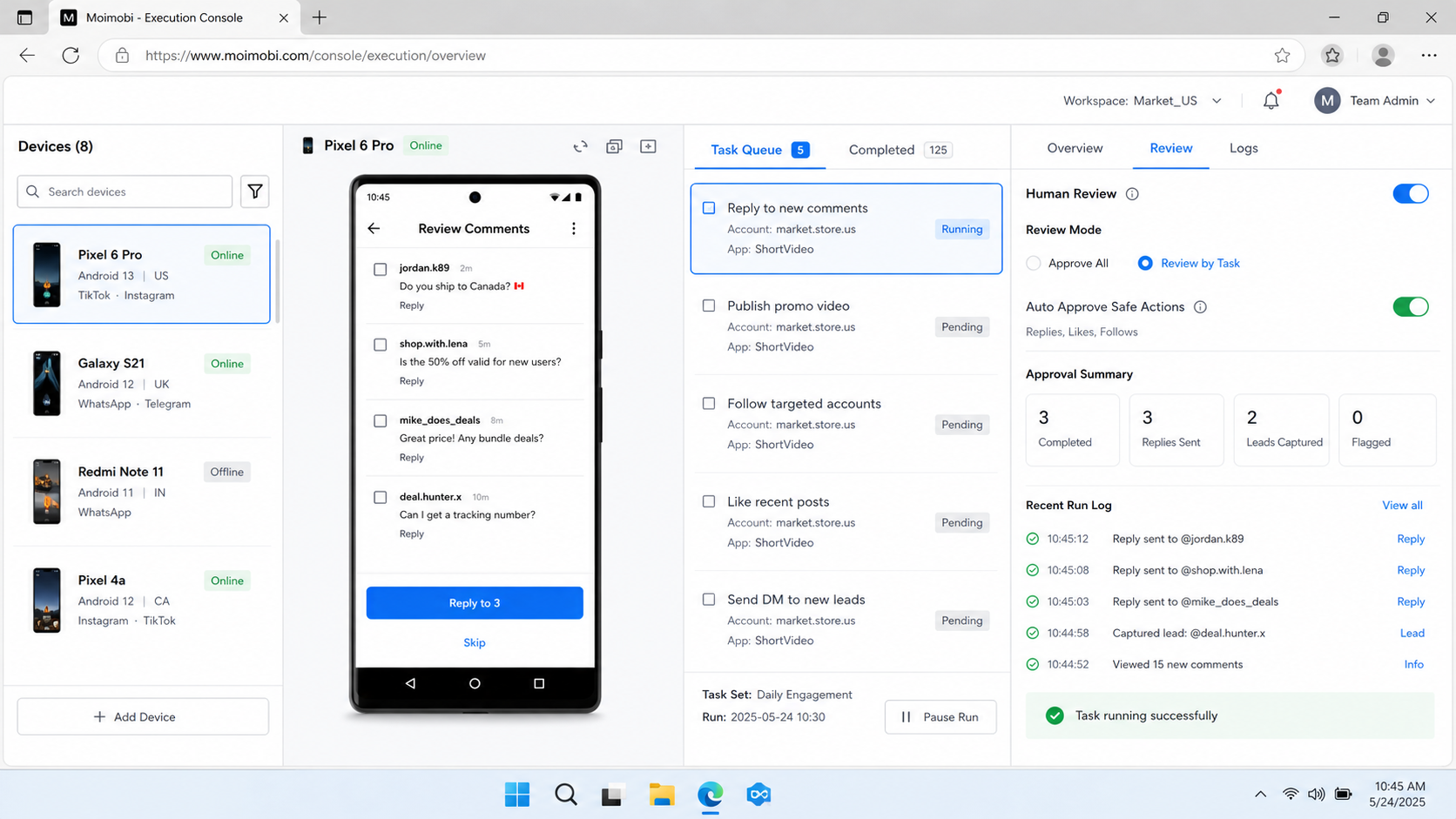
- Add human checkpoints. Require review for first-time replies, price-sensitive messages, unusual account prompts, or failed login states.
- Track every run. Store task status, account, device, operator, result, screenshot or note, and next action.
- Expand only after review. Add more accounts when the first workflow shows stable records and manageable error rates.
Moimobi’s mobile device fleet planning guide is useful when a team needs to move from a few devices to a larger mobile execution pool. The key is still governance, not only capacity.
Common Mistakes to Avoid
The first mistake is confusing automation with volume. More tasks do not automatically mean better results. If the workflow sends poor replies, publishes the wrong assets, or ignores platform rules, scale only multiplies the issue.
The second mistake is mixing too many account types in one phone pool. A support account, creator account, marketplace account, and test account may need different rules. Shared environments make troubleshooting harder.
Another frequent issue is missing recovery design. Mobile apps may update, sessions may expire, network routes may fail, or an account may need manual verification. A useful system should pause, log the issue, and route the task to a reviewer.
Avoid these patterns:
- Running all accounts through one shared environment.
- Letting AI send customer-facing replies without approval rules.
- Using the same script for publishing, support, and monitoring.
- Ignoring failed tasks until customers complain.
- Expanding to more devices before the pilot has clean logs.
Meta’s terms explain that users must follow platform rules and avoid unauthorized or improper use of services. Teams that operate Facebook or Instagram commerce workflows should read the official Meta Terms of Service and build internal SOPs around permitted behavior.
Who It Fits and When It Is a Strong Match
Teams with daily app-side work are the strongest fit. Examples include social commerce teams, cross-border sellers, marketplace operators, customer support teams, and agencies that manage account-based mobile workflows for clients.
Shared visibility is another fit signal. A manager should not need to ask who used which phone or whether a message was handled. The system should show account, task, result, reviewer, and next action.
Mostly browser-based work is a weaker fit. A team that only updates web dashboards may get more value from browser profiles, API integrations, or workflow automation tools. Cloud phones add value when the mobile environment itself matters.
The boundary is simple:
| Strong Fit | Weak Fit |
|---|---|
| Mobile app publishing and review | Pure web dashboard updates |
| Account-specific app sessions | One-off personal tasks |
| Multi-account team workflows | Untracked individual phone use |
| Customer messages needing routing | Unapproved bulk outreach |
| App-side checks after campaigns | Tasks with no repeatable SOP |
Pilot Rollout, Measurement, and Recovery Checks
A good pilot should be small enough to inspect by hand. Choose one platform, one account group, one workflow, and one owner. Run it for a fixed period, then review the records before adding more accounts.
Track metrics that show workflow quality, not just activity. Useful checks include task completion rate, failed-task reasons, average review time, reply accuracy, escalation count, and number of manual fixes. If the team uses AI for drafts, track how often humans edit or reject the output.
Recovery checks are just as important. The workflow should state what happens when an app logs out, a task hits an unexpected screen, a media upload fails, or a customer reply requires a human answer. The right action may be pause, retry once, escalate, or mark the account for review.
Use this weekly review loop:
- Review completed, failed, and paused tasks.
- Separate workflow failures from account-specific issues.
- Update SOP steps that caused repeated errors.
- Remove accounts that need manual attention.
- Expand only the workflows with clean records.
The goal is not to hide human work. The goal is to put human judgment where it matters most.
How AI Workers Fit With Cloud Phones
AI workers are useful when they prepare repeatable work for mobile execution. They can draft captions, summarize inbox threads, classify comments, suggest reply options, build task lists, and flag unusual cases. That can save time before an operator enters the app.
Execution still needs boundaries. An AI worker should not freely operate every account without approval rules. For mobile commerce, the better pattern is “AI prepares, environment executes, human reviews sensitive actions.”
A mobile commerce team might use AI to draft a reply, then send the task to an assigned cloud Android device. The operator reviews the reply, checks account context, and approves the action. The log records the outcome.
Reviewed execution is slower than blind bulk automation. It is also more useful for teams that care about account quality, customer experience, and repeatable operations.
Frequently Asked Questions
What is cloud phone automation?
In practice, this means running repeatable mobile tasks inside remote Android environments. It is usually used when a workflow depends on mobile apps, account sessions, and task records.
How does it help mobile commerce teams?
The setup helps teams separate account environments, assign mobile tasks, review app-side work, and keep execution records. It is most useful when mobile apps are part of daily operations.
Is a cloud phone the same as an emulator?
No. They can look similar from the user side, but a cloud phone is usually positioned as a remote mobile environment managed through a cloud platform. The right choice depends on the app workflow and provider details.
Can AI agents use cloud phones?
Yes, when the system connects AI planning or drafting to a controlled mobile execution environment. Sensitive actions should still have approval rules.
What should a first pilot include?
Start with one platform, one account group, one task type, and one owner. Track completion, failures, review time, and manual corrections.
When should teams avoid cloud phone automation?
Avoid it when the task is mostly web-based, unrepeatable, or customer-sensitive without a review process. It is also a poor fit for unapproved bulk outreach.
What metrics matter most?
Task completion, failure reason, review time, reply quality, escalation count, and recovery speed matter more than raw activity count.
Does cloud phone automation replace human operators?
Usually no. It is better viewed as execution infrastructure. Humans still define rules, review sensitive actions, and handle exceptions.
Conclusion
For mobile commerce apps, cloud phone automation is most valuable when mobile work is frequent, account-based, and hard to manage through personal phones. It gives teams a cleaner way to assign devices, run app-side tasks, review outcomes, and recover from failures.
Before scaling, check four things: whether the task truly needs a mobile app, whether each account has a dedicated environment, whether sensitive actions require review, and whether every run leaves a usable record. If those pieces are missing, fix the workflow before adding more phones.



