
Title: Browser Automation Permission Control for Enterprise Teams
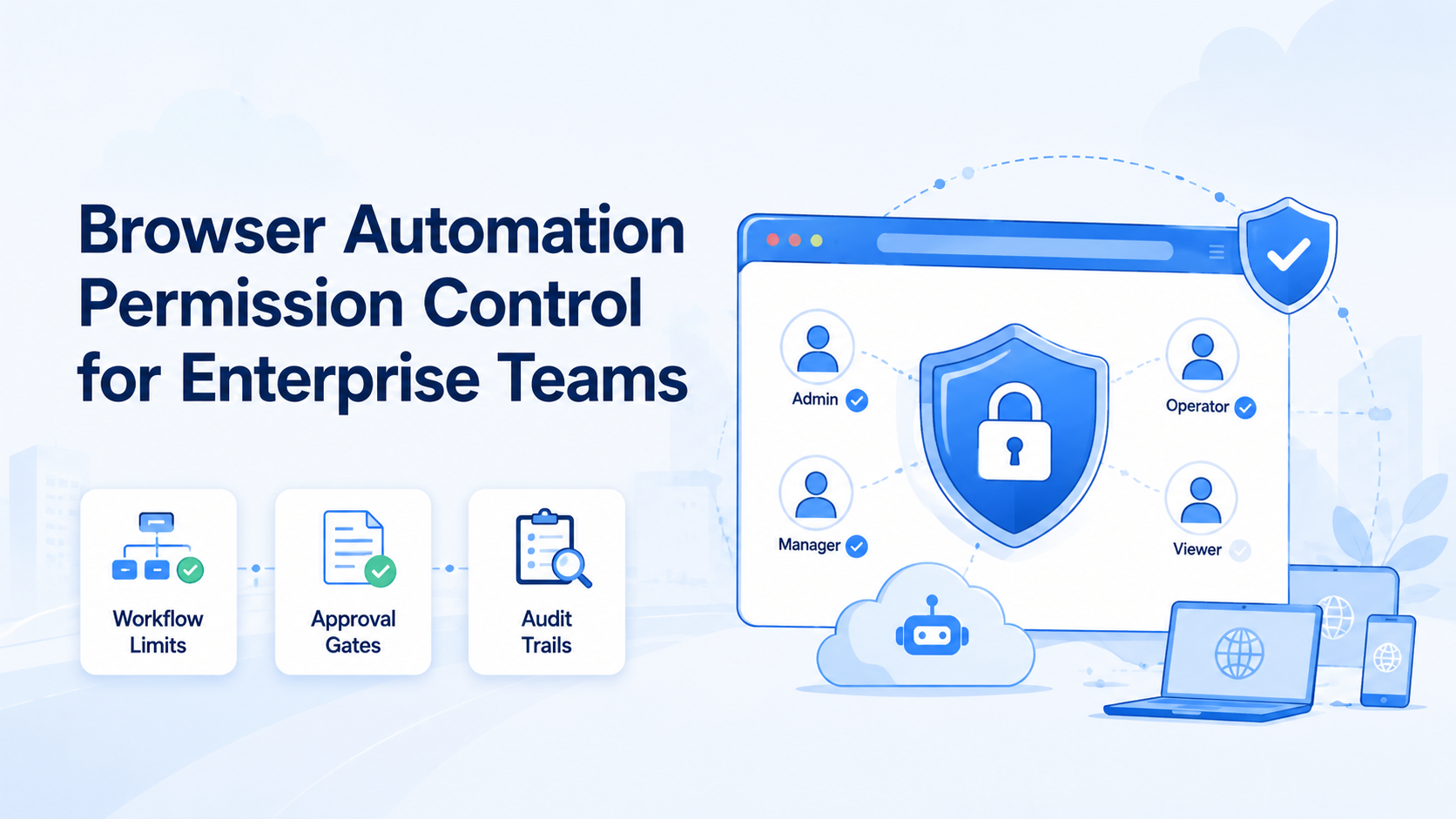
Browser automation permission control is the set of rules that decides who can start a browser task, which account environment the task can use, what actions are allowed, and when human approval is required. For enterprise teams, this is not an optional admin feature. It is the difference between controlled execution and a pile of scripts that anyone can run against any account.
The larger the team, the more important this becomes. Marketing, support, sales, and operations teams may use the same platforms but need different authority. One operator monitors dashboards. Another replies to customers. A manager approves publishing.
Key Takeaways
- Browser automation permission control should separate user roles, account workspaces, workflow access, and high-impact actions.
- Enterprise teams should deny by default, then grant specific workflow rights by role.
- AI-assisted browser tasks need the same approval gates as human-triggered tasks.
- Audit logs should capture user, profile, workflow, action result, and approval state.
- Permission control works with account isolation; it does not replace it.
Why permission control matters in browser automation
Browser automation can click, type, navigate, upload, download, and submit forms. The W3C WebDriver standard describes browser remote control through commands for navigation, elements, actions, cookies, screenshots, and more. That breadth is useful, but it also means browser automation needs boundaries.
The W3C WebDriver specification is the right technical baseline because it defines browser automation as remote control of real user agents through commands and sessions.
If every user can run every workflow in every profile, a simple task can become a production incident. Most failures come from normal mistakes: running the wrong workflow in the wrong account, publishing before review, overwriting a field, or using another team's profile.
Moimobi's multi-account management model is built around separated environments and role-aware execution, because account operations need more than a launch button.
The minimum permission model
A useful browser automation permission model should answer five questions before a task starts:
- Who is the user?
- Which profile or account workspace are they using?
- Which workflow are they allowed to run?
- Which actions are blocked or require approval?
- Where will the result and audit trail be stored?
This model should apply to both manual workflows and AI-assisted workflows. AI can prepare or recommend actions, but the system still needs permission gates before an action is executed inside a real browser session.
Separate profile access from workflow access
Do not treat profile access and workflow access as the same permission. A user may be allowed to open a profile for review but not publish content from it. Another user may be allowed to run a reporting workflow but not change account settings.
A clean model separates:
- Profile access: who can view, open, or manage an account workspace.
- Workflow access: who can run a specific automation.
- Action access: which risky actions require approval.
- Data access: who can see logs, screenshots, exports, or customer content.
This separation also supports device isolation. The account workspace stays controlled, while workflow permissions decide what can happen inside it.
Use approval gates for high-impact actions
Not every browser action needs approval. Opening a dashboard, checking status, or collecting a report may be low risk. Publishing content, sending customer replies, changing billing settings, exporting data, or editing account configuration should be treated differently.
OWASP's Authorization Cheat Sheet recommends server-side authorization checks and deny-by-default thinking. The same principle works for automation systems: only approved task types should run in approved environments.
The OWASP Authorization Cheat Sheet supports this approach: server-side authorization and deny-by-default rules are stronger than trusting client-side UI gates.
Approval gates are especially important when AI is involved. An AI draft can be useful, but the permission system should decide whether the draft can be posted directly, routed to review, or stored as a suggestion.
Audit trails are part of permission control
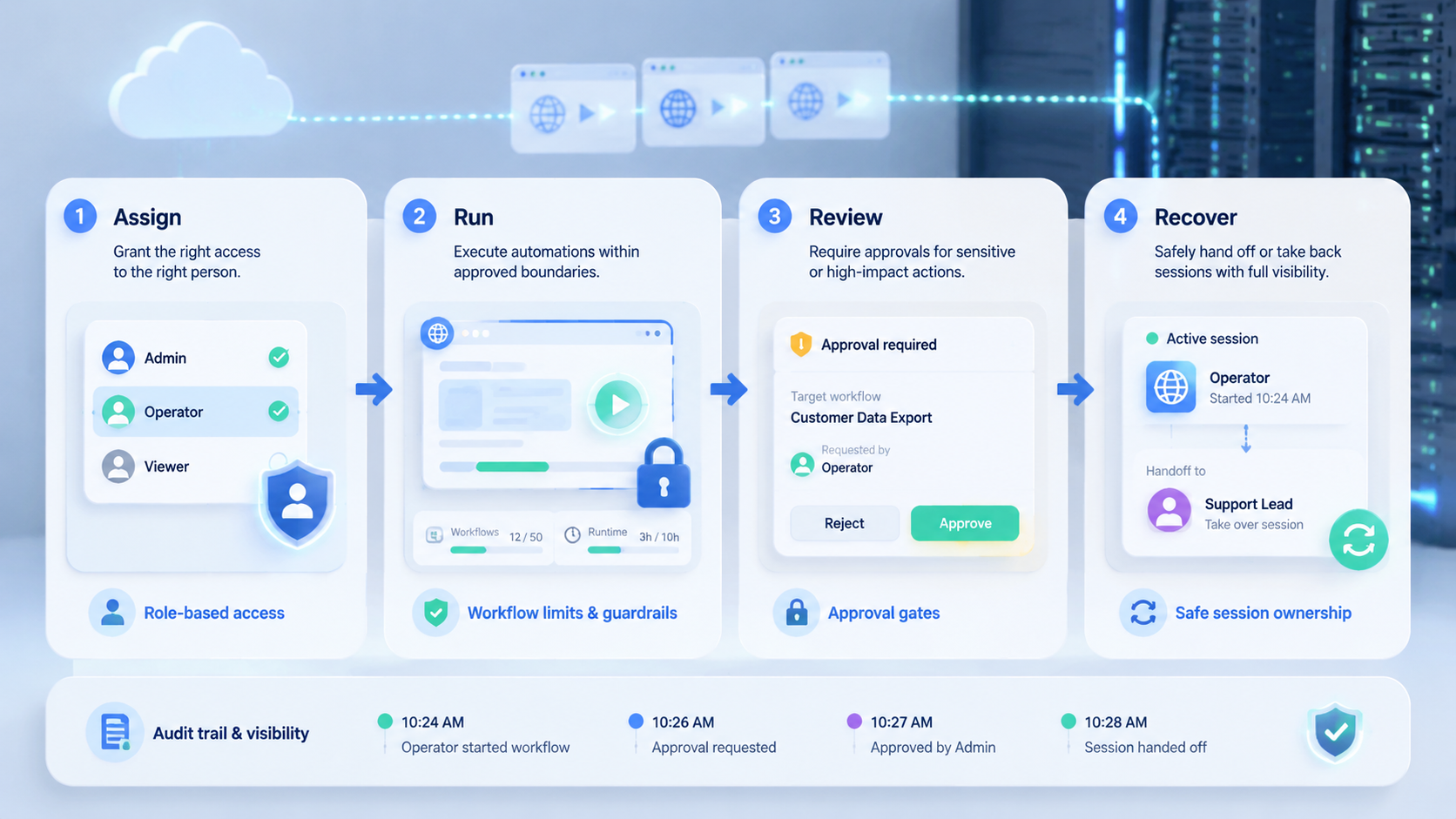
Permission control is weak if the team cannot review what happened. Every browser automation run should leave an audit trail with the user, account workspace, workflow, start time, result, important errors, and approval status.
The Chrome DevTools Protocol documents browser debugging and inspection domains for browser automation and instrumentation. Enterprise systems do not need to expose raw protocol detail to operators, but they should preserve enough execution evidence to understand each run.
The Chrome DevTools Protocol documentation is a useful reference here because it shows how browser instrumentation exposes many domains. Enterprise operators should see clear audit events, not raw protocol details.
Moimobi's Resources and execution model focus on this operational layer: workflows should be repeatable, but also observable.
How to design roles
A simple role model is usually enough at first:
- Viewer: can inspect account status and past results.
- Operator: can run approved low-risk workflows.
- Reviewer: can approve replies, publishing, or changes.
- Manager: can assign accounts and view team metrics.
- Admin: can create environments, manage routing, and set permissions.
The role names matter less than the action boundaries. Avoid vague roles such as "power user" unless you define exactly what that role can do.
Enterprise browser governance lessons
Chrome Enterprise documentation shows that browser behavior can be managed centrally in organizational environments. That does not mean every automation platform must copy Chrome administration. It means enterprise teams are already used to the idea that browser behavior, access, and configuration should be governed from one place.
Chrome's enterprise admin documentation shows the broader governance pattern: browser settings and behavior can be managed centrally when teams need control.
| Permission Layer | Example Rule | Operational Purpose |
|---|---|---|
| Profile access | Operator can open assigned account profiles only | Prevents cross-account mistakes |
| Workflow access | Operator can run reporting but not publishing | Limits action scope |
| Approval gate | Reviewer must approve customer replies | Protects public and customer-facing actions |
| Audit access | Manager can review logs and failures | Supports recovery and accountability |
For automation, this translates into profile ownership, controlled workflows, review gates, and logging. A browser and mobile execution platform should expose those controls in operational language, not only technical settings.
Permission control checklist
Use this checklist before scaling browser automation:
- Define profile owners.
- Assign workflow permissions by role.
- Mark high-impact actions.
- Require review for publishing, replies, exports, and account changes.
- Store execution logs.
- Review failed tasks weekly.
- Remove access when operators change roles.
This is basic, but it prevents the most common failures.
Frequently Asked Questions
What is browser automation permission control?
It is the rule system that decides who can run browser workflows, which profiles they can use, and which actions require approval.
Why does enterprise automation need permission control?
Enterprise teams have more users, accounts, workflows, and review expectations. Permission control reduces accidental misuse and makes automation auditable.
Should AI agents have their own permissions?
Yes. AI-assisted tasks should run through the same permission gates as human-triggered workflows.
What actions should require approval?
Publishing, customer replies, exports, account setting changes, billing changes, and any workflow that affects customers or public content.
Is permission control the same as account isolation?
No. Account isolation separates environments. Permission control decides who can do what inside those environments.
What is the simplest role model?
Viewer, operator, reviewer, manager, and admin is enough for many teams.
Does every workflow need a log?
Yes. At minimum, log the user, profile, workflow, time, result, and error state.
How does Moimobi fit?
Moimobi connects account environments, workflow execution, and team controls so browser automation can be managed as operations infrastructure.



