
Key Takeaways
- Browser automation for Instagram and TikTok workflows fits review, routing, and browser-surface workflows better than every app-facing action.
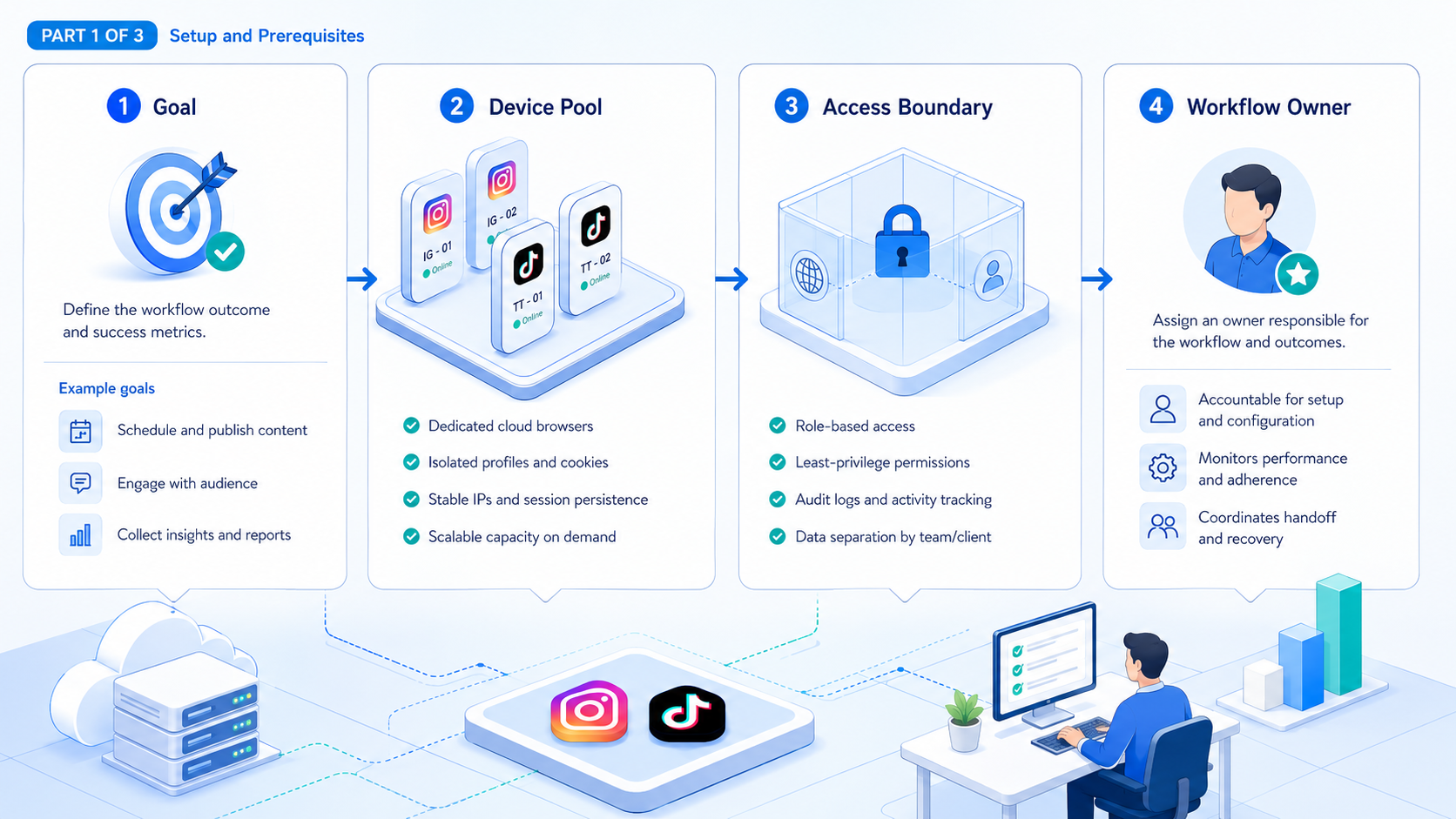
- Teams need session isolation, task boundaries, and recovery rules before they need more scripts.
- Instagram and TikTok workflows often split between browser review and mobile execution.
- A pilot should measure clarity, exception handling, and handoff quality before it measures output.
Browser automation for Instagram and TikTok workflows is a structured way to run browser-side account tasks through controlled sessions, named owners, and repeatable steps. This workflow is useful when the team needs clear routing for reviews, dashboards, publishing support work, or account checks that happen in web surfaces.
That does not mean every social workflow should stay in the browser. A better model is to decide which tasks belong in browser lanes and which tasks should move into device-backed execution. The important choice is not "automation or not." It is "which layer fits which workflow."
Primary documentation makes that distinction easier to justify. Browser automation standards and tools focus on controlled sessions, deterministic page actions, and explicit state management.1 2 Platform-facing teams then decide where browser work ends and where mobile execution begins.3 4 5
The Core Idea Behind Browser Automation for Instagram and TikTok Workflows
The myth is that browser automation means a script can run every social task the same way. The workable view is narrower. Browser automation for Instagram and TikTok workflows fits browser surfaces. It does not replace every app or review flow.
For Instagram and TikTok operations, browser automation for social media usually helps with:
| Good browser-fit tasks | Why they fit |
|---|---|
| Account routing and lane review | Session ownership is visible |
| Dashboard checks and reporting pulls | Web surfaces are stable to inspect |
| Publishing support checks | Approvals and queue validation are easy to log |
| Inbox triage on supported web surfaces | Teams can route owners clearly |
| Exception review | Logs and state are easier to compare |
The weaker fit is app-only behavior that depends on device context, mobile-only flows, or execution layers better handled in mobile automation. That is why the first natural evaluation link is often device isolation or cloud phone, not only a browser stack.
Why Teams Search for Browser Automation for Instagram and TikTok Workflows
Teams usually search for browser automation for Instagram and TikTok workflows after a manual browser workflow becomes repetitive. Operators may log in, check posting queues, review account state, or route exceptions by hand. At first this looks manageable. Later it becomes slow and inconsistent.
Another trigger is tool overlap. A team may already use schedulers, sheets, and internal process docs, but still lack a clean execution layer. Browser automation becomes attractive because the browser is where many control tasks already happen.
A third trigger is alternatives research. Buyers comparing a BitBrowser alternative or a Ghost Browser alternative are often not looking for tab management alone. They want account separation. The real evaluation question is whether the browser lane stays clear once more operators, more accounts, and more exceptions enter the system.
Some teams also search after using simple browser profiles without a real operating model. Profiles can help, but they do not decide who approves a queue change or when the browser lane should hand work to a mobile lane.
Who Benefits Most and In What Situations
Browser automation helps most when the team has repeatable browser-side work and enough process discipline to keep lane boundaries clear.
The best fit looks like this:
- Growth teams with recurring queue checks and account reviews
- Agencies that need visible browser-side approvals
- Operators comparing several account lanes in one control layer
- Teams that want to separate web review from mobile execution
- Programs that expect the browser to replace mobile-only execution
- Teams with no owner model for retries or pauses
- Single-account workflows with almost no repeated browser steps
- Setups that mix unrelated accounts in one shared session
One practical scenario is an agency account desk. The browser lane handles queue review, asset approval, reporting checks, and exception routing. The mobile lane handles app-facing steps that do not belong in the same browser surface. That split produces a cleaner handoff than trying to force every step into one tool.
How to Evaluate or Start Using Browser Automation for Instagram and TikTok Workflows
Do not begin with a long script. Begin with a lane map.
Use this evaluation path:
- List the browser tasks. Separate review tasks from execution tasks.
- Assign one lane per account group. Do not mix unrelated markets or clients.
- Define stop rules. Decide when the browser lane must hand off to another layer.
- Log retries and exceptions. The team needs one visible place for recovery.
- Test one weekly cycle. Confirm that another operator can review the run history without rebuilding context.
Playwright browser contexts are relevant here because they formalize isolated session handling inside browser automation.2 W3C WebDriver matters because it frames browser actions as explicit commands rather than hidden state.1 Together they support a design where the lane itself is reviewable.
Teams that need account work beyond browser surfaces should evaluate phone farm or Android antidetect next. That boundary matters because browser automation for social media is strongest when it stays inside the tasks it can explain well.
- Pass: the browser lane can complete review work without confusing ownership.
- Pass: exceptions are logged in one visible record.
- Fail: the browser lane keeps absorbing mobile-only tasks.
- Fail: retry work depends on private chat messages.
Mistakes That Reduce Results
The first mistake is using browser automation where the workflow clearly needs device-backed execution. That turns one good control layer into a weak substitute for another.
The second mistake is copying a browser script across too many account groups before the team has recovery rules. When one lane fails, operators often improvise manually. If the manual path is undocumented, the automation stops being trustworthy.
The third mistake is evaluating only task speed. Browser lanes should also reduce ambiguity. If the team moves faster but review gets worse, the workflow is not healthier.
What not to do
- Do not automate browser steps that have no clear retry owner.
- Do not let one shared browser lane handle unrelated clients or brands.
- Do not use the browser lane as a catch-all replacement for mobile execution.
- Do not measure click completion if the team cannot explain the last exception.
The better question is simple: can another operator inspect the lane and decide what happens next? If not, the browser workflow is not ready to scale.
Pilot Rollout, Measurement, and Recovery Checks
A strong pilot is small. Start with one Instagram workflow and one TikTok workflow that share the same review style but not the same account lane.
Track four things first:
| Check | What it shows |
|---|---|
| Queue review time | Whether the lane is easy to inspect |
| Retry count | Whether exceptions are visible |
| Ownership changes | Whether handoff stays clean |
| Browser-to-mobile handoff points | Whether lane boundaries are realistic |
Add one weekly recovery review. Compare which pauses came from content issues, which came from environment issues, and which came from unclear scope. This is where social media marketing teams often learn that the process problem is not the same as the content problem.
Another useful field is handoff reason. When the lane records why a workflow left the browser layer, later reviewers can tell whether the move came from app-only requirements, approval needs, or an exception that required a different environment. That makes future lane design more precise.
Teams can also track queue age for each browser lane. A queue that keeps growing while the same lane still owns review, approval, and retry work is a sign that the browser workflow is carrying too much responsibility. That does not always mean the browser layer is wrong. It often means the agency or growth team needs a cleaner split between browser review and device-backed execution.
| Field | Why track it |
|---|---|
| Queue age | Shows whether review load is growing too fast |
| Handoff reason | Shows why the browser lane stopped owning the task |
| Retry owner | Keeps recovery visible |
| Execution surface | Shows whether the task stayed in browser or moved to mobile |
- Use browser first: queue review, dashboard checks, browser-based approvals, and exception routing.
- Use mobile later: app-facing execution that depends on device-backed context.
- Do not mix: one lane should not quietly absorb both review and heavy mobile work without a handoff rule.
Frequently Asked Questions
Is browser automation for social media enough for every Instagram or TikTok task?
No. It fits browser-surface tasks best. App-facing work may need a mobile lane.
What should a team automate first?
Start with queue checks, routing, and review tasks before heavier execution.
Does browser automation replace cloud phones?
No. They solve different parts of the execution stack.
Why do teams compare BitBrowser or Ghost Browser alternatives here?
Because they need account separation and repeatable workflow routing, not only tabs.
What is the main review metric?
A strong metric is whether another operator can inspect the lane and decide the next step quickly.
Should Instagram and TikTok share one browser lane?
Usually they should share a management model, not one mixed account lane.
When should the browser lane hand off?
It should hand off when the next step depends on device-backed execution or a different control layer.
Conclusion
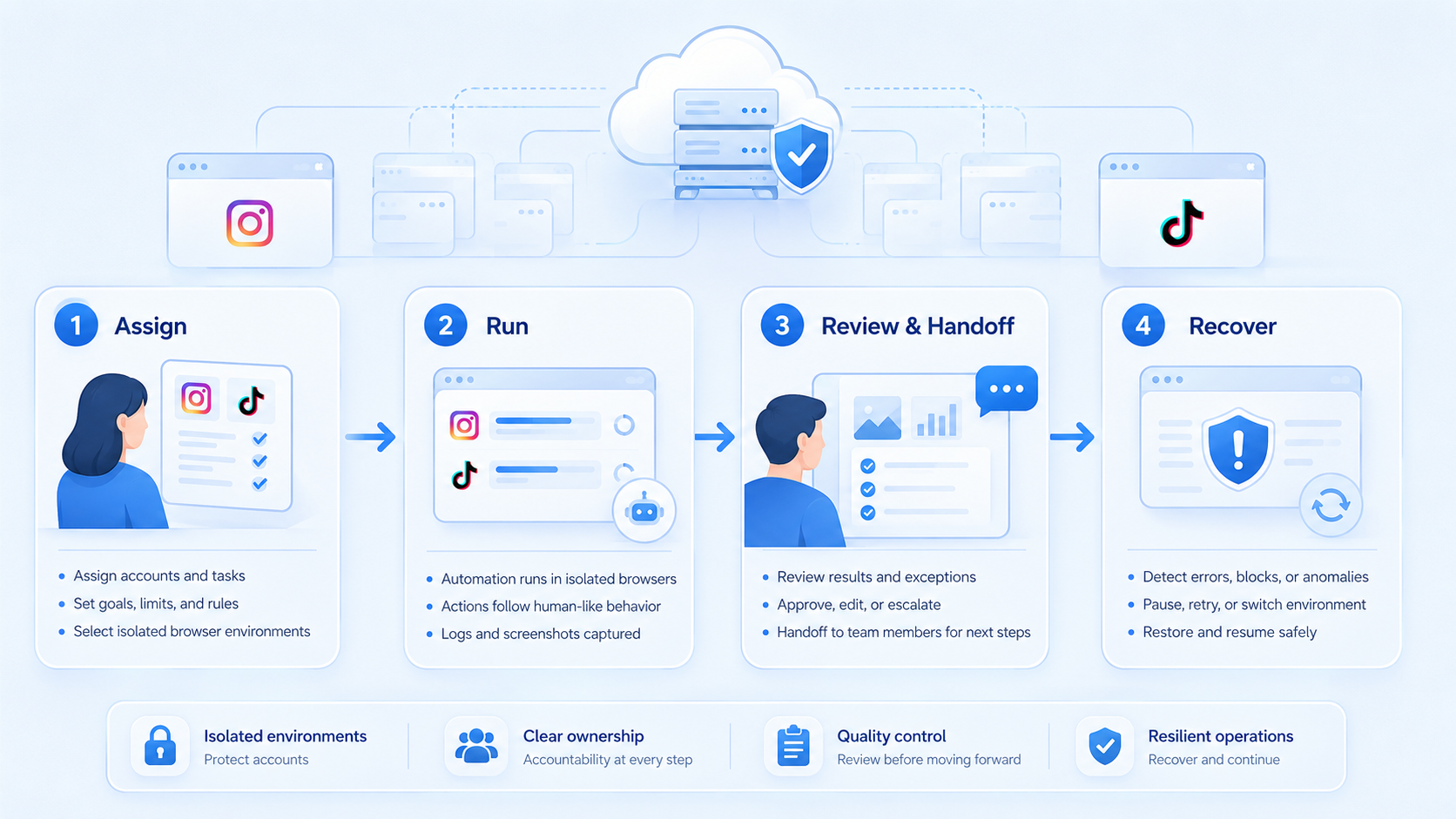
Browser automation for Instagram and TikTok workflows works best when the team treats the browser as one execution layer inside a broader system. The value comes from session clarity, task boundaries, and visible recovery.
Start with one browser lane, one review loop, and one clear handoff rule. If the lane stays easy to inspect, then expand.



