
Browser agent automation is a controlled way to let an AI or rules-based agent operate browser workflows that repeat across accounts, dashboards, forms, and review queues. For social media teams, the value is not magic browsing. The real value is repeatable execution with clearer account boundaries.
The practical question is whether the browser task is stable enough to delegate. Publishing checks, comment triage, profile updates, report collection, and competitor monitoring can often be shaped into workflows. Creative judgment, sensitive replies, and unusual account events still need human review.
Moimobi treats the browser as one execution environment inside a broader system. Teams can connect browser work with multi-account management, device isolation, social media marketing, and mobile execution when a workflow moves from web dashboards into apps.
Key Takeaways
- Browser agent automation works best for repeated, logged-in social media tasks.
- Account profiles should be treated as workspaces, not disposable browser tabs.
- Human review is still needed for customer-facing replies and unusual account events.
- A pilot should measure task completion, error reasons, review time, and account handoff quality.
- Browser agents are strongest when combined with mobile environments for app-first work.
- Moimobi is a fit when the team needs execution infrastructure, not only content generation.
What Is Browser Agent Automation?
This automation model means a controlled agent can open pages, follow instructions, read page state, fill forms, click controls, and record outcomes. The W3C WebDriver specification describes browser automation as remote control of user agents through a platform-neutral protocol. That matters because browser work should be explicit, observable, and recoverable.
For social media operations, a browser agent is not a replacement for strategy. The agent acts as an execution worker for repeatable actions. A team might ask it to collect post status from several dashboards, open a moderation queue, or update a campaign tracker after a post goes live.
The workflow becomes useful only when it has boundaries. The agent needs a known account, a known browser profile, a task definition, a success state, and an escalation rule. Without those fields, automation becomes a loose script that is hard to debug.
Why Browser Agent Automation Matters for Social Media Teams
Social operations break down when every account requires manual switching. A manager may approve posts in one tool, an operator may publish from another dashboard, and a support teammate may answer comments later. Browser work becomes scattered across people, devices, and tabs.
A controlled browser worker gives the team a way to standardize the repeatable part. The workflow can load the right workspace, check the right queue, and report the result. Operators can then focus on exceptions instead of opening the same pages all day.
Session boundaries are a major design point. Playwright documents browser contexts as isolated browser sessions. The operational lesson is simple: logged-in work needs separation. One account should not accidentally inherit another account's session state.
That is why browser profiles matter. A profile is not only a convenience. The profile becomes the execution record for a specific account or client. Moimobi uses this idea alongside Android antidetect and browser-mobile execution patterns.
Remote execution is not limited to browsers. AWS Device Farm describes managed remote device testing for mobile apps. A social operations team solves a different business problem, but the same lesson applies: real environments need scheduling, ownership, logs, and cleanup rules.
Key Benefits and Use Cases
The common mistake is treating a browser agent like a generic bot. The workable model is narrower. Assign it stable tasks with visible success states and clear review rules.
Good early use cases include:
- Checking whether scheduled posts are live.
- Gathering status from social media dashboards.
- Opening comment or inbox queues for review.
- Collecting competitor URLs, post metadata, or campaign examples.
- Updating a spreadsheet or CRM after a social task is complete.
- Preparing draft replies that wait for human approval.
These tasks share one trait: the team can define done. The agent either found the item, completed the form, collected the status, or raised an exception.
Weak use cases look different. Do not start with vague goals such as "grow this account" or "handle all comments." Those tasks contain strategy, policy, and customer judgment. They need a workflow around the agent, not blind automation.
Browser Agent Automation Workflow: A Practical Model
| Layer | Decision | Failure to watch |
|---|---|---|
| Account | Which account owns this task? | Mixed logins or unclear ownership |
| Profile | Which browser profile runs it? | Session conflicts between accounts |
| Instruction | What exact state counts as done? | Agent stops without useful evidence |
| Review | What needs human approval? | Unreviewed public-facing action |
| Record | Where is the result stored? | No audit trail after failure |
This table is the core operating model. Browser automation becomes safer and easier to improve when each layer is named. Ownership and review policy should be set before the page task runs.
A team can start with one workflow. For example, the agent opens five account dashboards, checks whether yesterday's posts are live, saves screenshots or status fields, and flags accounts that need a human check.
For social content tasks, official posting routes may also exist. TikTok documents a Content Posting API for approved integrations. Meta documents the Instagram Platform for creator and business workflows. Browser agents should sit around these official paths, not pretend every task belongs in one generic click flow.
Browser Agent Automation vs Profile Browsers
A profile browser gives teams separated workspaces. An execution agent operates inside a workspace to complete a defined task. Those are different layers, and mixing them creates poor decisions.
Teams looking for a BitBrowser alternative, Ghost Browser alternative, or multi-account browser often start with profile separation. That is a valid first concern. Profile separation makes account work easier to organize. It does not by itself decide what task should run, who approves it, or how failure is logged.
The task layer needs instructions, state checks, and result records. A profile browser without workflow control leaves people switching less, but still guessing what happened. An agent without profile control may execute faster, but with weaker account separation.
The better model combines both. Use profiles for account boundaries. Use agents for repeated execution. Use review queues for public-facing decisions. Use reports to see what actually improved.
How to Get Started
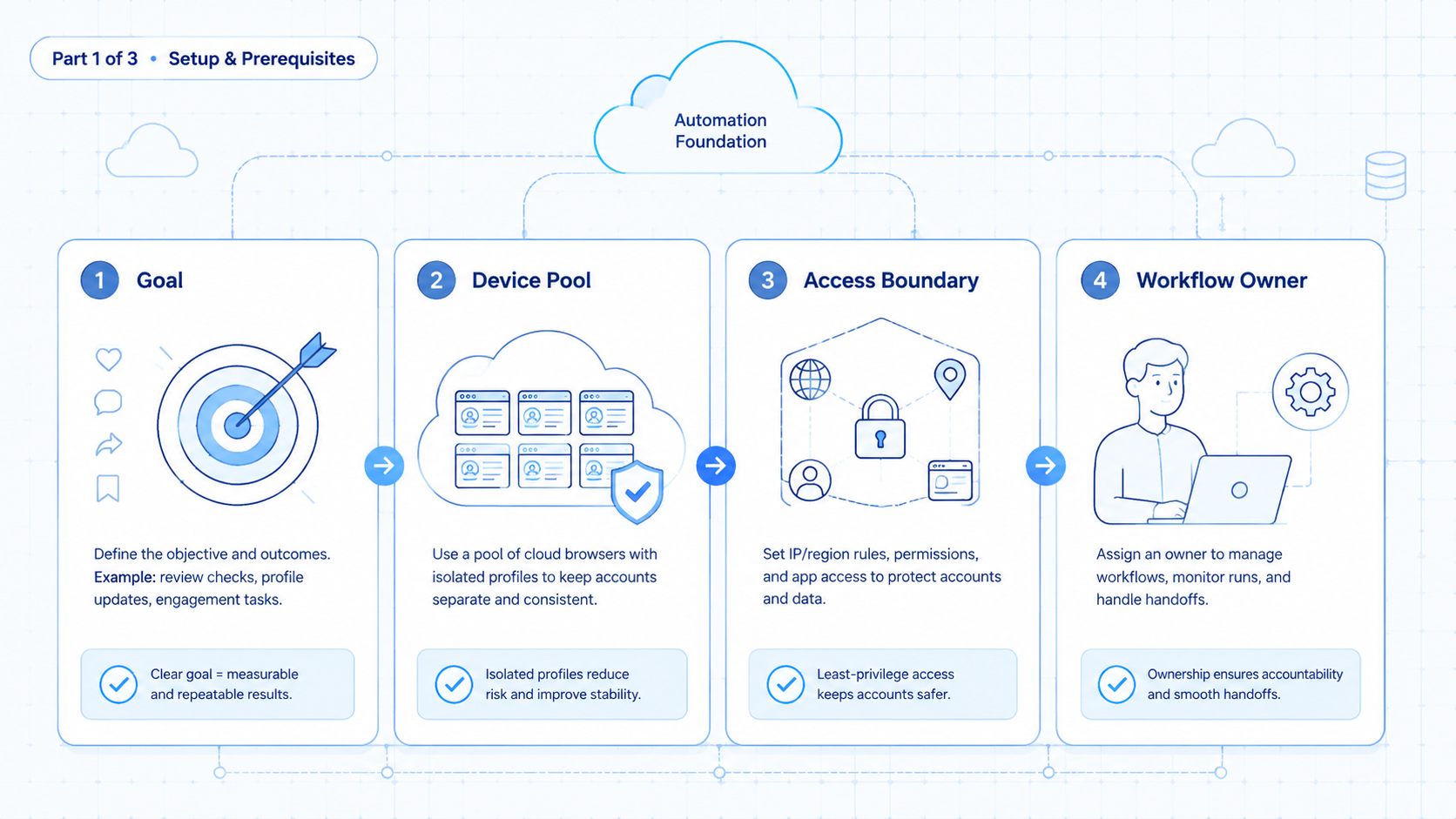
Choose the smallest workflow that wastes repeated time but does not carry high customer risk. Report collection is often better than reply automation for the first pilot.
- Choose one repeated browser task. Pick a task with a stable page path and a clear success state.
- Assign one account workspace. Use one browser profile for one account or client.
- Write the task as checkpoints. Include login state, page path, action, success evidence, and escalation trigger.
- Run with human review. Let the agent prepare or collect, then let a person approve public actions.
- Record every failure reason. Separate login failure, page change, missing data, permission issue, and content uncertainty.
- Expand only after repeat success. Add more accounts after the first workflow is predictable.
The first pilot should feel boring. Boring is useful because it exposes process gaps before the team adds scale.
Common Mistakes to Avoid
Do not merge account automation and content judgment too early. A browser agent can execute a defined step. It should not decide whether a sensitive comment deserves a casual reply, a support escalation, or no response.
Avoid shared profiles for different accounts. Shared sessions can make handoffs confusing. They also make audit trails weaker because the team cannot explain which workspace produced which action.
Another mistake is skipping evidence capture. A task result should include a timestamp, account, environment, page or queue, outcome, and error reason. Without those fields, failed runs become anecdotes.
Teams also overbuild the first version. A ten-step workflow across several sites may look impressive, but debugging becomes slow. Start with one site, one account, and one result type.
Fit Boundaries: When It Is a Strong Match
This approach is a strong match when the team manages repeated logged-in work across several accounts. Agencies, social commerce teams, creator operations teams, and customer support teams often fit this pattern.
The fit becomes stronger when the team needs both browser and mobile execution. A campaign might start in a web dashboard, move into a mobile app, and end in a reporting sheet. Moimobi can connect mobile automation with browser account workflows.
The match is weak when the task changes every time. Strategy calls, crisis response, legal review, and brand-sensitive replies should stay human-led. Automation can prepare context, but people should decide the final action.
Fit improves when the team has SOPs. If nobody can describe the manual workflow, the agent will not fix the process. Write the human process first, then automate the repeated steps.
Pilot Rollout, Measurement, and Recovery Checks
A useful pilot should run for a fixed period, such as one week or one campaign cycle. The goal is to learn whether the workflow is stable enough to repeat. The pilot should not try to automate every social task at once.
Track five fields from day one: completed tasks, failed tasks, review time, error reason, and account owner. These fields show whether the agent saves time or simply moves confusion into a new tool.
Use a recovery checklist for failed runs:
- Did the correct account profile open?
- Was the login state valid?
- Did the page layout change?
- Was the instruction too vague?
- Did the task require human judgment?
- Was the result written back to the right place?
This review loop turns automation into an operating system. The team learns which steps are stable, which need better prompts, and which should remain manual.
One extra metric is worth adding: handoff quality. Track how often a reviewer can understand the agent's output without asking the operator for context. If reviewers keep asking what happened, the workflow needs better evidence capture, not more automation.
Another useful metric is task aging. A queue that fills faster than reviewers can approve it becomes a bottleneck. Browser agents should reduce repetitive work, not create a larger pile of unreviewed actions.
Frequently Asked Questions
Can browser agent automation post on social media?
It can support publishing workflows when the team defines the task, account, review rule, and platform path. Public posting should keep human approval where brand or policy risk exists.
Is this the same as a browser automation script?
Not exactly. A script follows fixed instructions. A browser agent may interpret page state and handle small variations, but it still needs guardrails.
Do teams still need browser profiles?
Yes. Profiles keep account work separated and easier to audit. They also make handoffs clearer across operators.
What should be automated first?
Begin with reporting, status checks, queue opening, or draft preparation. These tasks are easier to verify than public replies.
Can this replace a social media manager?
No. It can reduce repeated execution work. Strategy, judgment, brand tone, and escalation decisions still need people.
How does Moimobi fit into the workflow?
Moimobi provides execution environments for browser and mobile account work. The platform is useful when teams need profiles, cloud phones, and account-level workflow control.
What is the biggest risk in the first pilot?
The biggest operational risk is vague task design. A pilot needs a clear success state, review rule, and failure log.
Does browser agent automation work for every platform?
No. Fit depends on the platform workflow, account access, page stability, and policy constraints. Start with low-risk internal tasks.
Conclusion
This approach is valuable when social media work has become repetitive, account-based, and measurable. Treat it as process infrastructure, not a shortcut. The model works best when the process is already clear.
Before scaling, check three things. First, each account should have its own workspace. Second, every workflow should have a human review rule for public-facing actions. Third, failures should produce useful evidence.
If those conditions are in place, browser agents can become a practical execution layer for social media operations.



