
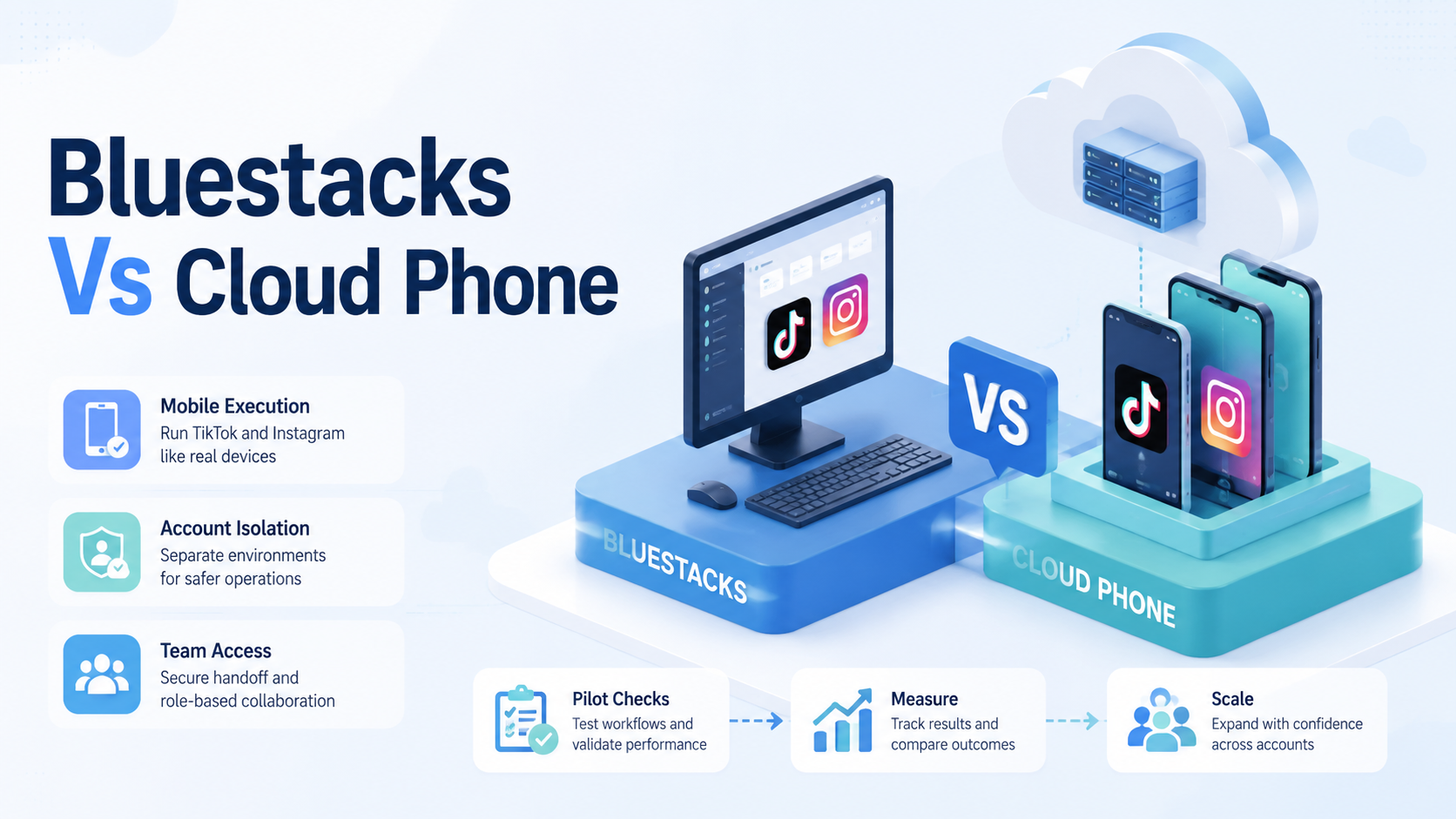
BlueStacks vs cloud phone is a comparison between a desktop Android emulator model and a remote mobile execution model. For TikTok and Instagram account operations, choose a cloud phone when the team needs persistent account environments, remote access, operator handoff, and workflow records. Choose BlueStacks when the work is light, individual, and mostly desktop-based.
BlueStacks describes itself as an Android emulator and cloud gaming platform. That makes sense for users who want Android apps on a desktop. TikTok and Instagram teams often need a different operating layer.
Moimobi supports this broader layer through cloud phone, device isolation, multi-account management, and mobile automation. For a wider category view, compare related BlueStacks alternatives.
Key Takeaways
- BlueStacks fits individual desktop Android access better than team account operations.
- Cloud phones fit TikTok and Instagram teams that need remote mobile environments.
- The decision depends on account count, operators, review needs, and task records.
- Browser profiles are not the same as mobile app execution.
- Teams should pilot the workflow before replacing tools.
- Moimobi is strongest when the team needs cloud phones, account workspaces, and multi-account execution.
What to Compare Before Choosing BlueStacks vs Cloud Phone
Start with the account workflow. Do not start with device specs.
Android's official documentation describes the Android Emulator as a way to run apps on a computer and simulate Android devices. That is useful for development, testing, and desktop access. It does not automatically solve team operations.
The cloud phone model is different. It gives the team a remote Android environment that can be assigned, reused, and managed as an account workspace. That fit becomes clearer when multiple operators need access to mobile-first apps.
Use this comparison frame:
| Question | BlueStacks fit | Cloud phone fit |
|---|---|---|
| One user or team? | Good for one user | Better for shared operations |
| Persistent account workspace? | Requires local setup discipline | Built around remote environments |
| Mobile-first app work? | Possible for some tasks | Designed around Android environments |
| Multi-account handoff? | Harder to audit | Easier to assign and track |
| Workflow logging? | Usually manual | Can be tied to task records |
The better option is the one that reduces operational confusion.
Key Differences Between BlueStacks vs Cloud Phone for TikTok and Instagram
TikTok and Instagram workflows are not only app access problems. They are account operations problems.
TikTok publishes Community Guidelines that cover authenticity and platform behavior. TikTok also documents official developer routes such as the Content Posting API. Those references show why teams should build workflows around supported operations, review rules, and clear ownership.
BlueStacks can help an individual run Android apps from a desktop. A cloud phone can help a team assign an account environment to an operator, reviewer, or campaign. That is the main difference.
For example, an agency may need one TikTok account checked by an operator, reviewed by a manager, and monitored by a support teammate. A local emulator setup makes that handoff harder. A cloud phone workspace gives the account a more visible operating location.
Features, Workflow, and Trade-Offs
BlueStacks is familiar and easy to understand for desktop users. It may be enough for checking a personal account, testing an app view, or running a simple Android workflow.
Cloud phones add operational structure. They make more sense when accounts need separated environments, remote access, and repeatable workflows. They also fit better when a team wants to connect mobile tasks with browser dashboards and reporting.
AWS describes Device Farm as a way to test applications across browsers and real mobile devices. Device Farm is not a social operations tool, but it illustrates why mobile execution environments matter when desktop-only views are not enough.
The trade-off is setup discipline. A cloud phone platform still needs account owners, routing rules, review rules, and task logs. Without those, the team only moves the same confusion to the cloud.
BlueStacks vs Cloud Phone Decision Matrix
The clearest answer comes from the workflow, not the brand name.
| Workflow signal | Choose BlueStacks when... | Choose cloud phone when... |
|---|---|---|
| Account count | One person handles a small account set | Several accounts need assigned workspaces |
| Team handoff | The same person starts and finishes the task | Operators, reviewers, and managers share the workflow |
| Mobile dependency | Desktop app access is enough | The work depends on mobile app behavior |
| Recovery needs | Failure can be fixed manually by one person | Failures need owner, reason, and follow-up logs |
| Campaign rhythm | Tasks are occasional | Tasks repeat daily across accounts |
The matrix also clarifies the role of browser profiles. Browser profile tools may support dashboard work, but they are not the same as mobile execution. A TikTok workflow that depends on the app should be tested in a mobile environment.
For a marketing agency, the main decision often becomes ownership. If a client account needs one operator, one reviewer, and one manager, the account needs an environment that the team can reference. A local emulator on one machine is harder to use as a shared operating lane.
Pricing and Operational Considerations
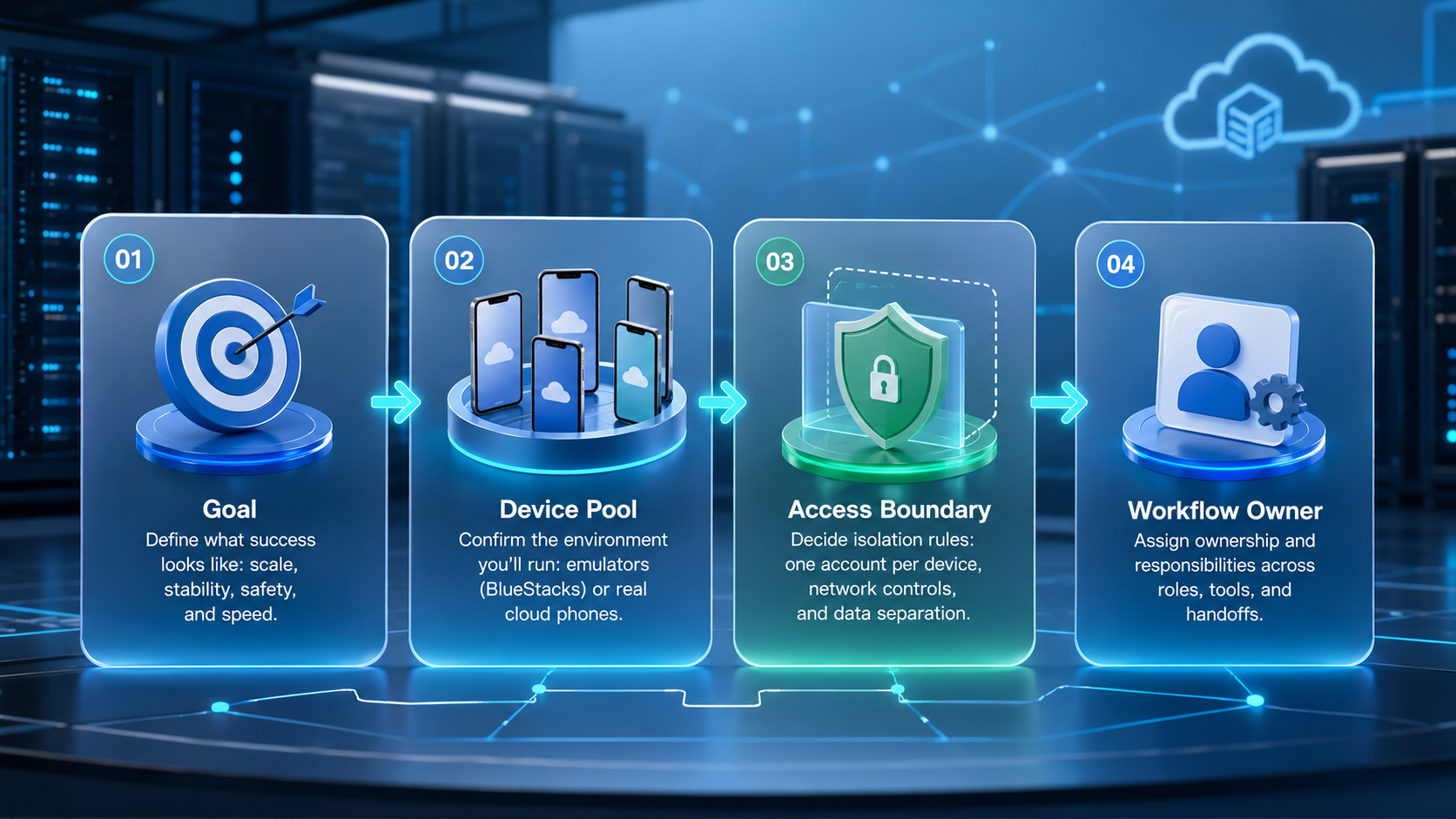
Price should be measured against completed work. A cheaper local setup may cost more if operators lose time fixing machines, cloning environments, or explaining failed actions.
For one account and one user, BlueStacks may be simpler. For ten accounts and three operators, a cloud phone workflow may reduce handoff cost.
Consider these hidden costs:
- Time spent setting up each account environment.
- Time spent switching accounts.
- Time spent recovering failed tasks.
- Time spent proving who did what.
- Time spent moving work between operators.
- Time spent checking mobile app behavior.
Teams should also compare control requirements. If the workflow involves public replies, campaign posting, or customer engagement, review rules matter more than device price.
A better pricing model is cost per finished task. Include hidden work:
| Cost item | What to measure | Why it changes the decision |
|---|---|---|
| Setup time | Minutes to prepare a usable account workspace | High setup time slows account expansion |
| Switching time | Time lost moving between accounts | Multi-account work repeats this cost daily |
| Recovery time | Time needed after a failed task | Failures are where cheap setups become expensive |
| Review time | Time from operator action to approval | Public-facing workflows need clear review |
| Evidence quality | Whether the manager can see what happened | Audit trails reduce client confusion |
Price is not only a subscription line. A tool that reduces recovery time may be cheaper for a team even if the visible monthly fee is higher.
Which Option Fits Different Teams
Solo creators can use BlueStacks if they only need occasional desktop access. They should still keep notes about accounts, content, and recovery steps.
Small agencies should consider cloud phones when more than one person touches the account. The handoff between operator and reviewer becomes easier when the account has an assigned mobile workspace.
Social commerce teams should lean toward cloud phones when customer replies, product comments, or mobile app checks are part of the workflow. These tasks need repeatable execution, not only app access.
Development teams may choose Android Emulator or device testing services when the goal is app QA. That is a different decision from running TikTok or Instagram operations.
Moimobi fits the team operations case. It is not only a device layer. It connects mobile execution with account workflows.
Pilot Rollout and Recovery Checks
Run a pilot with a small account set. Use the same task on both setups if possible.
Track these fields:
- Account count.
- Operator count.
- Task type.
- Setup time.
- Task completion.
- Review time.
- Failure reason.
- Recovery time.
- Handoff notes.
After the pilot, compare the work by clarity. Which setup made it easier to know where the account lived, who owned the task, and what happened after failure?
The pilot result should decide the tool. Keep BlueStacks when it handles the workflow cleanly. Move toward cloud phones when the team needs remote workspaces, mobile execution, and multi-account reporting.
Use a pass or fail gate:
- Pass: the task finishes, the reviewer understands the record, and recovery is clear.
- Needs repair: the task finishes, but the handoff is unclear.
- Fail: the task cannot be reproduced, assigned, or reviewed reliably.
This gate makes the comparison concrete. Do not adopt a cloud phone because it sounds more advanced. Adopt it only when it makes the account workflow easier to run and repair.
Example Scenarios for TikTok and Instagram Teams
A solo creator checking drafts once a week may not need cloud infrastructure. BlueStacks may be enough if the creator only wants desktop access to an app and can handle recovery manually.
An agency running TikTok accounts for several clients has a different problem. Operators need account-specific environments. Reviewers need to know what changed. Managers need status without asking in chat. That pattern points toward cloud phones.
An Instagram social commerce team may need mobile inbox review, comment checks, and product campaign support. If the workflow depends on app state and account handoff, a cloud phone workspace gives the team a clearer operating lane.
A developer testing an Android app should evaluate developer tools and testing services first. Android Emulator and device testing platforms are better aligned with QA than with social media account operations.
These scenarios prevent a false binary. BlueStacks is not "bad" and cloud phones are not automatically the answer. The right choice depends on who uses the environment, what task runs there, and how failures are handled.
Frequently Asked Questions
Is BlueStacks the same as a cloud phone?
No. BlueStacks is a desktop Android emulator model. A cloud phone is a remote Android environment.
Which is better for TikTok accounts?
For team operations, cloud phones usually fit better. BlueStacks can fit light individual usage.
Which is better for Instagram accounts?
Workflow shape decides it. Mobile app checks, account handoff, and multi-account operations usually favor cloud phones.
Can BlueStacks support multiple accounts?
Some multi-account setups may work, but teams should check separation, handoff, and audit needs.
Does a cloud phone replace a fingerprint browser?
No. A cloud phone handles mobile execution. A fingerprint browser handles browser profile workflows.
How does Moimobi help?
Moimobi provides cloud phones, device isolation, and multi-account workflow support for team operations.
What should teams test first?
Test a repeated workflow such as account checks, comment review, or mobile publishing support.
What is the biggest mistake?
The biggest mistake is choosing by device label instead of account workflow.
Conclusion
Choose BlueStacks for simple desktop Android access. Choose a cloud phone when TikTok and Instagram work requires remote mobile environments, account separation, team access, and task visibility.
The next step is a small pilot. Assign a few accounts, run one repeated workflow, and measure setup time, completion, review effort, and recovery. If the team needs mobile execution at scale, Moimobi is the stronger platform to evaluate.



