
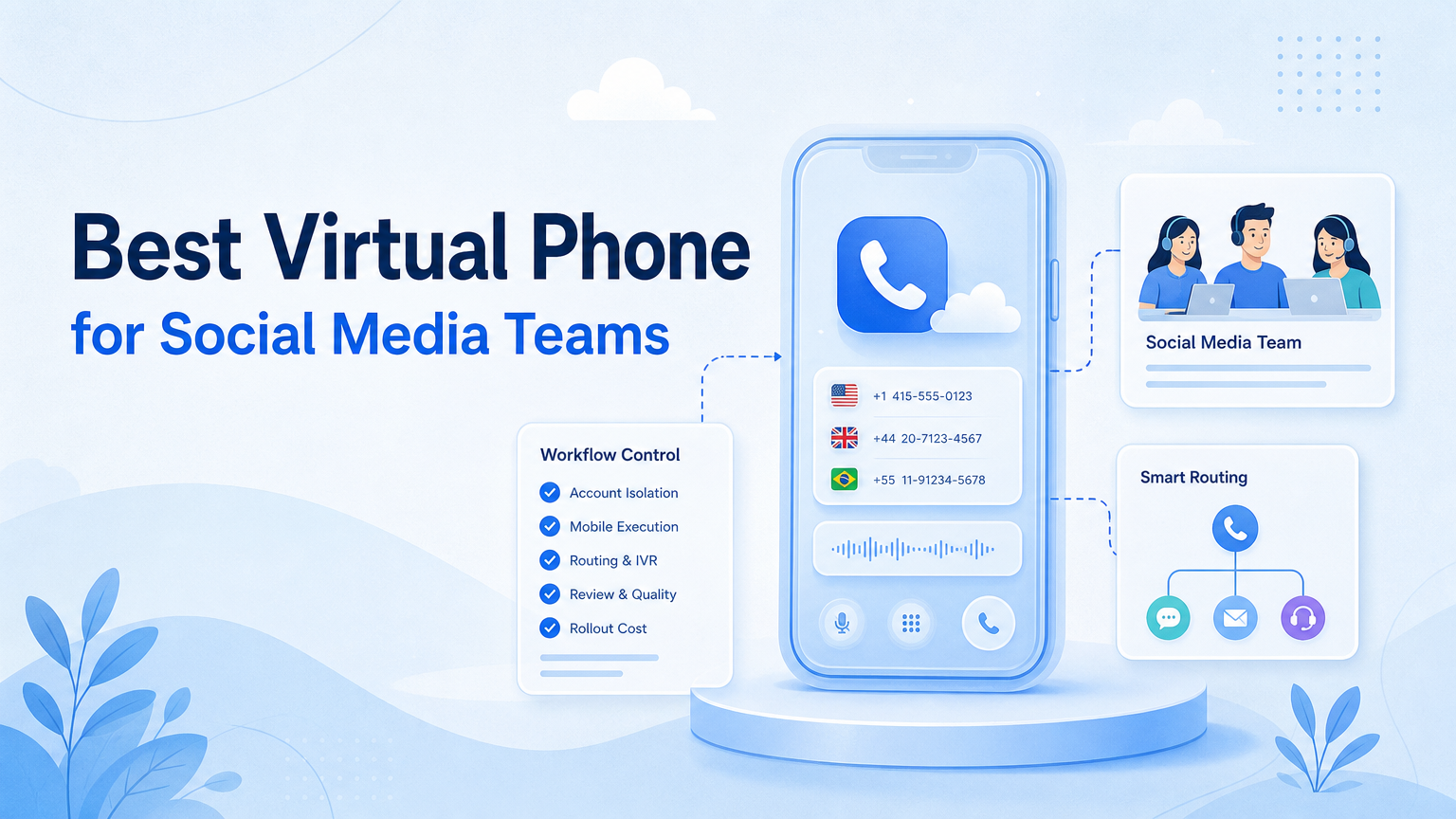
Key Takeaways
- The best virtual phone for a social media team depends on execution needs, not only device price.
- Local Android emulators fit testing, while cloud phones fit persistent mobile account operations.
- Teams should compare isolation, routing, app compatibility, file handling, logs, and review controls.
- A provider comparison should include rollout effort and recovery paths, not only monthly cost.
- Start with a small account group before moving daily workflows onto any virtual phone platform.
A virtual phone is a software-based or cloud-hosted mobile environment that lets teams run Android-style app workflows without holding every physical device. For social media teams, the best option is the one that keeps mobile execution repeatable, account environments separated, and review work visible.
The market uses several overlapping terms. A local Android emulator, a remote Android device, a cloud phone, and a testing device farm can all look like “virtual phones” in search results. They do not solve the same job.
Social media teams usually need persistent app sessions, account-level separation, content upload paths, reply handling, and clear operator handoff. That is different from a developer who only needs to test whether an app opens on a simulated device.
How to Evaluate a Virtual Phone
Start by defining the workflow. A team posting to TikTok, replying on Instagram, and checking WhatsApp messages has different needs from a developer testing an APK. The device environment should follow the workflow, not the other way around.
Use this selection sequence:
- List the app tasks. Include publishing, replies, monitoring, profile edits, and file uploads.
- Define account ownership. Each account needs an owner, environment, and recovery path.
- Check persistence. Decide whether sessions must stay logged in across days.
- Review routing needs. Confirm whether accounts need separate network routes or proxy policies.
- Test file handling. Upload one image, one video, and one document before buying at scale.
- Inspect logs. The team should see task status, failures, and manual takeover records.
- Run a pilot. Start with a small account group and compare cleanup workload before expanding.
Android Developers describes an Android Virtual Device as a configuration used by the Android Emulator to simulate a phone or other Android device. That is useful context, but social media operations often need more than simulation. AWS Device Farm and Firebase Test Lab also show another category: hosted device testing across real or virtual devices. Those services are strong for app quality workflows, not necessarily daily account operations.
The Capabilities That Actually Change Outcomes and Virtual Phone
The common mistake is ranking virtual phone tools by how many devices they offer. Device count matters only after the team knows what each device must do. Ten poorly governed environments can create more cleanup than three well-run ones.
For social media teams, the core capabilities are operational:
| Capability | Why It Matters | Selection Question |
|---|---|---|
| Persistent sessions | Reduces repeated setup and login work | Can the account stay usable across workflows? |
| Account isolation | Separates app sessions, device state, and operator work | Can each account have its own workspace? |
| Routing control | Supports cleaner region and network assignment | Can routes be assigned and audited? |
| File transfer | Supports publishing and content preparation | Can media move into the mobile environment reliably? |
| Task records | Shows what ran, failed, paused, or needs review | Can managers inspect workflow history? |
A virtual phone that lacks these controls may still be useful for testing. It may not be enough for account-based social operations. Teams comparing cloud phone alternatives should focus on the daily workflow path, not only the device catalog.
Adoption Cost, Setup Friction, and Team Fit
Cost is not just subscription price. It includes setup time, account migration, proxy routing, content upload, staff training, and recovery work. A cheaper tool can become expensive if every failed task needs manual investigation.
Local emulators may be lower-friction for developers. Android Studio’s emulator is designed for running and testing apps on virtual devices. It is not designed as a complete multi-account operations system for social teams.
Hosted testing platforms solve a different problem. AWS Device Farm lets developers test and interact with apps on hosted physical phones and tablets. Firebase Test Lab supports testing across devices and configurations. Those are useful references because they show the difference between test infrastructure and operating infrastructure.
For social media teams, a stronger fit usually includes persistent mobile workspaces, account-level assignment, routing policies, and task records. Moimobi should be evaluated as an execution platform, not as a generic emulator list.
Which Option Fits Different Operating Scenarios
Different teams should choose different setups. The wrong choice often comes from using one term, “virtual phone,” for several jobs.
- Fits app testing, UI checks, and developer workflows.
- Does not usually fit persistent social account operations.
- Best when one operator controls a small test environment.
- Fits mobile-first social media workflows.
- Supports persistent app environments and account workspaces.
- Best when teams need parallel mobile execution.
- Fits app compatibility, QA, and automated test runs.
- Does not replace account operations dashboards.
- Best when the main question is app quality.
Teams comparing a VMOS alternative should pay close attention to account persistence, file upload paths, and task review. Teams comparing a UGPhone alternative should also check provider stability, workflow records, and the cost of scaling beyond a few devices.
Virtual Phone Decision Matrix for Social Media Teams
Use a simple score before choosing. Give each item 0, 1, or 2 points. Zero means missing. One means possible with manual work. Two means supported clearly in the platform.
- Account workspace: Can one account map to one controlled mobile environment?
- Media handling: Can operators move videos, images, and captions into the device reliably?
- Review controls: Can tasks pause for human approval?
- Failure recovery: Can the team see what failed and resume from the right point?
- Routing policy: Can network routes be assigned and reviewed per account group?
- Parallel capacity: Can the team run multiple accounts without mixing sessions?
- Browser plus mobile workflow: Can web dashboards and mobile apps be coordinated?
A score below seven suggests the tool may be better for testing than operations. A score between eight and eleven may work for a pilot. A score above twelve is worth deeper evaluation, but only if the vendor can show the actual workflow records.
Cloud Phone Alternatives and Provider Comparison Notes
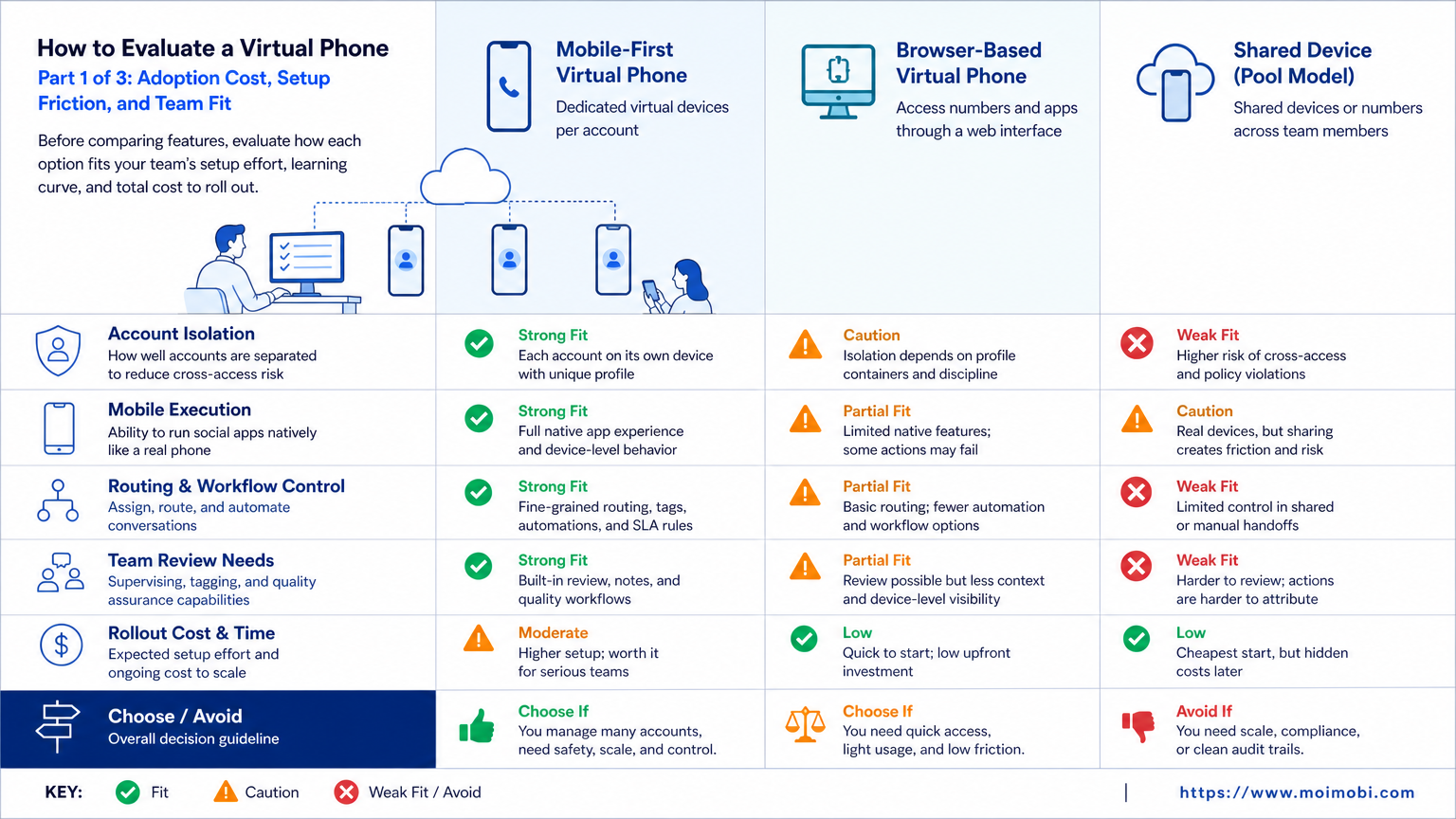
Most teams compare virtual phones because they have already outgrown one device or one emulator. The next question is whether to choose a general emulator, a cloud Android service, a social-operations cloud phone, or a broader execution platform.
Cloud phone alternatives should be compared by operating model. A simple remote Android screen may be enough for occasional app access. A team running daily posts, replies, and monitoring needs environment assignment, media preparation, and task history. A larger agency may also need role permissions, account groups, and review queues.
For a cloud phone provider comparison, ask each provider the same questions:
- Can one account map to one persistent mobile environment?
- Can the team assign different operators to different account groups?
- Can media files move into the phone without manual re-upload chaos?
- Can the provider show failed tasks, pauses, and manual takeovers?
- Can browser-side dashboards and mobile app tasks be coordinated?
- Can the system support gradual rollout instead of all-account migration?
These questions separate a device rental decision from an operations decision. Social media teams rarely need only “a phone in the cloud.” They need a way to keep account work controlled when more people and more platforms enter the process.
Migration Notes for Existing Social Media Operations
Migration should be boring. If the first rollout requires every operator to change their daily process at once, the risk of confusion goes up.
Move one workflow first. For example, test content upload on five accounts before moving replies, monitoring, and profile updates. Keep the old process available during the pilot so operators can recover if the new environment fails.
Document three things during migration: account-to-device mapping, operator ownership, and file paths. These fields prevent the most common handoff issues. A manager should be able to answer which account ran on which environment, who handled the last task, and where the content file came from.
After one week, compare the new workflow against the old one. Look for fewer repeated logins, fewer missing files, faster recovery, and clearer ownership. If those signals do not improve, adding more virtual phones will not fix the process.
Rollout Checklist Before Moving Daily Workflows
Do not move all accounts at once. A virtual phone rollout should start small and generate clear evidence.
Use this pilot checklist:
- Pick one platform, such as TikTok or Instagram.
- Select five to ten accounts with known owners.
- Define one workflow, such as content upload or reply review.
- Assign each account to a separate mobile environment.
- Run the workflow for one week.
- Track failed tasks, login prompts, file upload issues, and manual takeovers.
- Compare operator cleanup time before and after the pilot.
This rollout also clarifies whether a broader phone farm infrastructure model is needed. Some teams only need a small controlled pool. Others need a larger device fleet with scheduling, routing, and role-based operations.
Final Selection Checklist
Choose the virtual phone option that makes the workflow easier to control. Do not choose only by device count or short-term price.
Before buying, confirm:
- account environments stay separated;
- mobile sessions can persist across work cycles;
- content files can be prepared without manual chaos;
- operators can pause and review tasks;
- logs show account, task, result, and owner;
- the provider supports the platforms your team actually uses;
- support and recovery paths are clear.
If the tool cannot answer these points, keep it in a test role. If it can, run a pilot before expanding to production account groups.
Frequently Asked Questions
What is a virtual phone?
A virtual phone is a software-based or hosted mobile environment that lets teams run Android-style app workflows without holding every physical device.
Is a virtual phone the same as an Android emulator?
Not always. A local emulator simulates a device for development or testing. A cloud phone is usually built for persistent remote mobile execution.
What is best for social media teams?
Social teams usually need persistent sessions, account separation, file transfer, and task records. That points toward cloud phone-style execution rather than only local emulation.
When should I compare cloud phone providers?
Compare providers when the team needs more than one or two mobile environments, repeated workflows, routing control, or account-level operations.
Is a device farm enough for daily social media operations?
Usually not by itself. Device farms are strong for testing. Daily social operations also need account ownership, workflow queues, review, and recovery records.
What should a pilot measure?
Measure setup time, failed tasks, login prompts, upload errors, manual takeover count, and operator cleanup time. These show whether the system improves operations.
Where does Moimobi fit?
Moimobi fits teams that need cloud phones, browser and mobile execution, account isolation, and workflow records for social media operations.
Should price be the first filter?
Price matters, but it should not be the only filter. A low-cost setup that creates more cleanup can cost more in operator time.
Conclusion
The best virtual phone for a social media team is the one that supports the real operating model. Start with account separation, persistent mobile sessions, file handling, routing control, task records, and recovery paths.
Use local emulators for development tests, device farms for app testing, and cloud phones for persistent mobile account operations. Then run a small pilot before expanding. The decision should be based on fewer handoff errors and clearer task records, not only on device count.



