
A TikTok comment automation tool is software that helps teams collect, triage, draft, review, and track TikTok comment workflows. A team-grade tool is not the one that sends the most replies. The better signal is clear account ownership, review, and recovery.
For teams, comments are operational work. A viral post can create customer questions, sales leads, complaints, spam, and brand-sensitive conversations. Automation should help the team sort that work. Public replies still need judgment.
TikTok's Community Guidelines should define the operating boundary. Teams should avoid deceptive behavior, fake engagement, or workflows that make account ownership unclear.
Key Takeaways
- A TikTok comment automation tool should manage comment workflows, not manufacture engagement.
- Strong use cases include collection, triage, draft preparation, routing, and reporting.
- Public replies should keep review rules, especially for brand or support accounts.
- Multi-account teams need account isolation and clear ownership.
- A pilot should measure response quality, wrong-account incidents, review time, and recovery speed.
What Makes a TikTok Comment Automation Tool Work for Teams?
A TikTok comment automation tool for a team should solve a workflow problem. The team needs to know which comments need attention, which account they belong to, who owns the response, and what happened after review.
A weak tool focuses only on speed. It may promise more replies or more activity, but it does not explain how the team controls mistakes. For a social media team, that is not enough.
A more complete tool supports five layers:
- Collection: bring relevant comments into a work queue.
- Classification: group comments by intent, urgency, or account.
- Drafting: prepare suggested replies or internal notes.
- Review: pause before public or sensitive replies.
- Logging: record the account, operator, reviewer, and outcome.
TikTok provides official developer documentation for some workflows, including the Content Posting API. Comment operations may still involve web or mobile execution, depending on the team process. The tool should make that boundary visible.
Why Social Media Teams Need Comment Workflow Control
Comment work gets messy when account count grows. A single creator can answer comments manually. A team running multiple brand, creator, or seller accounts needs assignment rules.
The problem is not only volume. Context decides the next action. A comment under a product video may need a sales reply. A comment under a support video may need escalation. A comment under a campaign video may need approval from the client.
A team-grade workflow should answer these questions:
- Which account received the comment?
- Which post or campaign does it belong to?
- Is the comment a question, complaint, lead, spam, or brand risk?
- Who should review the reply?
- Was the public response sent, rejected, or deferred?
For multi-account work, review multi-account management before selecting a comment tool. The comment queue should not be disconnected from account ownership.
TikTok Comment Automation Tool Features to Look For
Do not evaluate a TikTok comment automation tool only by its reply features. Evaluate the operating model.
| Feature | Why it matters | Team check |
|---|---|---|
| Account separation | Prevents wrong-account work | Each account has a clear workspace |
| Comment triage | Reduces manual sorting | Comments are grouped by intent |
| Reply drafts | Saves operator time | Drafts remain editable |
| Review gates | Protects brand voice | Public replies can pause |
| Logs | Supports reporting and recovery | Each action has an owner |
| Mobile execution | Supports app-only workflows | Cloud phones are available when needed |
AI can help draft reply options, but it should not be the only control layer. The team still needs labels, reviewers, escalation paths, and account records.
For mobile-first workflows, cloud phone and mobile automation can provide Android execution environments. That matters when comment work must happen inside the app rather than a web dashboard.
TikTok Comment Automation Tool vs Generic Social Inbox
A generic social inbox can be enough for a simple team. It usually centralizes messages, comments, or mentions so operators can respond from one place.
A TikTok-specific comment workflow becomes more useful when the team has account-specific execution needs. Those needs may include separate account environments, mobile app checks, client review rules, or campaign-specific approval paths.
Use a generic inbox when:
- The team has a small number of accounts.
- Replies are low-risk and easy to approve.
- Official integrations cover the workflow.
- Reporting needs are simple.
Use a TikTok comment automation tool with execution controls when:
- The team manages many TikTok accounts.
- Comments need campaign or client routing.
- Replies need human approval.
- Operators must work inside browser or mobile environments.
- Managers need recovery logs.
The second case is where social media marketing becomes an execution problem, not only a scheduling problem.
How to Start a TikTok Comment Automation Pilot
Start with one account group and one comment category. Do not automate every reply type on day one.
- Choose a low-risk category. Product questions, FAQ comments, or routing notes are better than complaints.
- Define comment labels. Use labels such as sales lead, support issue, spam, brand risk, and general reply.
- Assign account workspaces. Each account or client group should have a known environment.
- Create draft templates. Use approved language as the base, then let operators edit.
- Add review gates. Require approval for complaints, sensitive topics, and public brand replies.
- Track outcomes. Record replied, escalated, ignored, rejected, and deferred.
- Review failures. Look at wrong labels, weak drafts, missed comments, and delayed approvals.
This pilot should run long enough to cover normal and busy days. A tool that works only when comment volume is low may fail during a campaign spike.
Review Rules for TikTok Comment Automation Tool Selection
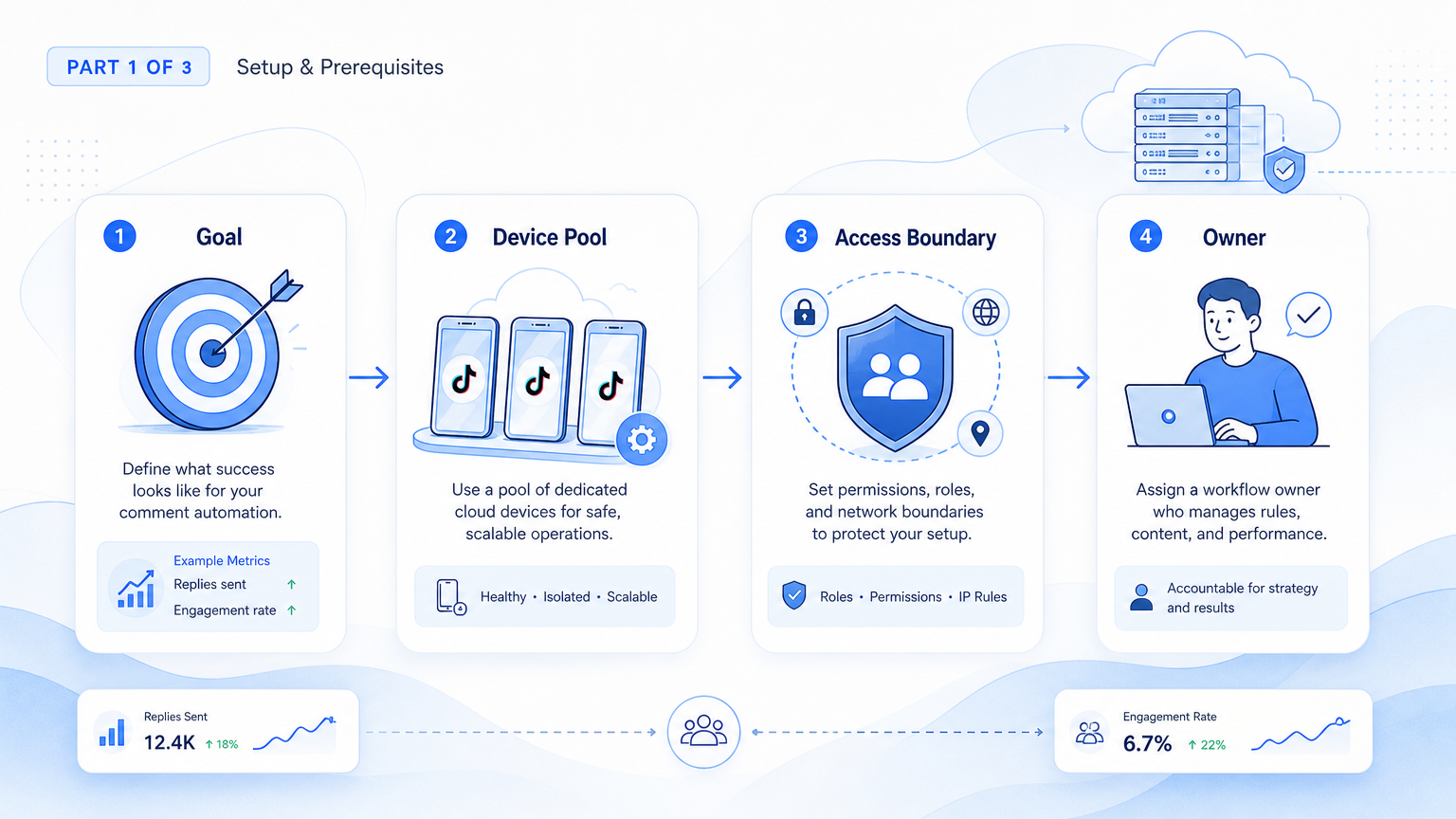
Review rules decide whether comment automation stays useful as the team grows. A draft reply is only helpful when the reviewer can understand the comment context quickly.
Set review levels before the pilot:
- Auto-draft only: the tool prepares text, but nothing public is sent.
- Routine approval: common FAQ replies go to a reviewer for quick approval.
- Escalation required: complaints, safety issues, refunds, and legal topics move to a senior owner.
- Manual-only: sensitive brand issues stay outside automation.
The review model should match the account type. A creator account may need tone review. An e-commerce account may need product accuracy. A customer support account may need escalation rules and response history.
Also define restricted cases. The tool should pause when the account context is missing, when the comment is ambiguous, or when the draft uses unapproved claims. Those stop rules are simple, but they prevent many avoidable mistakes.
Best TikTok Comment Automation Tool Selection Criteria
Selection should start with control questions, not feature count. Ask whether the tool can show the account, comment source, draft owner, reviewer, and final state for each workflow run.
Then test a real comment queue. Include routine questions, complaints, spam, and comments that require human context. A useful system separates those cases clearly and gives reviewers enough information to act without guessing.
Finally, check how the tool handles a failed session. If the workflow cannot explain why it stopped, the team will still need manual cleanup.
Mistakes to Avoid
The first mistake is turning comment automation into auto-reply spam. Fast replies are not useful if they are wrong, repetitive, or off-brand.
The second mistake is mixing accounts in one workspace. Wrong-account replies are hard to explain to clients and managers. Use device isolation and clear account assignment when multiple operators are involved.
The third mistake is skipping escalation rules. Some comments should not receive a template reply. Complaints, refund questions, safety issues, and legal topics should move to a human reviewer.
The fourth mistake is not logging rejected drafts. Rejected replies are training data for the workflow. They show where templates, prompts, or account context need improvement.
Avoid tools that promise account safety or effortless growth. A responsible system should discuss limits, review, and recovery instead.
Fit and Not-Fit Guidance
A strong fit is a team that already spends meaningful time managing TikTok comments. Agencies, e-commerce teams, creator teams, and customer engagement teams often have this pattern.
The fit is strong when:
- Multiple accounts receive comments daily.
- Comments need sorting before response.
- Different comment types need different owners.
- Public replies require brand review.
- Managers need reporting by account or campaign.
- Some workflows need browser or mobile execution.
The fit is weaker when the team has one small account, very low comment volume, or no approval process. The same applies when the goal is fake engagement or repeated mass replies.
For teams that need browser-side checks, connect the comment workflow with Moimobi as an execution environment rather than treating comments as a standalone inbox problem.
Pilot Rollout, Measurement, and Recovery Checks
A useful pilot should prove that the tool improves control. Processing comments is not enough.
Measure these areas:
- Comment capture rate for the selected account group.
- Label accuracy across common comment types.
- Draft acceptance rate after reviewer edits.
- Time from comment collection to reviewed response.
- Wrong-account incidents.
- Escalation quality for sensitive comments.
- Recovery time after session, page, or permission failures.
Set a pass condition before the pilot. For example, the pilot passes when the reviewer can approve most routine drafts with minor edits, no account mix-ups occur, and every failed run has a clear owner.
Recovery is especially important for comment workflows. Comments keep arriving while a tool fails. A recovery rule tells the operator whether to retry, switch to manual mode, or escalate to a manager.
Frequently Asked Questions
What is a TikTok comment automation tool?
The tool helps teams collect, sort, draft, review, and track TikTok comment workflows.
Should it reply automatically?
Routine drafts can be prepared automatically, but public replies should keep review rules for brand safety.
Is it only for large teams?
No, but the value is higher when several accounts, operators, or reviewers are involved.
What should agencies prioritize?
Agencies should prioritize client separation, account ownership, review logs, and reporting.
When are cloud phones useful?
Cloud phones are useful when comment work must happen inside TikTok's mobile app or Android environment.
What metrics matter most?
Track label accuracy, review time, wrong-account incidents, response quality, and recovery time.
Can AI write the replies?
AI can draft reply options, but managers should control approved language and review sensitive replies.
What is a major risk?
A major risk is uncontrolled public action across the wrong account or context.
Conclusion
A useful TikTok comment automation tool for a social media team should improve control. The workflow should collect comments, help classify intent, draft useful replies, pause for review, and record what happened.
Start with one account group and one comment category. If the team can trace ownership, approve replies quickly, and recover failures cleanly, expand to more accounts and more comment types. If those controls are missing, fix the workflow before scaling.



