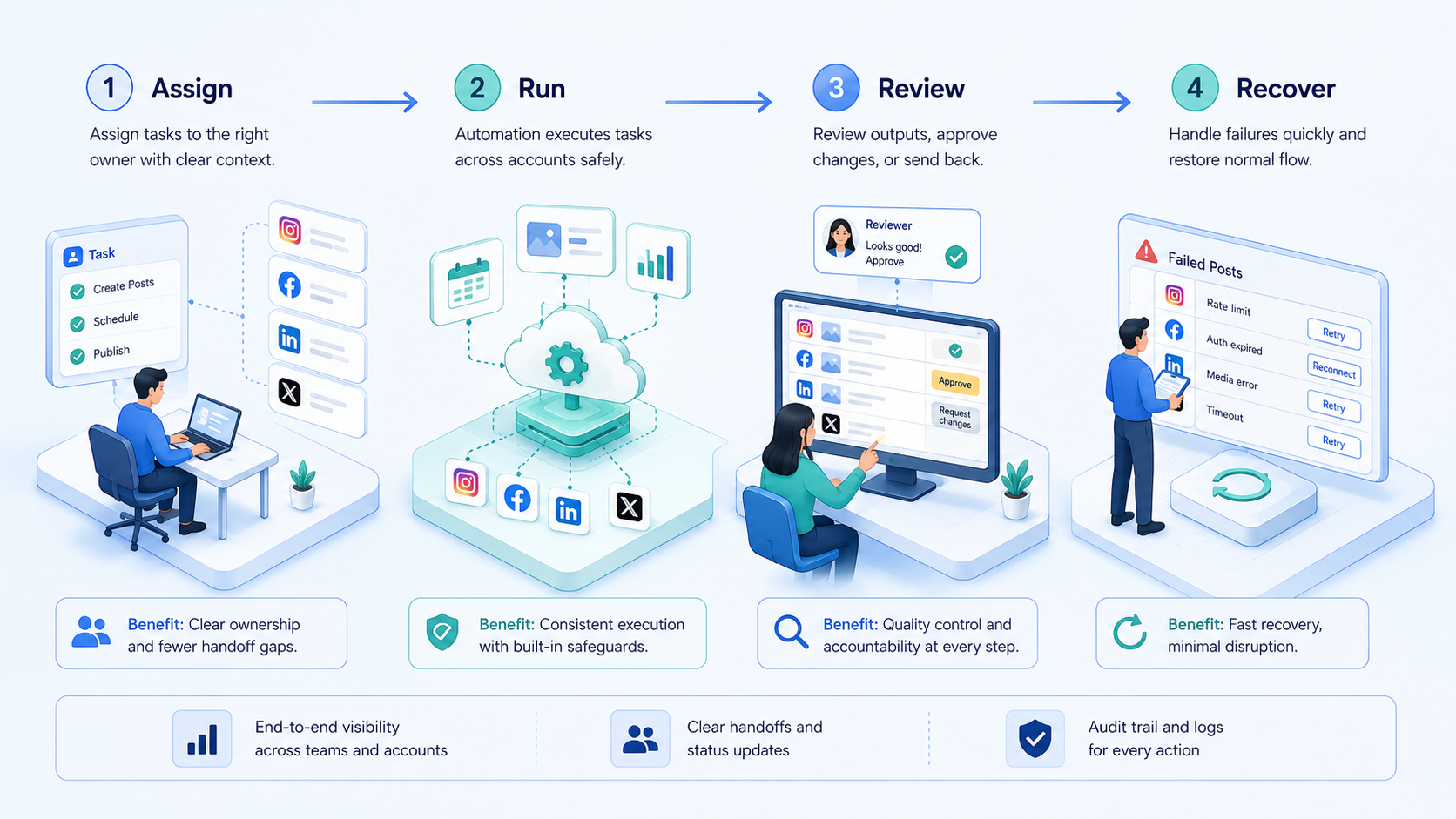
Key Takeaways
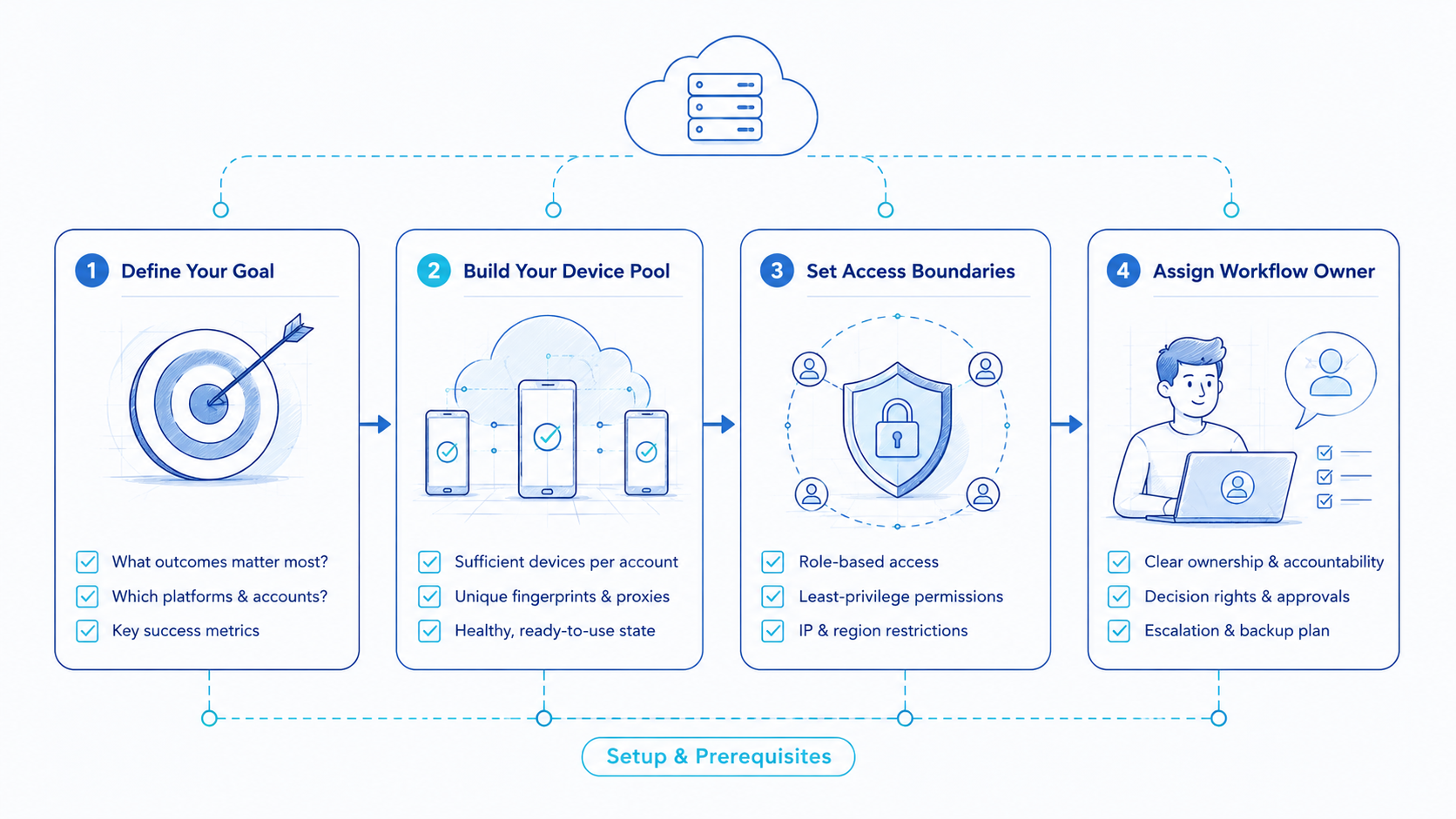
- The best social media automation tool for multi-account teams is the one that matches lane complexity, review flow, and recovery needs.
- Teams should judge fit before feature volume.
- A strong tool makes account ownership, queue state, and blocked-case handling easy to inspect.
- The safest buying decision comes from a narrow pilot, not from a broad feature checklist alone.
The best social media automation tool for multi-account teams is a tool that helps operators manage repeated publishing, moderation, and review work across many accounts without losing lane clarity. The right choice is not simply the tool with the longest feature list. The better choice is the one that matches the team’s operating model.
That distinction matters because multi-account teams rarely fail on missing buttons alone. They fail when ownership is fuzzy, when review happens outside the system, or when a blocked queue item has no clean restart path.
This is why MoiMobi frames the category as execution infrastructure rather than only another scheduling dashboard. The useful selection question is not "which tool has more automations?" The useful question is "which tool lets the team run repeated work across many accounts with less confusion and less rescue work?"
Official guidance from Instagram for Business, Meta Business Help Center, and TikTok Support all point toward governed publishing and business-side account operations rather than unmanaged shortcuts.1 2 3 Playwright and W3C WebDriver also show why session control and repeatable browser behavior matter when teams rely on execution workflows.5 4
How to Evaluate a best social media automation tool
The first mistake is comparing tools only on visible features. Multi-account work usually breaks on workflow design before it breaks on feature absence.
Start with five selection checks:
- Map the account lanes you already run.
- Define where review and approval actually happen.
- List which blocked cases appear most often.
- Check whether the tool can preserve account ownership and queue state.
- Test whether another operator can reopen the same lane and continue.
Use a pass or fail matrix:
| Selection check | Healthy sign | Weak sign |
|---|---|---|
| Lane control | Each account cluster has a stable workspace | Tasks drift across pooled access |
| Review control | The next approver is visible | Approvals happen in chat |
| Queue clarity | Blocked and active items are easy to read | Queue state must be explained manually |
| Recovery path | Paused work resumes from known context | Retries restart from scratch |
That evaluation usually tells more than a generic product comparison list.
The Capabilities That Actually Change Outcomes and best social media automation tool
The popular assumption is that more automation actions automatically mean a better result. That is not how multi-account teams usually operate.
The capabilities that change outcomes are usually less flashy:
- account separation
- queue visibility
- review checkpoints
- reusable workflow lanes
- stable recovery paths
A tool may offer bulk actions, canned replies, and cross-platform publishing. Those are useful. They become much more useful when the team can still answer three simple questions at any time: which account lane owns this task, who approves the next move, and how does the run resume if it pauses?
This is why multi-account management, device isolation, and social media marketing matter as part of the evaluation. The tool is not only a feature set. In practice, it becomes part of the team’s operating system.
What the Best Social Media Automation Tool Usually Gets Right
The best social media automation tool for multi-account teams usually does not win because it looks the most sophisticated in a demo. It wins because the team can use it every day without losing control.
Look for these traits:
| Trait | Why it matters | Weak substitute |
|---|---|---|
| Stable lane ownership | Each account cluster has one clear workspace | Pooled account access |
| Visible review flow | The next approver is obvious | Review handled in side chat |
| Recoverable queue state | Paused work resumes from known context | Retries start from scratch |
| Operational fit | The tool matches the team’s real task mix | Feature volume without workflow clarity |
This matters more than generic claims about speed because multi-account teams usually suffer from coordination debt before they suffer from missing button depth.
Adoption Cost, Setup Friction, and Team Fit
Adoption cost is not only price. It is also the time needed to define lanes, reviews, and exception handling.
Some teams buy a social tool because onboarding looks simple, then discover later that exceptions still flow through spreadsheets and private messages. The visible subscription may be low while the hidden process cost stays high.
A better evaluation asks:
- How much process cleanup is still needed outside the tool?
- Can the team preserve one account lane per account cluster?
- Can reviewers see queue state without extra explanation?
- Will a second operator understand a paused task quickly?
Teams with simple, single-account workflows may not need much structure. Multi-account teams almost always do.
Which Option Fits Different Operating Scenarios
There is no one universal best choice because the right tool depends on the shape of the work.
Good fit for lightweight schedulers
- Low account count
- Simple publishing calendar
- Minimal review chain
- Limited blocked-case handling
Good fit for execution infrastructure
- Many account lanes
- Publishing plus moderation or inbox work
- Shared operator teams
- Regular handoff or recovery pressure
One scenario makes the difference clear. A small creator brand with three profiles may only need simple scheduling and a basic reply flow. A large agency with many client accounts, approval paths, and region-specific lanes usually needs more than lightweight scheduling. It needs controlled execution.
Final Selection Checklist
Use this shortlist before the final decision:
- Can the tool preserve stable account lanes?
- Can it show blocked, active, and approved states clearly?
- Can another operator continue the same workflow?
- Can the team use it across real account volume, not just a demo path?
- Does it reduce side-channel coordination instead of creating more?
If the answer is weak on those questions, the tool may still look attractive in demos but create friction at scale.
Pilot Rollout, Measurement, and Recovery Checks
The pilot should test operations, not just interface comfort. A narrow pilot is often more useful than a full rollout.
Choose one account cluster and one repeated workflow. Then measure:
| Metric | Healthy sign | Failure sign |
|---|---|---|
| Queue visibility | Everyone can read current state | Managers need verbal updates |
| Transfer quality | A second operator can take over fast | Only one operator understands the lane |
| Recovery quality | Paused runs restart with context | Retries happen outside the workflow |
| Exception load | Blocked cases are narrow and explainable | Exceptions spread and multiply |
One useful review is to compare the first week of blocked cases against the first week of normal completions. If the blocked reasons cluster around review handoff or queue ambiguity, the problem is probably not missing automation. It is weak operating design.
Who It Fits and Who It Does Not Fit
This category is a strong fit for teams that already have repeated publishing, reply, or review work across many accounts. It is a weaker fit for low-volume teams that do not yet have stable lanes to manage.
Good fit
- Agencies managing many client account clusters.
- Brand teams with repeated queue review and approvals.
- Operators who need clean handoff between shifts or roles.
- Teams that already feel blocked-case pressure.
Weak fit
- Very small teams with one calm account.
- Projects that only need occasional manual publishing.
- Workflows with no reviewer path or no stable queue.
- Setups that still depend on personal tabs and memory.
The best tool choice depends on that fit. A light scheduler can be enough for a simple team. A heavier execution system becomes more useful once queue complexity and ownership pressure rise.
Operational Signals That Confirm a Strong Choice
Selection becomes easier once the team knows which signals matter after rollout. A tool is usually a better choice when managers can inspect the workflow quickly without asking the original operator to explain every lane.
Use these confirmation signals:
- Queue state is visible: blocked, active, and approved items are easy to distinguish.
- Ownership is stable: each account cluster has a clear next actor.
- Recovery is documented: paused work resumes from the same context.
- Handoff is calm: another operator can continue the run without private rescue notes.
Those signals are usually more valuable than broad claims about automation depth because they show whether the tool is reducing coordination debt in real work.
They also give the team a cleaner buying review. When a vendor demo looks strong but these operating signals still seem weak or unclear, the team has a concrete reason to pause instead of moving forward on feature excitement alone.
Frequently Asked Questions
Is the best social media automation tool always the one with the most integrations?
No. Multi-account teams usually get more value from workflow control than from raw integration count.
What should teams evaluate first?
Start with lane ownership, review visibility, and recovery path.
Does this fit agencies?
Yes. Agencies often feel the value first because client lanes share one operator pool.
Can a lightweight scheduler still be enough?
Yes, for small teams with simple publishing and low reply pressure.
What is the first warning sign during evaluation?
The tool looks good in demo mode but cannot explain blocked or transferred tasks clearly.
Should publishing and moderation live in the same queue?
Usually not. They can share infrastructure, but they often need distinct workflow rules.
What should a pilot measure?
Queue visibility, transfer quality, recovery quality, and exception load.
When should teams stop rollout?
Pause when rescue work grows faster than workflow clarity.
Conclusion
The best social media automation tool for multi-account teams is the one that matches team complexity with clear queue control, account separation, and restart discipline.
Prioritize the decision in this order:
- fit to your lane complexity
- fit to your review model
- fit to your recovery needs
- fit to your real account volume
If those checks hold, the tool is more likely to help the team execute better at scale instead of only adding another interface.
Sources