

A best Instagram comment automation tool is software that helps teams triage, draft, approve, and track Instagram comment replies without losing account context or review control. For creators and agencies, the right choice is not the tool with the most buttons. It is the system that keeps replies consistent while accounts, clients, operators, and mobile workflows grow.
The buying problem is practical. A solo creator may need fast suggested replies and a simple inbox. An agency may need role-based review, separate account workspaces, mobile app execution, and a record of who approved each sensitive response. This guide compares those needs through operating criteria, not hype.
Moimobi fits teams that need social media marketing workflows across browser and mobile environments. The platform is not just a scheduler. It gives multi-account teams an execution layer where comments, messages, publishing, and monitoring need structure.
Key Takeaways
- The best Instagram comment automation tool depends on team shape, not only feature count.
- Creators usually need speed, tone consistency, and simple review.
- Agencies need account separation, approval paths, and client-level reporting.
- Mobile-first workflows may need mobile automation, not only a web inbox.
- Any automation workflow should respect Instagram and Meta platform rules.
- Start with a small pilot before rolling the system across every account.
What to Look for in a best Instagram comment automation tool
Start with the comment workflow you actually run. A creator answering 80 comments per day has a different problem from an agency handling 40 client accounts.
For a creator, the core workflow is usually simple: detect comments, draft replies, approve sensitive answers, and keep the creator's voice. The best tool should reduce repetitive typing without making the account sound generic.
For an agency, the workflow is heavier. Teams need client folders, operator assignment, escalation rules, reply history, and approval before risky comments go live. A public complaint, refund question, sponsored-content disclosure, or pricing question should not be handled like a normal emoji reply.
Instagram also operates inside Meta's platform rules. Meta's Platform Terms and Instagram's Community Guidelines are useful boundary sources when designing reply systems. They do not give a universal automation blueprint, but they do show why teams should avoid spammy, deceptive, or abusive behavior.
The practical selection question is this:
| Team type | Primary need | Tool requirement |
|---|---|---|
| Solo creator | Reply faster | Suggested replies, saved tone, light approval |
| Creator team | Share workload | Assignments, labels, review notes |
| Agency | Separate clients | Account workspaces, audit logs, roles |
| Cross-border seller | Handle commerce questions | Escalation, product notes, mobile app access |
Core Capabilities That Matter Most in a best Instagram comment automation tool
Good Instagram comment automation starts with triage. The tool should separate comments that can receive a standard reply from comments that need human review. A shipping complaint, brand partnership question, medical claim, refund request, or angry customer should enter a review path.
Reply generation is only one layer. AI can draft a response, but the workflow should still preserve account tone, recent context, and approval rules. A creator's casual voice is different from a support team's precise language.
Tracking matters next. Teams should know which comments were answered, which ones were skipped, who approved sensitive replies, and which accounts have unresolved queues. Without tracking, automation becomes another hidden inbox.
The execution layer is also part of the decision. Some tools work mainly through web dashboards or approved platform integrations. Other workflows need controlled browser and mobile sessions. Moimobi helps when teams need multi-account management across separated browser and mobile environments.
Do not choose a tool only because it promises "auto reply." Choose it because it gives your team a safer operating model:
- comment detection
- AI draft generation
- tone and policy checks
- human approval for sensitive cases
- account-level separation
- activity history
- fallback when a reply cannot be completed
Pricing, Setup, and Team Fit
Pricing should be judged against operational cost. A cheap comment tool may be enough for one creator. It may become expensive when managers need to manually check every client inbox because the system lacks assignments or logs.
Setup effort also varies. A light inbox tool can be ready quickly. A multi-account agency workflow needs account mapping, role setup, approval rules, and review labels. The setup is heavier, but the result is easier to manage at scale.
Creators should look for three fit signals. The tool should help preserve voice, avoid over-automation, and keep a simple review queue. If the interface turns every comment into a complex ticket, the workflow may slow the creator down.
Agencies should look for different signals. The tool should separate client accounts, show operator activity, and support review before sensitive replies. It should also make handoff clear when a team member changes shift.
FTC guidance also matters when replies touch sponsored content or endorsements. The FTC's Endorsement Guides explain disclosure expectations for endorsements and testimonials. A reply workflow should route those cases to review instead of treating them as ordinary engagement.
Best Options for Common Use Cases
For a solo creator, the best option is usually a lightweight comment assistant. The priority is speed and consistency. Look for saved reply styles, fast approval, and clear visibility into unanswered comments.
For a creator team, choose a shared inbox or workflow tool. The team needs assignment, ownership, and review notes. Without those fields, two operators can answer the same comment or miss a high-priority thread.
For an agency, choose a system that treats each client profile as a separate workspace. Client A's tone, product rules, escalation path, and reporting should not mix with Client B. This is where browser profiles, cloud phones, and separated execution spaces become more relevant.
For mobile-first operators, a web-only tool may not be enough. Some Instagram work still happens inside mobile app flows, notification surfaces, or app-specific review paths. A cloud phone can give teams a persistent mobile workspace when the workflow depends on Android app execution.
For compliance-sensitive brands, do not optimize only for speed. Optimize for review quality. A slower approval path is better than a fast public reply that creates a customer support or disclosure problem.
Fit and Not-Fit Guidance
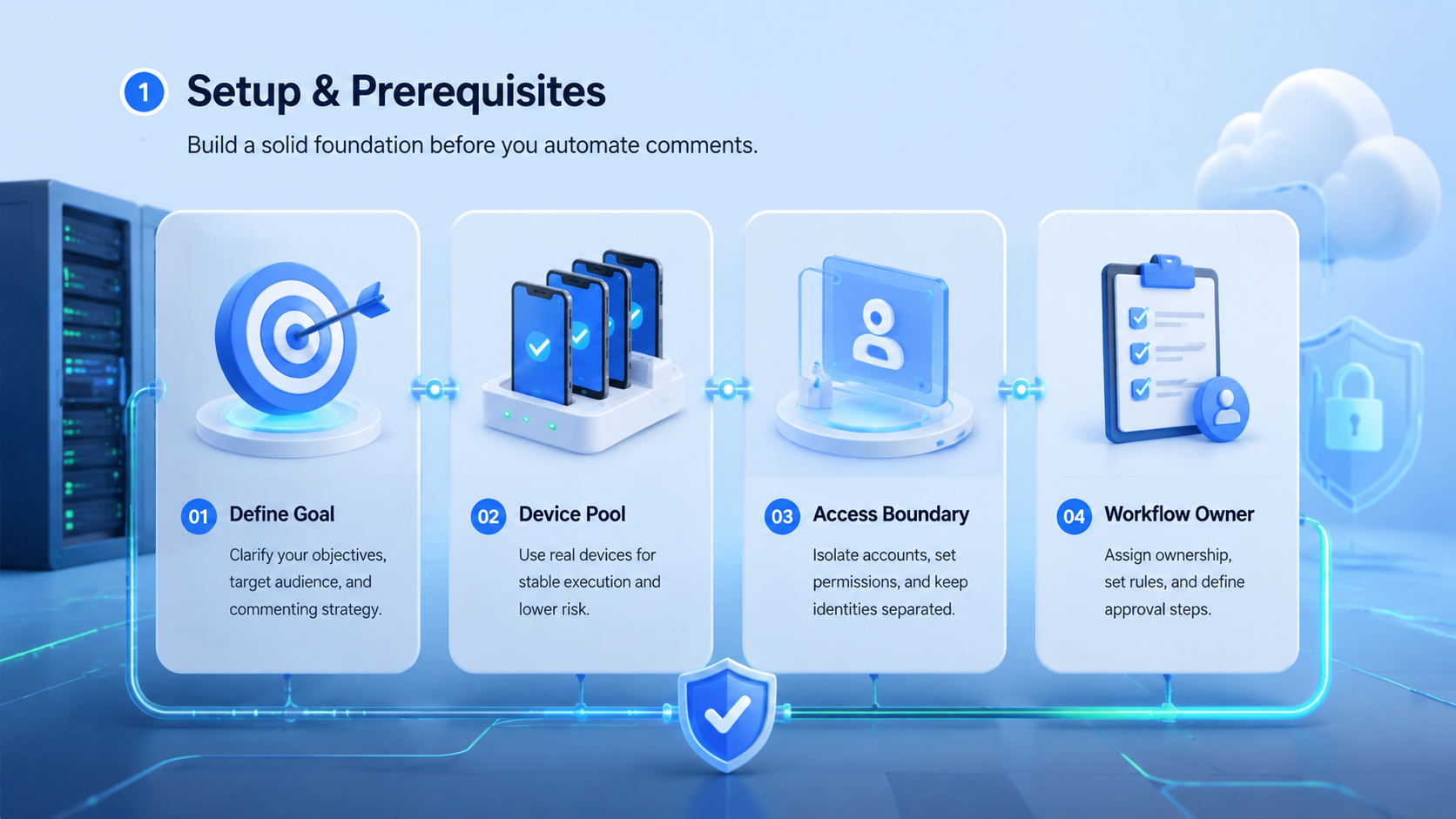
Moimobi is a fit when the comment workflow is part of a larger operating system. That includes agencies, cross-border sellers, social media teams, and creator teams that manage multiple accounts, operators, devices, and review rules.
The fit becomes stronger when Instagram comments connect to mobile execution. A team may need to open the app, check account context, compare recent posts, reply from the right workspace, and record the result.
Moimobi is not the first choice when a user only needs a simple single-account reply assistant. A lighter inbox product may be faster to adopt. The system also should not be treated as a shortcut around platform policies. Teams still need compliant behavior, human judgment, and clear operating rules.
Good fit
- Multiple Instagram accounts
- Agency or team operations
- Mobile app execution needs
- Approval before sensitive replies
- Client-level reporting
Poor fit
- One casual personal account
- No review process
- No need for account separation
- Only basic saved replies
- Desire for fully unattended engagement
Selection Checklist
The common mistake is treating comment automation as a reply generator. The workable model is broader. A serious team needs an inbox, a rules layer, a review path, and an execution environment.
Use this checklist before choosing a platform:
- Does the tool separate normal comments from sensitive comments?
- Can each account have its own tone rules and operator owner?
- Can managers review replies before they go live?
- Does the system show who acted and when?
- Can it support mobile workflows when Instagram app context matters?
- Does it avoid claims that suggest policy bypass or fake engagement?
- Can the team export or review activity history?
- Does it support account separation for agencies and client work?
Failure usually appears in the handoff. One operator replies from the wrong client context. Another misses a complaint because it was buried under low-value comments. A manager cannot reconstruct what happened. The right tool reduces these failure modes before scaling the workflow.
For teams comparing an anti-detect browser alternative for social media, the decision should not stop at browser profiles. Compare device isolation, mobile execution, role assignment, and recovery logs together.
Pilot Rollout, Measurement, and Recovery Checks
Run the first pilot on 3 to 5 accounts. Pick accounts with different comment patterns: one creator profile, one support-heavy profile, and one campaign account. This gives the team a realistic sample without exposing every account to a new process at once.
Measure practical outcomes. Track average first review time, unresolved comments, sensitive-comment escalation, duplicate replies, and comments that required manual correction. These numbers show whether the workflow is improving operations or only moving work into another interface.
Set a recovery rule before launch. If the tool drafts a poor reply, misses context, or routes a sensitive comment incorrectly, the operator should know how to pause the workflow and escalate. Recovery should be part of the system, not an afterthought.
Meta's Instagram Platform documentation is also worth reviewing when teams rely on platform-connected workflows. Technical access, permissions, and available actions can differ by integration path, account type, and Meta's current platform rules.
After 14 days, review the pilot with a simple scorecard:
- Did reply quality stay consistent?
- Did managers approve sensitive replies faster?
- Did operators avoid duplicate work?
- Did account context stay separated?
- Did mobile tasks complete reliably?
- Did the team reduce manual checking?
If the answer is mixed, fix the workflow before adding more accounts.
Frequently Asked Questions
What is the best Instagram comment automation tool for creators?
For one creator, the best tool is usually a lightweight assistant with fast drafts, saved voice, and simple approval. It should not add complex agency controls unless the creator has a team.
What is the best Instagram comment automation tool for agencies?
For agencies, the best option is usually a workflow system with account separation, roles, approval logs, and client-level reporting. Multi-account control matters more than a large reply template library.
Can Instagram comment automation be fully hands-off?
Teams should avoid fully unattended public replies. Sensitive comments need human review, especially support issues, complaints, endorsements, pricing, and brand-sensitive topics.
Is a cloud phone useful for Instagram comment automation?
A cloud phone is useful when the workflow depends on mobile app context, persistent mobile sessions, or account-specific mobile workspaces. It may be unnecessary for simple web inbox workflows.
How should agencies prevent account mix-ups?
Use one workspace per client or profile group. Keep owner, task log, review status, and escalation rules visible before operators reply.
What metrics should teams track?
Track unresolved comments, first review time, duplicate replies, manual corrections, escalation count, and comments that were paused for manager review.
Does Moimobi replace a social media management tool?
Not always. Moimobi is strongest when social operations require separated browser and mobile execution environments. Some teams may still use scheduling or analytics tools alongside it.
Conclusion
The best Instagram comment automation tool is the one that matches the operating model. A creator may need speed and tone. An agency needs account separation, approvals, handoff, and reporting. A mobile-first team may also need cloud phones and controlled execution environments.
Before buying, test the tool against real comments from a small account set. Check reply quality, review speed, handoff clarity, and recovery steps. If the system handles those tasks cleanly, it is ready for a larger rollout.



