
Key Takeaways
- A cloud phone platform should be judged by execution control, not only device count.
- Mobile automation needs account mapping, device isolation, logs, routing rules, and review.
- The best fit is usually a repeated app workflow with clear ownership and a simple recovery path.
- Start with a small pilot before moving many accounts or operators into the system.
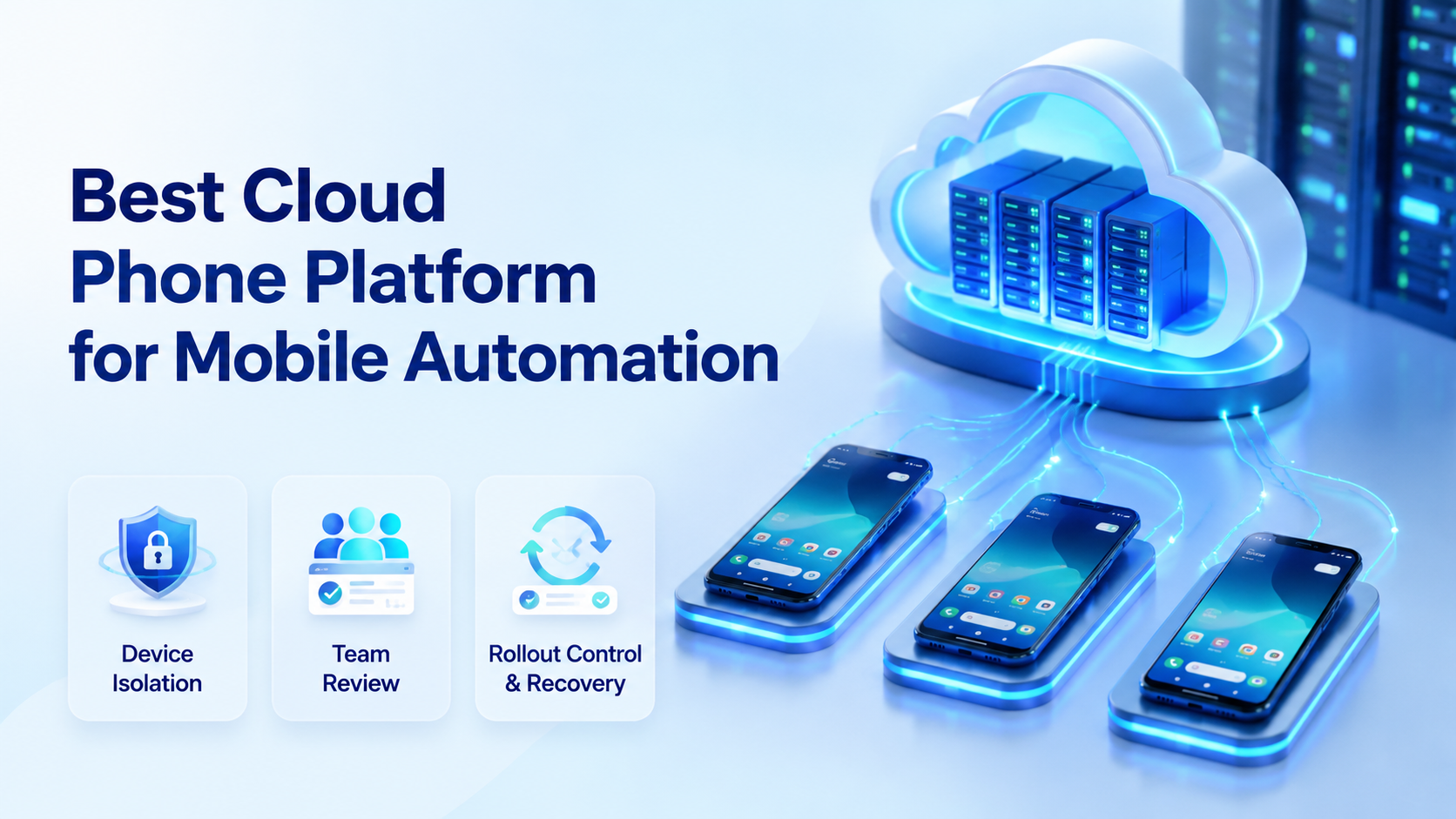
A cloud phone platform is remote Android execution infrastructure that lets teams run mobile app workflows without managing every physical device by hand. The best cloud phone platform for mobile automation gives teams controlled devices, repeatable tasks, account separation, and evidence they can review after each run.
This category matters because mobile work is no longer only personal phone work. Teams use apps for customer replies, marketplace checks, content publishing, social monitoring, lead follow-up, QA, and account operations. A single shared phone or a loose emulator setup often becomes hard to manage once more people join the workflow.
MoiMobi treats cloud phones as part of an execution system for teams that need controllable Android workspaces rather than another unmanaged device pool. The cloud phone layer gives teams remote Android environments.
The mobile automation layer helps repeated app work become a workflow. The device isolation layer helps each account or task group keep cleaner boundaries.
The buying order should be work first, platform second.
How to Evaluate a Cloud Phone Platform
Feature lists can hide weak operations. A platform may offer many devices, but still leave teams unsure who owns each account, what happened during a task, or how to recover a failed run.
Use a simple evaluation matrix:
| Area | Look for | Red flag |
|---|---|---|
| Device control | Remote access, status, restart, grouping | Operators manage phones one by one |
| Account mapping | Each account group has a device rule | Accounts move between devices casually |
| Automation support | Tasks can run with review and logs | Only manual remote control exists |
| Isolation | App state and device context stay separated | Shared state is unclear |
| Routing | Network policy is visible and consistent | Routes change without records |
| Recovery | Failures show owner, state, and next step | Teams repeat the task from memory |
The platform should make the device pool understandable. A manager should be able to see which phone belongs to which task, who used it, and what state it is in. Without that view, adding more cloud phones can create more confusion.
Google's Android Enterprise material on device management shows how business mobility often depends on management, controls, and deployment.
A cloud phone platform for operations should be evaluated with the same mindset. Remote access alone is not enough.
Capabilities That Change Mobile Automation Outcomes
Good mobile automation starts with a stable place to run. The device environment must hold app state, account context, task history, and operator access rules. The automation layer then needs to act inside those boundaries.
Five capabilities change the outcome:
- Remote Android environments for app-based work
- Device grouping for accounts, teams, clients, or campaigns
- Task execution controls for repeatable app steps
- Human review gates before sensitive actions
- Logs and screenshots for result checking and recovery
Mobile automation is different from browser automation. Apps have different screens, permissions, notifications, media flows, and state. A browser session may be enough for a web dashboard, but a mobile-first workflow needs a mobile execution environment.
An AI agent cloud phone setup adds another layer. The agent may prepare replies, collect evidence, monitor app status, or stop before sending. A cloud Android for AI agents should therefore support pausing, review, and handoff. It should not push teams toward uncontrolled actions.
OWASP's Mobile Application Security Verification Standard is useful as a broad reminder: mobile systems should be assessed through controls and verification. Operations teams can apply that habit to automation, even when they are not building the app itself.
Team Fit: Who Needs a Cloud Phone Platform
The strongest fit is a team that has repeated mobile tasks and more than one operator. A single person with one account may not need a platform. A team with multiple accounts, shifts, apps, or clients needs a more controlled system.
Strong fit
- Social media teams running app-based publishing and replies
- Ecommerce teams checking marketplace or mobile commerce apps
- Support teams handling mobile inboxes across accounts
- Agencies managing client mobile workflows
- AI teams that need cloud phones for app execution
Weak fit
- One-off tests with no repeat workflow
- Work that lives fully inside browser dashboards
- Teams with no account ownership rules
- Projects that only need text generation
- Operators expecting devices to replace SOPs
Good fit also depends on the review model. If a task affects brand voice, customer communication, account settings, payments, or public content, a reviewer should remain in the loop. The platform should support that pause.
For multi-account teams, the multi-account management use case is usually the better frame.
The decision is not only "how many cloud phones." It is "how should accounts, devices, people, and tasks be mapped."
Cloud Phone Platform vs Emulator vs Phone Farm
A cloud phone platform, an emulator, and a phone farm can all run mobile workflows. They solve different problems.
| Option | Best for | Limit to check |
|---|---|---|
| Emulator | Development, testing, simple app checks | May not match operations needs |
| Phone farm | Large device capacity and parallel control | Needs management discipline |
| Cloud phone platform | Remote mobile work, account operations, automation | Needs workflow design |
An emulator can be practical for engineering tests. A phone farm can be useful when teams need many devices and parallel handling.
A cloud phone platform is usually better when operations need remote Android environments, app access, account mapping, and workflow ownership.
Do not choose by label. Choose by the hardest part of the workflow. If the work is testing a build, an emulator may be enough. If the work is running account-based mobile tasks every day, the operating layer matters more.
Cloud Phone Platform Buying Scorecard
Use a scorecard before you compare quotes. Price is easier to compare than operating fit, but operating fit decides whether the team keeps using the system after the first week.
| Score area | Low score | High score |
|---|---|---|
| Workflow fit | Only remote screen access | Task groups, owners, review, and logs |
| Device policy | Phones are named loosely | Phones map to accounts or account groups |
| Operator control | Everyone can touch every device | Roles decide view, operate, and approve |
| Automation path | No repeatable task layer | Tasks can be queued, checked, and reviewed |
| Recovery | Failures become chat messages | Failures show state, owner, and next action |
Score the painful area first. Handoff-heavy teams should give extra weight to roles and logs. Teams repeating the same app steps every day should test task execution more deeply, while multi-account teams should put mapping and isolation near the top of the scorecard.
Do not expect every platform to score high in every area. A development team may care more about app testing, and a marketplace operations team may care more about account mapping. Social media teams usually need a different mix: mobile inboxes, media uploads, queue review, and human approval.
| Buyer question | What a strong answer sounds like | What to avoid |
|---|---|---|
| Who owns each cloud phone | Each phone group has an account owner and task owner | Nobody knows who changed the app state |
| What can operators do | Roles define view, operate, approve, and reset rights | Every operator has full access |
| How does automation stop | Sensitive steps pause before sending, posting, deleting, or paying | The task runs until it fails |
| What proof comes back | Logs, screenshots, run result, and next action are saved | Only a chat summary is available |
| How does the team recover | The reset path is documented before launch | Operators restart manually |
| How does routing work | Routing policy is visible and tied to account groups | Routes change without notes |
Shortlist only the platforms that can answer these questions in plain language. A vague answer during buying usually becomes a messy rule during operations.
A 30/60/90 Rollout Plan
Rollout should move in stages. A staged plan keeps the cloud phone platform from becoming a large device pool with no operating rules.
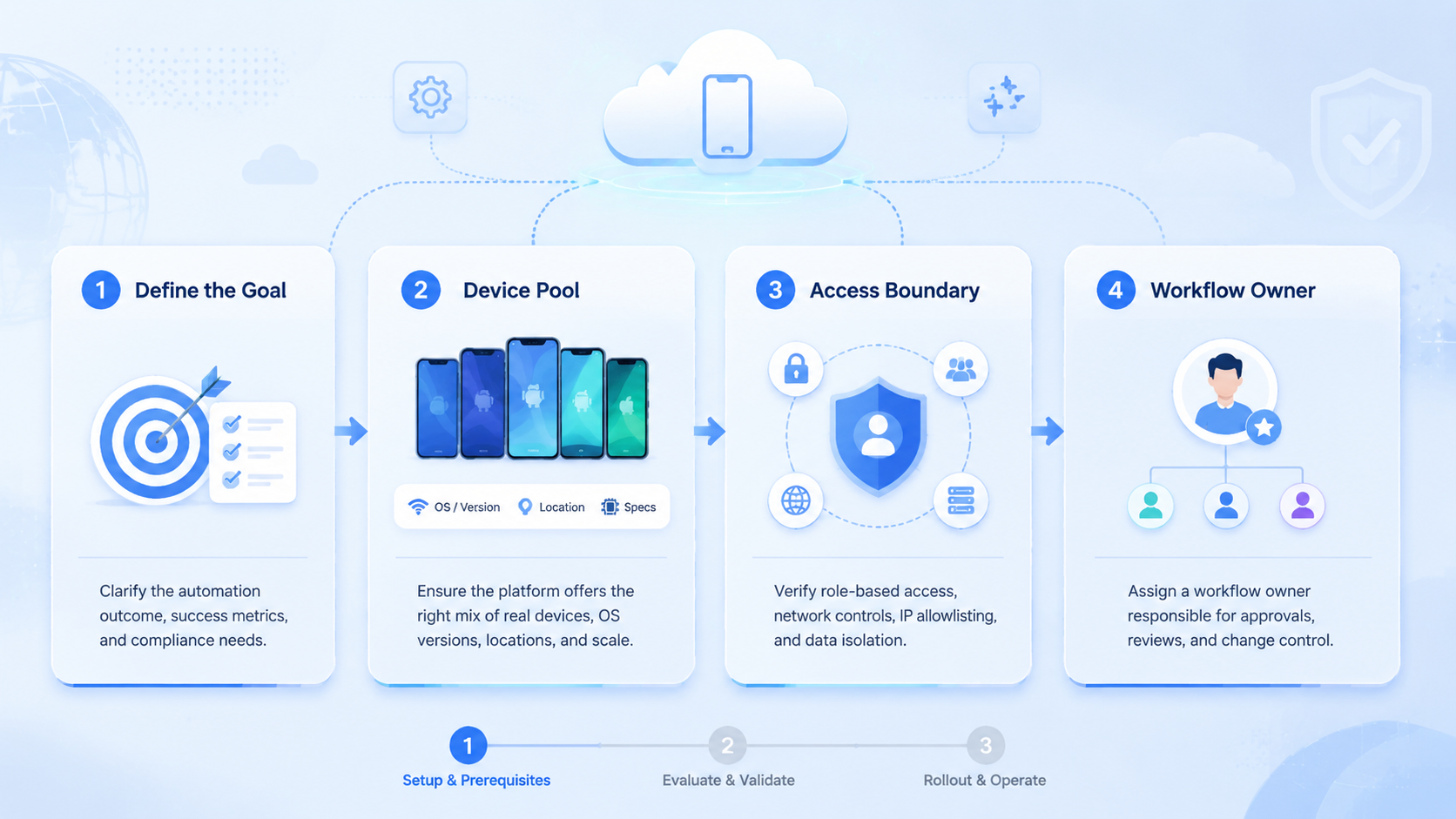
- First 30 days: prove one workflow, one account group, one owner, and one review rule
- Next 60 days: add a second workflow only after the first one has clean logs
- Next 90 days: add more accounts, operators, or AI workers only when recovery is repeatable
During the first 30 days, keep the task simple. App status checks, notification review, and draft preparation are good candidates because they create useful proof without pushing the team into sensitive actions too early.
During the next 60 days, compare manual work with platform work. Look at time saved, review effort, failed runs, and handoff clarity. A workflow that finishes fast but creates unclear records still needs process work.
During the next 90 days, scale by workflow type instead of device count. Add more cloud phones only when each new group has an owner, a task card, a review method, and a reset rule.
Pilot Rollout for a Cloud Phone Platform
Run the first pilot like an operations test. Pick one workflow and one account group.
Then assign one operator group, one reviewer, and one recovery rule. The first scope should be narrow enough that every run can be inspected without slowing the whole team.
Good first workflows include:
- Daily account status checks
- App notification review
- Draft customer replies
- Content upload preparation
- Marketplace app monitoring
- Screenshot evidence collection
- Lead follow-up queue checks
Keep it small.
Track five signals during the pilot. Completion rate tells you whether the task actually finishes, while review time shows whether the platform saves operator effort after quality control is included.
Exception rate exposes the steps that break most often. Handoff clarity tells you whether another operator can continue without a meeting, and environment drift reveals whether accounts are staying inside their assigned devices.
Use a stop rule. Pause the pilot when the same failure appears three times, when review time is longer than manual work, or when operators cannot explain what changed. The fix may be a task card, a permission change, a device reset rule, or a smaller workflow.
This pilot also gives the team procurement evidence. Instead of asking whether cloud phones are useful, the team can show which workflow improved, which one did not, and what rule is needed next.
Use a weekly pilot review:
- Keep workflows that save review time and leave clear proof
- Rewrite workflows that finish but confuse the reviewer
- Pause workflows that touch sensitive actions too early
- Remove workflows that need more manual repair than manual work
- Add devices only after the workflow owner can explain the run history
- Add automation only after the task card is stable
- Add AI workers only after human operators can recover failures
Recovery Checks for Mobile Automation
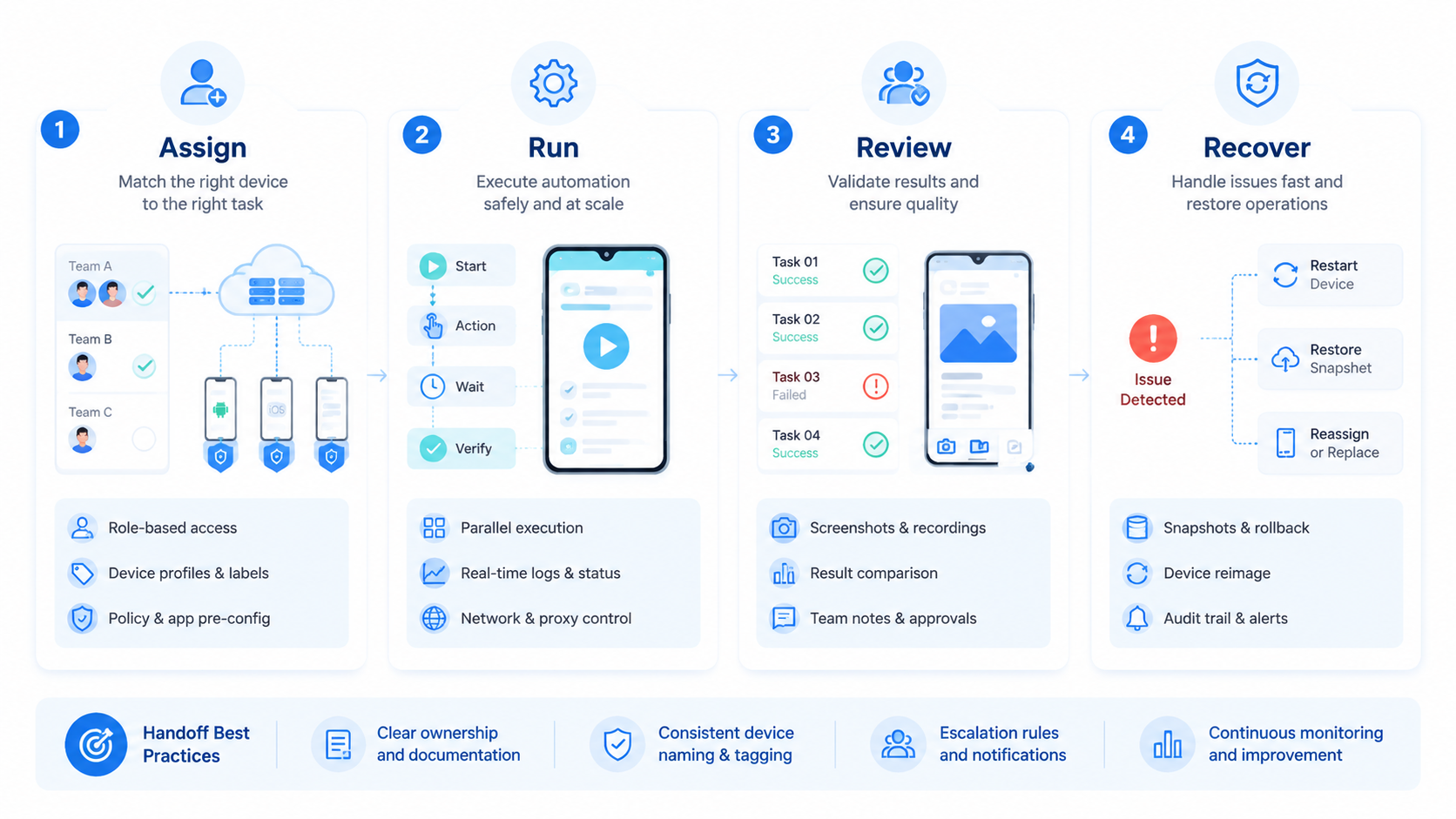
Recovery is where weak systems show up. A failed run should not force the team to guess. It should leave enough detail for another operator to continue or reset.
Use this recovery record:
- Device ID or phone group
- Account or account group
- Task name
- Last successful step
- Failure state
- Screenshot or result proof
- Operator or worker owner
- Next action
Keep the record short. A one-minute recovery note is better than a long report nobody fills out. The goal is to make repeated failures visible.
Watch for drift. Operators may slowly stop using the agreed device, account, route, or task card, especially when a deadline is close. A cloud phone platform should make that drift easier to catch, but the team still needs a weekly review habit.
Recovery rules also protect AI-assisted work. An AI worker may prepare a response, collect proof, or check app state. When it fails, the operator needs the same record: where it ran, what it saw, what changed, and why it stopped.
Mistakes to Avoid
The first mistake is buying device volume before defining workflow ownership. More phones do not create better operations when accounts, roles, and review rules are unclear, and extra capacity can make the confusion harder to see.
The second mistake is mixing account work across environments. A cloud phone platform should make account boundaries easier to manage; teams weaken that value when they move logins, files, and app state casually.
The third mistake is automating sensitive actions too early. Sending messages, publishing content, changing settings, and payment-related actions need stricter review. Begin with observation, preparation, and evidence collection before allowing direct action.
The fourth mistake is ignoring recovery. A failed mobile task should leave a trace that a second operator can understand quickly: what ran, which device was used, what changed, and who decides the next step.
Write that down.
Frequently Asked Questions
What is a cloud phone platform
A cloud phone platform provides remote Android environments for teams. It helps operators or AI workers run app-based tasks without controlling every physical phone directly.
Is a cloud phone platform the same as an emulator
No. An emulator is often used for testing or development. A cloud phone platform is more focused on remote device operations, account work, team access, and workflow execution.
Who should use a cloud phone for AI agents
Teams should consider it when AI workers need mobile apps, app state, notifications, or account-based Android workflows. Browser-only tasks may not need it.
How many cloud phones should a team start with
Start with the number needed for one pilot workflow. Device count should follow account mapping and task volume, not the other way around.
Can a cloud phone platform reduce account confusion
It can support cleaner boundaries when each account group maps to a device environment. It cannot replace platform rules, good content, or careful operator behavior.
What should teams log during mobile automation
Log the device, account, task, operator, result, exception, timestamp, and next action. Screenshots or task evidence make review easier.
Does MoiMobi support mobile automation workflows
MoiMobi provides cloud phones, mobile automation, device isolation, routing, and multi-account workflow infrastructure for teams running mobile operations.
When should a team avoid cloud phones
Avoid them when the workflow is still vague or when the team cannot describe who owns each account. Define the task, owner, review rule, and recovery path before adding more devices.
Conclusion
The best cloud phone platform for mobile automation is the one that fits the team's real operating path. Device count matters, but it is not the first decision. In practice, workflow clarity, account mapping, review, isolation, routing, and recovery matter more than a larger phone pool.
Choose one repeated task and assign it to a small group of cloud phones. Watch how operators use it, where they hesitate, and which proof they need before approving the result.
Keep the workflow only if the team can complete the task, inspect the evidence, and recover failures without confusion. That standard is the difference between device rental and an operating platform.
MoiMobi is strongest when teams need mobile execution as part of a broader system. Use cloud phones for the app layer, automation for repeated work, isolation for account structure, and review rules for control. Scale only after the pilot proves that the workflow is easier to run and easier to manage.



