
BlueStacks alternatives are tools teams consider when a desktop Android emulator is not enough for cloud Android, multi-account automation, or mobile execution workflows. For social media and e-commerce operations, the strongest alternative is usually not another single-user emulator. It is a controlled cloud phone or execution workspace that supports account separation, team handoff, and task records.
BlueStacks is widely known as an Android emulator and cloud gaming platform. That positioning is useful for many consumer and gaming use cases. A team running many social accounts needs a different evaluation model.
For Moimobi users, the comparison should include cloud phone, multi-account management, device isolation, and mobile automation. Buyers researching this category should also review the existing guide to BlueStacks alternatives.
Key Takeaways
- BlueStacks alternatives should be compared by workflow fit, not only app compatibility.
- Desktop emulators can fit individual app usage, testing, or simple desktop access.
- Cloud phones fit teams that need remote Android environments and account-level workspaces.
- Multi-account operations need owners, routing, isolation, review rules, and reporting.
- A pilot should test task completion, failure causes, account handoff, and operator effort.
- Moimobi is strongest when the alternative needs to support cloud Android plus team execution.
What to Compare Before Choosing BlueStacks Alternatives
The first comparison point is not device specs. It is the job the team needs to complete.
Android's official emulator documentation describes the Android Emulator as a way to run apps on a computer and simulate Android devices for development and testing. That is a valid model for developers and individual desktop workflows.
Operations teams have different constraints. They may need many account workspaces, remote access, task scheduling, operator handoff, and activity records. A local emulator can become hard to manage when each account needs its own environment and owner.
Compare these areas first:
- Execution location: desktop emulator, cloud phone, browser profile, or physical device.
- Account separation: one shared environment or one workspace per account group.
- Team access: single operator or shared operations team.
- Task type: testing, posting, reply review, monitoring, or customer follow-up.
- Failure visibility: screenshots, logs, task status, and recovery notes.
The best BlueStacks alternatives for teams should make these fields visible.
Key Differences Between BlueStacks Alternatives for Cloud Android and Multi-Account Automation
The practical difference is control at scale.
| Option | Best fit | Limit to check |
|---|---|---|
| Desktop Android emulator | Individual desktop app access and testing | Harder to organize many account workspaces |
| Cloud phone | Remote Android execution for teams | Needs role, account, and routing rules |
| Physical phone farm | High-control device ownership | Requires hardware, maintenance, and space |
| Fingerprint browser | Browser profile separation | Does not replace mobile app execution |
| Cloud device testing service | QA and app testing on many devices | Usually not built for social operations workflows |
AWS explains that Device Farm lets teams test web and mobile apps across browsers and real mobile devices. That is a testing service, not a social operations platform, but it shows why cloud access to devices matters when teams need remote execution.
For multi-account work, cloud Android is valuable only when paired with workflow control. Without ownership and logs, a remote device fleet still becomes messy.
Features, Workflow, and Trade-Offs
Feature lists can hide the real trade-off. The team needs to know who owns each account, which environment it uses, and what action was completed.
For a small creator team, a desktop emulator may be enough for occasional app checks. For an agency, the same setup may break down because operators switch between clients, reviewers need context, and managers need evidence.
Remote phone workspaces add access and persistence. They are most useful when the account workflow is mobile-first. Moimobi also connects those environments to account workspaces and social media marketing workflows.
Fingerprint browsers solve a different problem. They help with browser-based account separation. They do not make a mobile app workflow appear. Tasks that depend on Android app behavior need a mobile execution layer.
BlueStacks Alternatives Comparison Scorecard
A scorecard keeps the decision grounded. It also stops the team from choosing a tool because one feature sounds impressive.
| Score area | What a team should inspect | Strong signal |
|---|---|---|
| Workspace persistence | Whether each account keeps a consistent environment | Account workspace can be reused without rebuilding setup |
| Operator access | How teammates open, use, and hand off the environment | Roles and owners are visible |
| Mobile app fit | Whether the task depends on real app behavior | Workflow runs inside a remote Android environment |
| Browser fit | Whether the task lives in web dashboards | Browser profile or dashboard workflow is enough |
| Recovery process | How failed tasks are diagnosed | Failure reason, owner, and next action are logged |
| Scaling cost | How setup changes when accounts increase | New accounts can be assigned without local machine drift |
Give each option a simple 1 to 5 score. Then review the weak spots before signing up. A desktop emulator may score well on familiarity and local access. A cloud phone may score better on team access, persistence, and remote execution.
The final choice should match the highest-friction part of the workflow. Workspace control matters when operators waste time switching accounts. Mobile execution matters when app behavior is the issue. A browser profile tool may be enough for dashboard-only work.
Pricing and Operational Considerations
Price comparison should include more than the subscription fee. Operations cost includes setup time, operator training, failure recovery, and account handoff.
A low-cost emulator may look efficient for one user. It may become expensive when the team spends time cloning setups, fixing local machines, moving files, and explaining what happened after a failed task.
Cloud Android platforms may cost more per environment, but they can reduce hidden coordination work when the team needs shared access, persistent sessions, and remote task records. The right question is cost per completed workflow, not cost per device.
Use this buying check:
- Count active accounts.
- Count operators and reviewers.
- List mobile-only tasks.
- List browser-only tasks.
- Estimate failure recovery time.
- Decide which tasks need logs.
That calculation is more useful than comparing headline prices.
Teams should also count exception handling. A workflow that works on normal days may still fail during password checks, app updates, missing assets, or reviewer delays. The better platform is the one that makes these exceptions visible.
For example, an agency running ten TikTok accounts may spend less money on local emulator setups. The same agency may lose time when one operator cannot reproduce another operator's environment. That lost time belongs in the cost model.
The cloud phone lane has its own setup cost. The team must assign accounts, train operators, and define review rules. Once those rules exist, the workflow is easier to repeat across new accounts.
Which Option Fits Different Teams
Solo operators can start with a desktop emulator if the workflow is light. They should still keep account notes and backup recovery steps.
Creator studios often need a mix. Browser dashboards may handle content calendars and reporting. Cloud phones may handle mobile app checks, inbox work, and account-specific workflows.
Agencies should prioritize multi-account control. Client accounts need separated environments, clear ownership, and review rules. A shared local emulator is rarely a clean operating model for client work.
Cross-border social commerce teams often need mobile environments, routing discipline, and campaign reporting. A cloud phone platform can help when tasks repeat across accounts and regions.
Development teams are different. App testing goals usually point toward Android Emulator, AWS Device Farm, BrowserStack, or similar testing tools rather than a social operations platform.
Who It Fits and When It Is a Strong Match
BlueStacks alternatives fit best when the team has outgrown single-machine Android usage. The signal is not only account count. It is the amount of coordination required to keep account work clean.
Moimobi is a strong match when the team needs:
- Remote Android environments.
- Account-level workspaces.
- Multi-account ownership.
- Mobile app execution.
- Browser and phone task coordination.
- Logs for completed or failed tasks.
- Team handoff across operators and reviewers.
This is not the right answer for every case. A user who only wants to play an Android game on a PC may be fine with a consumer emulator. A formal app testing team may fit better with a device testing platform.
Pilot Rollout, Measurement, and Recovery Checks
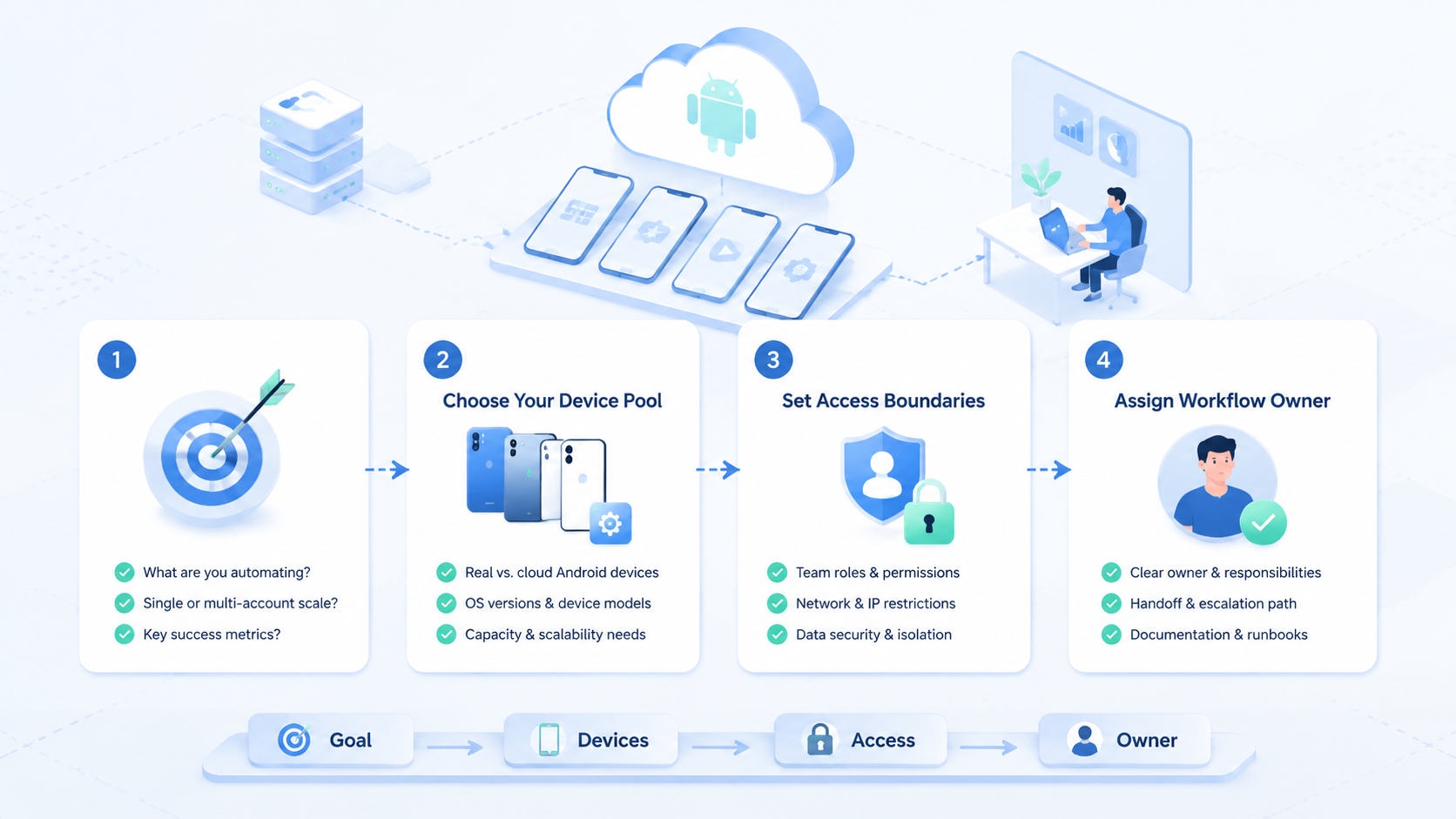
Run a pilot before replacing the current setup. Use five to ten accounts, one workflow type, and one team owner.
Measure these fields:
- Account environment assigned.
- Task type.
- Operator.
- Reviewer.
- Completion status.
- Failure reason.
- Time to recover.
- Notes for the next run.
Recovery checks are important. If tasks fail because the app changed, the team needs workflow repair. If tasks fail because account ownership is unclear, the team needs process repair. If tasks fail because local machines are inconsistent, the team may need cloud environments.
After two weeks, compare the old process and the new process by task completion and recovery effort. That gives a practical answer.
Add a recovery review after each failed task. Use four labels:
- Access issue: login, permissions, or workspace assignment failed.
- Instruction issue: the operator did not have enough detail.
- Environment issue: the emulator, phone, app, or connection behaved differently than expected.
- Review issue: the task waited because approval was unclear.
These labels show whether the tool is the problem or the operating process is the problem. A team should not replace tools when the real issue is missing ownership.
The pilot should end with a decision memo. Keep it short: old setup, new setup, accounts tested, tasks completed, failures, recovery time, and recommendation. This memo helps buyers avoid repeating the same debate later.
Practical Migration Path from Desktop Emulator to Cloud Android
A clean migration does not move every account at once. Start with the accounts that create the most handoff pain.
Use this path:
- Keep low-volume personal accounts in the existing setup.
- Move shared client accounts into assigned cloud phone workspaces.
- Map mobile-only tasks such as app checks, inbox review, and publishing support.
- Keep browser-only tasks in browser profiles when that is enough.
- Add reports only after the execution path is stable.
This staged approach prevents overbuilding. It also gives the team evidence. Expand the cloud Android lane when it reduces recovery work. Leave simple desktop emulator tasks where they already run well.
Frequently Asked Questions
What are BlueStacks alternatives?
They are other ways to run Android apps or mobile workflows, including cloud phones, physical devices, and testing services.
Is a cloud phone better than BlueStacks?
Task shape decides the answer. Remote phone environments fit mobile execution and team operations. BlueStacks may fit individual desktop use.
Are BlueStacks alternatives useful for multi-account automation?
Yes, when they provide separated workspaces, ownership, review rules, and logs.
Should agencies use desktop emulators?
They can for light tasks, but client operations usually need cleaner account separation and handoff.
Does a fingerprint browser replace a cloud phone?
No. It supports browser profiles. It does not replace Android app execution.
How does Moimobi fit?
Moimobi provides cloud Android execution, device isolation, and multi-account workflow support.
What should teams test first?
Test one repeated workflow, such as account checks, comment review, or mobile publishing support.
What is the main buying mistake?
The main mistake is comparing device features without mapping the actual operating workflow.
Conclusion
Choose BlueStacks alternatives by the workflow they support. A desktop emulator can fit individual use. A cloud phone platform fits teams that need remote Android execution, account separation, and repeatable task handling.
Before switching, run a small pilot. Measure task completion, failure reasons, and recovery time. Workflows that need cloud Android plus multi-account control are strong candidates for Moimobi evaluation.



