Key Takeaways
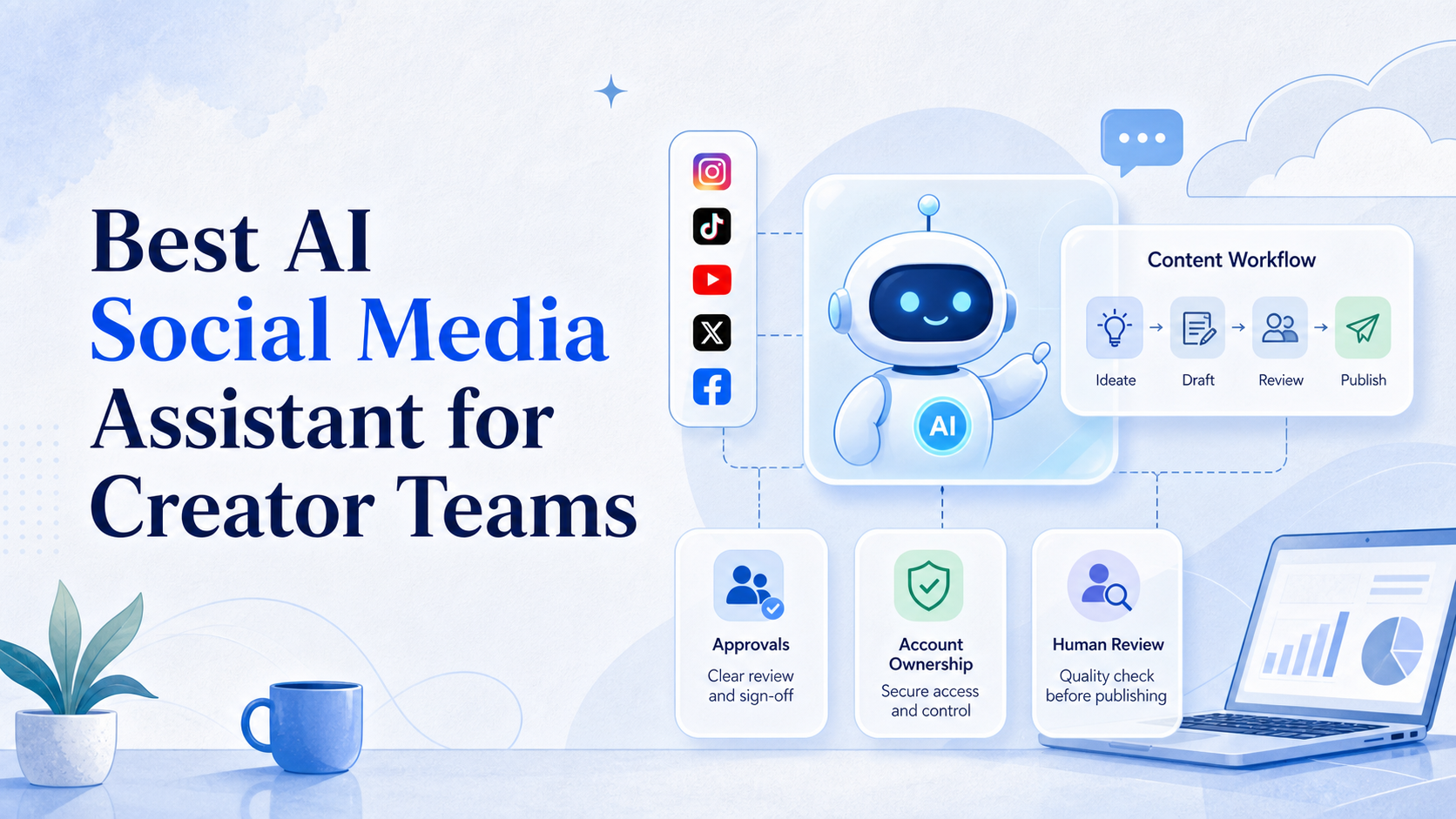
- The best AI social media assistant helps a creator team prepare, route, and review work. It does not remove the need for accountable publishing decisions.
- Choose by workflow fit: content planning, approvals, account ownership, inbox routing, and reporting need different controls.
- A small pilot should measure revision time, missed handoffs, approved outcomes, and unresolved exceptions before a team expands usage.
A best AI social media assistant is a tool or workflow that helps a creator team turn ideas into prepared content, assigned tasks, and reviewable results. The best option is not the one that writes the most captions. It is the one that fits the team's content process and leaves clear ownership when a post, reply, or approval needs a human decision.
Creator teams usually work across several jobs. Someone gathers ideas. Someone edits assets. Another person checks brand voice, links, or platform rules. A final operator may publish or review the result inside an authorized account. An assistant is useful when it reduces friction between those steps without turning them into an opaque automated queue.
Platform capabilities also vary by action. TikTok's official Content Posting API supports direct posting and upload-for-editing for authorized users, while its documentation describes different product paths and review requirements. TikTok's Content Posting API is a useful reminder that a social workflow must validate the exact platform action, not only the platform name.
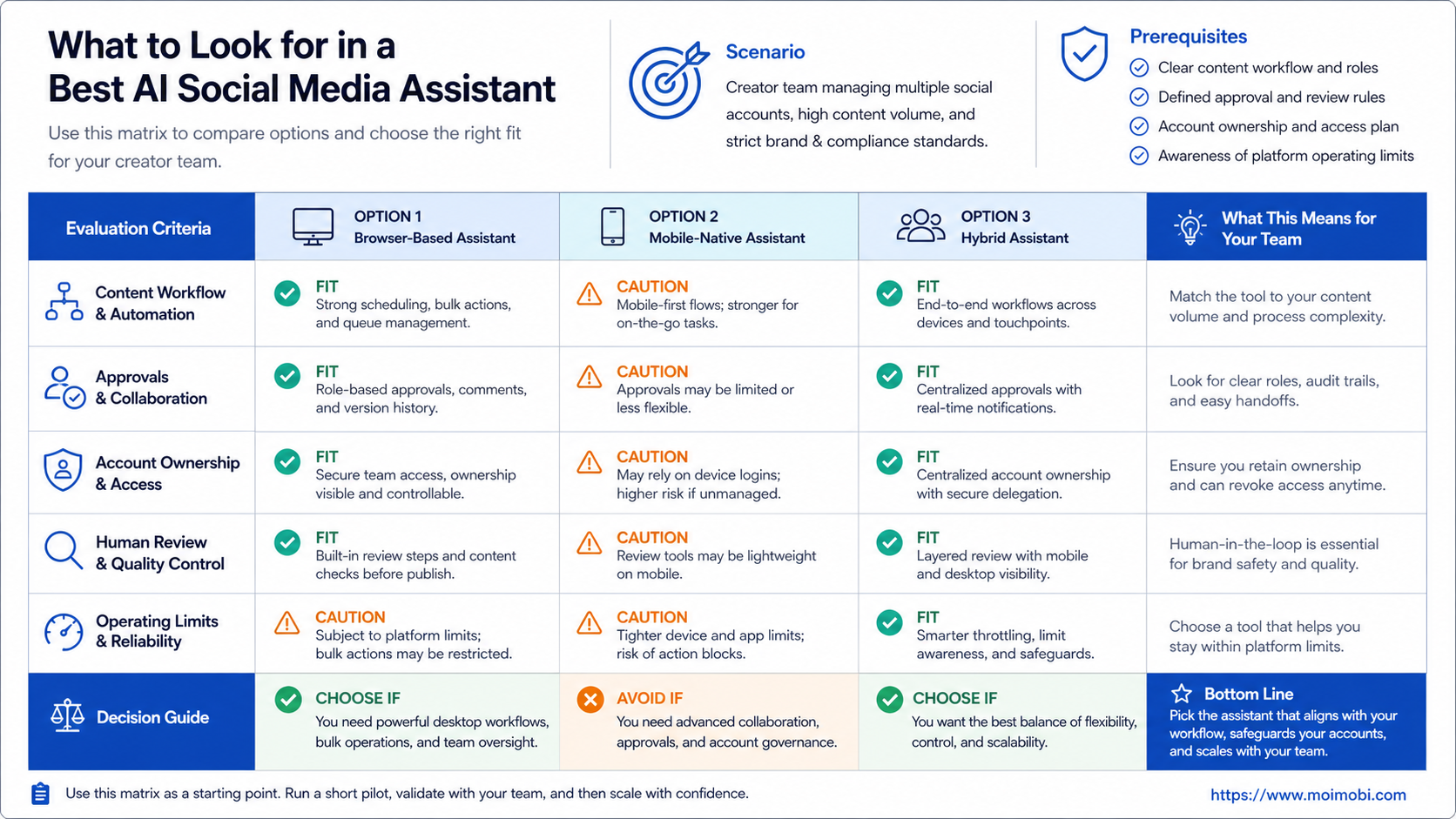
What to Look for in a Best AI Social Media Assistant
Start with a creator team's bottleneck. A solo creator may need faster idea organization and caption variants. A small studio may need client approvals, asset versions, and a posting calendar. A larger team may need an inbox handoff, an account workspace, and an audit trail for exceptions. The same assistant will not be the right answer for all three cases.
| Selection area | What to inspect | Why it matters |
|---|---|---|
| Content preparation | Ideas, briefs, caption variants, asset references | Reduces blank-page work without replacing editorial judgment |
| Review path | Draft, reviewer, feedback, approval, and revision history | Prevents a generated draft from becoming an unreviewed publish action |
| Account context | Named account, operator, workspace, and final task owner | Stops ambiguous handoffs across brands or channels |
| Publishing route | Supported API, upload-for-editing, browser, or mobile step | Matches the assistant to the actual platform workflow |
| Review data | Outcome, exception, feedback, and next action | Lets the team improve the workflow rather than repeat it blindly |
Avoid feature counting. A long list of generated post types has little value if the team still loses track of version ownership or final approval. Ask how a draft moves from a content idea to an approved action. Then ask who can stop it when the context changes.
The assistant should also preserve the difference between suggestion and decision. It may propose a caption, summarize comments, or draft a reply. A creator, editor, or account owner should decide whether the output is accurate, on-brand, and appropriate for the destination audience.
Best AI Social Media Assistant Workflow for Creator Teams
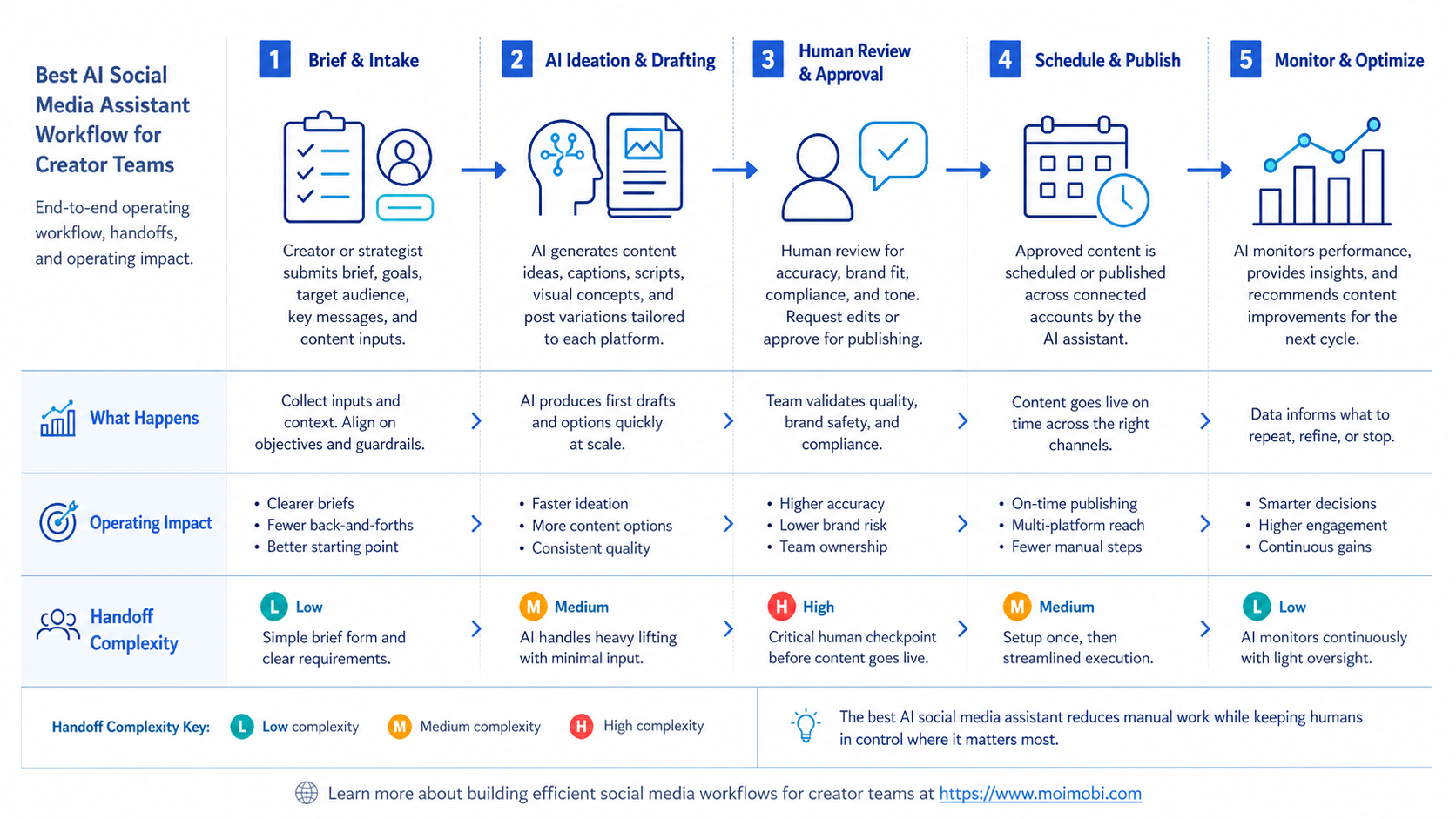
Use a workflow that gives each tool and person a defined job. This is more reliable than treating an AI chat window as the whole operating system.
- Create a content brief. Record audience, platform, campaign aim, source assets, and required review.
- Generate working options. Use AI for headline, caption, script, or reply variants that follow the brief.
- Review facts and brand fit. A named editor checks claims, tone, links, and required disclosures.
- Assign the account task. Route the approved item to the person and environment authorized for the final action.
- Record the result. Capture confirmed outcome, platform response, exception note, and next step.
- Review the pattern. Use outcomes to improve the brief, prompt, approval rule, or task handoff.
This model separates content work from account work. A calendar or content library manages the asset. An assigned browser workspace can manage a web task. For mobile-first final steps, a cloud phone can provide a distinct, authorized mobile environment. Each layer has a clear purpose; none should be used to send unreviewed or repetitive engagement at scale.
For teams with several creators or client brands, multi-account management adds a practical boundary. It connects the task to the right account role and reduces the chance that one person's draft becomes another account's action. The useful measure is not how much content the assistant produces. It is whether the team can trace a completed task back to its brief, reviewer, account, and outcome.
Capabilities That Change the Decision
Content generation is the visible feature, but task control is often the buying decision. A creator team should be able to define which content needs review, which account can complete the next step, and which exceptions must stop for a person. That is especially important when several brands have similar campaigns but different voice, rights, or customer expectations.
Inbox assistance is another boundary. AI can classify common questions, draft a response, and route items to the right owner. It should not be treated as permission to answer every message automatically. Support questions, pricing discussions, complaints, and sensitive creator conversations need a reviewer or escalation rule.
Account environments also matter when work leaves the content calendar. AI browser automation can connect a defined browser task to a managed workflow. The team should record the final action, not merely the draft that preceded it. That makes a paused task recoverable when an asset is missing or a platform flow changes.
The trade-off is setup discipline. A team needs a small library of briefs, account roles, approval states, and stop rules. This is worthwhile when creators spend time chasing missing context. It is not needed when one person manages one simple channel and can review every post directly.
Who It Fits and Who It Does Not Fit
Strong fit: creator studios
Use an assistant when writers, editors, and channel operators need shared briefs, approvals, and outcome records across recurring content work.
Strong fit: agencies
Use it when client review, account handoff, and different brand voices create repeatable coordination work.
Limited fit: solo creators
Use a lighter setup for idea capture, draft review, and a simple calendar. Do not create a complex queue without a real handoff problem.
Not a fit
Do not choose an assistant to automate unsolicited replies, imitate personal voice without review, or avoid platform-specific approval and publishing rules.
The common mistake is treating an AI assistant as a replacement for a content strategy. It is not. The team still needs a clear audience, a useful content angle, and a review standard. The assistant works best when those inputs already exist and repeated preparation work is slowing the team down.
Cost, Permissions, and Migration Checks
Compare cost as an operating model, not only as a monthly seat price. Count the people who write, edit, approve, publish, and answer messages. Then count the channels, account workspaces, asset libraries, and reporting views they actually need. A low-cost writing tool may still create manual work if the team has to transfer every approved draft through chat.
Permissions deserve the same attention. Give writers access to briefs and drafts. Give reviewers a clear approval state. Give account operators only the workspaces required for final authorized tasks. Keep a named owner for exceptions. These boundaries make it easier to diagnose a failed handoff and to remove access when a contractor, campaign, or client relationship ends.
Migration should be gradual. Move one content series, one review path, and one account group first. Inventory the existing calendar, approved assets, active campaigns, account owners, and unresolved posts. Every item should have one source of truth during the move. Do not keep the same publish task active in two tools.
At the end of the pilot, ask whether the new workflow removed a real delay. Useful evidence includes fewer missing assets, shorter review loops, clearer account ownership, and fewer tasks that require someone to search messages for context. If the result is only more generated text, narrow the tool scope before adding another platform.
Use a simple decision scorecard before signing a longer contract. Give each candidate a pass, needs-work, or not-needed rating for content preparation, approval records, account ownership, platform path, inbox escalation, reporting, and recovery. The team does not need the highest score in every category. It needs no critical gap in the categories that carry its daily workload.
For a creator studio, approval history and asset context may matter most. For an agency, account separation and client-facing status can matter more. For a small in-house team, a short review loop and shared content library may be enough. Write these priorities before a demo. Otherwise, the decision can drift toward flashy features that never touch the real bottleneck.
Also test what happens when the assistant is wrong. Ask it to summarize a vague comment, draft an unsupported claim, or route a task with a missing asset. The product and process should make uncertainty visible, let a reviewer correct it, and retain the correction for the next operator. A useful AI assistant makes oversight easier; it does not hide the need for it.
Finally, define a rollback path. Keep access to the existing content calendar until the pilot has confirmed ownership, approvals, and task records. If the new workflow fails during a live campaign, the team should know which system owns the next action and where the final approved asset lives. A documented rollback prevents a temporary tool problem from becoming a public publishing problem.
Schedule one post-pilot review with every role involved. Writers should report whether briefs became clearer. Editors should report whether approval evidence improved. Operators should report whether final actions and failures were easier to recover. This shared review prevents an assistant from being judged only by the person who first selected it, or by a polished demo alone. Keep notes, owners, decisions, and follow-up dates.
Pilot, Measurement, and Recovery Checks
Run a pilot with one content series and a small group of authorized accounts. Keep the scope ordinary: a weekly post, a short-form campaign, or a small inbox category. Do not start with a major launch or an untested customer response workflow.
Track time from brief to approved output, number of revision loops, percentage of tasks with a named owner, exceptions that required manual reconstruction, and the outcome of final platform actions. TikTok's documentation also offers status checking for content posting flows, which reinforces the need to distinguish an initiated task from a confirmed outcome. TikTok's posting-status reference describes status retrieval and webhook paths for supported API flows.
Test recovery deliberately. Pause a task after approval, remove an asset reference, or hand it to a second operator. The next person should see the brief, last confirmed action, account scope, and expected next step. If the team must reconstruct that context from messages, the workflow still needs work.
Frequently Asked Questions
What is an AI social media assistant?
It is a tool or workflow that helps teams prepare, route, review, and track social content work. It can draft material, classify information, and support task coordination.
Can it publish content automatically?
It depends on the platform, account permissions, and approved integration route. Validate the specific action and keep a review step where the workflow requires it.
Does it replace an editor?
No. Editors provide factual checks, brand judgment, campaign context, and final approval. AI can reduce preparation time but cannot own those decisions.
When does a creator team need account environments?
Use separate environments when tasks are tied to named accounts, several people need handoffs, or browser and mobile steps require controlled ownership.
What should be measured in a pilot?
Measure revision time, approval delay, ownership clarity, confirmed outcomes, and recovery quality after a pause or exception.
Can AI handle social inbox replies?
It can classify, suggest, and route replies. Teams should keep escalation, approval, and stop rules for sensitive or commercial conversations.
What is the biggest implementation risk?
Treating generated content as finished content. The team needs a clear review path before it becomes a public or account-level action.
Conclusion
The best AI social media assistant for creator teams fits a real content workflow. Choose it by review control, account ownership, and recovery quality, not only by how quickly it generates drafts.
Start with one content series, a written brief, a named reviewer, and a small success scorecard. Expand only after the team can trace each outcome from idea to approved action and resolve exceptions without guesswork.
References