
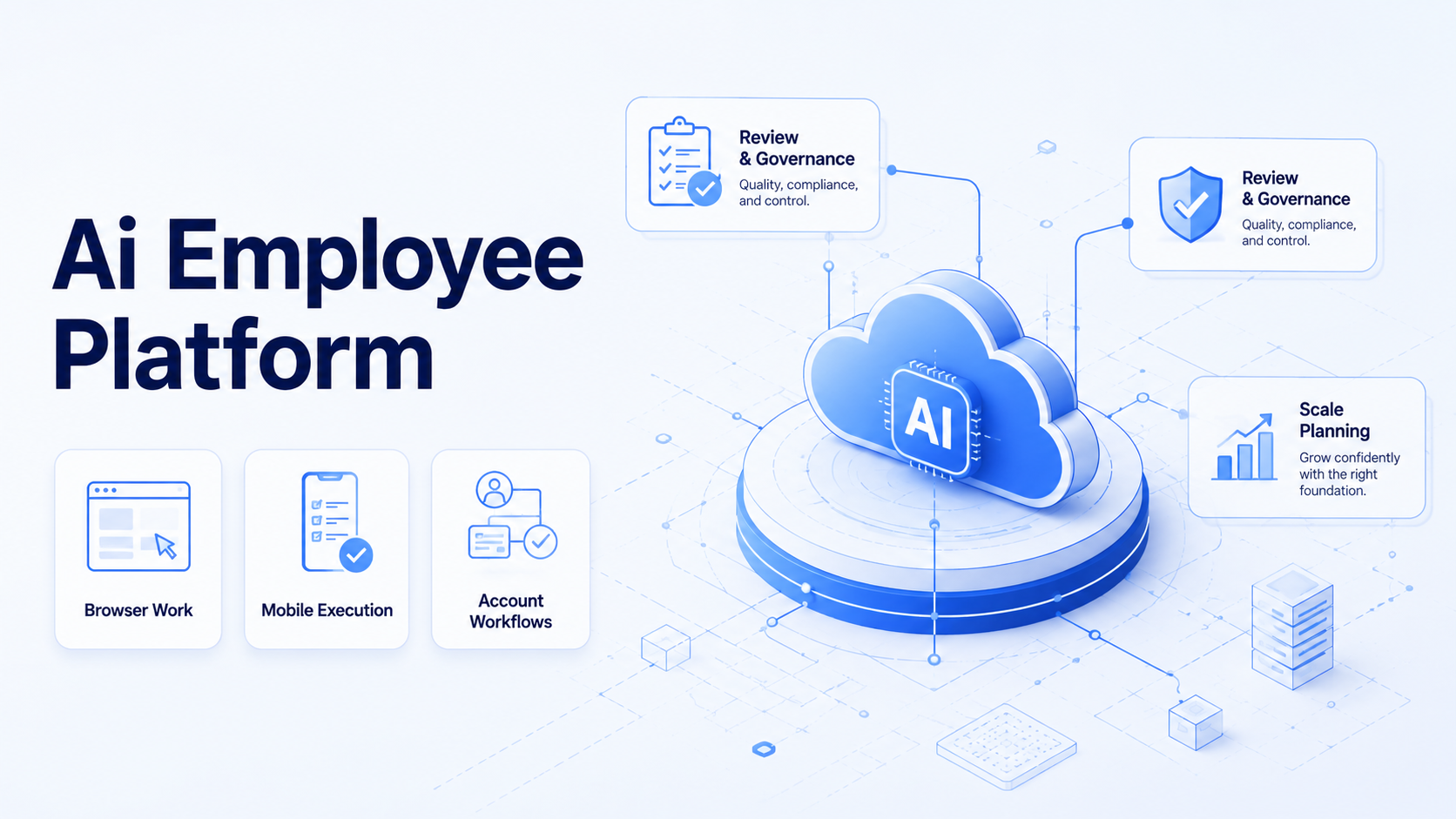
Key Takeaways
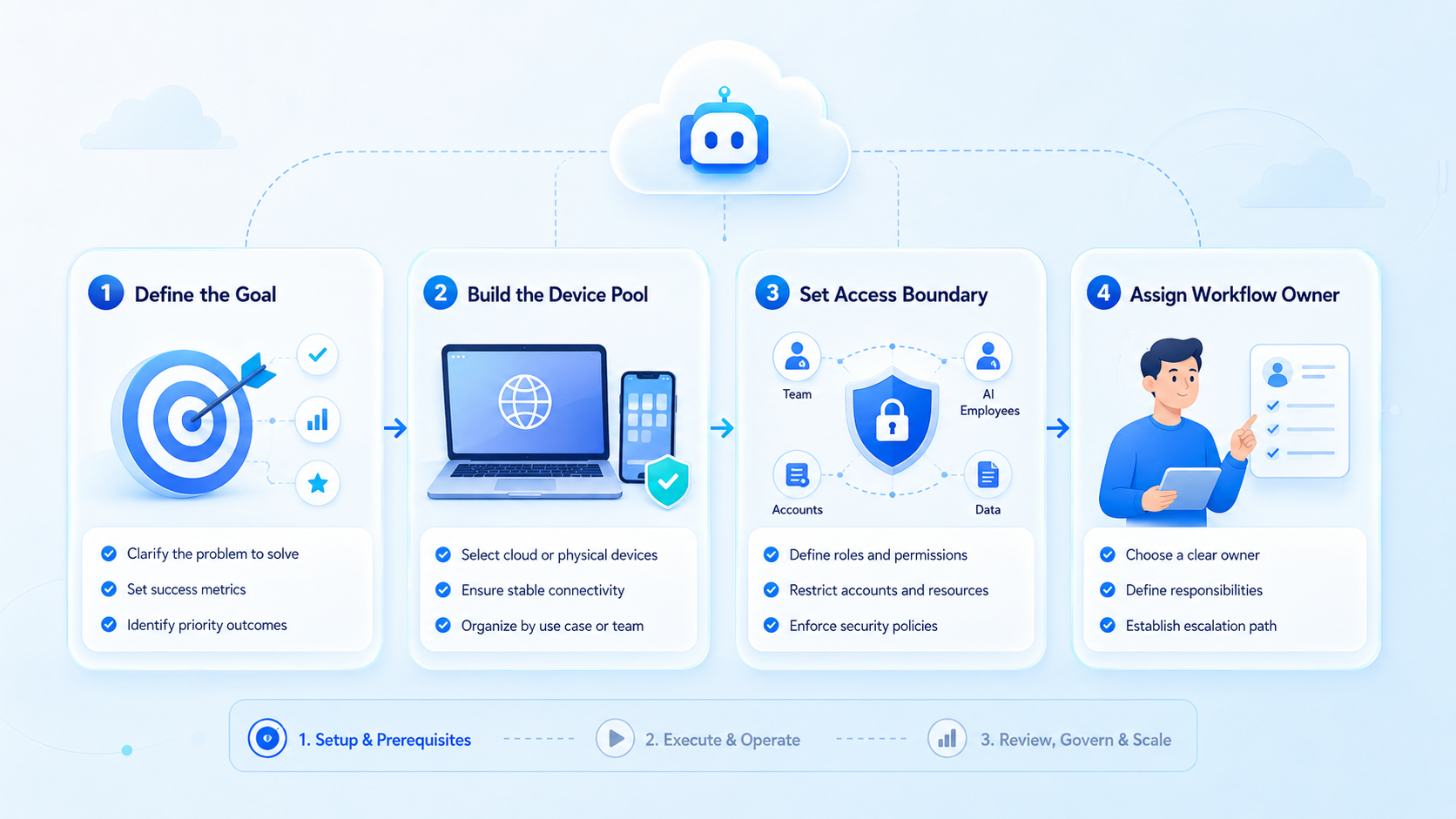
- Pick the platform around one workflow first
- Keep execution, account lanes, and review together
- Scale only after the first worker is measurable
The best AI employee platform for a small team is the one that can execute real work inside the systems your team already uses. It should not stop at chat, task planning, or content generation.
Small teams usually need execution capacity before they need a large automation stack.
Start controlled.
A launch owner checks account, source, draft, and result before another batch enters the queue.
They need help publishing content, checking dashboards, replying to customers, collecting leads, and keeping account work organized. An AI browser execution platform becomes valuable when it gives every AI worker a controlled place to work.
The practical choice depends on workflow fit. A good platform should connect instructions, browser or mobile environments, account isolation, human review, and performance tracking. Feature volume matters less than whether the system can run your first repeatable workflow without creating more manual cleanup.
Map handoffs.
One review note should name the workspace, owner, route, action, and final status for later repair.
Fit first.
Key Takeaways
- An AI employee platform should execute tasks, not only generate plans or text.
- Small teams should choose around one repeatable workflow first.
- Browser profiles, cloud phones, and account isolation matter when work happens in logged-in systems.
- Human review and takeover are required for public, customer-facing, or account-changing actions.
Keep scope tight.
The first workflow earns trust by finishing a small queue before more accounts or channels join.
- The best platform is the one your team can operate, measure, and improve every week.
What an AI Employee Platform Should Do
An AI employee platform is software that lets AI workers complete defined business tasks across tools, accounts, and review steps. It should give each worker a task, an execution environment, a permission boundary, and a result format.
For small teams, this usually means four layers:
| Layer | What it handles | Small-team test |
|---|---|---|
| AI task layer | Planning, drafting, classification, next actions | Can it follow your SOP without constant rewriting? |
| Execution layer | Browser sessions, cloud phones, mobile devices | Can it work where the task actually happens? |
Watch rescue.
A rescue event tells the team which instruction, screen, account state, or review rule needs repair.
|
| Account layer | Profiles, permissions, routing, separation | Can one account stay separate from another? |
| Review layer | Logs, approvals, error handling, recovery | Can a person inspect and correct the result? |
This is why simple AI employees software can feel impressive in demos but weak in operations. If the worker cannot enter the right browser, use the right account, or stop for approval, the team still carries the hard part.
Execution decides.
Name the lane.
Every account group needs a visible owner so failed runs do not disappear into chat history.
Who It Fits
The strongest fit is a small team with repeated digital work. A founder-led team may need prospect research, CRM updates, and inbox triage. A social media team may need content drafts, competitor monitoring, and reply queues. An e-commerce team may need marketplace checks, listing updates, and customer message support.
The strongest fit appears when the team already has a known process.
Save evidence.
Source links, screenshots, and task notes help the next operator continue without reopening every tool.
The AI employee does not need to invent the operating model. It needs to run the steps, handle small variations, and surface exceptions.
It also fits teams with account-based workflows. If one person manages several brands, stores, clients, or channels, shared sessions create confusion. A platform with multi-account management helps separate account context and review history.
Delay scale.
Expansion should follow completion data, low correction rates, and clear exception handling across several runs.
Small teams should be careful with workflows that involve payments, legal claims, account settings, or public replies. Those actions can still be assisted, but they need approval points and clear stop rules.
Review early.
Who It Does Not Fit
An AI employee platform is not the first answer when the task is rare, undefined, or fully handled by an existing API. If a direct integration can complete the work with stable permissions and clean data, an API workflow may be simpler.
Protect review.
Public actions stay safer when drafts, replies, and setting changes pause before the final step.
A poor fit appears when the team cannot describe the task. “Help with operations” is too broad. “Open the dashboard, collect overdue messages, draft replies, and stop for review” is a better starting point.
Avoid using AI worker software as a replacement for process design. If handoffs are unclear, account ownership is mixed, or success cannot be checked, automation will expose the gap.
Use batches.
Small batches reveal login issues, missing fields, and unclear stop rules before volume hides the cause.
It may even make the gap harder to debug.
The right sequence is simple: define the workflow, run a small pilot, review the logs, then expand. Do not start by adding every channel and every account.
Start narrow.
How to Choose the Best AI Employee Platform
Use a selection scorecard instead of a generic feature list.
Check ownership.
A single operator should decide when the workflow is ready for another account or task type.
Small teams should score the platform against the first workflow they actually want to run.
Start with these checks:
- Execution fit - Can the platform operate inside browsers, mobile apps, or both?
- Account fit - Can it separate each account into its own environment?
Keep records.
Logs connect the worker, environment, account, and result into one trail that managers can inspect.
- Review fit - Can a person approve, pause, or take over before sensitive actions?
- Repeatability - Can the workflow reuse task memory or saved steps?
Pause exceptions.
Unexpected screens need a stop rule so automation does not continue with weak context.
Visibility - Can the team see what happened, where it failed, and what changed?
6. Scale path - Can one workflow become several without rebuilding everything?
Moimobi is built around this execution view. Browser tasks can run in controlled sessions, while mobile-first work can move into cloud phone and mobile automation environments.
Limit access.
Permission boundaries keep the worker focused on the task instead of the whole account workspace.
That matters when a task begins in a web dashboard but ends in a mobile app.
Match the surface.
Clean routing should be part of the platform choice. Account lanes, proxies, device isolation, and task ownership are not cosmetic details. They shape whether a small team can review work without guessing which environment produced which result.
Review samples.
A manager can inspect ten finished tasks and decide which rule deserves the next improvement pass.
Governance Checks Before You Choose an AI Employee Platform
Governance sounds heavy for a small team, but the practical version is simple. Decide what the AI employee may do, what it may read, and when it must stop. That prevents a useful worker from becoming another unmanaged tool.
Use outside standards as reference points, not as paperwork. The NIST AI Risk Management Framework is useful for thinking about risk mapping, measurement, and monitoring.
Mark failures.
Repeated errors should point to one repair owner rather than a vague note about automation quality.
The OWASP Top 10 for LLM Applications is useful for model, tool, and data-handling risks. Google’s guidance on helpful content is useful when AI employees help with publishing workflows.
Small teams can turn those ideas into a short operating checklist:
- define which accounts each worker may use;
- keep customer data and private notes inside approved systems;
- require review for public messages and account changes;
- log the page, task, and result for every run;
- review failed tasks weekly and update the workflow.
This check does not slow down the pilot. It makes the pilot easier to trust.
Confirm context.
The reviewer should see the channel, account, source item, proposed action, and final state together.
When a worker fails, the team can see whether the issue came from the prompt, environment, account state, or review rule.
Logs beat memory.
A Practical First Pilot
Choose one workflow with visible output and low downside. The best pilot is not the most exciting task. It is the task your team repeats often and can review quickly.
Avoid drift.
Saved workflows need periodic review because page layouts, app screens, and team rules change over time.
Good pilot examples include:
- collecting competitor updates from a fixed list of pages;
- drafting customer replies without sending them;
- preparing social posts for review;
- checking account dashboards and reporting exceptions;
- moving lead details into a CRM queue.
Define the start state, the expected result, and the stop conditions. Then run a small batch. Ten to thirty tasks are enough to reveal layout problems, unclear instructions, login issues, and review friction.
Measure completion rate, correction rate, rescue rate, and review time.
Keep humans close.
Human takeover matters most when a task reaches a customer, public feed, payment, or account setting.
A platform is improving operations when fewer tasks need rescue and reviewers spend less time finding context.
Count rescues.
Common AI Employee Platform Mistakes Small Teams Make
The most common mistake is buying for a future organization instead of the current workflow. A small team needs a system it can run this week. Complex orchestration does not help if the first worker cannot finish a simple account task.
Use proof.
Evidence helps operators trust the workflow without reading every browser or mobile screen again.
Another mistake is treating all AI employee software as the same category. Some tools are content assistants. Some are workflow builders.
Other tools are execution platforms. The difference matters because real work happens in browsers, mobile apps, and account environments.
Close the loop.
Weekly review turns failed runs into better prompts, clearer lanes, and stronger approval points.
Teams also skip recovery planning. That creates hidden work. When a page changes, a login expires, or a task reaches an unknown state, the team needs logs and a takeover path.
Finally, avoid public actions without review. AI can draft, classify, and prepare.
Sort actions.
Drafting, queueing, sending, and changing settings should not share the same approval rule.
Human approval should remain in place for posts, replies, purchases, deletions, and account setting changes.
The strongest small-team pattern is staged autonomy. First, the worker drafts and reports. Next, it prepares tasks inside the right environment.
Later, the team may allow bounded actions with logs and exception handling.
Check routing.
The assigned route should match the account lane before a mobile or browser workflow starts.
Each stage should earn its way through measured results.
One more check helps before budget approval. Ask who will own the worker after launch. A small team needs one operator who reviews failed runs, updates instructions, and decides when a workflow is ready for more accounts. Without that owner, even a strong tool becomes another queue that nobody maintains.
Watch latency.
Slow review time is a sign that the output lacks enough context for a quick decision.
That owner does not need to be an engineer. They need enough process context to say which result is correct, which exception needs a person, and which workflow should wait.
Frequently Asked Questions
What is an AI employee platform?
It is a system that lets AI workers complete defined tasks across tools, accounts, and review steps. Execution should be part of the product, not an afterthought.
Set limits.
A worker should stop when the page, app, or message no longer matches the known workflow.
What is the best AI employee platform for a small team?
The best choice is the one that fits your first repeatable workflow. Check execution environments, account separation, review controls, logs, and recovery options.
Is an AI employee platform different from a chatbot?
Yes.
Audit lightly.
A short audit each week is enough to find missing owners, weak logs, and repeated rescue points.
A chatbot answers or drafts. An execution platform can work inside browser or mobile environments with task rules and review steps.
Do small teams need cloud phones?
They need cloud phones when work happens inside mobile apps or mobile-first accounts. Browser-only teams may not need them at the start.
Keep roles clear.
One worker can draft, another can monitor, and a person can approve the final action.
How many AI workers should a small team start with?
Start with one worker assigned to one workflow. Add more only after the first workflow is measurable and repeatable.
What tasks should not be automated first?
Avoid high-risk tasks such as payments, public replies without review, account setting changes, or legal communications.
Use queues.
A queue gives reviewers a clean place to compare source, draft, risk, and next action.
Use approval gates first.
How should the team measure success?
Track completed tasks, human corrections, rescue events, review time, and repeated failure reasons. These signals show whether execution is improving.
Can an AI employee platform support social media teams?
Trim claims.
The platform should describe controlled execution rather than promise outcomes it cannot prove.
Yes, when the workflow includes drafting, publishing queues, monitoring, reply preparation, or account-based operations. Review controls remain important.
Conclusion
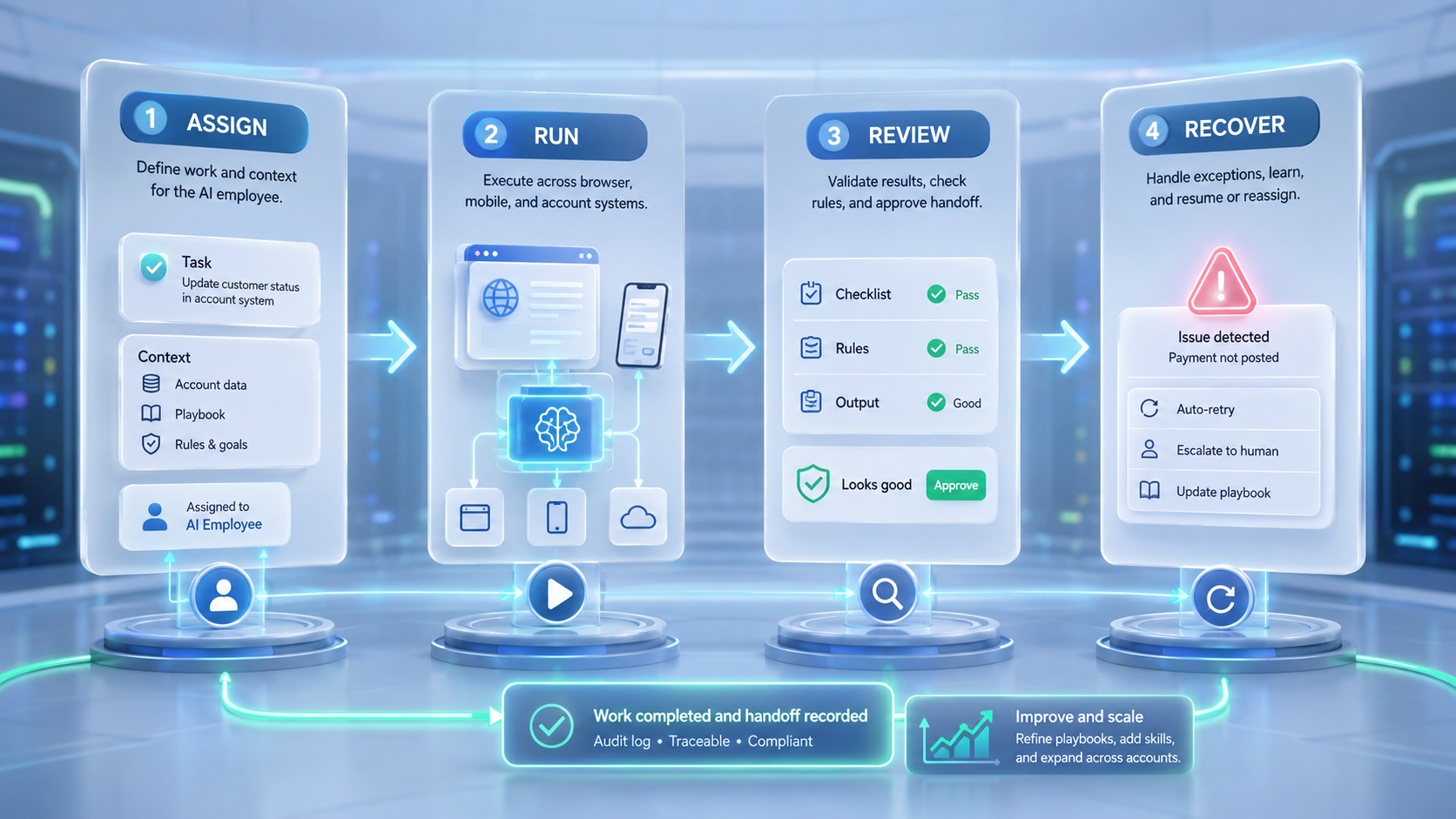
The best AI employee platform for small teams is not the one with the longest feature list. It is the one that turns one repeated workflow into controlled execution.
Start with the task your team already understands.
Repair fast.
A good failure note names the screen, account, action, and owner in one place.
Check whether it needs a browser, a mobile device, an isolated account environment, or a review queue. Then choose the platform that handles those conditions with clear logs and recovery paths.
Small teams scale better when AI workers operate inside defined environments. That keeps the system practical, reviewable, and ready for the next workflow.



