
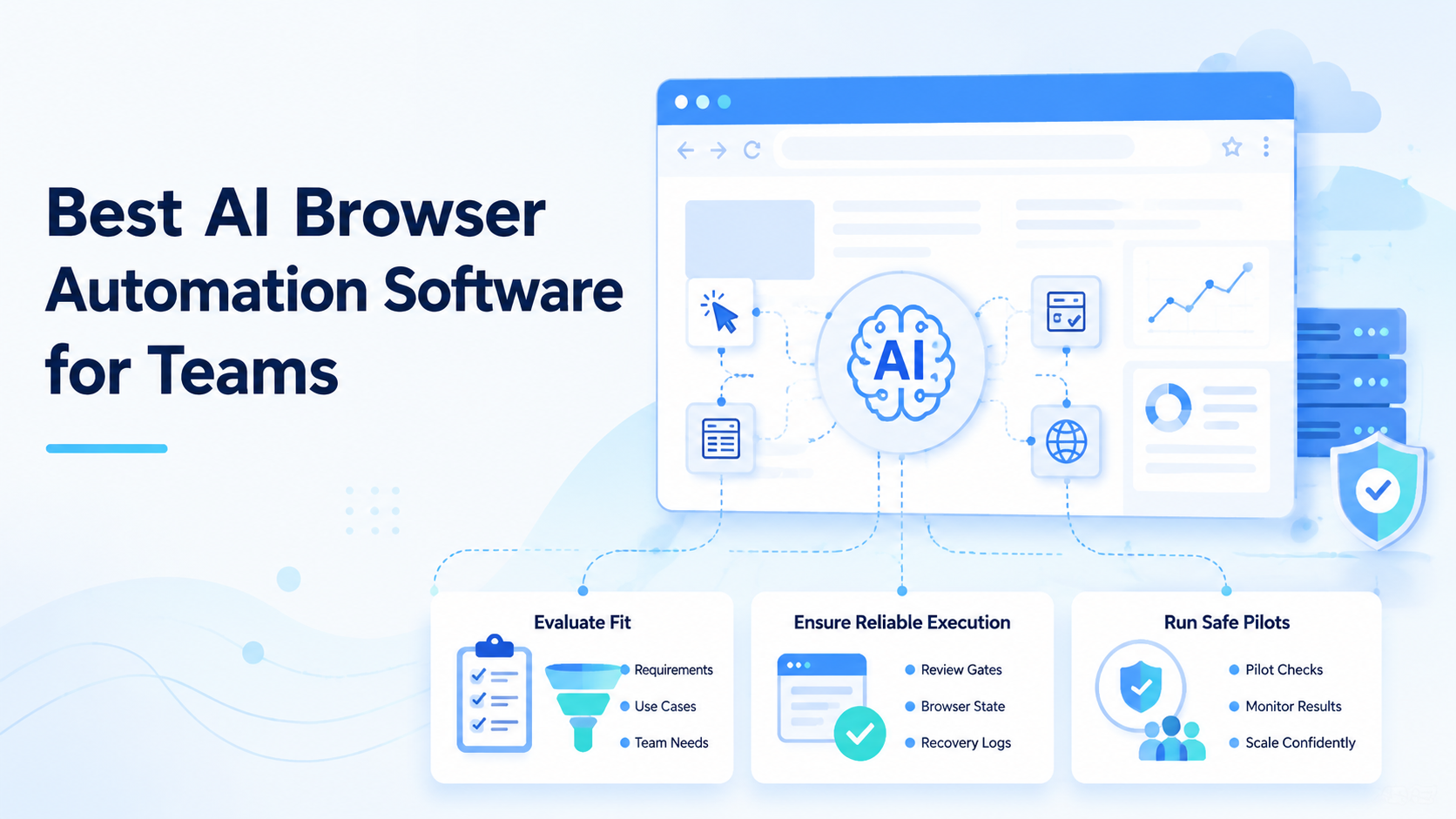
AI browser automation means software that lets an AI worker operate inside controlled browser sessions, inspect pages, take bounded actions, and leave a reviewable task record. The best choice for a team is not the tool with the longest feature list. It is the system that keeps browser state, account context, approvals, and recovery visible.
For solo experiments, a browser agent can be enough. Team operations need more structure. A support lead, growth operator, marketplace manager, or QA owner needs to know which profile ran the task.
They also need page state, output location, and the human approval point. Google's helpful content guidance is a useful baseline here because operational content should make purpose and value easy to verify.
Key Takeaways
- Pick AI browser automation by workflow fit, not demo speed
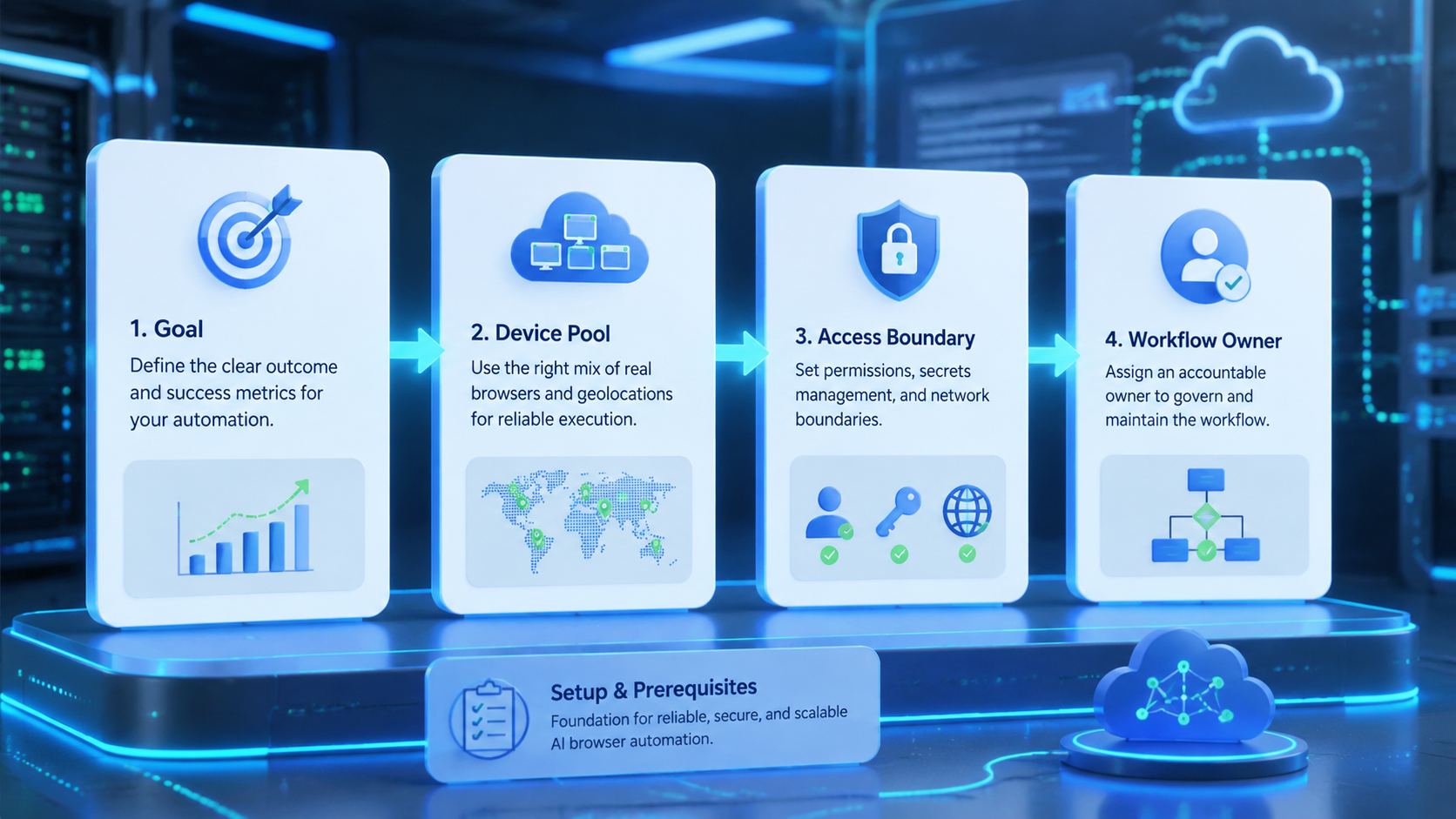
- Teams need browser state, profile ownership, approval gates, logs, and recovery paths
- A browser agent execution environment matters when work touches accounts, dashboards, forms, and review queues
- Run a narrow pilot before customer-facing, payment, publishing, or account-setting work
What to Look for in AI Browser Automation
Good AI browser automation starts with controlled execution. The worker needs a browser session, a task boundary, and a way to report what happened. Without those pieces, the tool becomes a clever script that is hard to manage across a team.
Look first at the work surface. If the task happens inside a browser dashboard, the tool must handle navigation, page state, selectors, screenshots, and timeouts. Projects such as Playwright show why browser state and page actions need structure when software operates in web pages.
Fit also depends on account context. A team that runs many accounts cannot treat every run as the same browser. Each task should connect to a profile, account group, reviewer, output folder, and stop condition. That record lets another person understand the result without asking the operator to replay the whole run.
Use this quick filter:
| Question | Good sign | Warning sign |
|---|---|---|
| Can the task name its browser profile? | Profile ID is logged | Runs use a shared unknown session |
| Can a reviewer inspect the result? | Output and evidence are stored | Approval happens in chat only |
| Can failure be recovered? | Error, page state, and owner are visible | The only note is "agent failed" |
| Can scope be limited? | Stop rules are part of the task | The worker can continue too far |
This is where MoiMobi fits for mobile-adjacent teams. Browser work often connects to mobile checks, account pools, and handoff records.
MoiMobi's mobile automation layer helps teams place mobile execution inside a broader operating system. The goal is to avoid treating every run as a one-off script.
Core Capabilities That Matter in AI Browser Automation
The core capability is not "AI can click a page." That is only the visible part. The more important capability is controlled task execution.
A team-ready system should support 6 operating units: task queue, browser profile, account group, worker identity, output record, and reviewer decision. These units make the difference between a demo and a process.
Browser state is the first test. The software should know whether a task uses a fresh session, a saved profile, a controlled route, or a specific account environment. The Chrome DevTools Protocol is one example of the browser-control layer teams may encounter when evaluating automation stacks.
Review is the second test. The tool should support a pause before high-impact actions. Publishing, account setting changes, payment steps, deletion, refunds, and customer-facing replies should not go straight from AI output to live action without approval.
Recovery is the third test. When a run fails, the team should see the task ID, browser profile, page state, failure point, and next owner. A short failure record is better than a long screenshot dump.
Use this capability scorecard:
| Capability | Minimum team requirement |
|---|---|
| Browser control | Stable sessions, visible page state, timeout handling |
| Worker boundary | Named worker, task scope, stop rules |
| Account context | Profile ID, account group, route or environment label |
| Review gate | Human approval before sensitive actions |
| Evidence | Screenshots, output folder, and task notes |
| Recovery | Failure reason, retry owner, and last safe state |
For teams that pair browser work with remote device activity, a cloud phone can provide the mobile side of the execution environment. The browser layer and mobile layer should not be managed as separate islands.
Pricing, Setup, and Team Fit
Price is easy to compare and hard to interpret. A low-cost tool may be right for a narrow internal workflow. It may become expensive when recovery work, manual review, and account confusion grow.
Setup tells a better story. A team should measure how long it takes to define one task, bind it to an environment, run it safely, review the result, and recover a failure. That full loop shows whether the software is ready for operations.
Team fit usually falls into 3 groups:
| Team shape | Better fit |
|---|---|
| Internal data movement | Workflow automation with browser support |
| Browser-heavy operations | AI browser automation with review logs |
| Browser plus mobile execution | AI agent execution environment with browser and cloud phone context |
Avoid a common mistake: paying for an advanced agent when the job is only field movement. If a rule can move clean data from one system to another, a workflow automation tool may be enough.
Also avoid the reverse mistake. Do not force a simple connector to do account-based browser work. A connector may start the task, but it usually cannot inspect the page, understand account state, capture evidence, and wait for human review.
The practical fit question is direct. Can a second teammate open the record tomorrow and understand what happened? If not, the tool is not ready for team-scale browser work.
Best Options for Common Use Cases
Different teams mean different best options. A QA team, ecommerce operations team, and agency account team may all search for AI browser automation, but they do not need the same operating model.
For QA and browser testing, tools built around deterministic browser control can be the best starting point. Selenium WebDriver and Playwright-style systems are strong when the task is repeatable, selectors are stable, and expected outcomes are clear. Add AI only when the worker must inspect flexible page content or write a human-readable result.
For support operations, a browser agent needs stronger review. The worker may open a dashboard, read customer context, draft a response, or prepare a note. Check proof.
The final send action should usually stay behind approval. Evidence matters more than reply speed.
For ecommerce or marketplace operations, browser context often connects to account groups, listings, forms, and mobile checks. This is where a browser agent execution environment becomes more valuable. Watch the handoff.
The task record should show which account group is in scope and where the result will be reviewed.
For social or mobile-first workflows, browser automation may be only half of the job. Teams may need a web dashboard plus device-side checks. MoiMobi's device isolation page is relevant when browser and mobile work both carry account context that should be separated.
For research and reporting, a lighter tool may be enough. The worker can collect page data, summarize findings, and save evidence. Sensitive actions still need limits.
Match the option to the use case:
| Use case | Best-fit direction |
|---|---|
| QA regression | Deterministic browser automation first |
| Internal reporting | Lightweight AI browser agent with saved outputs |
| Support drafting | AI browser automation with approval gates |
| Account operations | Controlled browser profiles and account groups |
| Browser plus mobile | Combined execution environment with cloud phones |
Fit and Not-Fit Guidance
AI browser automation fits teams that already know the workflow and need a worker to execute it inside a browser. It does not fit vague work where nobody can define the stop rule.
Good fit:
Fits
- Browser dashboards with repeatable task patterns
- Account-based work that needs profile tracking
- Review queues where humans approve sensitive actions
- Evidence-heavy workflows that need screenshots and notes
Does Not Fit
- Unclear instructions without a task boundary
- High-impact actions with no reviewer
- Simple data movement that a connector can handle
- Workflows where failure cannot be inspected or recovered
The not-fit side matters. It protects the team from using AI because the demo looked impressive. A bad workflow will not become stable because it has an agent attached.
Define the boundary before choosing software. Name the input, browser profile, allowed action, output, reviewer, and stop condition. No shortcut.
If any part is missing, fix the process before scaling the tool.
AI Browser Automation Selection Checklist
Selection should start with risk, not brand name. A browser worker can touch real accounts and customer-facing surfaces. That makes control more important than novelty.
Use this checklist in demos and trials:
| Check | Demo prompt |
|---|---|
| Task scope | Show the exact worker boundary |
| Browser state | Show the session, profile, or route label |
| Review gate | Show human approval before sensitive actions |
| Evidence | Show screenshots, outputs, and notes together |
| Recovery | Show why the run stopped and who owns retry |
| Team control | Show role separation for setup, execution, review, and retry |
Do not judge only by a successful run. Ask the vendor or internal builder to show a failed run. Then ask how a second teammate would recover it.
A good failure view should answer 5 questions without a meeting:
| Recovery question | Expected record |
|---|---|
| Task | The exact task ID and input |
| Environment | The browser profile, account group, and route |
| Stop point | The page, step, or condition where work paused |
| Evidence | Screenshot, output file, or task note |
| Owner | The person or queue responsible for retry |
Short version: choose the tool that makes messy work inspectable.
Pilot Rollout, Measurement, and Recovery Checks
Start with a narrow pilot. One queue is enough. Three task types are too many for the first week unless the team already has strong operating records.
Use a 7-day pilot with one owner and one reviewer. Pick a task that matters but does not create irreversible impact. Data collection, draft preparation, dashboard checks, and evidence capture are better starting points than publishing or payment actions.
Track these fields:
| Field | Reason |
|---|---|
| Task ID | Prevents confusing runs |
| Browser profile | Shows execution context |
| Account group | Keeps ownership visible |
| Output folder | Makes review faster |
| Reviewer decision | Separates approved from rejected work |
| Failure reason | Improves the next run |
Measurement should include recovery, not only completion. A worker that finishes 20 tasks but creates unclear failures may slow the team down. A slower system with clean review records may be better for operational work.
Set a stop rule before the pilot starts. Stop for the wrong browser profile, missing account context, sensitive actions, or unclear next steps.
After 7 days, sort outcomes into 3 buckets: green for completed and approved, yellow for extra review work, and red for unclear recovery. Scale only the green bucket.
AI Browser Automation Review Boundaries
Review boundaries are part of the software choice. A browser worker may see private dashboards, account settings, customer records, payment screens, or publishing controls. The team should decide which surfaces are read-only, which surfaces allow draft output, and which surfaces require human approval.
Use a simple access map before the pilot:
| Surface | Default boundary |
|---|---|
| Public page research | AI worker can collect and summarize |
| Internal dashboard | AI worker can inspect and draft notes |
| Account settings | Human review before change |
| Payment or refund screen | Human owner controls final action |
| Customer-facing message | AI worker drafts, reviewer sends |
This is not only a compliance concern. It is an operations concern. If a worker crosses the wrong boundary, the recovery path needs to show who approved the task and which environment was used.
For teams with formal security programs, the NIST security and privacy controls catalog is a useful reference point for thinking about access control, audit records, and change boundaries. The article does not need to turn a browser pilot into a heavy compliance project. It does need a clear approval model.
Keep the rule plain. AI can prepare work, humans approve high-impact actions, and logs explain what happened.
That boundary is not decoration; it prevents a browser worker from turning a draft task into an unreviewed live action.
Frequently Asked Questions
What is the best AI browser automation software for teams?
Choose the option that matches the workflow, risk, and review model. Not speed.
Teams should prioritize controlled browser state, task logs, approval gates, and recovery records.
Is AI browser automation different from RPA?
Yes, in many workflows. RPA usually follows defined steps. AI browser automation may inspect flexible page context before acting, so review and boundaries matter more.
Do teams need a cloud browser for AI agents?
Sometimes. A cloud browser for AI agents helps when the team needs shared execution context, repeatable sessions, and reviewable runs without relying on one operator's local machine.
When should a team avoid AI browser automation?
Avoid it when the process is unclear, the action is high-impact, or nobody owns review. Fix the workflow first.
How should browser agents handle account work?
Use records. Browser agents should run with profile IDs, account groups, reviewer names, and stop rules.
The record should show which environment produced the output.
Can browser automation connect to mobile workflows?
Yes. Some teams need browser dashboards and mobile device checks in the same process. In that case, connect the browser worker to mobile execution infrastructure instead of managing two separate workflows.
What should a pilot measure?
Measure setup time, approved completions, failure reasons, reviewer effort, and recovery time. Track recovery too.
Completion count alone is not enough.
How many internal approvals are needed?
The number depends on risk. A low-impact data collection task may need light review. Publishing, payment, deletion, account settings, and customer replies need stronger approval.
Conclusion
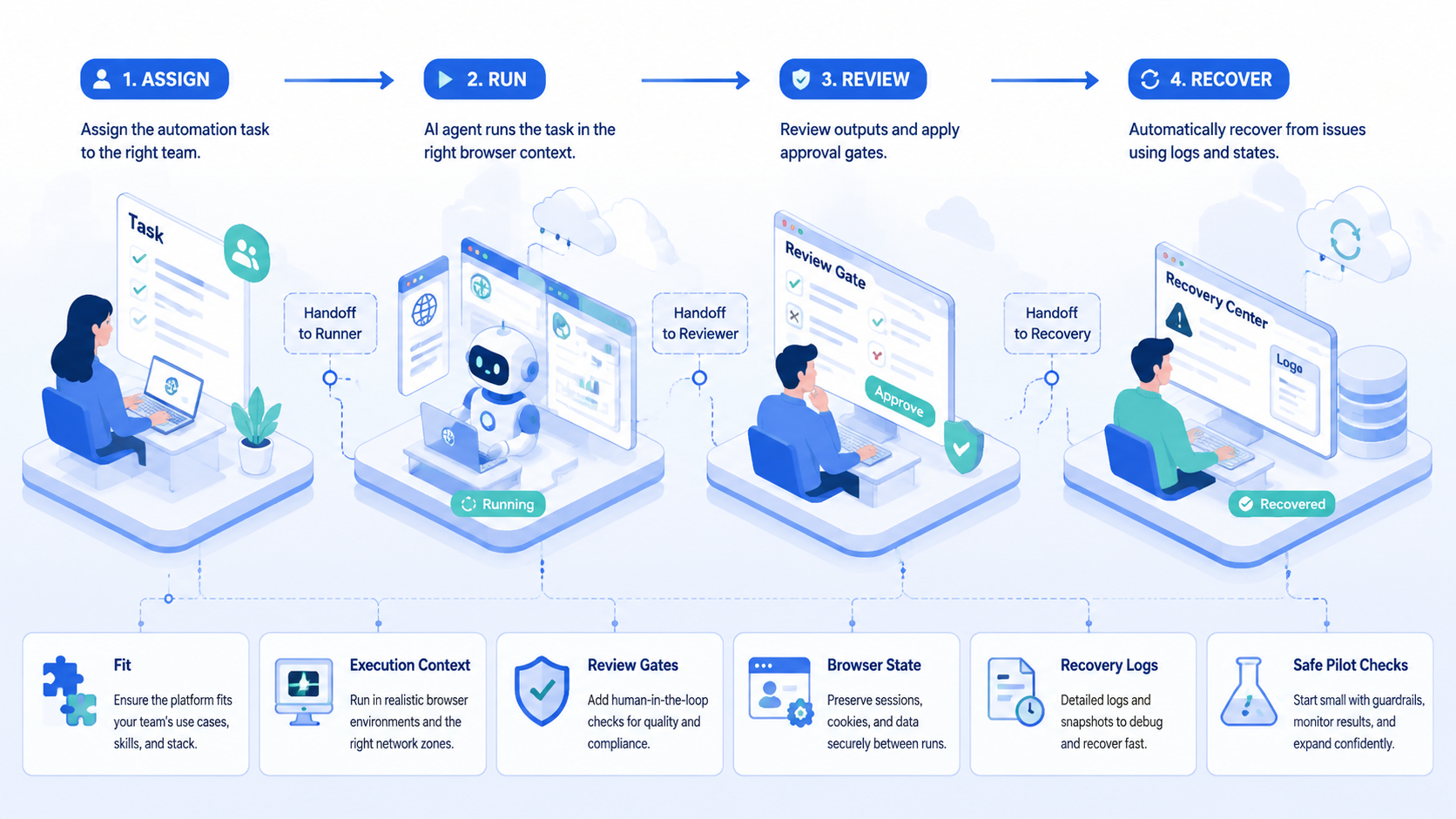
The best AI browser automation software for teams is the one that keeps work controlled after the demo ends. It should connect browser state, task scope, account context, output evidence, human review, and recovery into one operating record.
Start with the workflow, not the vendor list. Write the task boundary, name the browser profile, decide where outputs go, add a reviewer, and define the stop rule.
Then run a 7-day pilot and measure approved completions, failure reasons, and recovery time.
If the workflow only moves clean data, use a simpler automation path. If the worker must inspect browser context and leave evidence for a team, evaluate AI browser automation with stronger execution controls. For teams that combine browser and mobile work, connect that evaluation to broader infrastructure such as multi-account management and proxy network planning.



