
The best account warm-up tool for Instagram and TikTok is a system that helps teams prepare account workspaces, complete profile and content readiness checks, assign mobile environments, and track early operating tasks. It should focus on supported operations rather than platform manipulation or artificial activity.
For agencies, creator teams, and social commerce teams, "warm-up" should mean operational readiness. The account should have a clear owner, complete profile data, approved content plan, correct environment, review workflow, and measured task history.
Moimobi fits this category as a multi-account execution platform. It combines cloud phone, device isolation, mobile automation, and social media marketing workflows.
Key Takeaways
- A responsible account warm-up tool should focus on account readiness, not platform manipulation.
- Instagram and TikTok teams need workspace setup, ownership, review rules, and measured activity.
- Cloud phones fit mobile-first workflows; fingerprint browsers fit browser-based account work.
- The best choice depends on where the team executes tasks, not on feature volume alone.
- A pilot should track profile readiness, task completion, review quality, and failure reasons.
- Avoid tools that imply artificial activity, spam, or fixed account results.
How to Evaluate the Best Account Warm-Up Tool
Start with the workflow, not the label. Many tools use similar words, but teams need different operating layers.
Use this selection checklist:
| Checkpoint | Pass condition | Warning sign |
|---|---|---|
| Account ownership | Each account has a named owner | Shared responsibility with no handoff rule |
| Environment fit | Browser or mobile workspace matches the task | All accounts share one device or profile |
| Profile readiness | Profile, content plan, and review rules are complete | Activity starts before basics are checked |
| Policy posture | Tool avoids artificial activity claims | Sales copy focuses on manipulation instead of operations |
| Reporting | Tasks, failures, and reviews are logged | No evidence after a workflow fails |
This checklist protects the buying decision. The best account warm-up tool should make account work easier to manage. It should not encourage risky behavior or hide what happened.
TikTok's Community Guidelines address deceptive behavior and fake engagement. That is why a responsible evaluation should remove tools that frame warm-up as artificial engagement.
Meta's Instagram Platform also shows that Instagram business and creator workflows are governed through defined platform capabilities. TikTok's Content Posting API gives another example of an official integration route. These references do not cover every operational task, but they make one point clear: teams should design workflows around supported access, review, and account control instead of claims about manipulating platform systems.
Capabilities That Actually Change Outcomes
The common myth is that warm-up is only activity volume. The better model is readiness plus controlled task history. A team should know who owns the account, which environment is used, what content is approved, and which actions have been completed.
Useful capabilities include:
- Account workspace assignment.
- Profile and asset checklist.
- Content queue preparation.
- Mobile app execution environment.
- Browser profile support for dashboards.
- Review queue for comments or replies.
- Activity log with failure reasons.
- Reporting by account and campaign.
These capabilities help teams coordinate real work. They should not be presented as ranking, reach, or account safety controls. Platform outcomes depend on many factors outside the tool.
Moimobi is strongest when the team needs both browser and mobile readiness. A TikTok workflow may need app-based work in a cloud phone. An Instagram creator workflow may need both browser reporting and mobile app checks.
Cloud Phone vs Fingerprint Browser vs Mobile Automation
Each tool category solves a different problem. Choosing the wrong category creates either extra cost or weak execution control.
| Option | Best fit | Limit |
|---|---|---|
| Cloud phone | Mobile-first app workflows | Not needed for every browser task |
| Fingerprint browser | Browser profile separation | Does not solve mobile app execution |
| Mobile automation | Repeated app tasks with review rules | Needs clear SOPs and limits |
| Spreadsheet process | Very small account sets | Weak at execution and audit trails |
A cloud phone is useful when the account workflow depends on mobile app behavior. A fingerprint browser is useful when browser sessions and profile separation are the main concern. Mobile automation matters when repeated app tasks need scheduling, review, and reporting.
For teams comparing categories, Moimobi also supports Android antidetect and browser-mobile workspace models. The buyer should choose based on task location, account count, and review needs.
Cloud-based device services show why environment selection matters. AWS Device Farm describes access to real mobile devices in the cloud for app testing. Social operations are not the same as software testing, but the same infrastructure principle applies: teams need controlled device access when a workflow depends on mobile app behavior.
Browser workflows have their own execution model. The W3C WebDriver specification defines remote browser control at a standards level. A buying team does not need to read the full specification to choose a tool, but it should understand the difference between browser automation, browser profile isolation, and mobile app execution.
That distinction prevents a common mistake. A fingerprint browser may help with browser profile separation, but it does not become a mobile app workspace. A cloud phone may help with mobile execution, but it may be unnecessary for a task that only lives in a browser dashboard.
Best Account Warm-Up Tool Selection Scorecard
A scorecard helps teams avoid buying based on vague feature claims. Rate each option from 1 to 5 across the following categories:
| Category | What to inspect | Strong signal |
|---|---|---|
| Workspace control | How accounts are separated | Dedicated browser or mobile environment per account group |
| Readiness checklist | How profile, content, and owner status are tracked | Visible account-level checklist |
| Review workflow | How sensitive actions are approved | Clear human checkpoint before public actions |
| Task history | How completed and failed tasks are logged | Account-level activity record with failure reasons |
| Platform posture | How the vendor describes results | Operational language, not manipulation or artificial activity claims |
| Team fit | How roles and clients are organized | Owners, reviewers, and operators can be assigned |
The highest score should go to the tool that makes the team's work more observable. If a manager cannot see who owns the account, which environment is assigned, and what failed yesterday, the tool is not solving the core operations problem.
Adoption Cost, Setup Friction, and Team Fit
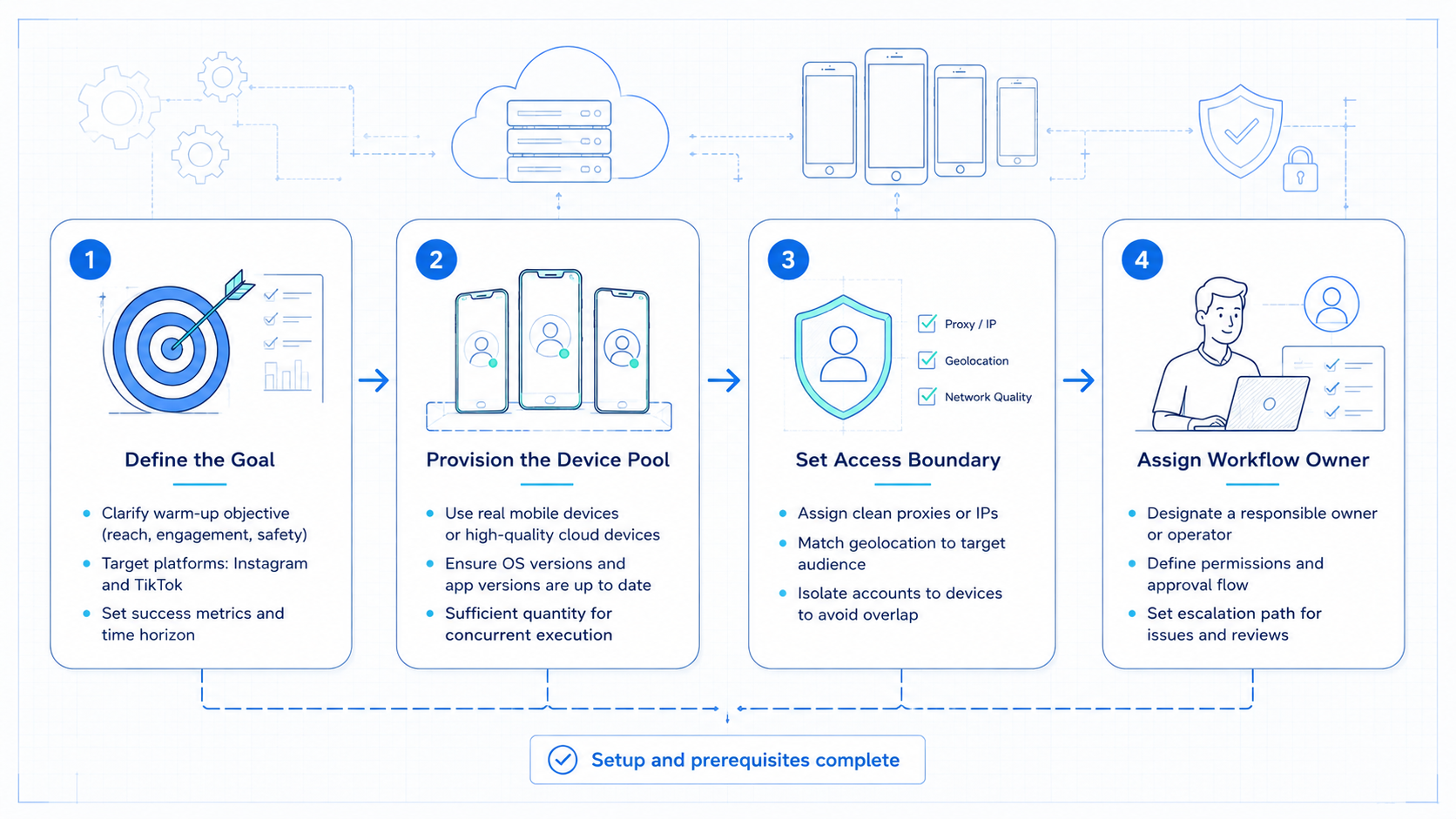
The best account warm-up tool is not always the most complex tool. Setup friction matters. A tool that requires too much configuration may slow a small team.
Use a simple fit model:
- Small creator team: start with profile readiness, content queue, and basic reporting.
- Agency team: add account ownership, review roles, and client-level workspaces.
- Social commerce team: add mobile execution, product campaign tracking, and reply escalation.
- Cross-border team: add environment assignment, proxy planning, and region-specific workflow notes.
Do not buy only for feature volume. Buy for operational clarity. The team should be able to answer which account is ready, which environment runs it, what tasks are approved, and what failed.
Setup cost also includes training. Operators need to know what to do when a task fails. Reviewers need to know which items require approval. Managers need to know which metrics matter.
Who It Fits and Who Should Avoid It
This category fits teams that manage several Instagram or TikTok accounts and need consistent setup before active operations. Agencies, social commerce teams, creator studios, and brand teams often fit.
It also fits teams that need separate environments. A client account should not share the same workspace as a test account. A regional account may need a different task plan from a main brand account.
It is not a fit for teams seeking artificial activity, spam workflows, or fixed account results. TikTok's official guidelines warn against deceptive behavior and fake engagement. Instagram and Meta platform rules also require teams to respect platform-supported workflows.
It may also be too heavy for a solo creator with one account. A simple checklist may be enough until repeated account handoffs appear.
Pilot Rollout, Measurement, and Recovery Checks
Run a pilot before expanding. Select a small group of accounts, define the readiness checklist, and measure work for one or two weeks.
Track these fields:
- Account owner.
- Workspace type.
- Profile completion.
- Content plan status.
- First task date.
- Review status.
- Failure reason.
- Follow-up owner.
- Notes from reviewer.
The pilot should answer one question: does the tool make account operations clearer? If the team still asks where the account lives, who owns it, or what failed, the setup needs revision.
Use a stop rule. Pause expansion if failures repeat without clear causes. Fix the SOP before adding more accounts.
The pilot should also include recovery checks. If a task fails, record whether the issue was missing access, incomplete profile data, unclear instructions, content approval delay, environment mismatch, or platform change. This lets the manager improve the system instead of blaming the operator.
For Instagram and TikTok teams, the most useful pilot output is often a readiness dashboard. It can show which accounts are complete, which accounts need content, which accounts have unresolved review items, and which accounts should not move into active campaigns yet.
Final Selection Checklist
Choose the tool that best matches the team's real workflow:
- Need mobile app execution? Prioritize cloud phones and mobile automation.
- Need browser profile separation? Prioritize fingerprint browser support.
- Need client operations? Prioritize account ownership and reporting.
- Need reply workflows? Prioritize review queues and escalation.
- Need early account readiness? Prioritize checklists and task history.
Moimobi is the strongest fit when several of these needs appear together. It is not only a device layer. It is an execution workspace for account-based social operations.
Frequently Asked Questions
What does account warm-up mean here?
It means account readiness and controlled early operations: profile setup, environment assignment, content planning, review rules, and task history.
Should a warm-up tool be evaluated by reach claims?
No. Teams should judge the tool by readiness, workflow control, review quality, and reporting. Reach is affected by content, audience fit, platform rules, and many external factors.
Is a cloud phone better than a fingerprint browser?
It depends on the workflow. Cloud phones fit mobile app tasks. Fingerprint browsers fit browser-based account work.
Can Moimobi support Instagram and TikTok workflows?
Yes. Moimobi supports browser and mobile execution environments for multi-account social operations.
What should teams measure first?
Measure profile readiness, task completion, review outcomes, failure reasons, and handoff clarity.
Is this useful for a solo creator?
Sometimes, but it may be too heavy for one account. A simple checklist can be enough at the start.
What is the biggest buying mistake?
The biggest mistake is buying for feature volume instead of workflow fit.
Are anti-detect tools enough?
Not by themselves. Teams still need ownership, task rules, review queues, and reporting.
Conclusion
Select the best account warm-up tool by ranking workflow fit first. For Instagram and TikTok, that means account ownership, environment assignment, profile readiness, content planning, review rules, and measurable task history.
Avoid any tool that frames warm-up as artificial activity or platform manipulation. A sustainable system should help teams prepare and manage accounts responsibly.
Moimobi is a strong option when teams need cloud phones, browser workspaces, mobile automation, and multi-account execution in one operating model.



