
Key Takeaways
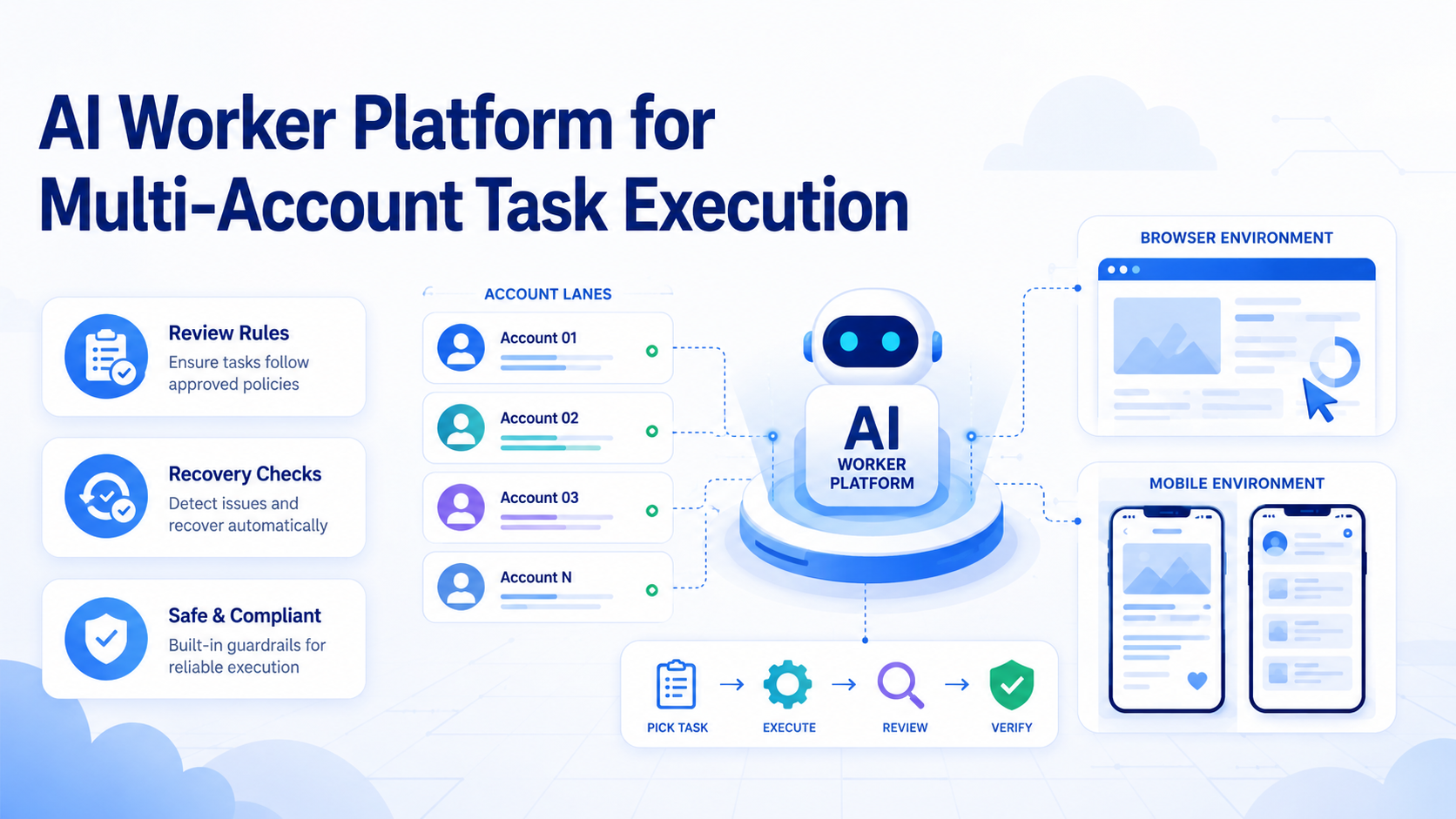
- An AI worker platform turns repeated online work into assigned execution lanes
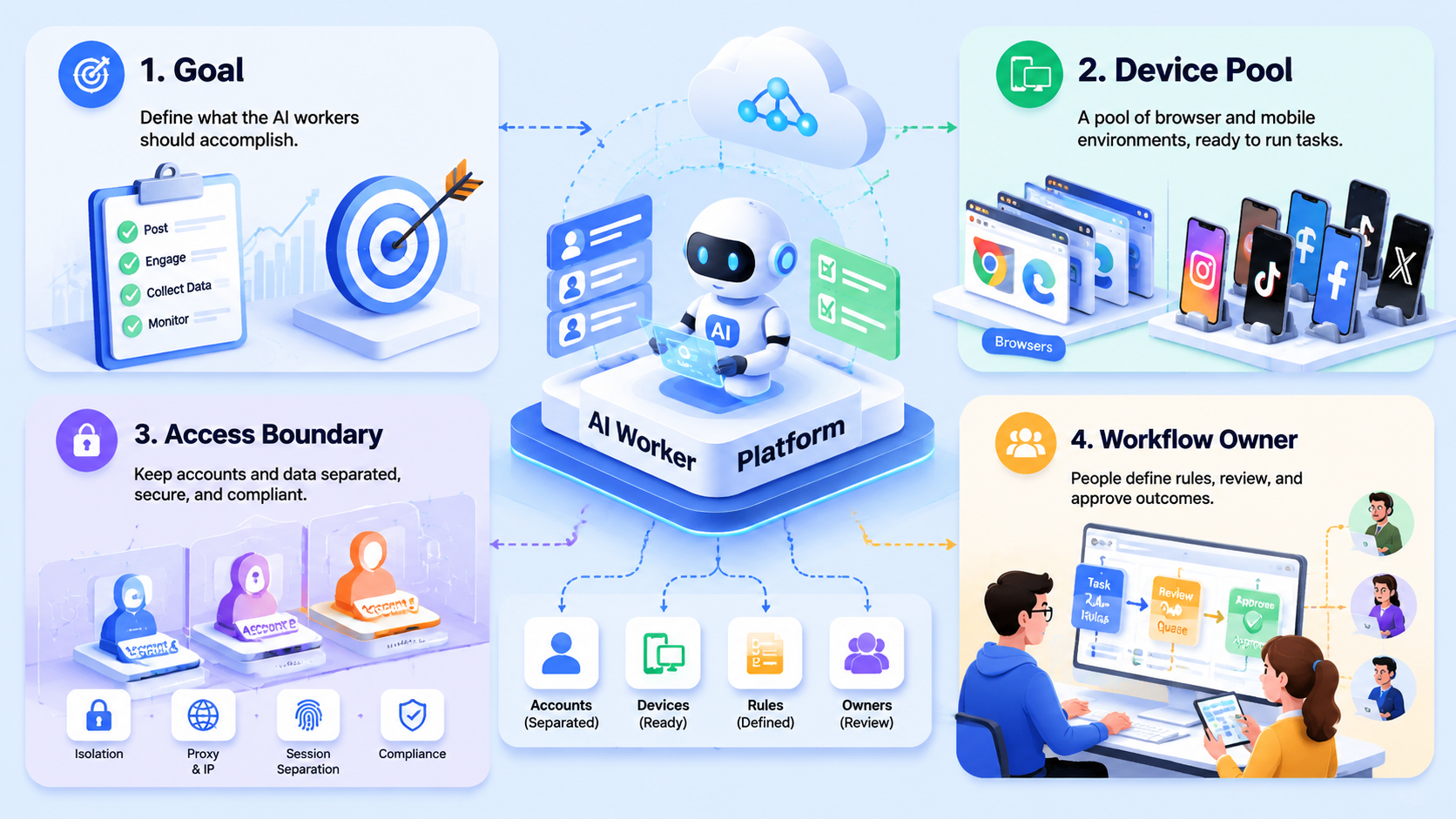
- Multi-account teams need account ownership, separate environments, review rules, and recovery logs
- The platform should support browser work, mobile work, and human takeover
- Start with one account group and one workflow before adding more workers
An AI worker platform is a system for assigning AI-assisted work to repeatable browser, mobile, or account-based environments.
The term matters because multi-account work is not only a writing problem. Teams need to open the right account, run the right task, check the result, and hand off exceptions. A chat tool can help draft content, but it does not manage account lanes or execution history by itself.
MoiMobi treats AI workers as part of an execution stack. A worker can use browser profiles, cloud phones, Android devices, task memory, and review workflows to support real online operations.
The Core Idea Behind an AI Worker Platform
The practical model gives each worker a job, an account context, and a place to execute. That place may be a browser profile, a cloud phone lane, or a mobile app environment.
Think about a social media team with 12 client accounts. A vague instruction like "check messages" is not enough. The team needs to know which account is being checked, which lane is used, who reviews replies, and what happens when the task pauses.
A simple worker record can include these fields:
| Field | Example |
|---|---|
| Worker role | Inbox triage worker |
| Account lane | Client A, Instagram account group |
| Environment | Browser profile or cloud phone |
| Allowed work | Read, label, draft, summarize |
| Review rule | Human approval before public replies |
| Stop condition | Login prompt, payment issue, angry customer |
That structure turns AI from a loose assistant into a controlled operator.
Why Teams Search for This Topic
Teams search for this topic when manual account switching becomes hard to manage. The problem is usually not one task. The problem is the same task repeated across many accounts, clients, channels, or regions.
Three signals show that a team may need a platform:
- More than 5 accounts need the same daily check
- More than 2 teammates touch the same workflow
- Exceptions are handled in chat instead of a task log
When those signals appear, work starts to leak. One person may know the account history, but the rest of the team cannot see it. A worker platform creates a shared record for task ownership and review.
Google's guidance on creating helpful content is written for search, but the operating principle is relevant here: useful work needs clarity for the person receiving it. Worker output should be clear enough for another teammate to inspect.
Who Benefits Most and in What Situations
The best fit is a team with repeated account work and a defined review path. That includes agencies, ecommerce operators, support teams, growth teams, and cross-border sellers.
The weaker fit is a solo user who only wants ideas or one-off drafts. In that case, a normal AI writing tool may be enough. A worker platform becomes valuable when execution, account context, and handoff all matter.
- Multi-account social operations
- Customer reply preparation
- Daily account monitoring
- Browser dashboard checks
- Mobile app task lanes
- Single personal account
- No written workflow
- No review owner
- Pure idea generation
- Untracked public actions
MoiMobi fits the first group because it links AI work with multi-account management, mobile automation, and account-specific environments.
How to Evaluate an AI Worker Platform for Teams
Use checkpoints instead of a feature list. A platform should pass the operating test before it gets a larger rollout.
Start here.
| Checkpoint | Pass Signal |
|---|---|
| Account mapping | Each worker has an account group, owner, and lane |
| Environment fit | Browser tasks use profiles; app-first tasks use mobile environments |
| Review control | Customer-facing or public actions pause for a named reviewer |
| Recovery path | Login prompts, unclear messages, and workflow errors create a handoff |
| Measurement | The team reviews completion rate, edit rate, pause reasons, and recovery time |
The NIST AI Risk Management Framework is a useful reference for oversight. It reinforces monitoring and control without assuming every AI task should run unattended.
Use a lane scorecard before rollout:
| Check | Pass Signal |
|---|---|
| Account lane | One worker maps to one account group |
| Work type | The task is read, draft, label, or review |
| Human gate | Public output has a named reviewer |
| Stop rule | The worker knows when to pause |
| Log quality | A manager can read the record without extra chat |
AI Worker Platform Pilot Rollout for Multi-Account Execution
A small pilot is the fastest way to test fit. Use 1 workflow, 1 account group, 1 worker role, and 1 reviewer for 7 days.
For example, start with 10 daily inbox checks and 5 draft replies. The worker reads messages, labels the task, prepares draft replies, and stops when a message needs policy or payment judgment. The reviewer approves or edits the drafts before anything reaches the customer.
Track these 6 fields during the pilot:
- Account lane
- Worker role
- Task count
- Human edit count
- Pause reason
- Recovery owner
The pilot passes when a manager can explain what happened without asking the operator for private context. If the notes are unclear, do not add more accounts yet.
Stop there.
Mistakes That Reduce Results
The first mistake is assigning workers without account lanes. A task may run, but nobody knows which account state shaped the result.
The second mistake is treating review as optional. AI can draft, classify, and summarize, but public work needs a human rule in most team settings.
The third mistake is skipping recovery. Apps change, sessions pause, and prompts appear. When no stop condition exists, the team finds problems only after the task has already drifted.
Use a simple stop rule: if the worker cannot name the account, lane, reviewer, and next action, the task pauses.
The Google Play Policy Center is a helpful reminder for mobile workflows. Teams should keep app and platform rules visible when they design mobile task lanes.
Policy matters.
Frequently Asked Questions
What is an AI worker platform?
It is a system for assigning AI-assisted work to repeatable environments, accounts, roles, and review paths. The platform matters most when a task must run in the right account context.
That is the base.
How is it different from AI employee software?
AI employee software may describe the worker role. The platform decision focuses more on the execution system behind that role.
The difference shows up when a team asks who owns the account, where the task ran, and who reviewed the output.
Does every team need browser and mobile execution?
Not every team needs both, so start by locating where the daily task actually happens before buying a broader stack. Browser-only teams may start with an AI browser execution platform. Mobile-first teams should also check cloud phones or Android lanes.
Choose by task location.
What should a team automate first?
Start with monitoring, triage, draft preparation, and internal summaries. These tasks are easier to review because they create a clear work record before any public action happens.
Keep it reviewable.
How many accounts should the first pilot include?
One account group is enough for the first pass because the goal is to test handoff quality, not account volume. Add more only after review and recovery logs are clear.
Small is fine.
What is the main risk of a weak setup?
Hidden work is the main risk. If nobody can explain the task history, the team cannot improve the workflow or train the next worker lane.
Logs matter.
Where does MoiMobi fit?
MoiMobi fits teams that need AI workers connected to browser profiles, mobile execution, and multi-account workspaces. It is strongest when the team already has repeat work and wants cleaner handoff.
Conclusion
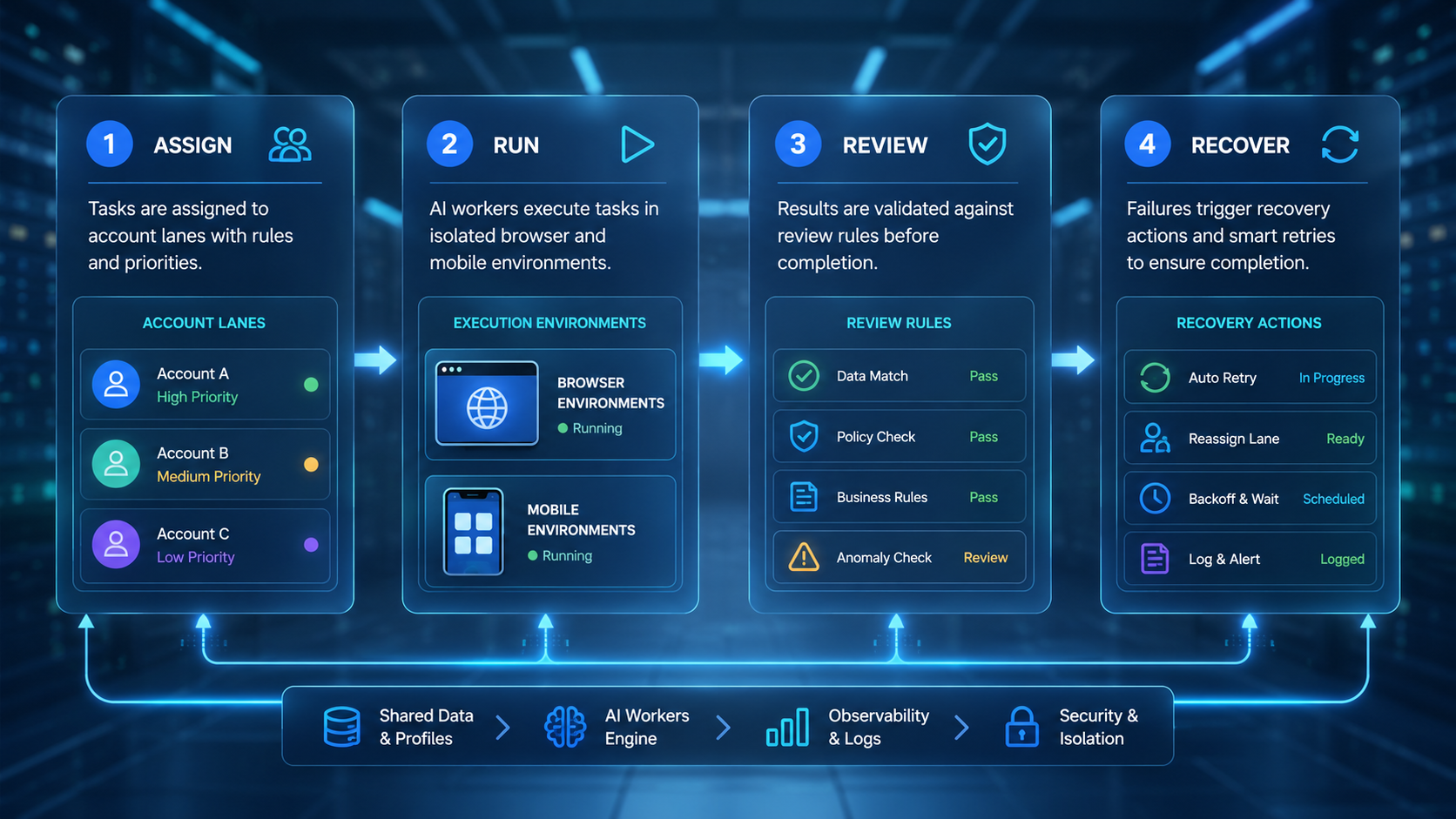
A worker platform is worth testing when the team already has repeated account work. The key is not adding more AI. The key is giving each worker a clear lane, environment, review rule, and recovery path.
Before scaling, run a 7-day pilot. Check whether the team can name the account, task, reviewer, pause reason, and next action for every worker run.



