
Key Takeaways
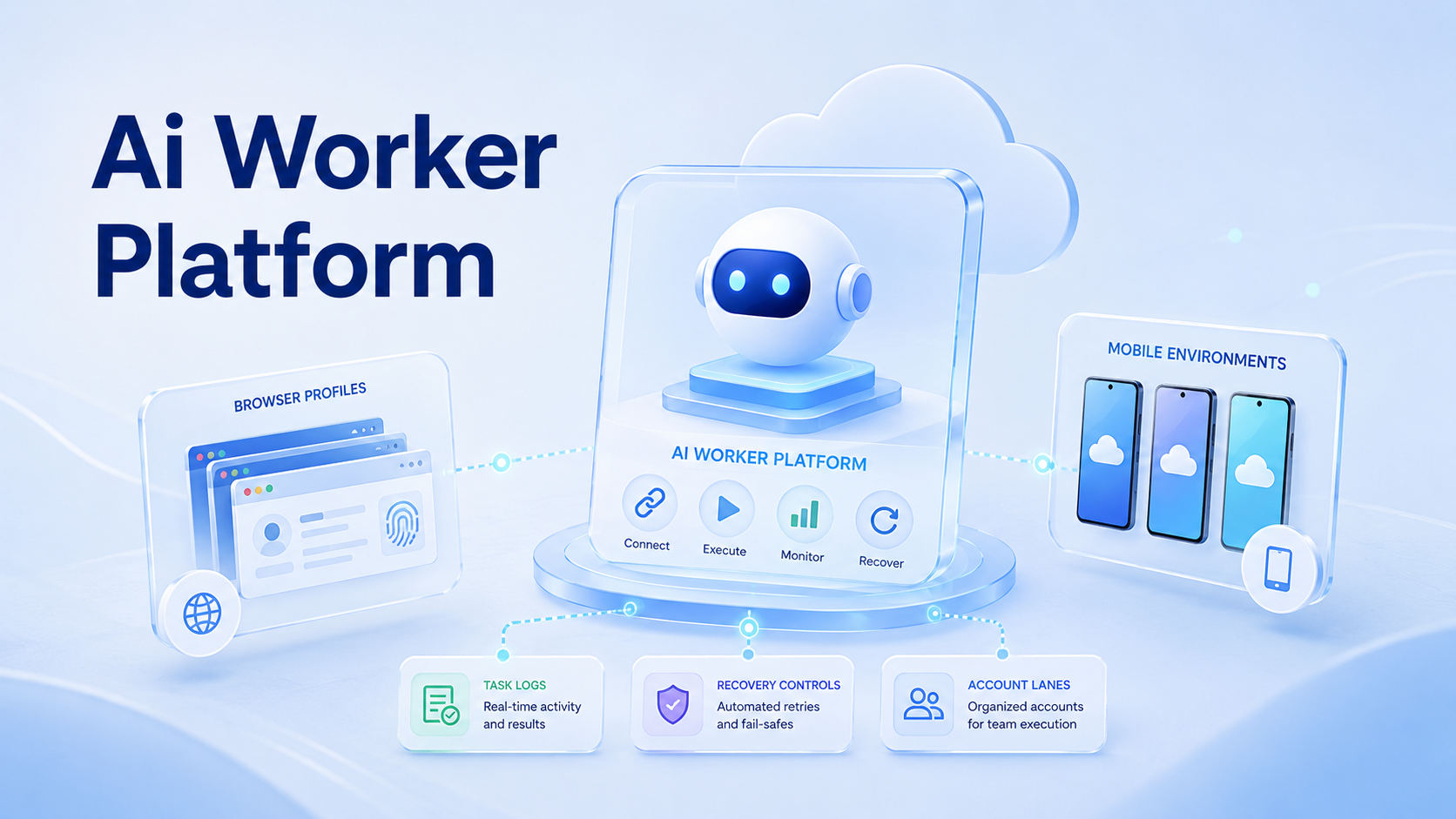
- An AI worker platform should connect task instructions to real browser and mobile environments.
- Browser profiles and cloud phones need separate account lanes, owners, and logs.
- Teams should measure execution clarity before scaling more AI workers.
An AI worker platform is software that lets teams assign repeatable digital work to AI workers inside controlled execution environments. For MoiMobi, those environments include browser profiles, cloud phone workspaces, and Android mobile devices.
The platform is not just a chatbot. It connects instructions, accounts, devices, sessions, logs, and human review. That makes it closer to execution infrastructure than a writing assistant.
The operating question is practical: can the team explain which worker used which account, which environment ran the task, what happened, and who owns recovery?
What an AI Worker Platform Needs to Control
A real worker system needs more than a prompt box. It needs a controlled path from task request to execution result. Otherwise the team gets output but loses operational evidence.
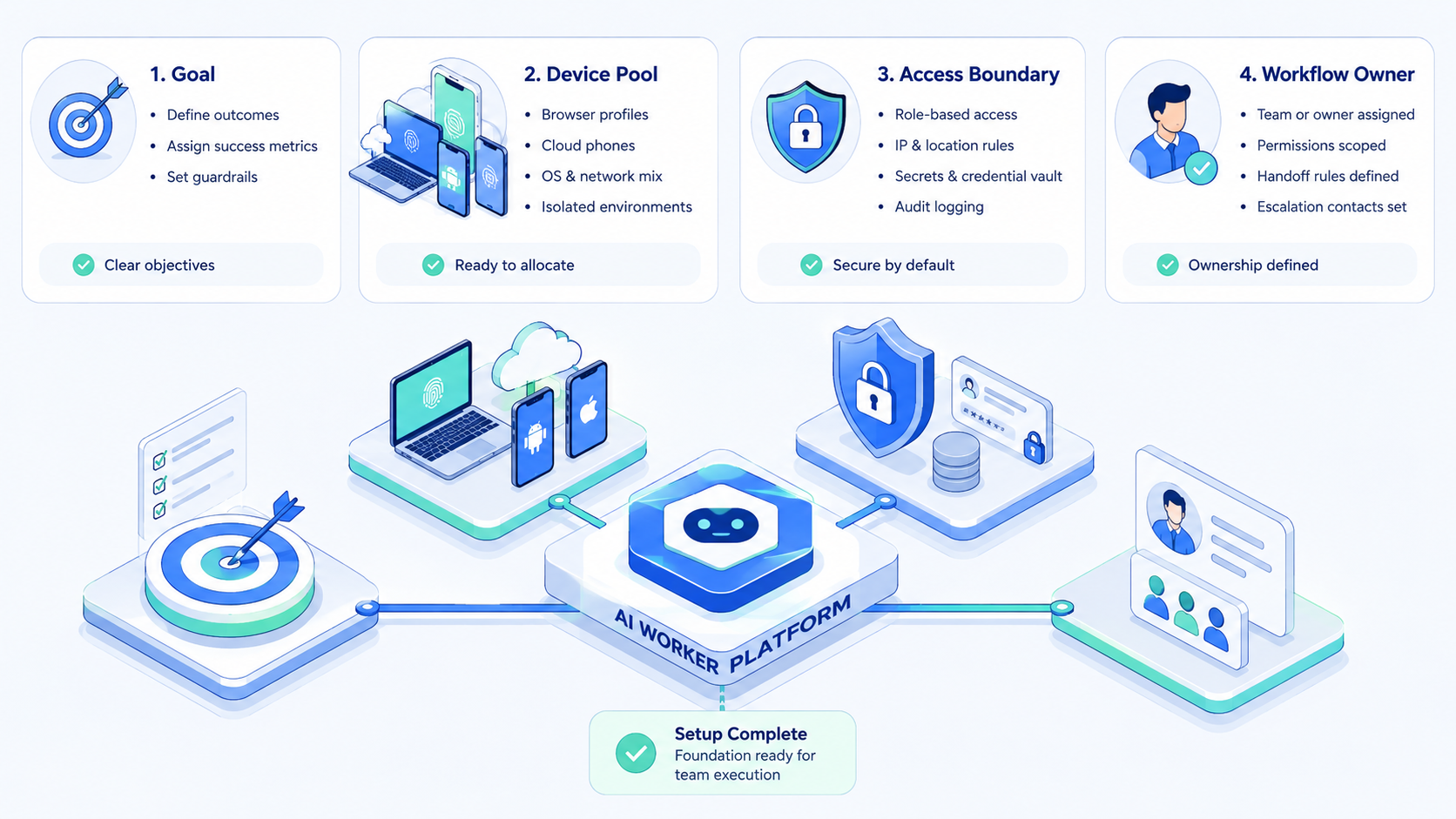
Use these control fields:
- worker name
- account lane
- browser profile or mobile workspace
- allowed task type
- route or network note
- last result
- recovery owner
| Layer | Browser example | Mobile example |
|---|---|---|
| Execution environment | Profile `CRM-02` | Cloud phone `CP-18` |
| Account lane | Sales research account | Regional support account |
| Task boundary | Collect fields only | Draft replies only |
| Review event | Unknown modal | App login reset |
Google Search Central's helpful content guidance is written for content teams, but the same principle applies to AI execution. Systems should produce work people can understand and review.
Why Browser Profiles and Mobile Environments Belong Together
Teams rarely operate in only one surface. A support workflow may start in a web dashboard and continue in a mobile messaging app. A social media workflow may use a browser for planning and a phone for app-based publishing.
Browser profiles keep web sessions separated. Cloud phones keep mobile app state separated. Together, they let a team assign one worker to one account lane instead of mixing unrelated sessions.
MoiMobi's device isolation and mobile automation pages map to this need. The environment carries context. The worker should not improvise across accounts without a lane rule.
The best design is boring: one worker, one lane, one environment, one task type, one visible log.
How Teams Use an AI Worker Platform
A practical AI worker platform usually starts with operations that already repeat. The work may be simple, but it still consumes staff time because it happens across tools, accounts, or apps.
Common workflows include:
- collecting lead details from web dashboards
- drafting customer replies in mobile apps
- checking marketplace order status
- preparing content publishing tasks
- monitoring account activity
- escalating unclear messages to a human
Example: worker Support-WA-03 is assigned to cloud phone CP-21, account lane WA-region-03, and task type reply draft. It can read incoming messages, prepare a draft, and create an escalation note. It cannot send final replies unless the workflow allows approval.
That boundary matters most when the next action affects a customer.
OWASP's Top 10 for LLM Applications is useful background for tool use and agent boundaries. AI workers that operate tools should have permissions, logs, and stop rules.
Write that down.
Fit and Not-Fit Boundaries
The best fit is repeated work with visible screens and clear review points. The model is weaker when every task is one-off, strategic, or too sensitive for delegated execution.
Good-fit teams usually have:
- more than 3 recurring workflows
- more than 1 account or platform
- handoff between operators
- a need for browser or mobile execution
- repeated failures that need recovery notes
Not-fit cases are easier to spot. A team with one account, no repeated task, and no approval process may not need a worker platform yet. A written SOP may be the first step.
Sensitive actions need extra review. Money movement, access changes, customer-facing sends, and account settings should pause unless the team has a documented approval rule.
Pilot Checklist for an AI Worker Platform
Start with one worker and one lane. Give the pilot 7 days or 10 runs, whichever comes first. The goal is not volume. The goal is explainability.
Use this checklist:
- name the worker and owner
- assign one browser profile or cloud phone
- define one task type
- write allowed actions
- write stop rules
- capture before-and-after state
- record every human takeover
The W3C WebDriver standard shows that browser automation depends on structured commands and state. AI workers add reasoning, but they still need controlled action boundaries.
For mobile workflows, use the same structure. The worker should not directly become the device owner. It should operate through a task layer that records status, result, and recovery.
Keep the task layer visible.
No shortcuts here.
Metrics That Matter
Task count is not enough. A worker that completes many tasks but leaves unclear errors is hard to scale.
Track these fields first:
- completed runs
- failed runs
- repeated failure reason
- takeover events
- wrong account events
- recovery time
- result acceptance rate
If takeover events fall after rule updates, the workflow is learning. If the same failure repeats, the lane needs repair before more accounts are added.
Multi-account management becomes easier when metrics stay attached to account lanes. A team should know whether the issue belongs to the worker, account, environment, route, or task instruction.
No metric is helpful if nobody can act on it.
Act fast.
Handoff and Recovery Notes
Handoff is where weak worker systems usually break. One operator starts a task, an AI worker continues it, and another teammate reviews the result. If those steps live in private messages, the next person has to reconstruct the work from memory.
A clean handoff note should name 6 fields: worker, account lane, environment, last action, current state, and next owner. For example, ReplyWorker-02 used browser profile FB-page-04, drafted 8 replies, paused on 2 unclear comments, and assigned review to Maya before 17:00.
That note is enough for the next operator to continue without asking who touched the account last.
Recovery needs the same discipline. Do not change the worker prompt, account, route, and environment in one retry. Change one variable, record it, then compare the next run. This gives the team evidence instead of another guess.
Stop there.
Frequently Asked Questions
What is an AI worker platform?
It is a system for assigning digital tasks to AI workers with environments, permissions, logs, and review controls.
Why do AI workers need browser profiles?
Browser profiles keep account sessions and web task history separated for review, which makes handoff and recovery easier.
Why use cloud phones for AI agents?
Cloud phones give AI workers remote mobile environments for app-based workflows, including message review, publishing preparation, and monitoring.
Is this the same as RPA?
Not exactly. RPA is usually rule-driven, while AI workers add language understanding and more flexible task handling.
Can one worker use both browser and mobile environments?
Yes, but the workflow should define when it moves between surfaces and what gets logged.
What should teams automate first?
Start with a repeatable task that has clear inputs, visible outputs, low approval risk, and an owner who can review failures.
How does MoiMobi fit?
MoiMobi connects browser profiles, cloud phones, device isolation, and workflow automation for team execution.
Use that stack deliberately.
Conclusion
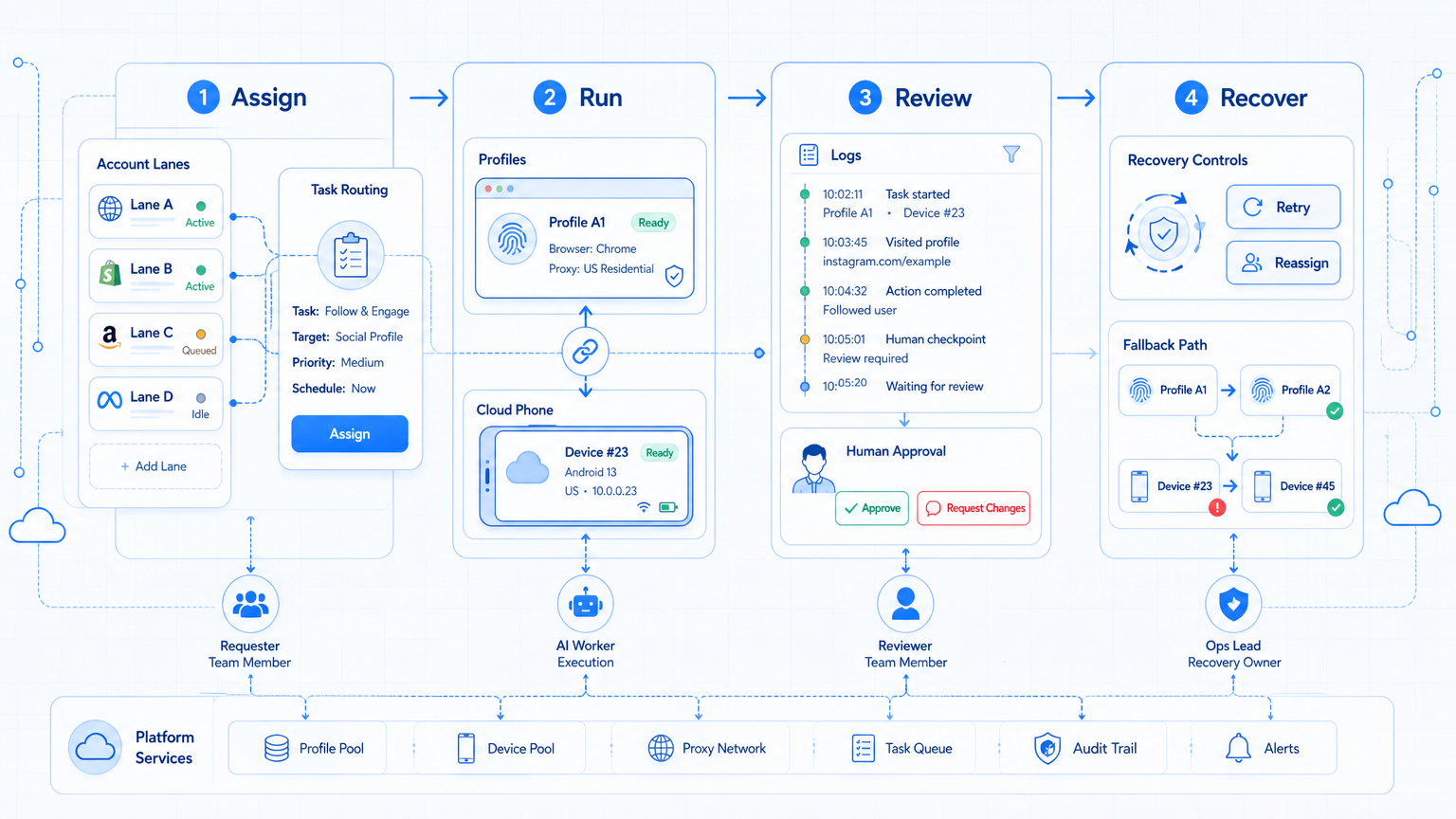
The platform should make execution easier to assign, inspect, and repair. Browser profiles handle web context, while mobile environments handle app context. The platform ties both to workers, account lanes, logs, and recovery.
Start with one worker, one environment, and one task type. Scale only after the team can explain every run without digging through private chat messages.
That is the scaling gate.



