
Key Takeaways
- Account-based automation works best when each account has a lane, owner, and task scope
- An AI worker platform connects AI work to browser, mobile, and account environments
- Review rules matter more than raw automation volume
- A pilot should test account clarity, not just task speed
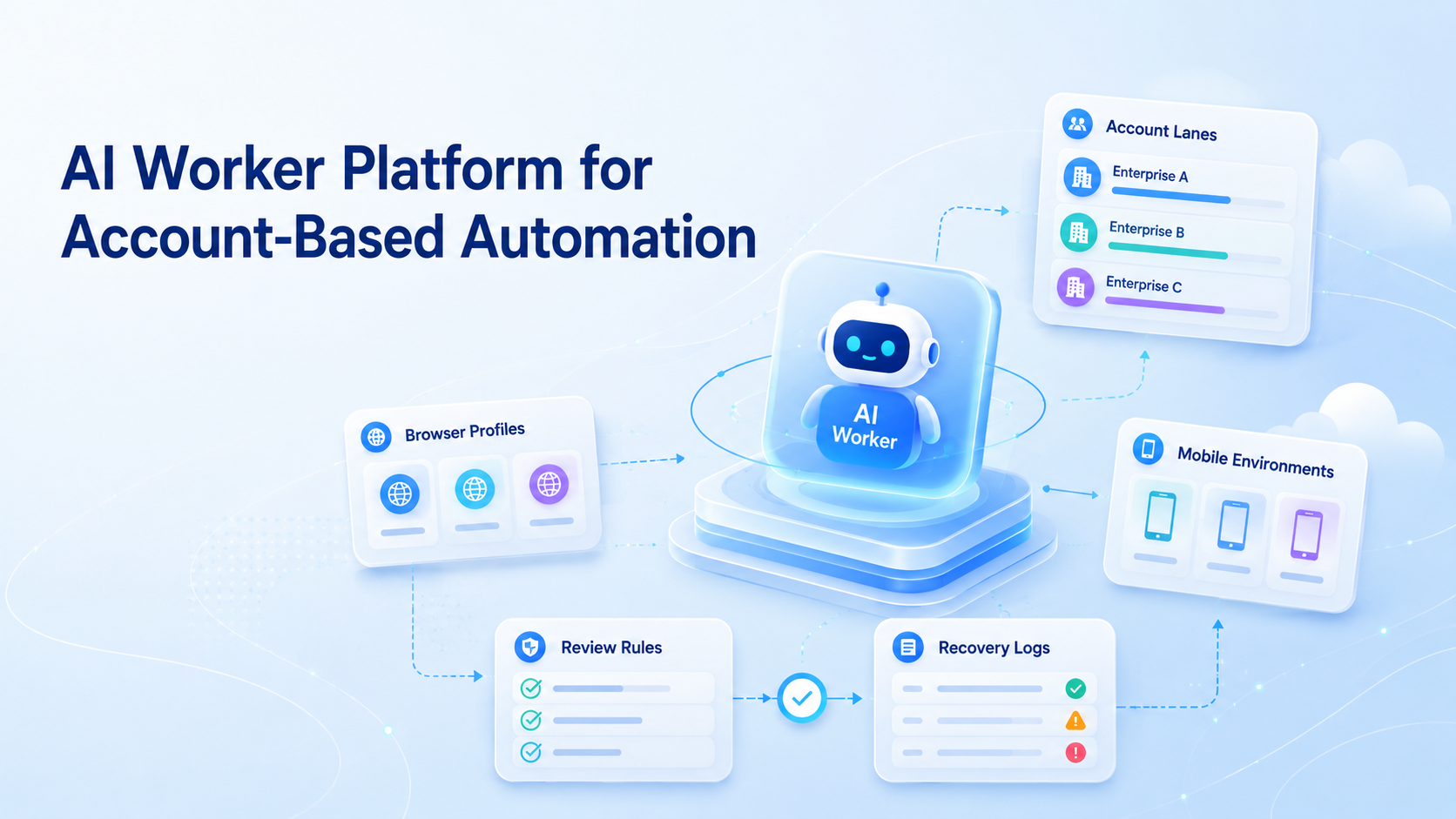
An AI worker platform is a system that assigns AI-assisted work to specific accounts, environments, and review paths.
Account-based automation is different from generic task automation. The account context matters. A reply, post, dashboard check, or lead note may be correct for one account and wrong for another.
MoiMobi treats account context as part of execution. Teams can connect AI workers with multi-account management, browser profiles, cloud phones, and mobile workflows so each worker has a clear place to work.
What Is AI Worker Platform for Account-Based Automation?
The phrase does not mean "let AI do everything." It means each account gets a structured worker lane.
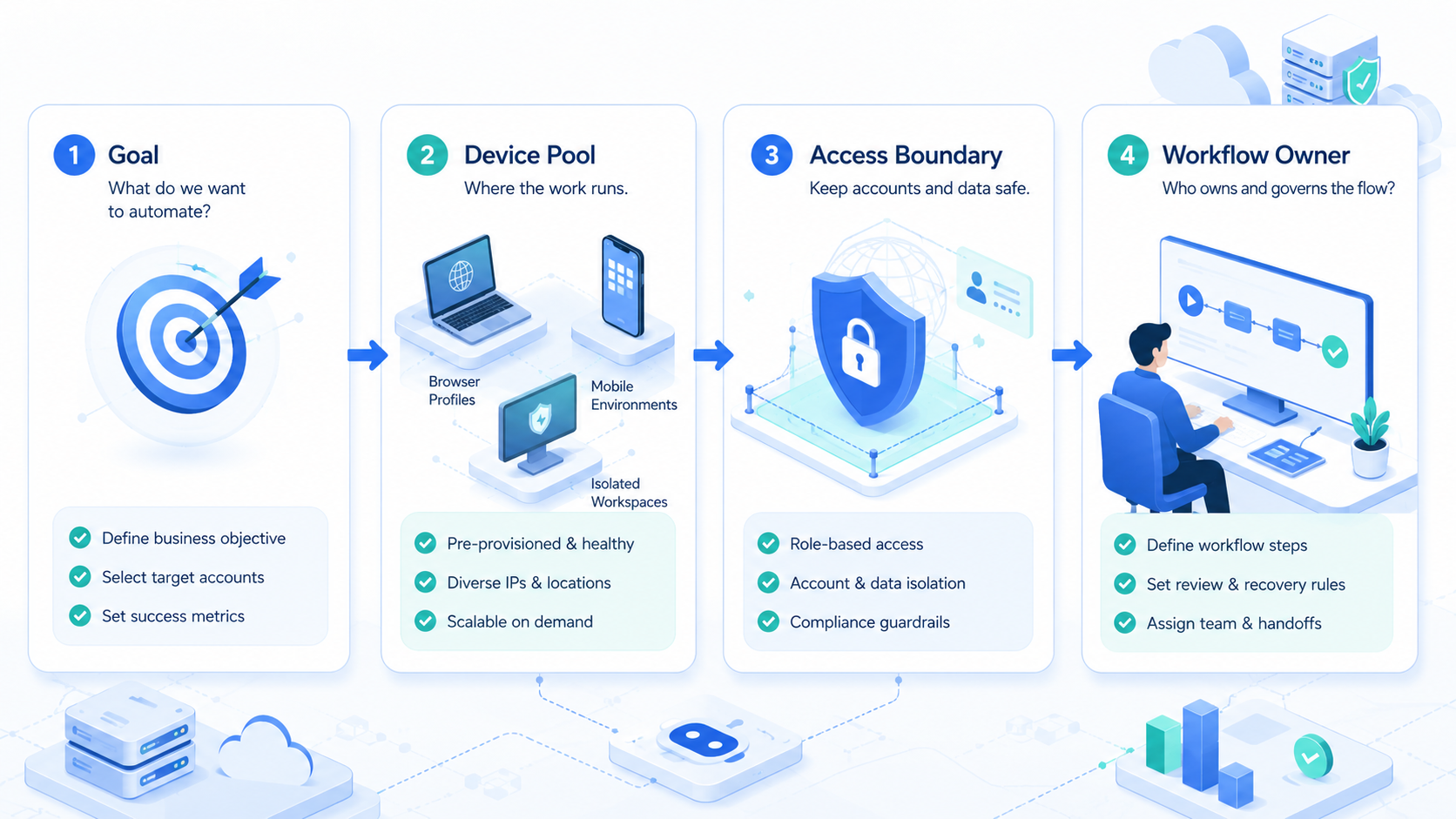
That lane should answer 5 questions: which account, which environment, which task, which reviewer, and which stop rule. Without those fields, automation becomes hard to audit.
Use this basic model:
| Account Layer | Example |
|---|---|
| Account group | Client A social accounts |
| Work lane | Inbox triage |
| Environment | Browser profile or cloud phone |
| Worker role | Draft and label messages |
| Review rule | Human approval before public replies |
That is the operating unit. Keep it visible.
Why AI Worker Platform for Account-Based Automation Matters
Account-based work fails when teams mix context. A teammate may know which account was checked, but the next reviewer may not. That gap creates slow handoff and weak recovery.
The platform matters because it ties work to a record. A worker does not just "check messages." It checks a named account lane, records the outcome, and stops when the task needs a person.
For example, an ecommerce team may run 8 marketplace accounts and 4 social profiles. Account-based automation can split checks by account group, task type, and reviewer. The result is easier to inspect.
The NIST AI Risk Management Framework is useful here because it emphasizes measurement and oversight. Account-based work needs both.
Key Benefits and Use Cases
The main benefit is clearer ownership. Each account has a lane, and each lane has a worker role.
Common use cases include:
- Daily account monitoring
- Comment and DM draft preparation
- Browser dashboard checks
- Mobile app inbox triage
- Lead note collection
- Content workflow preparation
- Recovery after a paused task
MoiMobi is a fit when those tasks span browser and mobile environments. Its mobile automation layer supports app-first work, while device isolation helps teams keep environments separated by account lane.
Fit and Not-Fit Boundaries
Account-based automation is a strong fit when the team already knows the account workflow. It is weaker when the process is still vague.
- Multiple accounts with repeated tasks
- Named owner for each account group
- Review rule before public output
- Browser or mobile environment per lane
- Weekly review of task logs
- No account owner
- No written workflow
- One-off content ideas
- Unclear approval rules
- No recovery owner
Check fit before adding more workers. Scale follows clarity.
How to Get Started with an AI Worker Platform
Begin with one account group and one workflow. Do not start with all accounts.
Use this 6-step setup:
| Step | Pass Check |
|---|---|
| Pick account group | One client, brand, store, or channel set |
| Pick task | One repeat task with clear output |
| Pick environment | Browser profile, cloud phone, or Android lane |
| Name reviewer | One person approves sensitive output |
| Set stop rule | Login prompt, unclear request, or policy issue pauses |
| Review log | Task count, edits, pause reason, and next action are visible |
For a first pilot, use 10 checks per day and 5 draft actions. That is enough to show whether the lane works.
Use this quick account-lane review before the first run:
| Review Field | Pass Signal |
|---|---|
| Account owner | One teammate owns the account group |
| Lane purpose | The lane has one job, not five |
| Environment | Browser or mobile context is named |
| Reviewer | A person approves sensitive output |
| Pause rule | The worker stops when context is unclear |
Google's guidance on creating helpful content is about search, but the principle travels well: the result should be useful to the person receiving it. A worker log should be useful to the reviewer.
Pilot Measurement and Recovery Checks
A pilot should measure whether account context stayed clear. Speed is secondary.
Track these fields for 7 days:
- Account lane
- Worker role
- Task count
- Human edits
- Pause reason
- Recovery owner
- Next action
Pass the pilot only when the manager can read the log without asking the operator what happened. If account context is unclear, fix the lane before adding workers.
Recovery is the hard part. Apps change, pages move, and account prompts appear. The worker should stop when the next step is unclear.
Treat that as signal.
Common Mistakes to Avoid
The first mistake is sharing one worker across unrelated accounts. That may look efficient, but it makes review harder because the reviewer loses account context.
The second mistake is skipping the environment decision. Browser work should use browser profiles, while app-first work may need cloud phones or Android devices.
The third mistake is treating public actions as a first test. Begin with read, label, draft, and summarize tasks. Add public actions only after review rules are working.
Keep the first test quiet.
The OWASP Automated Threats to Web Applications project is a useful reminder that automated activity needs boundaries. For account work, boundaries mean clear task scope and review logs.
Boundaries make review possible.
Stop rule: if the worker cannot name the account, lane, reviewer, and next action, pause.
Frequently Asked Questions
What is account-based automation?
It is automation organized around account lanes instead of generic tasks, so each account keeps its own context, owner, and review path.
What is an AI worker platform?
It is a system for assigning AI-assisted work to accounts, environments, roles, and review paths.
How many accounts should the first pilot include?
Use one account group first, then check whether the task log explains the owner, environment, result, pause reason, and next step. Add more only after the log is clear.
Does account-based automation need mobile execution?
Only when the task happens inside mobile apps, such as app inbox checks, mobile comments, or app-only account views. Browser tasks can start with browser profiles.
What should teams automate first?
Begin with monitoring, labeling, summaries, and draft preparation. These tasks are easier to review because they create evidence before public or customer-facing work happens.
What is the main risk?
The main risk is mixed context, where the task output looks complete but the reviewer cannot see which account state shaped it. If account history is unclear, review slows down.
Where does MoiMobi fit?
MoiMobi fits teams that need AI workers connected to account workspaces, browser profiles, cloud phones, and mobile workflows.
Conclusion
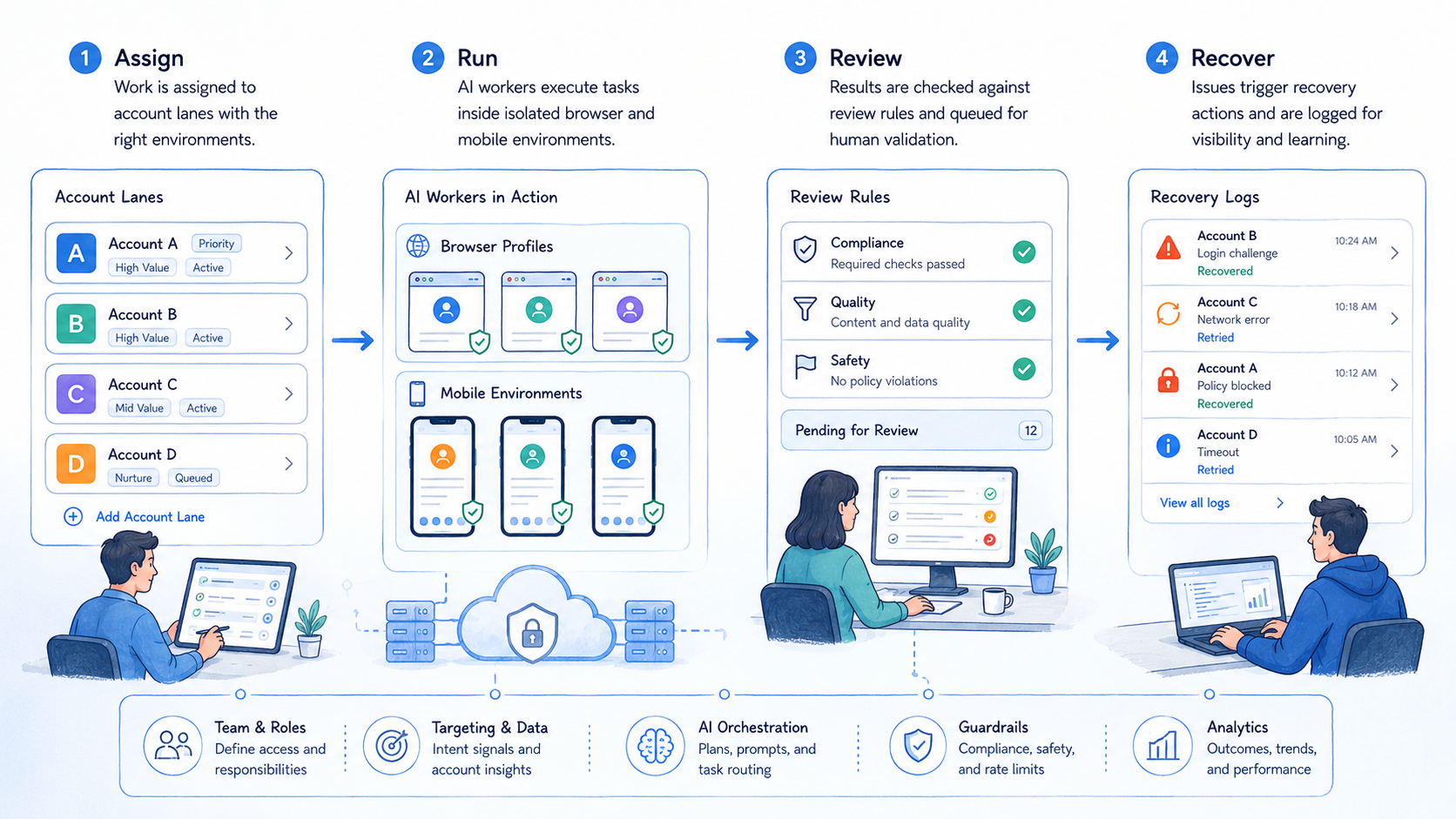
An AI worker platform is most useful when account work is already repeatable. The team should know the account group, environment, task, reviewer, and stop rule before scaling.
Choose one account lane and one 7-day pilot. If the log stays clear, add the next account group.



