
Key Takeaways
- An AI team execution platform should connect AI workers to real browser and mobile environments.
- The operating model needs roles, account workspaces, review gates, and task logs.
- A pilot should measure task completion, correction rate, recovery time, and handoff quality.
An AI team execution platform is a system that lets AI workers run controlled tasks across web apps, browser profiles, cloud phones, and mobile devices. It is different from a chatbot because it connects instructions to execution environments, permissions, logs, and human review.
Teams look for this category when daily work lives across dashboards, inboxes, social apps, spreadsheets, and mobile-first platforms. The problem is not only writing better prompts. The harder problem is assigning work to the right account, device, session, and reviewer.
Moimobi fits this direction as an AI browser and cloud phone platform for operational teams. It connects browser and mobile environments so teams can run repeated workflows without passing shared logins or phones around.
What Is an AI Team Execution Platform for Web and Mobile Tasks?
This kind of platform is not just an agent interface. The workable model has three layers: task planning, execution environment, and operating control.
Task planning decides what the AI worker should do. The execution layer gives it a browser profile, cloud phone, Android device, or workflow surface. The control layer decides what can run automatically, what needs approval, and what gets logged.
Browser automation already has technical foundations. The W3C WebDriver specification defines a remote-control interface for user agents. Playwright also documents browser contexts, authentication state, and automated browser actions in its official documentation. A team execution platform turns those technical concepts into account workspaces and reviewable workflows.
Why an AI Team Execution Platform Matters
The category matters because most business work is fragmented. A support operator may check a web inbox, reply in a mobile app, update a spreadsheet, and report the result in a team dashboard. A single chat interface cannot hold that whole operating path.
The execution platform creates a place for work to happen. For example, one AI worker may prepare replies in a browser dashboard. Another may run mobile app checks inside a cloud phone. A human reviewer can approve final messages before anything public is sent.
The decision changes when multiple accounts enter the workflow. Teams need multi-account management, not only automation. Each account needs ownership, environment assignment, permission rules, and recovery notes.
Key Benefits and Use Cases
The value is clearest when a team repeats the same task across accounts, platforms, or devices. The platform should reduce handoff confusion and make task results easier to inspect.
| Use case | Execution surface | Control needed |
|---|---|---|
| Social publishing | Browser profile or cloud phone | Draft approval and account assignment |
| Customer replies | Inbox, app, or dashboard | Reply policy and human review |
| Lead research | Browser workflow | Source logging and dedupe rules |
| E-commerce checks | Seller dashboards and apps | Order status, SKU notes, and exception handling |
| Competitor monitoring | Browser and mobile feeds | Capture rules and report format |
For social teams, the platform should connect to social media marketing workflows. For app-first tasks, mobile automation becomes a core requirement rather than an optional add-on.
Use these fields in the first workflow record:
- Account: the exact account or client workspace.
- Environment: browser profile, cloud phone, or Android device.
- Worker role: draft, monitor, reply, collect, or report.
- Review rule: auto-run, hold for approval, or human takeover.
- Recovery owner: the person who handles failed sessions.
How to Get Started with an AI Team Execution Platform
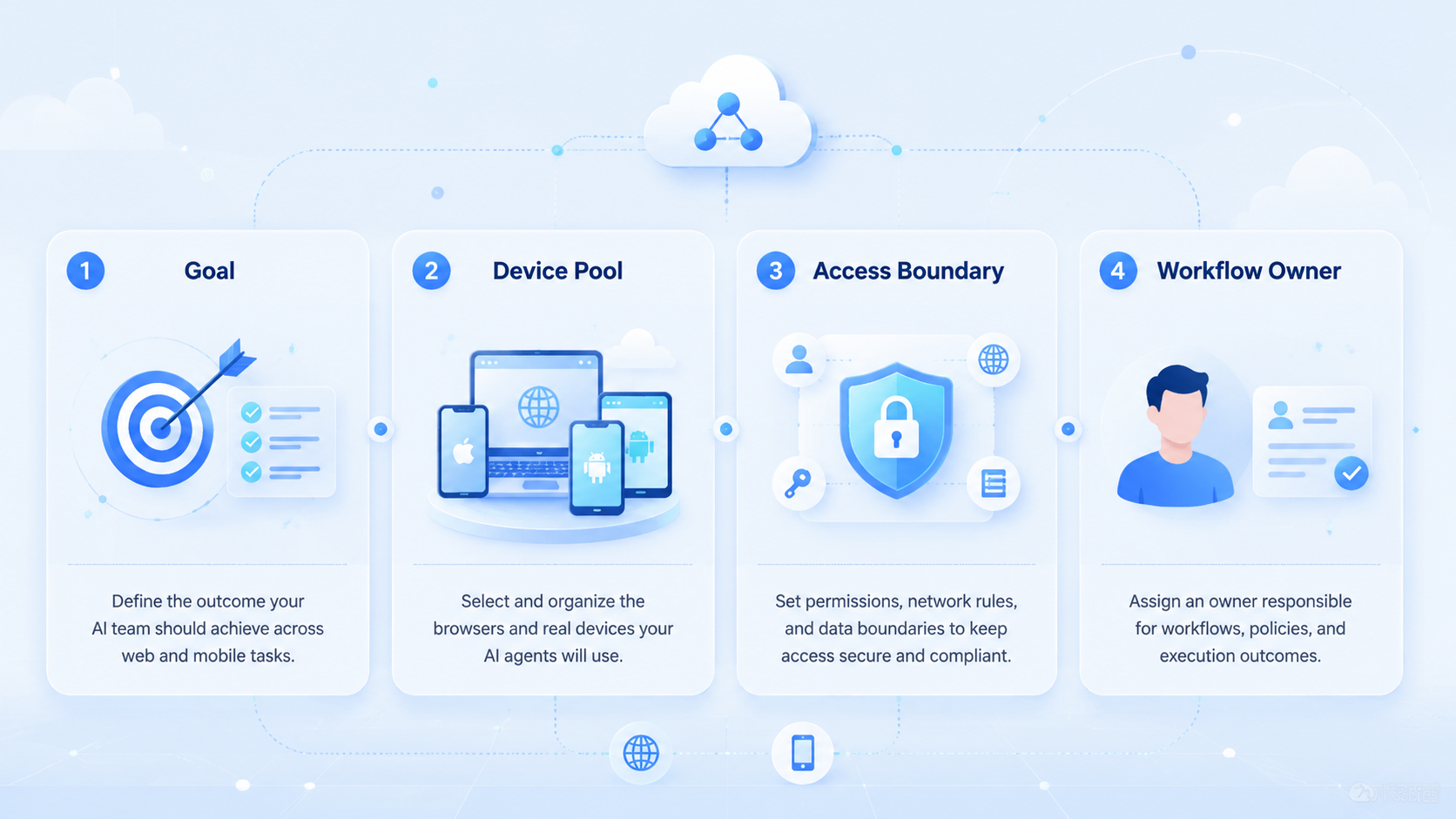
Start with one workflow, one account group, and one review owner. A broad rollout hides problems.
Use this setup path:
- Pick a repeated task with clear inputs and outputs.
- Assign one account workspace or device group.
- Define what the AI worker may do without approval.
- Define which actions require human review.
- Log failed runs with account, device, route, and reason.
- Review the first 20 task runs before adding more accounts.
This approach keeps the pilot practical. It also prevents a common mistake: automating a weak process before the team knows how to review it.
Common Mistakes to Avoid
The first mistake is treating AI as the whole product. AI can plan, draft, classify, and summarize. The execution platform still needs sessions, devices, permissions, and recovery paths.
The second mistake is mixing accounts inside one workspace. Shared sessions make task ownership hard to audit. A better model assigns one important account to one controlled environment.
The third mistake is skipping mobile execution. Many social, messaging, and commerce workflows still need app access. Android Enterprise documentation describes managed Android devices as business-managed environments with policy controls in its enterprise overview. For an operations team, the lesson is simple: mobile work needs a managed environment, not an improvised phone pile.
Who It Fits and When It Is a Strong Match
The strongest match is a team that runs repeated work across accounts. Agencies, support teams, e-commerce operators, and growth teams usually feel this when workflows move between web dashboards and mobile apps.
The fit is weaker for one-person teams with one account and light manual work. In that case, a normal browser, a phone, and a simple checklist may be enough.
Use this decision rule: if the team cannot trace a task to an account, environment, worker, reviewer, and result, the workflow is not ready to scale. Fix that operating map before adding more AI workers.
Pilot Rollout, Measurement, and Recovery Checks
A pilot should prove repeatability before volume. Start with 3 accounts, 2 operators, and 1 workflow. Run the same task for two weeks.
Track these fields:
- Task completion rate.
- Human correction count.
- Failed login or session events.
- Average handoff time.
- Actions held for review.
- Recovery notes for each failed run.
Do not treat a completed run as success by itself. A run is useful only when the output is correct, traceable, and easy to review. If the team cannot explain failures, adding more accounts will multiply the confusion.
Frequently Asked Questions
Is an AI team execution platform the same as an AI agent?
No. An AI agent may plan or act. The platform provides environments, permissions, logs, and review controls.
Does it need both browser and mobile execution?
Not always. It needs both when workflows cross web apps and mobile apps.
Can official APIs replace this platform?
Use official APIs when they cover the workflow. Execution environments help when teams still need web or mobile app work.
What should teams automate first?
Start with monitoring, draft preparation, lead collection, or status checks. Avoid sensitive public actions until review rules work.
How does Moimobi fit?
Moimobi provides browser and mobile execution layers, including device isolation, cloud phones, and account workflows.
What is the main risk?
The main risk is weak governance. Without roles and logs, automation becomes hard to audit.
How should success be measured?
Measure completed tasks, correction rate, recovery time, and reviewer confidence.
Conclusion
The platform is useful when teams need more than prompts. It gives AI workers a place to work, gives operators a way to review, and gives managers a clearer record of what happened.
Before scaling, test one workflow with a small account group. If tasks are traceable, outputs are reviewable, and failures are easy to recover, the team can expand with less operational drag.



