
Key Takeaways
- An AI browser agent is a browser-based execution workflow, not just a chat assistant with buttons.
- Social media account management needs session control, reviewer visibility, and account-lane separation.
- Browser automation is strongest when paired with clear rules for what is allowed to act automatically.
- A pilot should measure task clarity, session integrity, and blocked-case review before broader rollout.
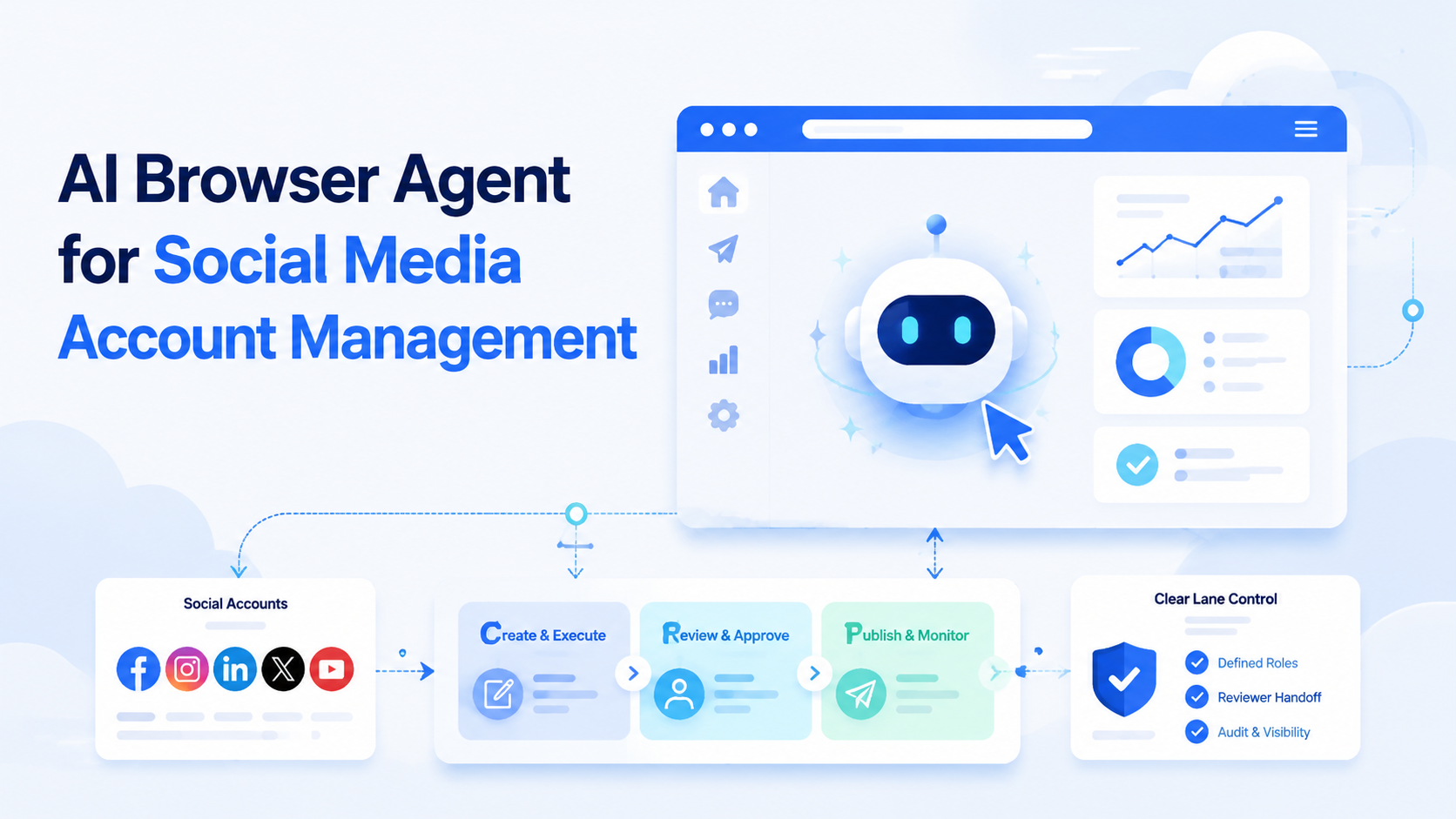
An AI browser agent is a browser-based execution system that helps a team inspect, route, and complete account tasks inside real web sessions with structured rules. It is not only an AI chat box that suggests what to do next. A workable setup also needs account-lane boundaries, reviewer checkpoints, and a clear record of which session owns the next action.
This matters because social media account management often lives in browser surfaces even when the broader workflow also touches mobile apps. Teams review account settings, content calendars, inboxes, approvals, and dashboards in the browser. Once many accounts share the same operator pool, browser work turns into an execution problem.
That is why the first natural mention of AI browser matters in this topic. Teams are not only buying automation prompts. They are trying to connect planning, browser-side action, and account-lane control in one system.
Primary sources support that view. Playwright and W3C WebDriver both define explicit browser sessions and commands rather than vague autonomous behavior.1 2 Meta Business Help and TikTok Support also document account-side business operations that still depend on web workflows.3 4
The Core Idea Behind AI Browser Agent for Social Media Account Management
The easiest mistake is to describe an AI browser agent as "AI that uses a browser." That is technically true, but operationally incomplete.
For social media account management, the more useful definition is this: an AI browser agent is a browser execution layer that can follow task rules inside the right account session, while still leaving visible checkpoints for review and recovery.
That leads to a practical framework:
| Layer | What it does | Why it matters |
|---|---|---|
| Task layer | Defines what the run is trying to complete | Prevents vague automation |
| Session layer | Keeps the work inside the right browser context | Protects account separation |
| Review layer | Exposes what needs approval or pause | Protects public-facing quality |
| Recovery layer | Handles blocked cases and restart points | Prevents hidden failures |
This is why teams comparing browser tools often also evaluate Android fingerprint browser alternative, device isolation, and multi-account management.
Why Teams Search for This Topic
Teams usually search for this topic after one of three pressures appears.
The first pressure is repeated browser work. Operators keep opening the same dashboards, moderation queues, inboxes, or content tools.
The second pressure is account scale. Several accounts may need the same browser-side steps, but still require different sessions and owners.
The third pressure is handoff failure. One person starts the task, another finishes it, and neither can easily see what the browser state already contains.
One concrete example is a social team that reviews comments, checks scheduled posts, and updates account settings across several brand lanes. A simple macro or script may help with clicks, but it does not explain ownership, blocked status, or whether the agent is still inside the correct session.
Another example is approval review before publication. An operator may need the browser lane to verify assets, confirm account selection, and leave a visible note for the next reviewer. The value comes from structured execution, not from pretending the browser can safely improvise every choice.
Who Benefits Most and In What Situations
This model is strongest for teams with repeated browser-side account work. It is weaker for workflows that are mostly one-off or fully mobile-native.
Strong match
- Teams reviewing many social media dashboards and web inboxes.
- Agencies running repeated browser-side client tasks.
- Operators who already assign account lanes and reviewer roles.
- Workflows that need browser evidence before public action.
Weak match
- Low-volume browser work with no repeated pattern.
- Workflows where every task depends on a fresh custom judgment path.
- Setups that still pool all accounts into one shared session.
- Tasks that live almost entirely inside mobile apps.
The important boundary is not "AI or no AI." The boundary is whether the work can be described as a repeatable browser task inside a known account session.
Teams also get more value when the browser work stays narrow enough to compare outcomes. If one run covers comment triage and another covers scheduled-post review, the team can judge which workflow actually benefits from an agent and which still needs a more manual review pattern.
How to Evaluate or Start Using AI Browser Agent for Social Media Account Management
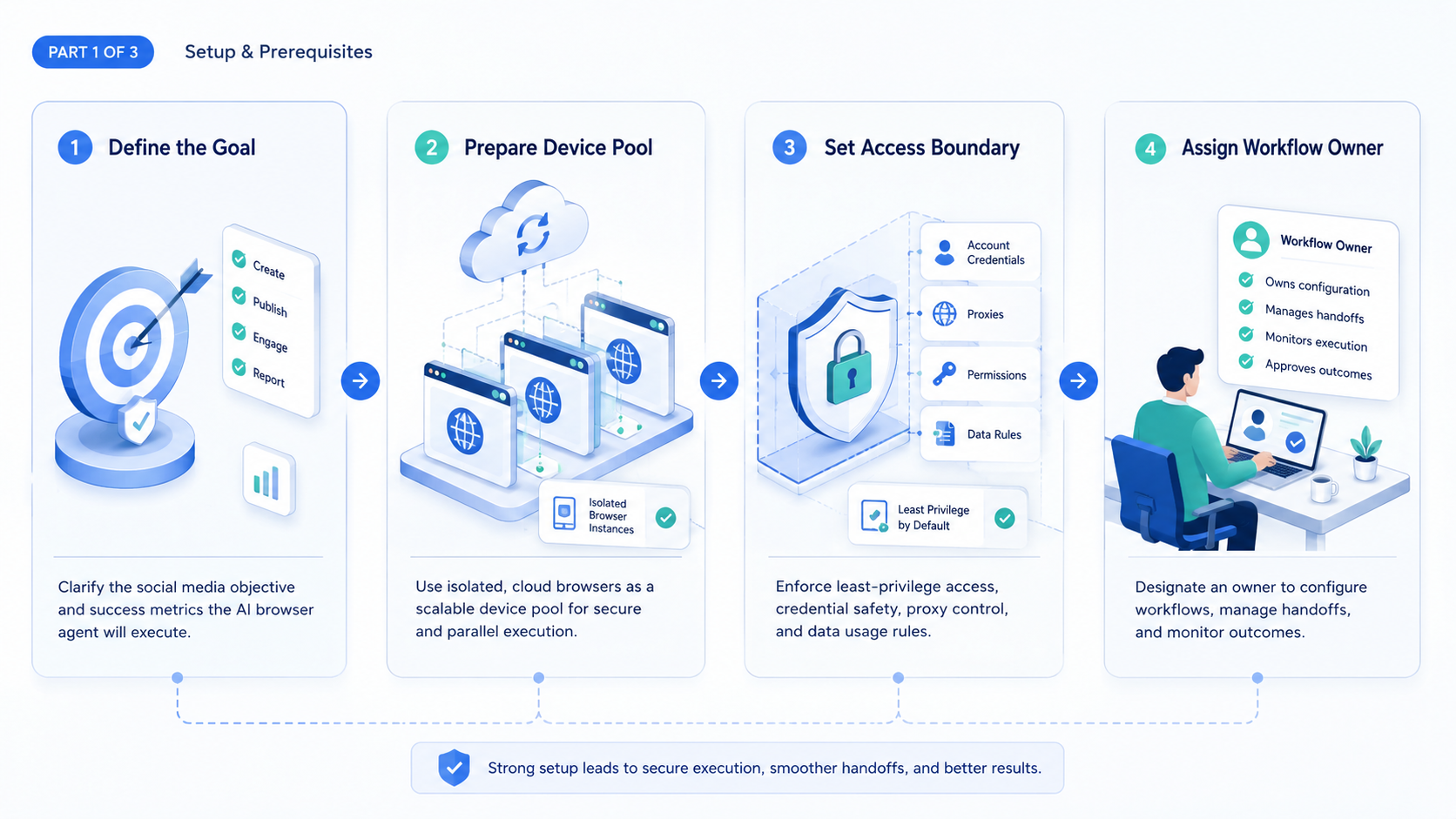
Start with one browser task family and one account cluster.
- Choose a repeated browser task such as inbox review, scheduled-post checks, or moderation triage.
- Assign one account cluster and one browser lane to that task family.
- Define the task inputs, reviewer checkpoint, and stop rule for blocked cases.
- Track which session the run entered and which state it changed.
- Expand only after a second operator can reopen the run and know the next action.
Use a short evaluation checklist:
- Pass: the agent runs inside one clear browser session.
- Pass: reviewers can inspect what happened before approving the next step.
- Fail: the browser task depends on hidden manual setup.
- Fail: the team cannot tell whether a blocked run changed account state.
If the browser lane must later hand work to mobile execution, cloud phone and mobile automation are the next logical pages.
For account fleets that depend on more separated browser profiles, the browser profile and cloud phone workflow page is also a useful comparison hub.
Mistakes That Reduce Results
The first mistake is using an AI browser agent as a generic do-anything assistant. Browser tasks become safer when they are narrow, inspectable, and tied to one account lane.
The second mistake is ignoring session design. Playwright browser contexts and W3C WebDriver both make session boundaries explicit because state matters.1 2 Social media account work needs the same caution.
The third mistake is hiding review. If a public-facing action happens with no visible checkpoint, the team may move faster for a while but lose trust in the system.
What not to do
- Do not let one agent roam across unrelated account sessions.
- Do not treat browser completion as success if reviewers cannot inspect the path.
- Do not let private manual steps become invisible dependencies.
- Do not scale the task family before blocked cases are easy to restart.
One common failure mode appears when a team tries to cover account checks, inbox replies, settings changes, and creator outreach in one broad agent prompt. The browser can still move, but the workflow loses its boundaries.
Another failure mode appears when the agent is allowed to continue after the session becomes unclear. If the lane cannot confirm which account is active, the safest path is to pause and hand the run to a reviewer instead of letting the browser guess.
Pilot Rollout, Measurement, and Recovery Checks
The pilot should prove that browser tasks become easier to inspect and recover, not just easier to trigger.
Use a short scorecard:
| Check | Healthy sign | Failure sign |
|---|---|---|
| Task clarity | The run has one clear objective | The agent is asked to do several unrelated jobs |
| Session integrity | Work stays in the assigned browser lane | Account context becomes ambiguous |
| Review visibility | Reviewers can see the next action and prior state | Approvals rely on trust alone |
| Blocked-case handling | Paused runs have a restart path | Operators redo work from scratch |
| Transfer quality | A second operator can inherit the run quickly | Handoffs require verbal reconstruction |
Another useful check is policy awareness. Google Play Policy applies to Android app distribution, not general browser workflows, but it is a useful reminder that automation design still needs clear boundaries when actions can affect platform-facing accounts.5 That same caution belongs in browser-agent rollouts.
The pilot is ready to grow when another operator can reopen a paused run, inspect the browser state, and continue safely without rebuilding the task context.
A stronger pilot also measures review trust. If reviewers increasingly accept the agent's staging work with only light edits, the task family is likely narrow enough to expand. If reviewers keep rebuilding the whole task manually, the browser lane is still trying to do too much.
One more signal matters in practice. The browser lane should leave enough evidence that a reviewer can explain what the run saw, what it changed, and why it stopped. Without that trail, the workflow is still too opaque for a larger rollout.
Frequently Asked Questions
Is an AI browser agent the same as a browser bot?
Not exactly. A browser bot may automate clicks, while an AI browser agent usually adds task routing, decision checkpoints, and session-aware workflow logic.
What should teams automate first?
Start with one repeated browser task, not the whole account operation.
Why does session control matter?
Because browser state can change what the task sees and what account it affects.
Does this fit agencies?
Yes, especially for repeated client-side dashboard or inbox work.
Can one agent manage every account task?
Usually no. Narrower task families are easier to inspect and recover.
What is the first warning sign?
The team cannot explain which session the task used or what state it changed.
What should the pilot measure?
Task clarity, session integrity, review visibility, and blocked-case handling.
When should teams stop expansion?
Pause when handoff and recovery quality start dropping faster than task speed improves.
What proves a browser-side task is ready for a larger rollout?
The best proof is that the task stays inside one session, reaches the same review checkpoints each time, and can be handed to another operator without hidden setup work.
Conclusion
An AI browser agent for social media account management works when the browser becomes a controlled execution lane instead of an opaque automation surface.
Before scaling, check these priorities:
- one task family per rollout
- one clear session boundary
- visible reviewer checkpoints
- restartable blocked cases
If those checks hold, the browser agent is more likely to improve operations instead of hiding new failure paths.



