
Key Takeaways
- An AI automation platform for browser and mobile teams is an execution system, not only a prompt layer
- Stable workflows need clear runtime selection across browser, cloud phone, and Android device environments
- Account isolation, review rules, and recovery ownership matter more than raw automation volume
- A small pilot should measure correction rate, escalation time, and session conflicts before scale
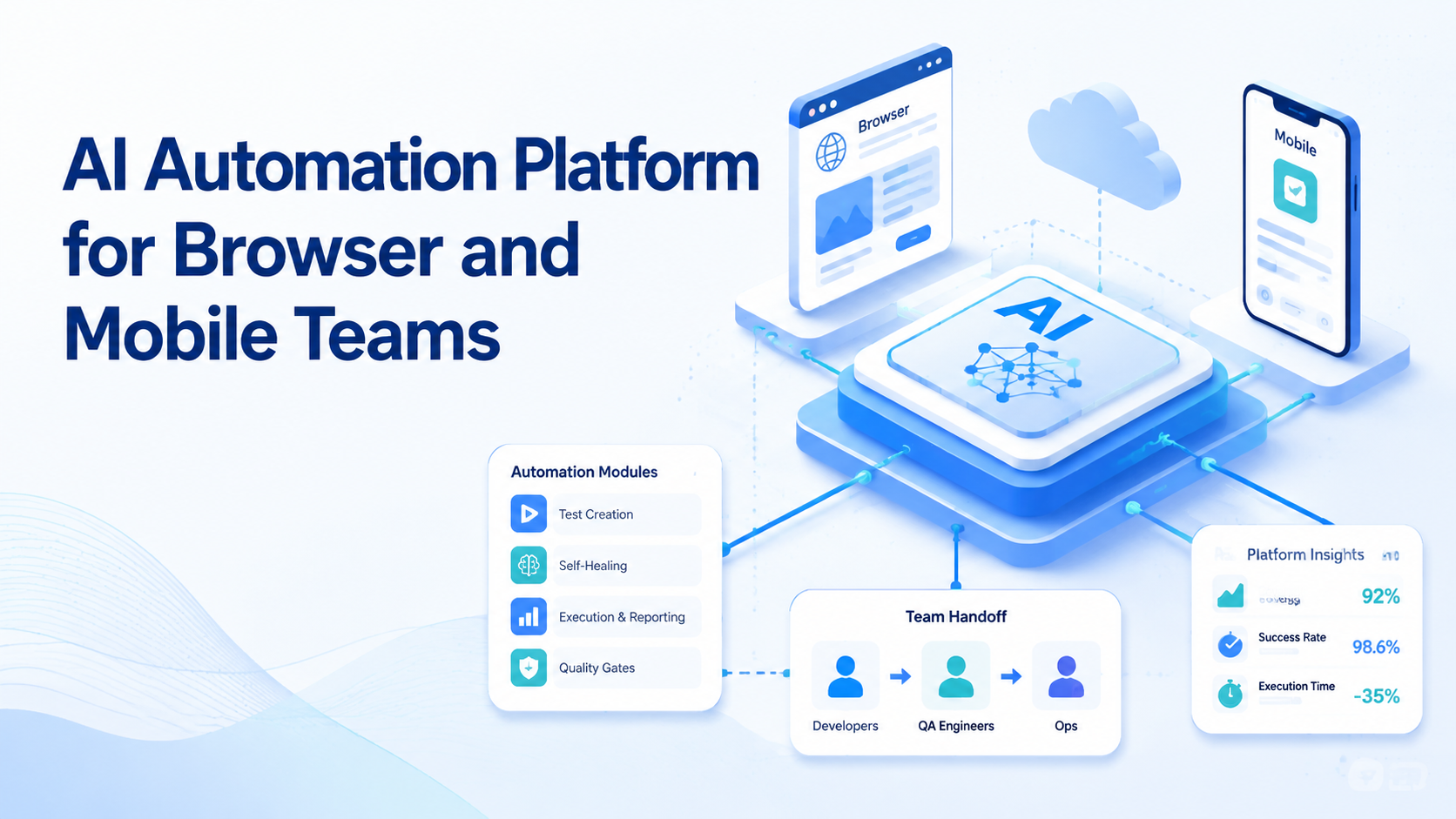
An AI Automation Platform for Browser and Mobile Teams is a controlled execution system that lets a team run browser tasks and mobile tasks under one workflow model. It connects task logic with the right runtime, the right account boundary, and a clear review path.
That distinction matters because many teams already have AI content tools, basic browser scripts, or device access. The gap is not idea generation. The gap is reliable execution across web dashboards, mobile apps, and parallel account operations.
For that reason, a platform such as MoiMobi should be judged as execution infrastructure. The useful question is not whether it can automate one action. The useful question is whether it can support a repeatable team workflow without creating review chaos later.
The Core Idea Behind AI Automation Platform for Browser and Mobile Teams
The core idea is simple. One system should coordinate three layers:
- task logic
- execution runtime
- account and review boundaries
A browser task usually needs a browser runtime with controlled sessions. WebDriver defines browser control around explicit commands and sessions, which is why session handling is not optional in real automation.1 Playwright also recommends separate browser contexts for independent logged-in states.2
Mobile tasks follow a different path. They often depend on app-native states, device permissions, notification flows, and Android-specific interaction patterns. Android Enterprise documentation treats managed Android environments as policy-governed business workspaces, which is the right operational frame here.3
An AI browser layer, a cloud phone, and mobile automation should therefore work as one decision stack. The team chooses the right runtime first. Prompts and workflows come after that.
Why Teams Search for This Topic
Most teams search for this category after simpler tooling stops holding up. A content team may publish through browser dashboards, reply in mobile apps, and track outcomes in another web tool. A support or growth team may do the same pattern across several accounts.
The common mistake is to treat all of that work as one generic automation lane. It sounds efficient. In practice, it creates hidden friction:
- browser sessions overlap
- app-native steps get forced into the wrong runtime
- ownership becomes fuzzy
- recovery takes too long
An AI browser or device fleet becomes useful only when the platform coordinates those moving parts. That is why the buyer is often not looking for a single tool. The buyer is looking for a cleaner operating model.
Who Benefits Most and In What Situations
This category is a strong fit for teams with repeatable work across more than one surface.
It usually fits:
- social media teams handling publishing, replies, and monitoring
- agencies managing parallel client accounts
- growth teams running structured lead or outreach workflows
- e-commerce teams switching between web dashboards and mobile apps
It is a weaker fit when the work changes every hour or depends on heavy human judgment. A team should not expect one system to replace strategy, negotiation, or policy interpretation.
Use this quick fit check:
Repeatable tasks, clear ownership, and a known browser/mobile split.
High-judgment work, unclear review rules, or no account boundary.
One worker is expected to publish, reply, monitor, and report across every platform.
How to Evaluate or Start Using AI Automation Platform for Browser and Mobile Teams
Start with checkpoints, not a full rollout.
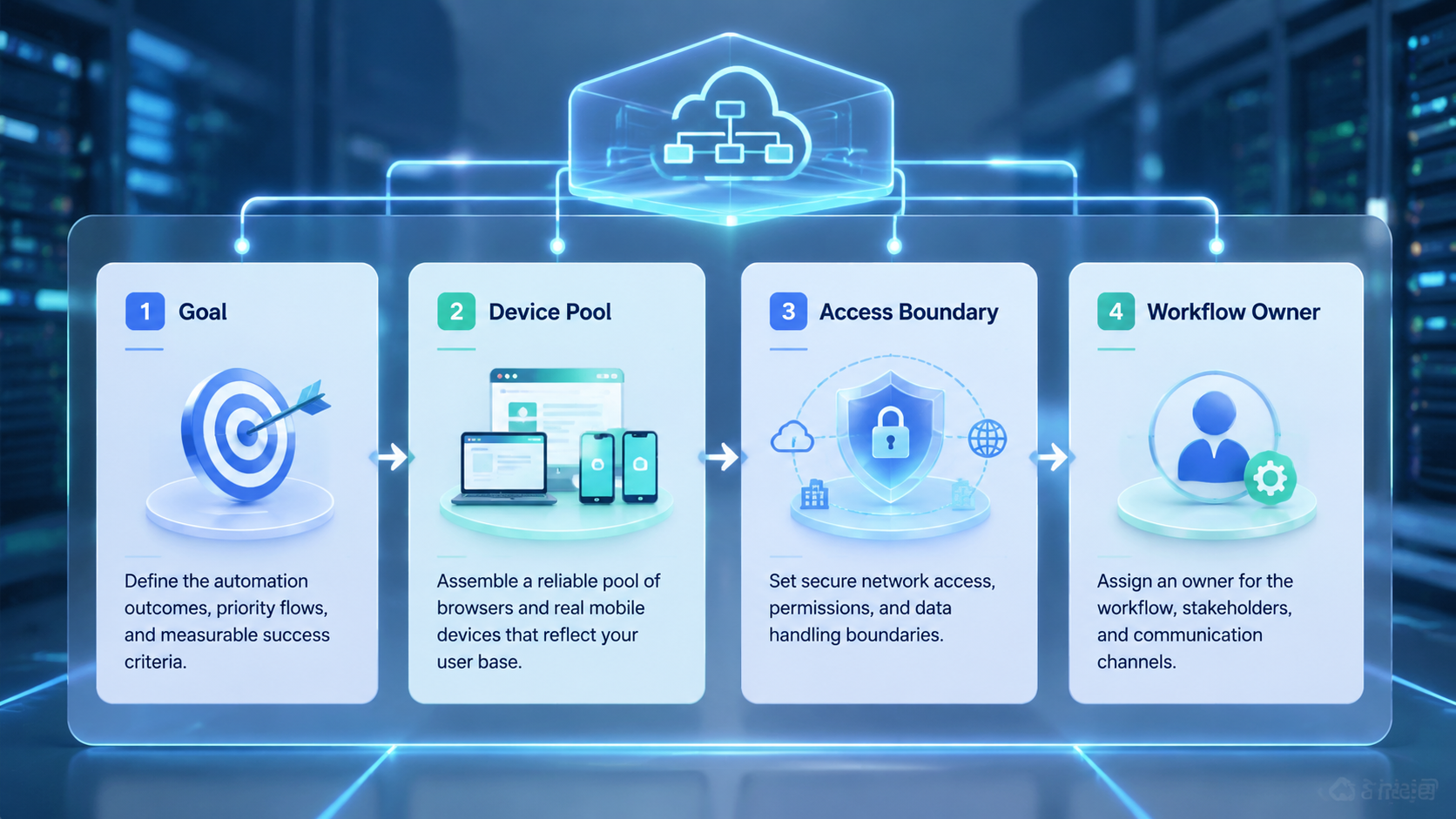
- Define one workflow. Pick a narrow lane such as scheduled publishing, inbox triage, or monitoring.
- Map the runtime split. Mark which steps belong in browser flows and which require mobile execution.
- Bind account ownership. Give each lane a named owner and a clear handoff rule.
- Set the isolation rule. Use device isolation or separate sessions when account mixing would cause conflicts.
- Choose the review gate. Decide when a human must approve, rerun, or stop the workflow.
- Run a small pilot. Inspect a limited batch before you widen volume or concurrency.
This process works because the platform choice becomes evidence-driven. AWS Device Farm and BrowserStack both frame real-device automation around controlled, repeatable execution instead of loose manual activity.4 5
Mistakes That Reduce Results
The first mistake is chasing one big automation story instead of a narrow workflow. Teams often overpack a lane with publishing, customer reply, monitoring, and reporting. That makes the lane hard to audit.
Another mistake is forcing mobile work into a browser path. If the task depends on app-native state, the wrong runtime will usually create more cleanup than value.
Session discipline is another weak point. Playwright separates contexts for a reason.2 Logged-in workflows break down when several roles share the same state carelessly. In many teams, multi-account management fails first at the boundary layer, not at the prompt layer.
Avoid these patterns:
- one worker touching unrelated accounts
- one account spread across several runtimes with no clear owner
- browser and mobile tasks packed into one generic queue
- no stop rule when a step fails mid-run
Pilot Rollout for AI Automation Platform for Browser and Mobile Teams
The best pilot is small, boring, and easy to review.
Track a few signals:
| Signal | Why it matters |
|---|---|
| Completion rate | Shows whether the workflow can finish in real conditions |
| Correction rate | Shows how much manual cleanup still remains |
| Escalation time | Shows how quickly a human can recover a failed run |
| Account conflicts | Shows whether isolation or ownership is still weak |
The pilot should also answer one recovery question. When a run fails, who decides the next step? Rerun, reassign, or stop should not be improvised during production.
Many teams also need one reporting view that combines browser and mobile outcomes. If operators must inspect several systems to explain one failed run, the platform design is still fragmented. A phone farm or multi-runtime setup only helps when the team can review it cleanly.
Frequently Asked Questions
Is an AI automation platform the same as an AI content tool?
No. A content tool helps generate material. An execution platform helps run tasks inside controlled browser or mobile environments.
Does every team need both browser and mobile execution?
No. Some teams live mostly in browser dashboards. Others depend on mobile apps. The right answer depends on the workflow surface.
When does a cloud phone become necessary?
A cloud phone usually matters when app-native steps, Android state, or parallel mobile capacity are part of the workflow.
Should one worker manage many accounts?
Only when the accounts follow the same workflow and review standard. Broad account mixing usually weakens control.
What should a first pilot measure?
Start with completion quality, correction rate, and escalation time. Those signals surface problems quickly.
Is this only for social media teams?
No. The same model can support support workflows, e-commerce operations, and other repeated account-based work.
What is the first workflow worth testing?
Pick the most repetitive low-judgment workflow with a clear pass or fail rule.
Conclusion
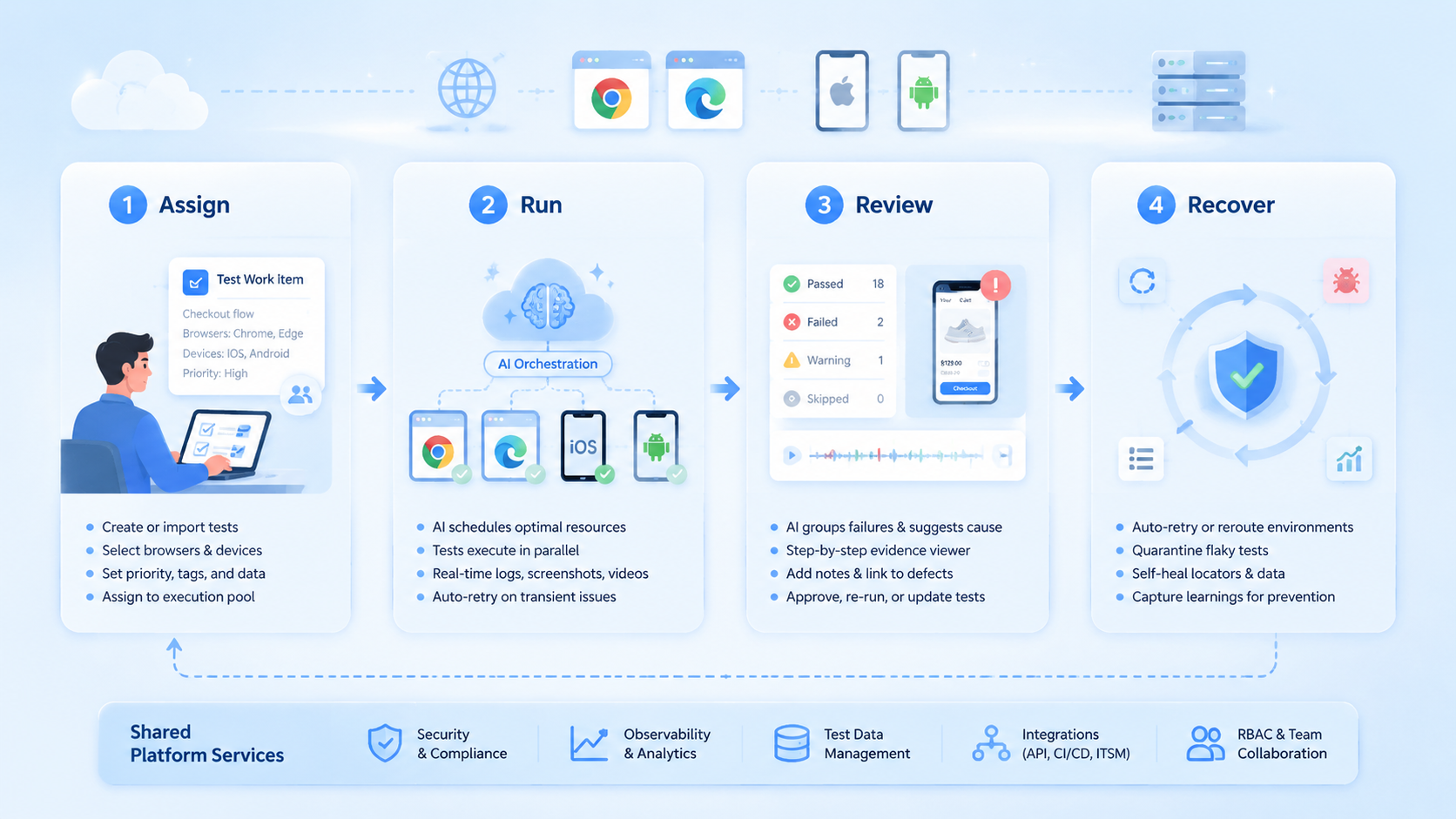
An AI automation platform for browser and mobile teams should be evaluated as an execution system, not just an AI layer. The strongest setup gives each task the right runtime, each account a clean boundary, and each failure a clear recovery owner.
Before rollout, check three things. Confirm the workflow is narrow, the runtime split is explicit, and the review gate is real. If those checks hold, the platform is much more likely to scale without hidden cleanup costs.



