
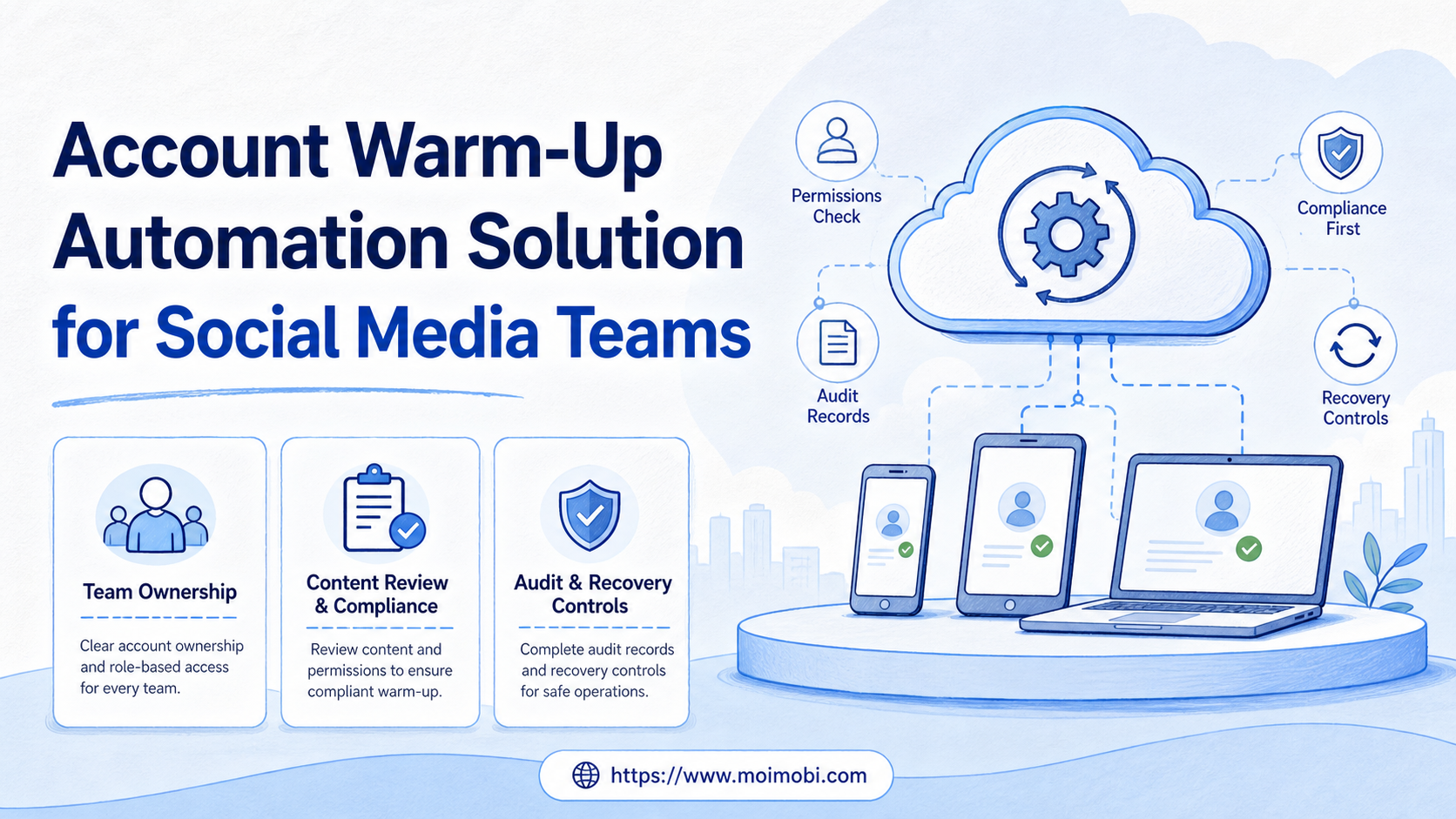
An account warm-up automation solution is a controlled readiness workflow for legitimate social media accounts. It organizes owner assignment, authentic profile completion, approved content preparation, normal support operations, and review records. It must not automate fake engagement, mass account operation, policy evasion, or attempts to manipulate recommendation systems.
Teams need this workflow when an account is new, transferred to a new operating team, or added to a managed client portfolio. The useful question is not how to make an account appear more active. It is whether the team can demonstrate clear ownership, authentic business use, compliant content, and a responsible recovery path.
TikTok's Community Guidelines prohibit artificial engagement, spam, deceptive behavior, bulk account operation through automation, and attempts to circumvent enforcement. Instagram's Community Guidelines also tell users not to spam people. These boundaries mean a responsible account-readiness program must focus on real work, not simulated signals. TikTok Community Guidelines and Instagram Community Guidelines should be read before any platform-specific workflow is configured.
Key Takeaways
- Treat account warm-up as operational readiness, not engagement manipulation.
- Record the accountable owner, business purpose, profile data source, and content approval path.
- Keep content actions authentic, limited to approved accounts, and consistent with each platform's rules.
- Use automation for task reminders, asset checks, approvals, and reporting rather than fake activity.
- Run a narrow pilot and pause when policy, access, or content-quality issues appear.
The Core Idea Behind an Account Warm-Up Automation Solution
The phrase "account warm-up" is often used too loosely. A legitimate team should use it to mean a documented setup and operating period. During that period, the account receives correct ownership, complete business information, approved content, normal customer handling, and careful access control.
The workflow begins with a business purpose. Write down what the account represents, which market or product it serves, who owns decisions, and which team members may access it. Then verify profile fields, brand assets, and contact routes against approved source material.
Automation has a narrow but useful place. It can assign a checklist, confirm that required fields are present, notify a reviewer, collect publishing records, and surface incomplete tasks. It should not create artificial follows, likes, views, comments, messages, or other engagement signals.
NIST's least-privilege control supports this ownership model. Access should match assigned duties. A reviewer may need content visibility, while an account owner may need publishing permission. Broad shared credentials make both recovery and accountability harder.
Why Social Media Teams Need Account Readiness Controls
New accounts often fail operationally before they fail creatively. The profile may use an outdated product description. An agency may not know who can approve a change. A support question may reach an account that has no owner. These are process problems, not reasons to simulate activity.
Multi-account teams need a consistent record for every account. At minimum, keep the account purpose, legal or brand owner, regional scope, primary operator, backup operator, approved content sources, and escalation contact. That record turns a collection of logins into a managed operating portfolio.
| Readiness area | What to verify | Automation boundary |
|---|---|---|
| Ownership | Named business and operator | Assign tasks and renewal reminders |
| Profile accuracy | Brand name, contact route, disclosures | Flag missing fields for review |
| Content | Rights, approvals, local relevance | Track approval and scheduling status |
| Customer handling | Inbox owner and escalation path | Route approved support tasks |
| Access | Role, environment, backup owner | Log task assignment and review dates |
For teams operating through mobile interfaces, a cloud phone can be a named execution environment. It does not change platform rules. Its operational value is that the task, account, environment, and responsible operator can be kept together.
Who Benefits and Who Should Not Use It
This workflow fits legitimate brands, agencies, commerce teams, and customer-support teams that manage approved accounts with real business purposes. It is most useful when the team has repeated setup tasks and needs clean handoffs between content, support, and account owners.
It is not appropriate for fake personas, deceptive multi-account networks, bulk unsolicited promotion, engagement trading, or any attempt to bypass a restriction. Do not use a device, browser profile, or automation feature to hide responsibility for prohibited activity. TikTok specifically describes enforcement against deceptive account behavior and account circumvention in its accounts guidance.
- Verified business or client accounts
- Named operators and approvers
- Approved content and customer workflows
- Documented escalation and recovery owners
- Artificial engagement programs
- Bulk account registration or operation
- Spam or repetitive unsolicited outreach
- Attempts to evade a platform restriction
Use multi-account management to organize legitimate account workspaces and role ownership. Use device isolation when a team needs clear operational separation, not as a claim of immunity from platform review.
How to Start an Account Warm-Up Automation Solution
Start with one account type and one business purpose. Keep the first pilot small enough that a manager can inspect every completed task. A readiness program should make the operating record clearer after each step.
- Create an account register. Record owner, purpose, platform, market, access roles, and backup contact.
- Verify source material. Confirm profile text, logos, links, disclosures, and content rights against approved files.
- Assign an operating environment. Connect the named account to a responsible browser or mobile workspace where required.
- Build an approval queue. Route profile changes, publishing tasks, customer replies, and policy-sensitive items to the correct role.
- Publish only approved, original material. Keep the account's content aligned with the audience and platform rules.
- Log exceptions. Record access errors, rejected content, duplicate tasks, and unresolved questions with an owner and follow-up date.
Do not use a checklist to create busywork. Every field must answer a recovery question: who owns this account, where did this content come from, who approved it, and what should happen when the planned action fails?
Common Mistakes That Undermine the Workflow
The first mistake is calling artificial activity "readiness." Repeated actions without a business purpose create weak records and may conflict with platform rules. A sound workflow measures completed operating controls, not likes, follows, or views.
The second mistake is putting every account in one shared pool. Teams then lose regional context, client approval boundaries, and operator accountability. Separate workspaces need clear roles and consistent task records.
Another failure is treating the initial checklist as permanent. Profile data, policies, account ownership, and content libraries change. Add a scheduled review so the team can update information before an outdated link or missing approval becomes an incident.
Keep Evidence and Handoffs Reviewable
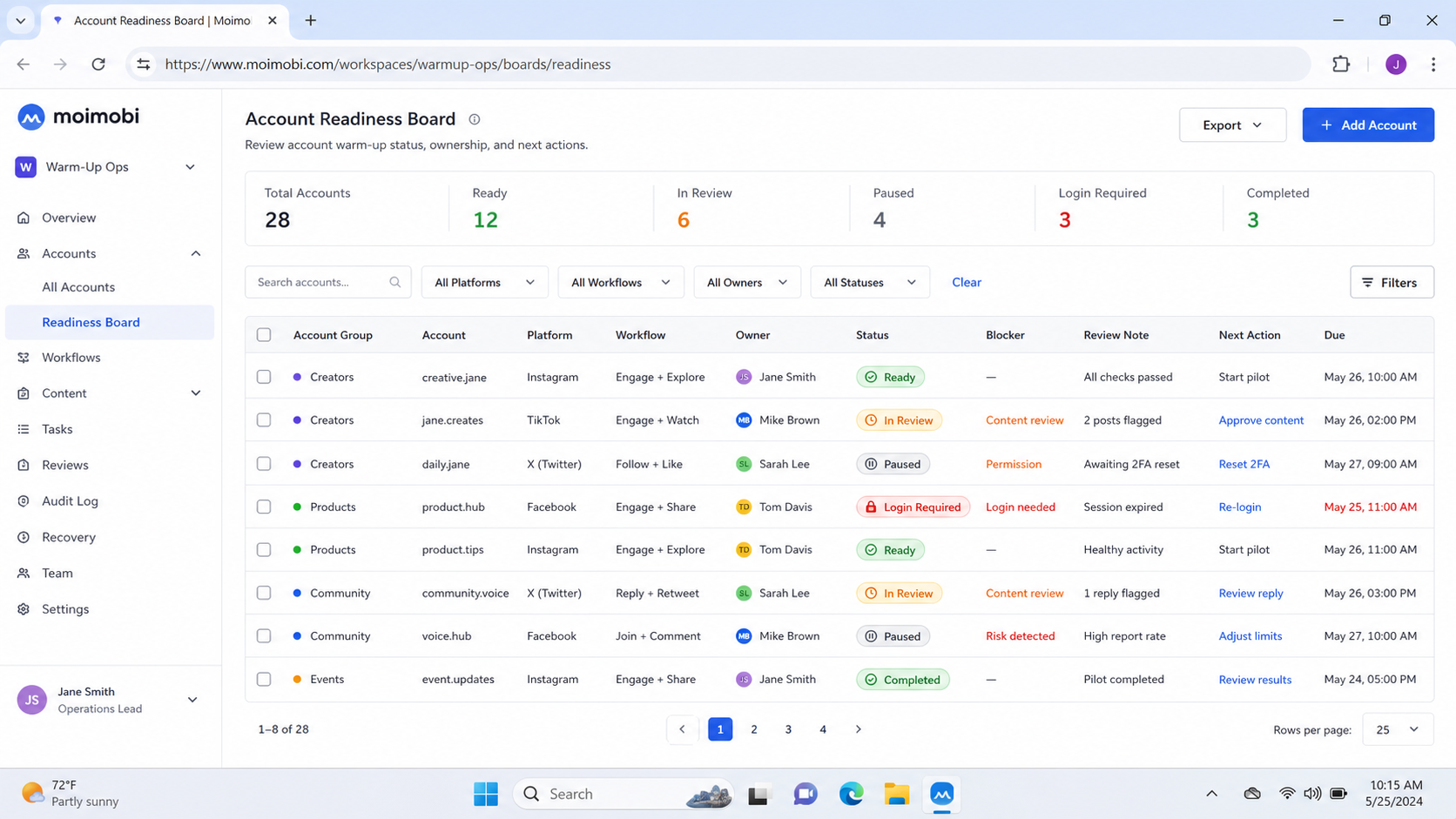
An account-readiness workflow is only useful when a teammate can reconstruct it later. Keep a lightweight evidence record for each completed task. The record does not need to capture every click. It needs enough information to explain the business purpose, the actor, the source material, the approval, and the outcome.
For a profile update, retain the approved profile copy, the owner who requested it, the operator who completed it, and a dated confirmation. For a content task, retain the asset source, rights or approval note, publication status, and any exception. For access changes, retain the role, reason, reviewer, and expiration or next review date.
This record prevents a common handoff failure. A new operator should not have to guess whether a link was approved, who owns a regional account, or why a task was paused. Clear evidence turns the next action into a decision with context rather than a repeat investigation.
Use only the level of information needed for the operating purpose. Avoid copying credentials, personal messages, or unnecessary personal data into a general task log. Sensitive data should stay in the system and permission scope designed for it.
| Record | Minimum fields | Recovery value |
|---|---|---|
| Account register | Purpose, owner, region, backup | Finds the accountable decision-maker |
| Content approval | Asset source, reviewer, status | Explains why publication was permitted |
| Access change | Role, reason, reviewer, review date | Supports least-privilege checks |
| Exception ticket | Problem, account, owner, next action | Prevents repeated unresolved failures |
Pilot Rollout, Measurement, and Recovery Checks
Run the first pilot for one account group and a limited number of approved tasks. Measure whether the program reduces missing ownership, incomplete profile fields, delayed approvals, and unresolved access issues. Do not measure it by manufactured engagement.
Use these weekly checks:
- Does each account have a current owner and backup?
- Can the team identify the source and approver for each published asset?
- Are support and escalation paths visible?
- Are account access changes logged and reviewed?
- Did any task need to stop because the team lacked permission, context, or policy clarity?
Pause expansion when the answer to any of those questions is unclear. A recovery review should identify the owner, the affected account, the missing control, and the date for a corrected check. This keeps the program grounded in accountable operations.
Define a Clear Operating Boundary for Every Account
Each account needs a written boundary before the team starts recurring work. State the business purpose, intended audience, content categories, account owner, and escalation contact. Add a short list of actions that require a second reviewer. This turns vague instructions into a repeatable decision rule.
The boundary should also describe what the account will not do. Examples include using copied content without rights, sending unrequested bulk messages, purchasing engagement, or opening replacement accounts to avoid a restriction. A written stop list helps a new operator recognize when a task belongs in review rather than in the execution queue.
Make the review cycle practical. A weekly operator check can confirm that profile details, pending approvals, inbox ownership, and unresolved exceptions still match the register. A monthly manager review can examine ownership changes, content-rights gaps, and repeated process failures. These meetings should create specific corrections, not generic reminders.
Keep the correction visible until it is complete. Assign the action to one owner, set a due date, and note the evidence required to close it. This simple loop stops the same missing field or unclear approval from returning in the next review.
When no correction is possible, document the reason, close the affected task, and remove the account or workflow from expansion until the operating boundary is clear again.
Connect the boundary to normal operating records. Content briefs should name the intended audience and owner. Publishing tasks should link to approved assets. Customer messages should route to a support role. Access reviews should name an expiration or next review date. These small links make the system easier to audit without turning it into a large compliance project.
When a policy changes or a platform gives an account a warning, pause only the affected workflow first. Preserve the relevant record, assign an investigator, and decide whether a correction, appeal, or permanent stop is appropriate. Do not attempt to work around enforcement through alternate accounts or hidden activity.
Frequently Asked Questions
Is account warm-up automation allowed?
It depends on the behavior. Workflow controls for legitimate account setup, content review, and task records can be appropriate. Artificial engagement, spam, bulk operation, and enforcement evasion are not appropriate and may violate platform rules.
Should teams automate follows, likes, or comments?
No. Do not use automation to create inauthentic engagement or manipulate a platform's recommendation systems.
What should be automated first?
Start with ownership checks, content approvals, reminders, documentation, and exception reporting. These controls improve operations without fabricating activity.
Can a cloud phone make an account compliant?
No. An execution environment supports task ownership and separation. Compliance depends on the team's behavior, permissions, content, and adherence to platform rules.
How often should the account register be reviewed?
Review it whenever ownership, access, market scope, or platform policy changes. A scheduled quarterly review is a practical baseline for many teams.
What should stop a pilot?
Stop when ownership is unclear, a required approval is missing, access cannot be explained, content rights are uncertain, or the workflow could encourage prohibited behavior.
Does this replace human review?
No. Human owners still need to approve sensitive content, customer responses, policy decisions, and unresolved exceptions.
Conclusion
An account warm-up automation solution should improve readiness, ownership, and review discipline for legitimate accounts. It should never be framed as a way to manufacture engagement or escape platform enforcement.
Start with a small account register, approval queue, access boundary, and recovery record. Expand only when the team can show that every task has a purpose, an owner, and an accountable next step.



