
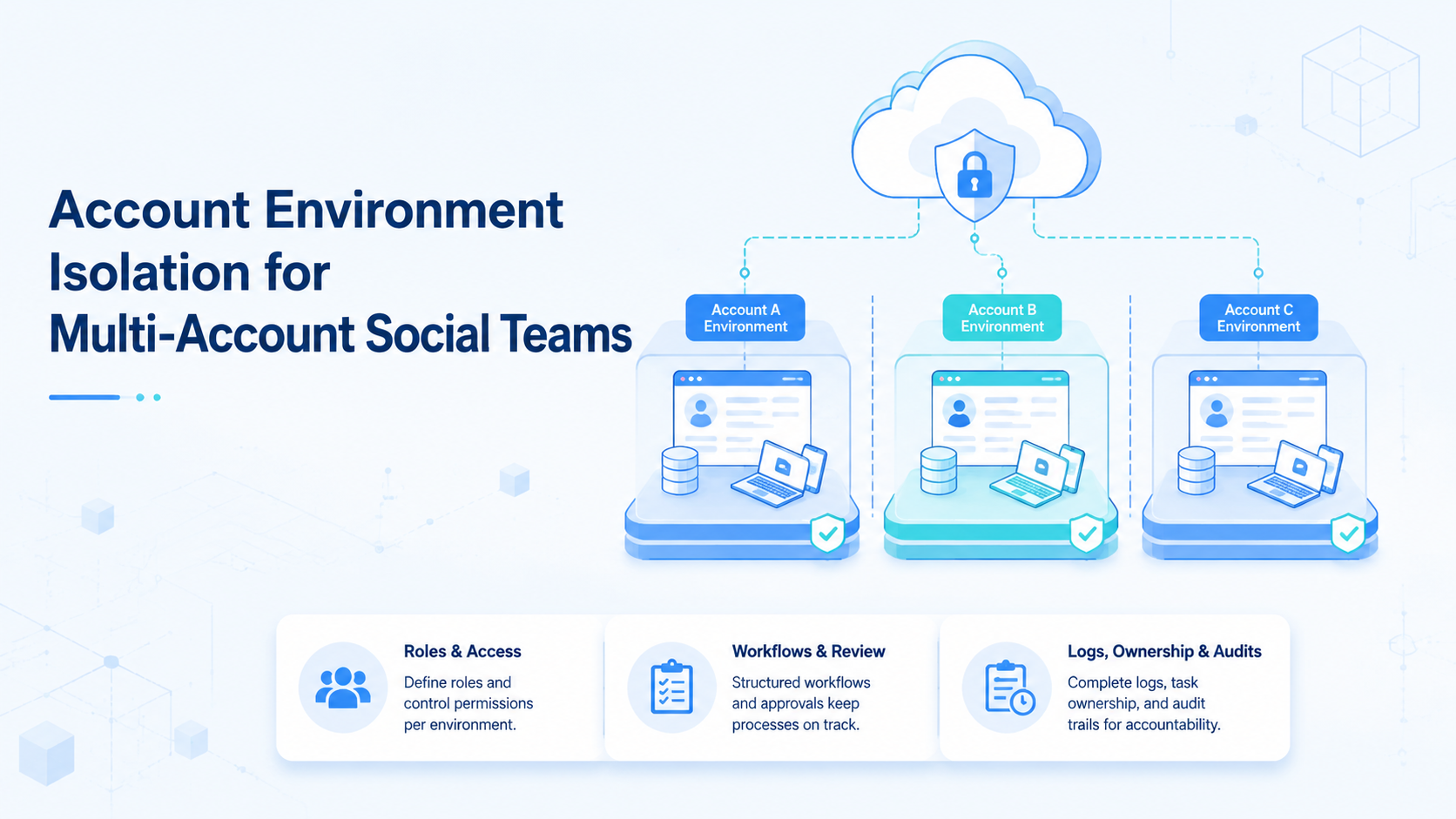
A separated workspace means each social profile works inside a defined browser, cloud phone, or mobile workspace with its own owner, session, task history, and review rules. For multi-account social teams, this is an operations control, not just a technical setting.
The problem appears when 10 or 100 profiles share the same team. Operators forget which profile is active. Sessions get mixed. Screenshots lose context. Managers cannot tell which workspace ran a task. Separation makes the workflow easier to review.
Moimobi supports device isolation across browser and mobile execution so teams can build cleaner account workspaces.
Key Takeaways
- Give each account a defined environment, owner, and task log.
- Do not treat browser profiles or cloud phones as random shared seats.
- Use review rules for sensitive replies, content approval, and account changes.
- Audit environment assignment every 7 days during rollout.
What Belongs in an Account Workspace
A workspace record should include the profile identity, assigned browser profile or cloud phone, proxy or route rule when applicable, owner, recent task log, and escalation rule.
| Environment field | Example value |
|---|---|
| Account ID | ig-brand-12 |
| Owner | social operator A |
| Environment | cloud phone CP-22 |
| Workflow | publish, reply, monitor |
| Status | active, paused, review |
| Review SLA | 4 hours for sensitive messages |
This format gives managers a clear map. If a task fails, the team can inspect the profile, device, and workflow instead of guessing.
Why Separation Matters for Social Teams
Social media work is profile-specific. A creator profile, a store profile, a client handle, and a support inbox may all need different tones, permissions, and review paths.
Moimobi's multi-account management use case focuses on this account-level control. Teams can group accounts by role, platform, owner, and execution environment.
Workspace separation also supports privacy and governance. The NIST Privacy Framework encourages organizations to identify and govern data processing activities. In social operations, profile workspaces help teams know where data and task records live.
Browser, Cloud Phone, or Both?
Use a browser profile when the workflow happens mainly in web dashboards, admin panels, or reporting tools. Use a cloud phone when the workflow depends on mobile apps, mobile notifications, or app-specific publishing.
Many teams need both. A manager may review reports in a browser while the operator completes mobile actions in a cloud phone. The workflow should define which workspace owns each task.
For mobile-first workflows, mobile automation can connect the task queue with controlled execution. The assigned workspace is then part of the workflow record.
A 5-Step Workspace Rollout
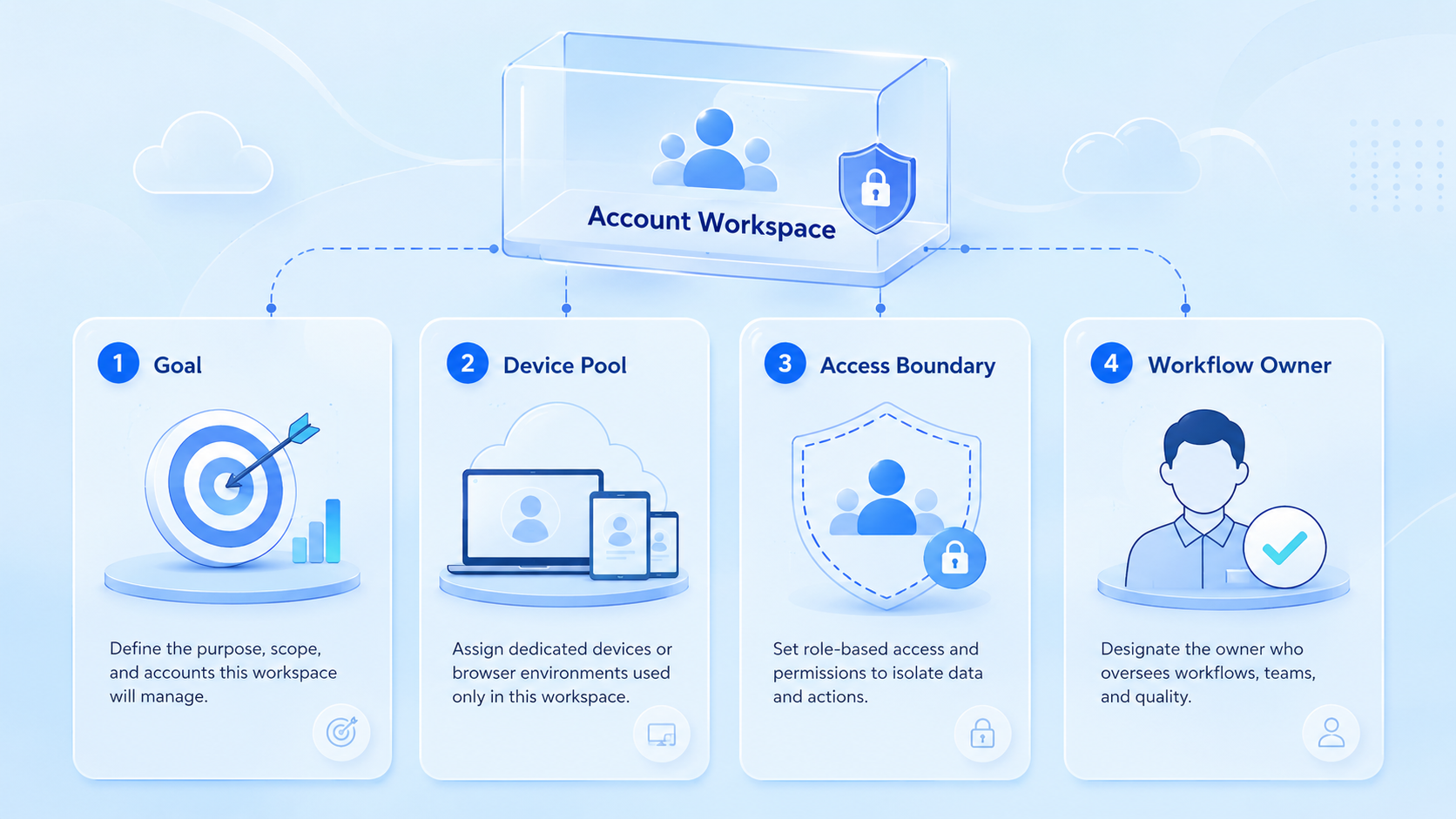
Start with a small account group.
- List the first 20 profiles and their owners.
- Assign one workspace to each profile.
- Define allowed workflows: publish, reply, monitor, report.
- Add review triggers for complaints, pricing, sponsor content, and account settings.
- Review failed tasks and environment mismatches every 7 days.
Do not migrate every profile on day 1. A smaller rollout makes errors easier to find.
Add a short operator note when a task moves from active to review. The note should include the reason, the last environment used, and the next owner. This extra context helps managers compare incidents without repeating the main keyword or inflating the page around one phrase.
Use a monthly cleanup pass as well. Remove inactive profiles, archive old screenshots, confirm owner assignments, and mark handles that no longer need mobile execution. This keeps the workspace map useful for operators instead of turning it into stale documentation.
Monthly Workspace Audit
A monthly audit should be short and practical. Export the active profile list, compare it with the assigned workspace list, and flag any profile without a current owner. Then check whether the last 30 days of tasks include screenshots, result notes, and review status.
Use 4 audit labels: clean, missing_owner, stale_workspace, and needs_review. A clean profile has an owner, a recent task record, and a defined execution place. A missing_owner profile needs assignment before new tasks run. A stale_workspace profile has not been used for 30 days. A needs_review profile has repeated failed tasks or unclear notes.
This audit gives managers a concrete cleanup list without changing the daily workflow.
For teams with outsourced operators, add a handoff checklist. The checklist should include the profile name, assigned workspace, active task types, last successful action, open review items, and the person responsible for the next step. Keep the handoff under 10 lines so it can be read before an operator starts work. If a handoff is missing, pause new tasks for that profile until the owner confirms the latest status.
This small habit reduces drift between shifts and keeps the operating map aligned with actual daily work.
For reporting, keep one weekly view for managers and one task view for operators. Managers need totals, drift labels, and unresolved reviews. Operators need only the next assigned task, workspace name, and latest note. Splitting these views prevents the workflow from becoming harder to use as the account list grows.
Rules for Controlled Operations
Teams should avoid claiming that workspace separation makes every profile safe. It does not. It reduces operational confusion and gives the team better control.
Platform policies still apply. TikTok's Community Guidelines and Meta's Platform Terms show why teams should design workflows around compliant use, not technical shortcuts.
Use simple rules:
- One owner per profile group.
- One primary workspace per profile.
- One task log per workflow.
- Human review for sensitive replies.
- Weekly audit for environment drift.
Frequently Asked Questions
What is a separated account environment?
It is the practice of assigning each account to a separated browser or mobile environment with clear ownership and logs.
Why do social teams need it?
It reduces session confusion, profile mix-ups, unclear ownership, and missing task history.
Is environment separation the same as security?
No. It is an operational control. It supports cleaner workflows, but it does not replace platform rules or team review.
Should every account have a cloud phone?
Not always. Use cloud phones for mobile-first tasks and browser profiles for web dashboard tasks.
What should teams audit weekly?
Check owner, workspace assignment, failed tasks, review status, and any shared login drift.
Can AI help with account workspaces?
AI can summarize logs, flag missing fields, draft replies, and classify tasks, but workspace assignment should remain explicit.
What is the first step?
Map 20 profiles, assign owners, and connect each profile to one primary execution workspace.
Conclusion
Separated workspaces give multi-account social teams a cleaner operating model. Each profile gets a workspace, owner, task record, and review path.
That structure helps teams scale workflows while keeping profile, device, and operator history visible.



