Content Type: guide
Page Role: informational
Intent Type: informational
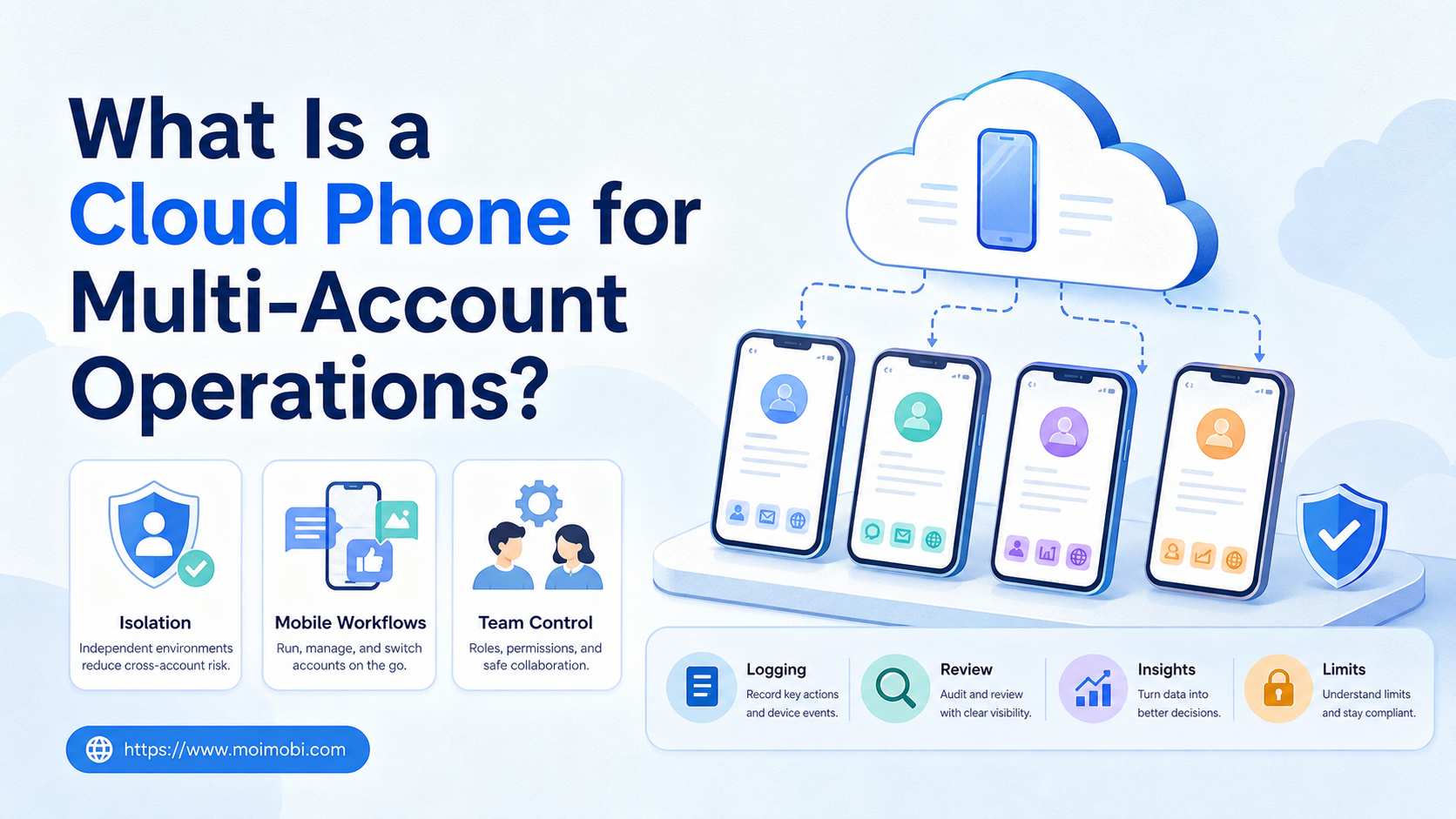
A cloud phone for multi-account operations is a remote Android environment that teams use to run account-based mobile workflows without depending on local physical phones. It gives each account or account group a dedicated mobile workspace for login, app usage, task execution, and operational records.
The point is not simply renting a phone in the cloud. The value comes from separating accounts, repeating mobile tasks, and giving a team one controlled system for publishing, replying, monitoring, and recovery.
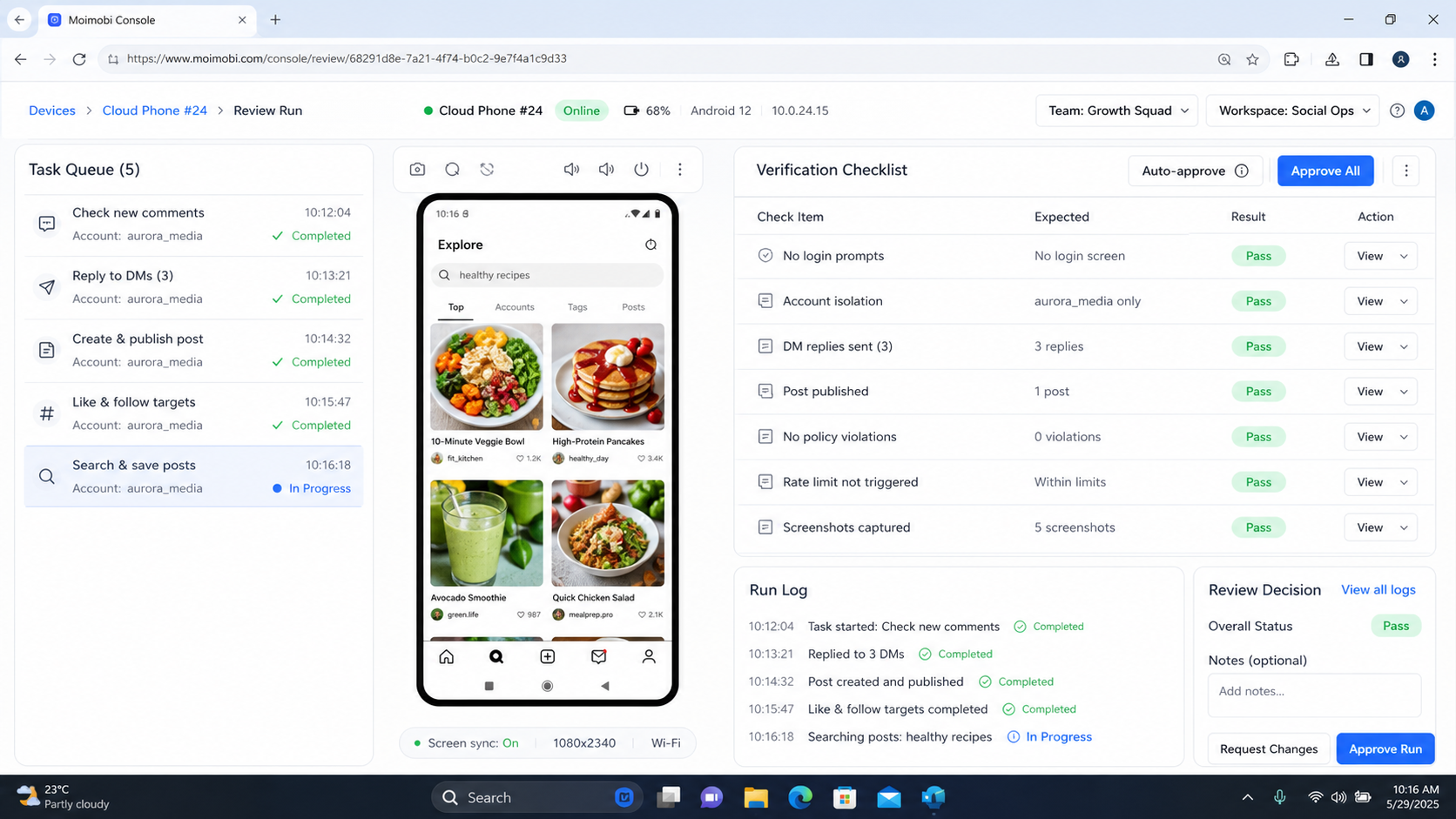
Moimobi treats cloud phones as one execution layer inside a broader AI operations platform. Browser profiles, Android environments, task memory, queues, and logs work together so teams can manage mobile-first work without mixing account states.
Key Takeaways
- A cloud phone gives teams a remote Android workspace for account-based mobile tasks.
- Multi-account operations need isolation, role control, recovery records, and clear usage boundaries.
- Cloud phones are strongest when mobile apps are part of the real workflow.
- They are not a replacement for platform rules, account ownership, or human review.
- Teams should pilot one account group before scaling to many devices.
What a Cloud Phone for Multi-Account Operations Does
A cloud phone gives the team a remote mobile environment. The operator can open apps, keep account context, run mobile workflows, and record outcomes without carrying a physical device for every account.
In multi-account operations, the environment matters because accounts often have different owners, regions, platforms, and histories. A shared phone can create confusion. A shared emulator can also become difficult to govern when many operators use it.
Use this simple model:
| Layer | What It Controls | Example |
|---|---|---|
| Account | Which identity is being operated | Brand account, client account, support account |
| Device environment | Where the app session runs | Remote Android phone |
| Network route | How traffic is assigned | Region or team-specific route |
| Task | What the operator or AI worker does | Publish, reply, monitor, collect status |
| Log | What happened after execution | Success, failure, reviewer, next step |
The workflow should attach one account or account group to one environment. That does not make every outcome safe. It does make ownership and troubleshooting clearer.
Why Cloud Phones Matter for Mobile-First Workflows
Many social and customer workflows are mobile-first. Teams may need TikTok, Instagram, WhatsApp, Telegram, Facebook, or marketplace apps in an app-like environment. A web dashboard is not always enough.
A cloud phone can support:
- Mobile content checks.
- App login and session continuity.
- Comment or inbox review.
- Mobile publishing workflows.
- Regional account work.
- Customer follow-up in messaging apps.
- Recovery when a task fails on mobile.
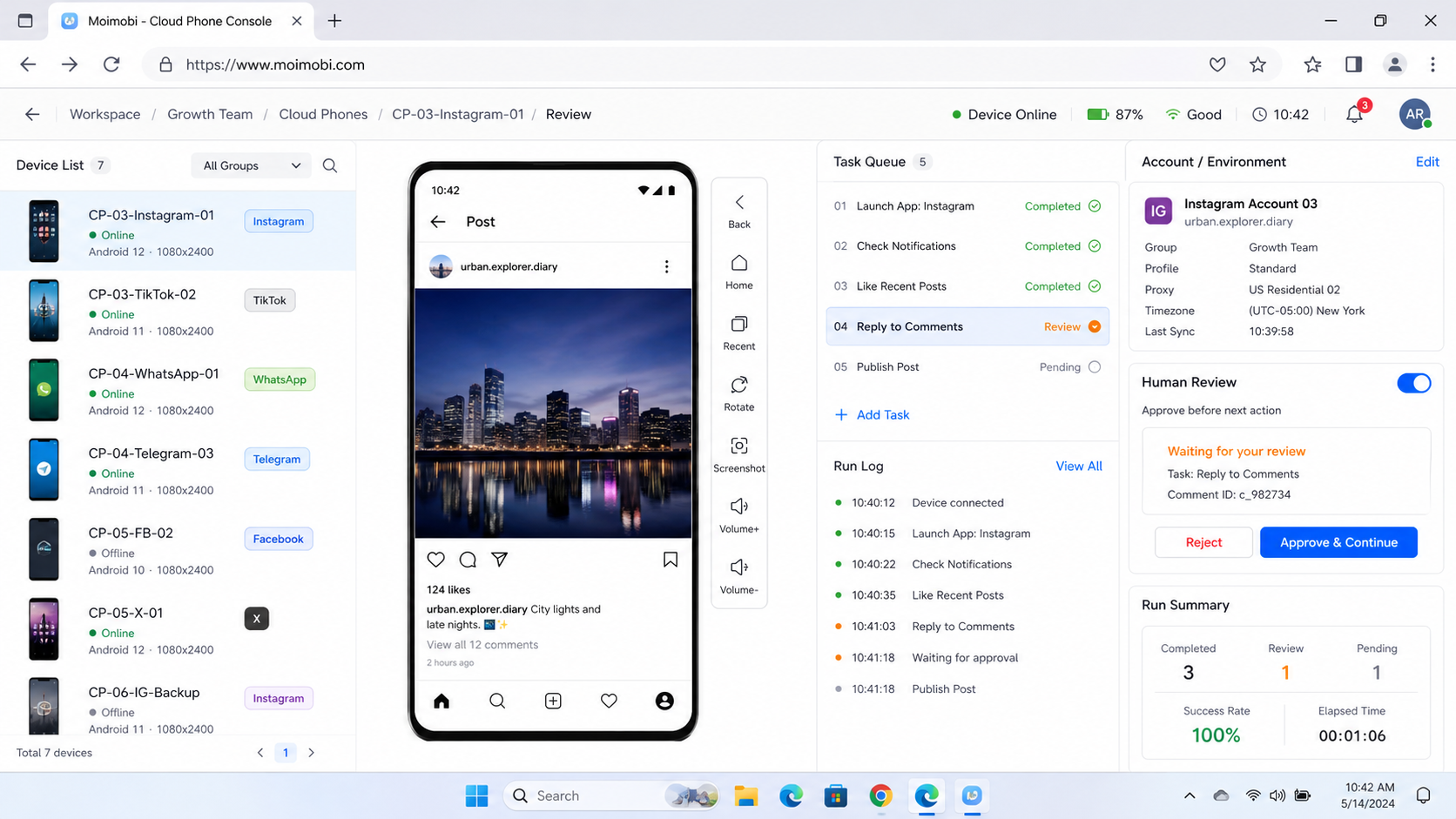
Mobile execution also changes staffing. One operator can manage a queue of assigned devices. A manager can review outcomes from logs. A support lead can see which account handled a customer issue.
This is where a mobile account operations workspace becomes useful. It connects account ownership to task execution instead of leaving mobile work scattered across personal phones.
Cloud Phone vs Browser Profile
Cloud phones and browser profiles solve related but different problems. A browser profile is usually better for web dashboards, admin portals, forms, and web-based account work. A cloud phone is better when the workflow depends on Android apps or mobile app behavior.
| Need | Better Fit | Reason |
|---|---|---|
| Web dashboard login | Browser profile | Faster for web tools |
| Mobile app publishing | Cloud phone | Uses a mobile environment |
| App inbox handling | Cloud phone | Matches mobile-first workflows |
| Account data maintenance | Browser profile | Works well in web admin screens |
| Cross-device workflow | Both | Web and mobile steps may differ |
Many teams need both. A campaign may begin in a browser profile for content planning and account notes, then move to a mobile environment for app-side checks or publishing.
Moimobi’s browser and Android environment pairing explains this split. The goal is not to pick one tool forever. The goal is to put each task in the environment where it naturally runs.
How Teams Use a Cloud Phone for Multi-Account Operations
Multi-account teams should not treat cloud phones as a loose pool of devices. Each device needs a role, owner, and policy.
Start with four account groups:
- Brand accounts. Main business accounts that need careful review.
- Regional accounts. Accounts tied to country, language, or market.
- Support accounts. Accounts used for replies and customer follow-up.
- Test accounts. Accounts used for workflow validation before rollout.
Each group should have different permissions. A support account may reply but not publish campaigns. A test account may run experiments but not touch customer conversations. A regional account may need local timing and language review.
This role model reduces operational mistakes. It also helps managers answer a basic question: which account did what, from which environment, and under whose approval?
Policy and Platform Boundaries
Cloud phones are execution environments. They do not remove platform rules. Teams still need to avoid spam, fake engagement, unauthorized data collection, deceptive account behavior, and misleading automation.
TikTok’s Integrity and Authenticity guidelines discuss spam, fake engagement, and deceptive account behavior. Meta’s terms restrict spam and unauthorized automated access. These sources are useful reminders that automation should be designed around controlled team workflows, not manipulation.
For mobile automation teams, Appium’s documentation is also relevant because it shows how mobile automation depends on sessions, drivers, capabilities, and device state. Even when a team uses a no-code or managed environment, the operational lesson is similar: device state and session context must be managed carefully.
A Practical Cloud Phone Workflow Template
Use a narrow template for each repeated task. Do not make one broad workflow that can do everything.
| Workflow Field | Example Rule |
|---|---|
| Account group | TikTok regional support accounts |
| Device owner | Support operations lead |
| Allowed apps | TikTok, WhatsApp, Telegram |
| Allowed actions | Review inbox, draft reply, record status |
| Blocked actions | Bulk spam, fake engagement, unapproved claims |
| Approval point | First reply, complaint, pricing question |
| Recovery path | Pause, log issue, assign owner |
| Review cadence | Weekly workflow review |
The template should be readable by an operator during live work. If it takes too long to understand, it will not be followed.
Pilot Plan Before Scaling
A pilot should run on one account group and one task type. The goal is to prove that the workflow can operate, pause, recover, and report.
Track these checks:
- Did the correct device open?
- Did the correct account load?
- Did the task finish?
- Was human review required?
- Was the result recorded?
- Did any account prompt appear?
- Could another operator understand the log?
After the pilot, update the workflow. If failures came from app state, improve device preparation. If failures came from unclear ownership, improve the account map. If replies needed heavy rewriting, improve the template library.
Deployment Checklist for Team Use
A team deployment needs more than a device list. It needs rules that operators can follow when account work is busy.
Use this checklist before expanding:
| Deployment Area | Required Decision | Bad Sign |
|---|---|---|
| Device assignment | Which account group owns each environment | Operators choose devices by memory |
| App setup | Which apps are installed and maintained | Every device has a different setup |
| Login handling | Who owns login prompts and recovery | Prompts are ignored or retried blindly |
| Task queue | Which tasks run on which devices | Publishing and replies mix together |
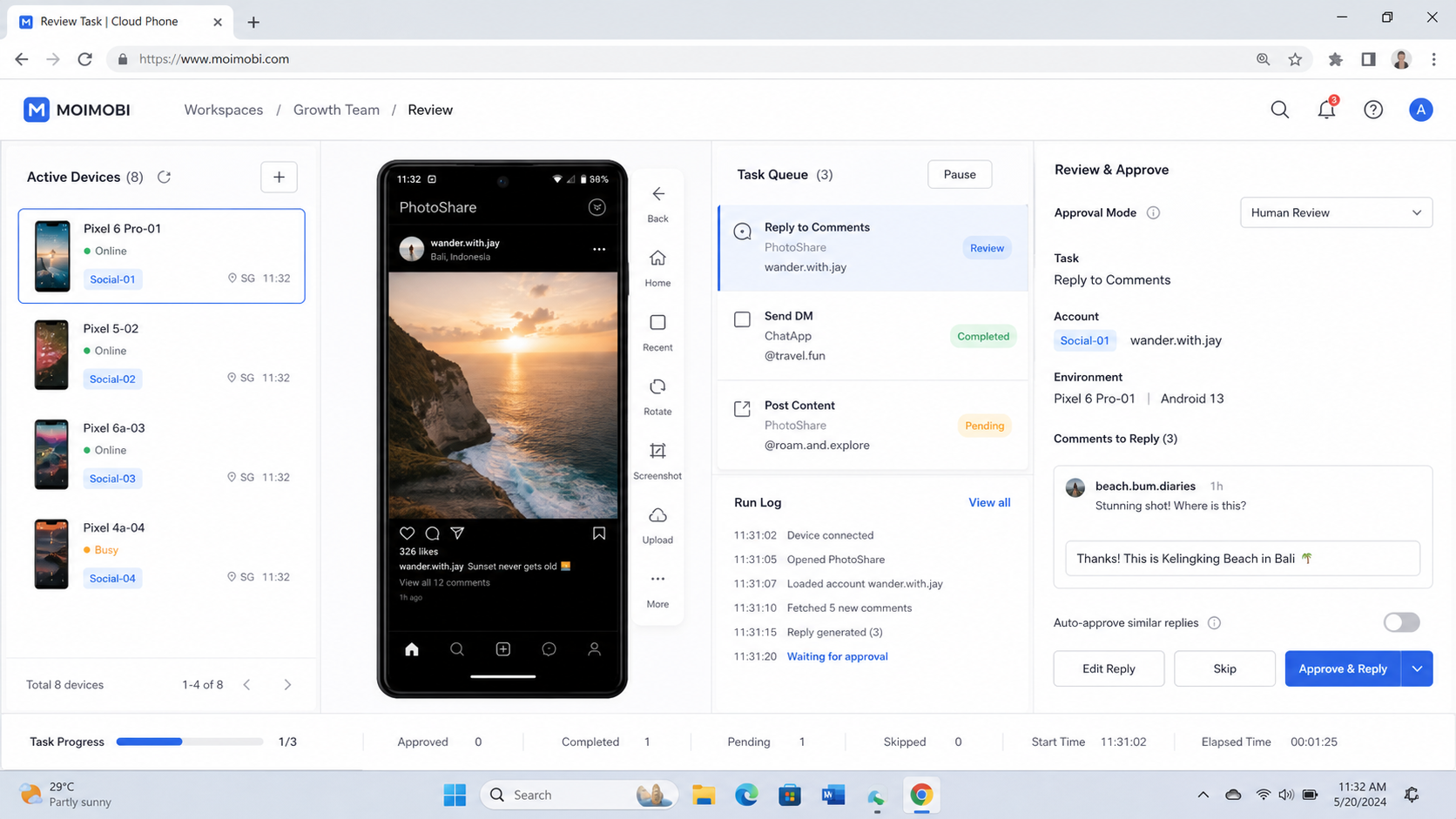
| Review rule | Which actions need approval | Sensitive replies go out without review |
| Audit record | Where results and failures are stored | Success is tracked only in chat |
The checklist should be reviewed after each rollout. If the team adds accounts, regions, or platforms, the workflow may need new account groups. Do not assume the first device setup will fit every future use case.
Device naming also matters. Use names that show role and owner, such as tiktok-us-support-01 or instagram-eu-content-02. Names like phone-1 and phone-2 become confusing when the team grows.
Cost, Capacity, and Scheduling Considerations
Cloud phone capacity should match the work pattern. A team does not need one device for every possible account if many accounts are checked rarely. It may need dedicated environments for accounts that run daily publishing, replies, or customer follow-up.
Plan capacity around task windows:
- Morning account checks.
- Content publishing windows.
- Comment review periods.
- Inbox follow-up blocks.
- Weekly reporting runs.
- Recovery and maintenance time.
Scheduling reduces waste. If every operator opens devices at the same time with no queue, capacity looks insufficient even when the workflow is poorly organized. A task scheduler can assign work by account group, priority, and review need.
The financial decision should include labor time, account risk control, review quality, and recovery time. A cheaper device setup may cost more if operators spend hours finding the right account state or fixing mixed sessions.
Governance Rules for Multi-Account Mobile Work
Governance keeps mobile work from becoming invisible. Each account action should have a reason, owner, and result.
Write these rules into the operating handbook:
- One account group has one named owner.
- One device environment has one primary purpose.
- Sensitive tasks require human approval.
- Failed tasks are logged before retry.
- Account prompts pause automation.
- App changes trigger a workflow review.
- Old account sessions are retired on schedule.
These rules are simple, but they create a useful audit trail. When a task fails, the team can see whether the issue came from the account, device, app state, workflow, or operator decision.
Governance is also useful for client work. Agencies need to explain what happened on a client account without relying on memory. A clean record makes handoff easier when a teammate is absent or when a client asks for status.
How AI Workers Fit With Cloud Phones
AI workers can prepare captions, classify comments, summarize inboxes, and suggest next actions. The cloud phone gives those instructions a mobile execution environment.
This pairing should still be narrow. One AI worker should not operate every account with every permission. A better model is one workflow role per account group. For example, one worker may summarize comment queues, while another prepares publishing checks for a regional account group.
The useful pattern is:
- AI prepares the task.
- The assigned environment opens the app.
- The workflow checks account state.
- A human reviews uncertain actions.
- The system records the result.
- Failed steps return to a recovery owner.
This keeps AI in the workflow without treating it as an unchecked operator. The execution environment provides continuity. The review rule provides control.
When a Cloud Phone Is a Strong Fit
A cloud phone is a strong fit when the task depends on a mobile app. It also fits teams with many account environments, regional workflows, or mobile inboxes.
Strong use cases include:
- TikTok account operations.
- Instagram mobile checks.
- WhatsApp customer follow-up.
- Telegram community monitoring.
- Mobile marketplace account review.
- App-first publishing and reply workflows.
It is a weaker fit when the task is fully web-based. If the team only updates a CRM, reads a dashboard, or fills web forms, a browser profile may be simpler.
Common Mistakes to Avoid
The first mistake is buying device capacity before defining workflows. More environments do not fix unclear account roles.
The second mistake is sharing one device across unrelated accounts. That makes review and recovery harder.
The third mistake is ignoring logs. Without records, the team cannot learn from failed tasks.
The fourth mistake is treating mobile automation as unlimited action. Good operations depend on limits, review, and account ownership.
Frequently Asked Questions
What is a cloud phone?
A cloud phone is a remote Android environment that can run mobile apps and maintain account workflows without using a local physical phone.
Why use a cloud phone for multi-account operations?
It helps separate account environments, assign ownership, run mobile-first tasks, and track results across accounts.
Is a cloud phone the same as an emulator?
Not exactly. Both can provide Android-style environments, but operational cloud phone platforms usually focus on remote access, persistence, and team workflows.
Do cloud phones make automation safe?
No. They provide execution environments. Teams still need platform-compliant behavior, approval rules, and recovery processes.
When should a team use browser profiles instead?
Use browser profiles when the task is mostly web-based, such as dashboard checks, forms, admin portals, or web login workflows.
How should accounts be assigned?
Assign accounts by role, region, client, or platform. Avoid mixing unrelated accounts in the same environment.
What should be logged?
Log account, device, operator, task, status, failure reason, reviewer, and next action.
Where does Moimobi fit?
Moimobi combines cloud phones with browser environments, AI workflows, task records, and multi-account workspace control.
Conclusion
A cloud phone for multi-account operations is useful when mobile apps are part of the real work. It gives teams a dedicated environment for app-side tasks while keeping ownership, review, and recovery visible.
Start small. Assign one account group to one workflow, record every result, and scale only after the team can explain both successful and failed runs.
References