Content Type: guide
Page Role: howto
Intent Type: problem-solving
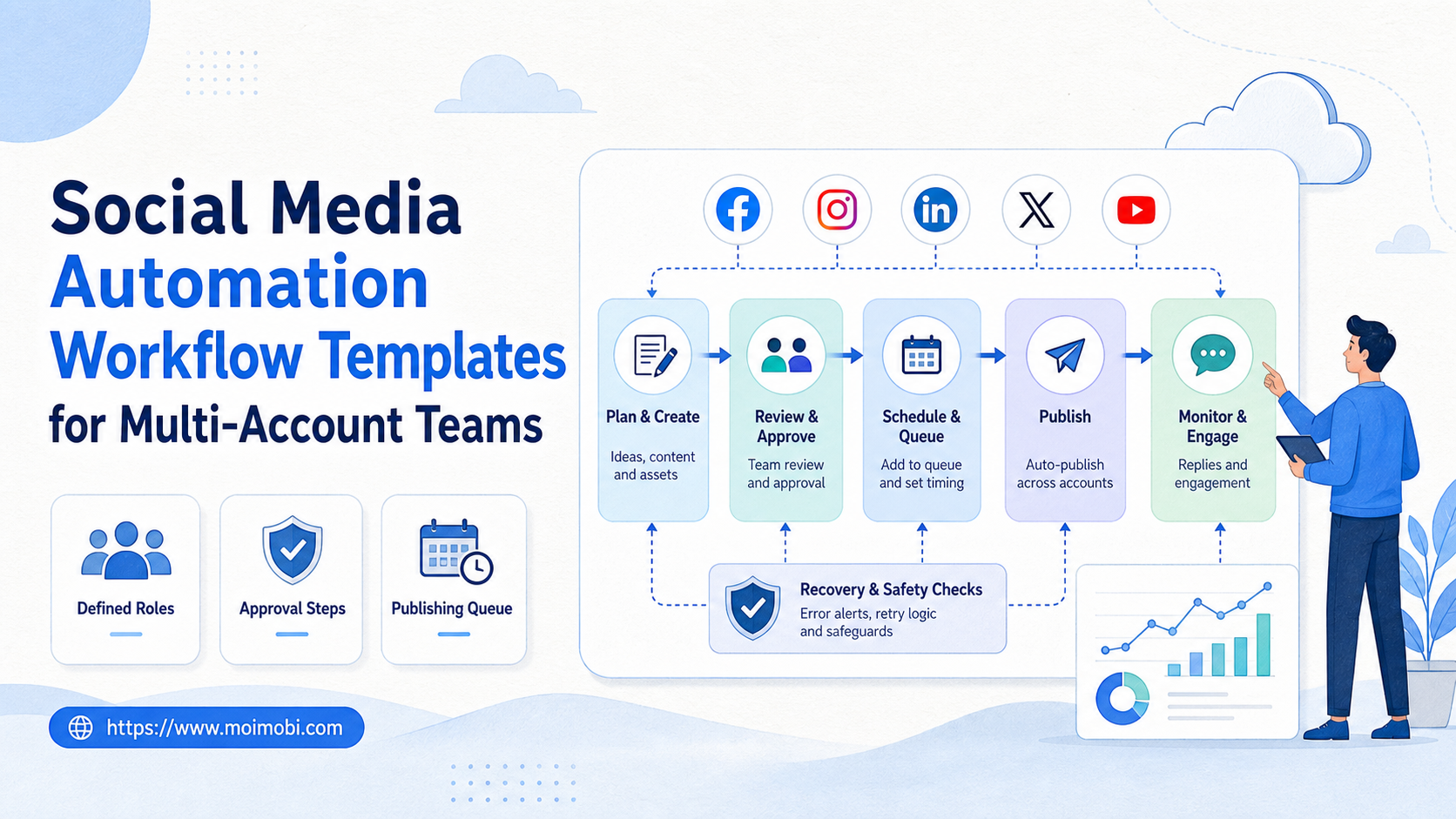
A social media automation workflow template is a reusable operating plan for publishing, replying, monitoring, and reporting across multiple accounts. It defines who owns each account, which environment runs the task, what needs review, and how the team records the result.
For multi-account teams, the template matters more than the button that starts the task. A weak template turns automation into scattered activity. A strong template turns repeated social work into an auditable workflow.
Moimobi is built around this execution view. Its browser and mobile execution system gives teams a place to run account work with profiles, devices, task queues, and review records instead of relying on one shared browser or a loose spreadsheet.
Key Takeaways
- Social media automation workflow templates should define account ownership, task scope, environment, approval, and recovery.
- Multi-account teams need different templates for publishing, replies, monitoring, and customer follow-up.
- Automation should not be designed as unlimited posting, bulk messaging, or fake engagement.
- A workable template includes stop rules for account issues, platform changes, failed uploads, and uncertain replies.
- The best first workflow is narrow: one platform, one account group, one task type, and one measurable result.
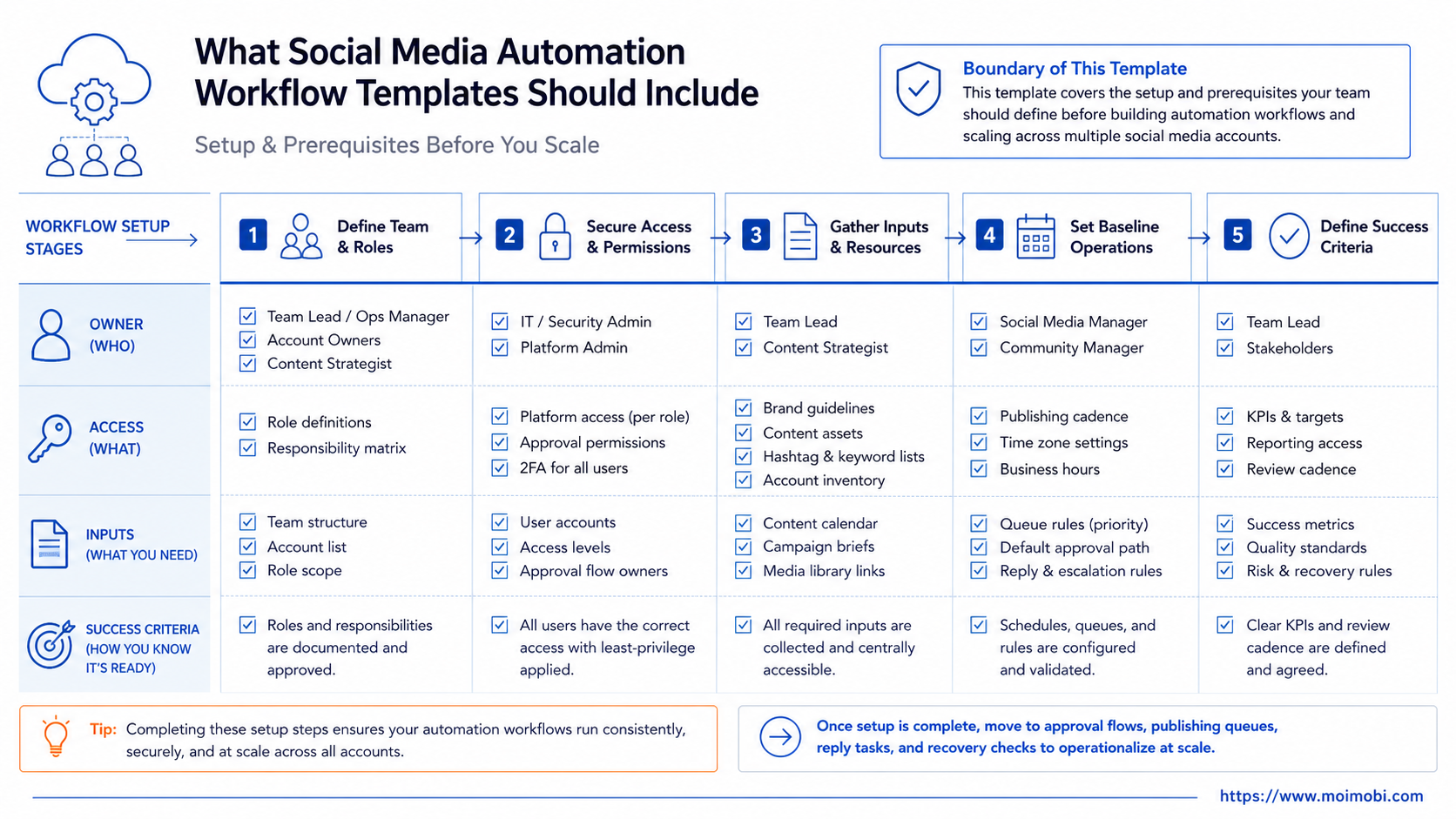
What Social Media Automation Workflow Templates Should Include
Strong workflow templates turn repeated team behavior into a clear sequence. The template is not only a checklist. It is the contract between the account owner, content operator, reviewer, and execution environment.
Start with five fields:
| Template Field | What It Controls | Example |
|---|---|---|
| Account role | Which account can run the task | Brand page, creator account, support account |
| Task type | What the workflow may do | Publish, reply, monitor, collect leads |
| Execution environment | Where the task runs | Browser profile, Android workspace, cloud phone |
| Approval rule | When humans must review | First reply, edited caption, failed upload |
| Recovery record | What happens after failure | Retry, pause, assign owner, log reason |
This structure keeps the workflow practical. A TikTok posting automation task should not share the same rules as a customer reply queue. A monitoring task should not have permission to send messages. A reporting workflow should not modify content.
For teams using multiple browser and mobile environments, a browser profile and cloud phone workflow can separate web-side login work from app-side execution. That matters when one account needs dashboard access while another task depends on a mobile-first app flow.
Template 1: Publishing Workflow
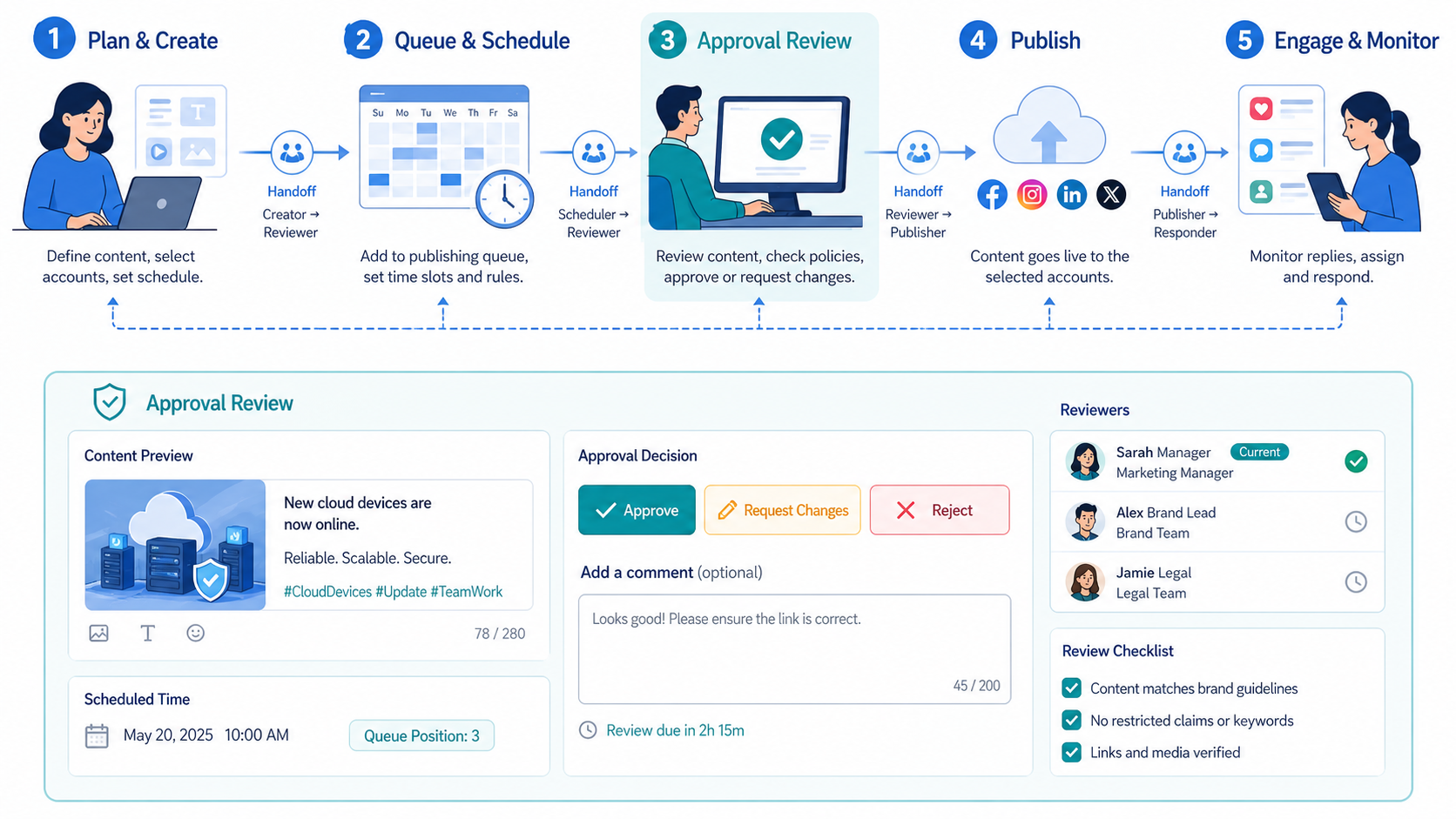
The publishing template covers content preparation, upload, review, scheduling, and result logging. It is the easiest place to start because the output is visible and easy to verify.
Use this sequence:
- Assign the account group.
- Attach the final asset, caption, hashtags, and disclosure note.
- Confirm the execution environment.
- Run a preview check.
- Require human approval before the first live post in a new campaign.
- Publish or schedule the post.
- Record URL, time, account, operator, and status.
The template should distinguish draft work from live execution. AI can help generate captions, variants, and campaign ideas. The execution workflow decides which account posts, which version goes live, and what happens if the platform blocks or changes the posting screen.
For sponsored or partner content, teams also need disclosure checks. The FTC states that influencers and marketers need clear disclosures when a relationship could affect how audiences evaluate a recommendation. That makes disclosure a workflow field, not an afterthought.
Template 2: Reply and Inbox Workflow
Reply automation is more sensitive than publishing. A bad caption is visible, but a bad reply can damage trust or trigger complaints. The reply template should therefore separate preparation from sending.
Use these states:
| State | Meaning | Owner |
|---|---|---|
| New message | A comment, DM, or mention needs review | Support queue |
| Suggested reply | AI drafts a response or label | AI assistant |
| Human review | Operator checks tone, facts, and intent | Support lead |
| Sent | Reply is approved and delivered | Account owner |
| Escalated | Pricing, complaint, legal, or sensitive case | Human team |
This template works for Instagram, TikTok, WhatsApp, Telegram, Facebook, and similar customer channels. The goal is not to push the same message everywhere. The goal is to reduce repeated preparation while keeping judgment in the loop.
A team can start with reply suggestions only. After the workflow is stable, it can allow low-risk replies with approval. High-risk replies should stay manual. Examples include refund requests, complaints, medical claims, financial claims, and legal questions.
Template 3: Monitoring and Competitor Tracking
Monitoring workflows collect signals. They should not behave like engagement farms. The template should define the search scope, source list, frequency, and output format.
A monitoring workflow may check:
- Competitor post themes.
- Comment patterns.
- Repeated customer questions.
- Product feedback.
- Influencer campaign examples.
- Account-level performance notes.
- Content formats that deserve testing.
The result should be a short report, not a raw dump. Operators need to know what changed, which account or campaign is affected, and what action should happen next.
TikTok’s Community Guidelines warn against spam, deceptive behavior, fake engagement, and automated bulk operation of accounts for platform manipulation. For that reason, monitoring templates should not be converted into mass-like, mass-follow, or fake engagement workflows.
Template 4: Lead Follow-Up Workflow
Lead follow-up combines content, messaging, and sales operations. The workflow should begin only when there is a clear trigger. A comment keyword, form submission, event signup, or customer inquiry is stronger than a cold list of strangers.
Define these fields before automation:
- Lead source.
- Account used for follow-up.
- First message type.
- Human approval threshold.
- Stop rule after no response.
- Owner for qualified leads.
- CRM or sheet destination.
The most useful version of this template is conservative. It prepares the next action, suggests language, and records the state. It does not need to send unlimited outreach.
Meta’s Automated Data Collection Terms say automated collection from Meta products requires express permission unless otherwise explicitly authorized. That is a reminder to keep data collection, scraping, and outreach workflows inside approved boundaries.
Fit and Not-Fit Guidance
Social media automation workflow templates fit teams that already have repeated tasks. They help when the same work happens across accounts, platforms, or regions every week.
Strong Fit
- Teams managing multiple brand or client accounts.
- Operators repeating publishing, reply, and monitoring tasks.
- Agencies that need audit trails for client work.
- Support teams that need consistent handoff rules.
Weak Fit
- One-off campaigns with no repeatable process.
- Workflows built only for bulk messaging.
- Teams with no owner for account recovery.
- Operations that ignore platform policy boundaries.
The fit test is simple. If the team cannot describe the task in five steps, do not automate it yet. If the team cannot name the recovery owner, do not scale it yet.
Pilot Rollout and Measurement
A pilot should prove that the template works before the team adds more accounts. Use one platform, one task type, and a small account group.
Track these signals:
| Signal | Why It Matters |
|---|---|
| Completion rate | Shows whether the task path is stable |
| Human review rate | Shows how often judgment is still required |
| Failure reason | Shows whether issues are caused by content, account, or platform state |
| Recovery time | Shows whether the team can fix problems quickly |
| Account notes | Shows whether one account behaves differently from others |
The pilot should end with a clear decision. Keep the template, revise the sequence, split it into two templates, or retire it. Avoid adding more accounts until the team can explain the last several runs from logs alone.
Common Mistakes to Avoid
The first mistake is using one template for every platform. TikTok posting, Instagram replies, Facebook page checks, and WhatsApp follow-up do not share the same risk profile.
The second mistake is skipping account ownership. When three people can operate the same account with no record, nobody knows who changed the workflow.
The third mistake is treating automation as a substitute for policy judgment. A tool can execute steps. It cannot remove the need to follow platform rules, customer communication standards, or campaign disclosure requirements.
The fourth mistake is ignoring recovery. Teams usually document the happy path. The useful template also defines what to do when the upload fails, a login challenge appears, a reply is ambiguous, or the account needs manual review.
How Moimobi Supports Workflow Templates
Moimobi helps teams turn templates into operational workspaces. The system connects AI assistance with browser profiles, cloud phone environments, Android devices, and task records.
For account-heavy teams, the key value is separation. A publishing workflow can run in one account environment. A support workflow can run in another. A monitoring workflow can produce notes without gaining permission to send replies.
Teams can also connect templates to a multi-account operations workspace. This keeps roles, account groups, and task ownership visible while the team expands across platforms.
How Social Media Automation Workflow Templates Handle Governance
Workflow governance sounds formal, but the first version can stay simple. The team needs enough structure to know what ran, who approved it, which account was used, and what happened after the task finished.
Use three review layers. The first layer is task review. It confirms that the workflow still matches the original purpose. The second layer is account review. It confirms that the correct profile, mobile environment, and account role were used. The third layer is result review. It confirms that the output is usable and the failure record is clear.
Governance also prevents accidental permission creep. A template that starts as “collect comments for review” should not quietly become “send replies from all accounts.” That change needs a different approval rule, a different recovery path, and a different owner.
Add these fields to every template:
- Template owner.
- Last review date.
- Allowed task actions.
- Disallowed task actions.
- Required approval point.
- Failure categories.
- Recovery owner.
- Final record location.
The final record matters because social media operations are distributed. A publisher may run the upload. A support lead may approve the reply. A manager may review the weekly report. Everyone needs one consistent record instead of screenshots scattered across chat.
Adapting Templates by Platform and Account Type
Platform and account role should change the template. A TikTok creator account, Instagram support account, Facebook page, and WhatsApp business account do not need the same workflow.
For TikTok posting, the template may focus on upload status, caption review, disclosure, and comment monitoring. For Instagram replies, the template may focus on inbound message classification and human approval. For WhatsApp customer follow-up, the template may emphasize consent, owner assignment, and escalation.
Account role matters as much as platform. A main brand account may need stricter approval than a test account. A customer support account may need a faster handoff than a content account. A regional account may need local timing, language review, and region-specific owner notes.
This is where multi-account workflow design becomes practical. Do not create one large automation that tries to do everything. Create smaller templates that share a common record format. The common format lets managers compare results without forcing every account into the same execution path.
Frequently Asked Questions
What are social media automation workflow templates?
They are reusable task plans for social media operations. A template defines the account, platform, environment, approval rule, and recovery step for a repeated workflow.
Are templates the same as social media scheduling?
No. Scheduling is one task. Workflow templates also cover replies, monitoring, lead follow-up, ownership, and failure handling.
Can a small team use these templates?
Yes. A small team should start with one publishing template or one reply template. The goal is control, not size.
Should every reply be automated?
No. Replies that involve complaints, pricing, legal issues, sensitive claims, or uncertain intent should usually require human review.
How many accounts should a pilot include?
Start with a small account group. Add accounts only after the workflow has stable logs, clear failure categories, and a recovery owner.
Do templates reduce platform risk?
They can reduce operational mistakes, but they do not remove platform policy requirements. Teams still need to avoid spam, fake engagement, and unauthorized collection.
What should a template measure?
Measure completion rate, review rate, failure reason, recovery time, and account-level notes. These show whether the workflow is ready to scale.
Where does Moimobi fit?
Moimobi provides execution environments and account workflow control. It helps teams connect AI planning with browser and mobile task execution.
Conclusion
Social media automation workflow templates help multi-account teams move from scattered manual work to controlled execution. The best templates define account ownership, task scope, environment, approval, and recovery before the team scales.
Start with one repeated workflow. Prove it with a small pilot, review the logs, and only then expand across more accounts or platforms.
References