
Key Takeaways
- A social media automation audit trail records who did what, from which account, in which environment, and with what result.
- Audit trails matter most when teams run many accounts, many operators, or mixed browser and mobile workflows.
- The useful record is not only “task succeeded.” It includes ownership, approvals, pauses, retries, and recovery actions.
- Teams should test audit quality before scaling automation across social platforms.
- Moimobi helps when account operations need isolated environments and readable execution history.
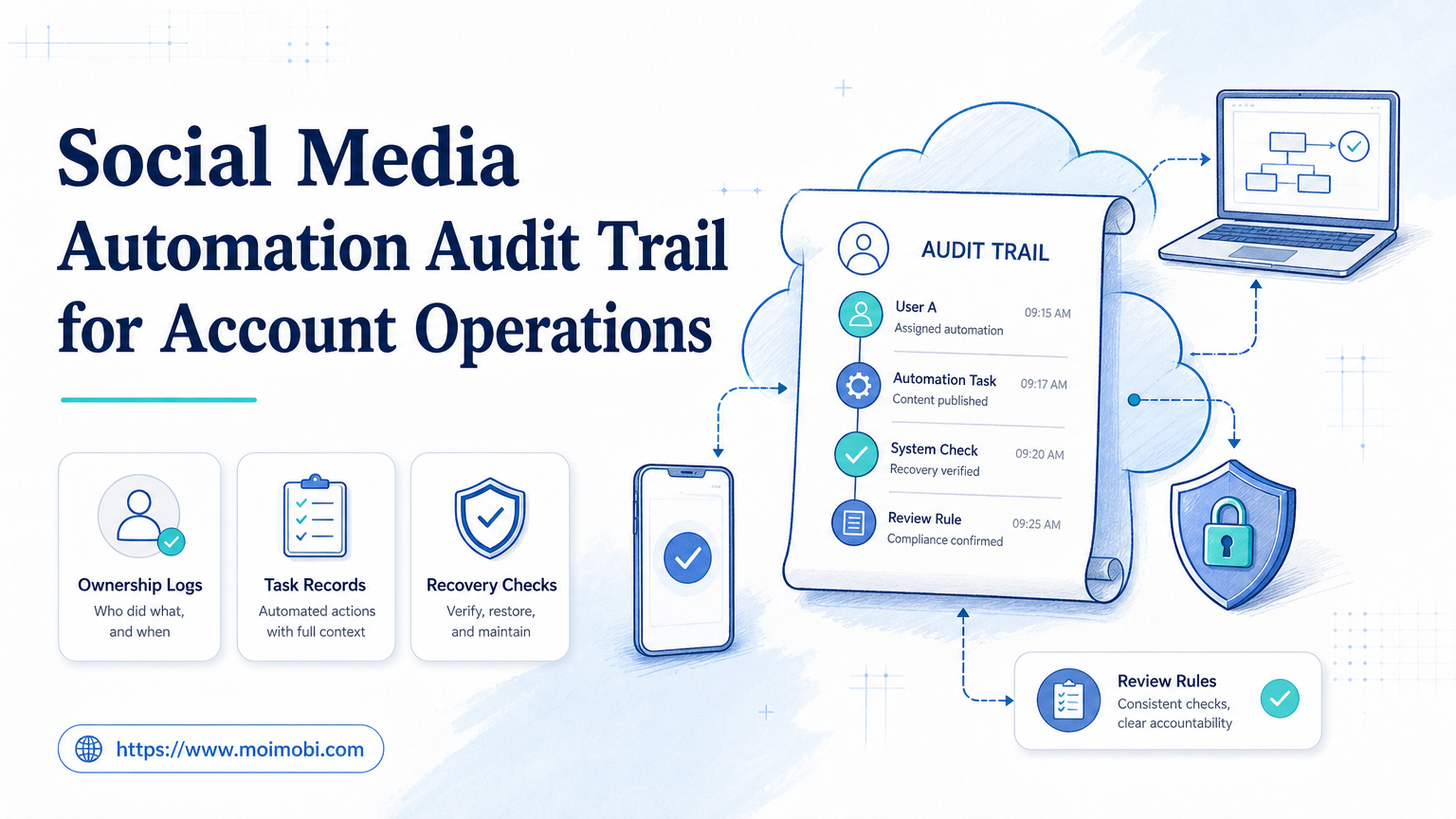
A social media automation audit trail is a chronological record of account activity, task execution, operator actions, environment changes, and workflow results. It helps teams understand what happened before, during, and after automated social media work.
Without an audit trail, automation becomes difficult to manage. A team may know that a post was published or a reply was sent, but not who approved it, which account executed it, which environment ran it, or why a retry happened.
NIST defines an audit log as a chronological record of system activities, including access and operations over a period. That definition fits social media operations well. Teams need records that explain account access, task actions, and exceptions, not just dashboard totals.
The Core Idea Behind a Social Media Automation Audit Trail
The core idea is traceability. Every important action should connect to an account, task, environment, operator, timestamp, and outcome.
For account operations, that means the audit trail should answer six practical questions:
- Which social account was used?
- Which task was started?
- Which operator or automation workflow started it?
- Which browser profile, cloud phone, or mobile device executed it?
- Was approval required before the action?
- What happened when the task completed, failed, or paused?
These fields turn automation from a black box into an operating system. Managers can review how work moved, where it stopped, and which step needs repair.
| Audit Field | Why It Matters | Example |
|---|---|---|
| Account ID | Shows which account performed the action | brand_tiktok_03 |
| Environment | Shows where execution happened | Android-12 cloud phone or browser profile 18 |
| Task ID | Connects the action to a workflow | reply-review-20260711-42 |
| Approval status | Shows whether a person reviewed the action | approved, edited, rejected, escalated |
| Recovery action | Explains what happened after failure | paused account, retried once, reassigned operator |
This record does not need to be heavy. It needs to be consistent. A simple audit record that every workflow writes is better than a complex log that only covers one platform.
Why Teams Search for This Topic
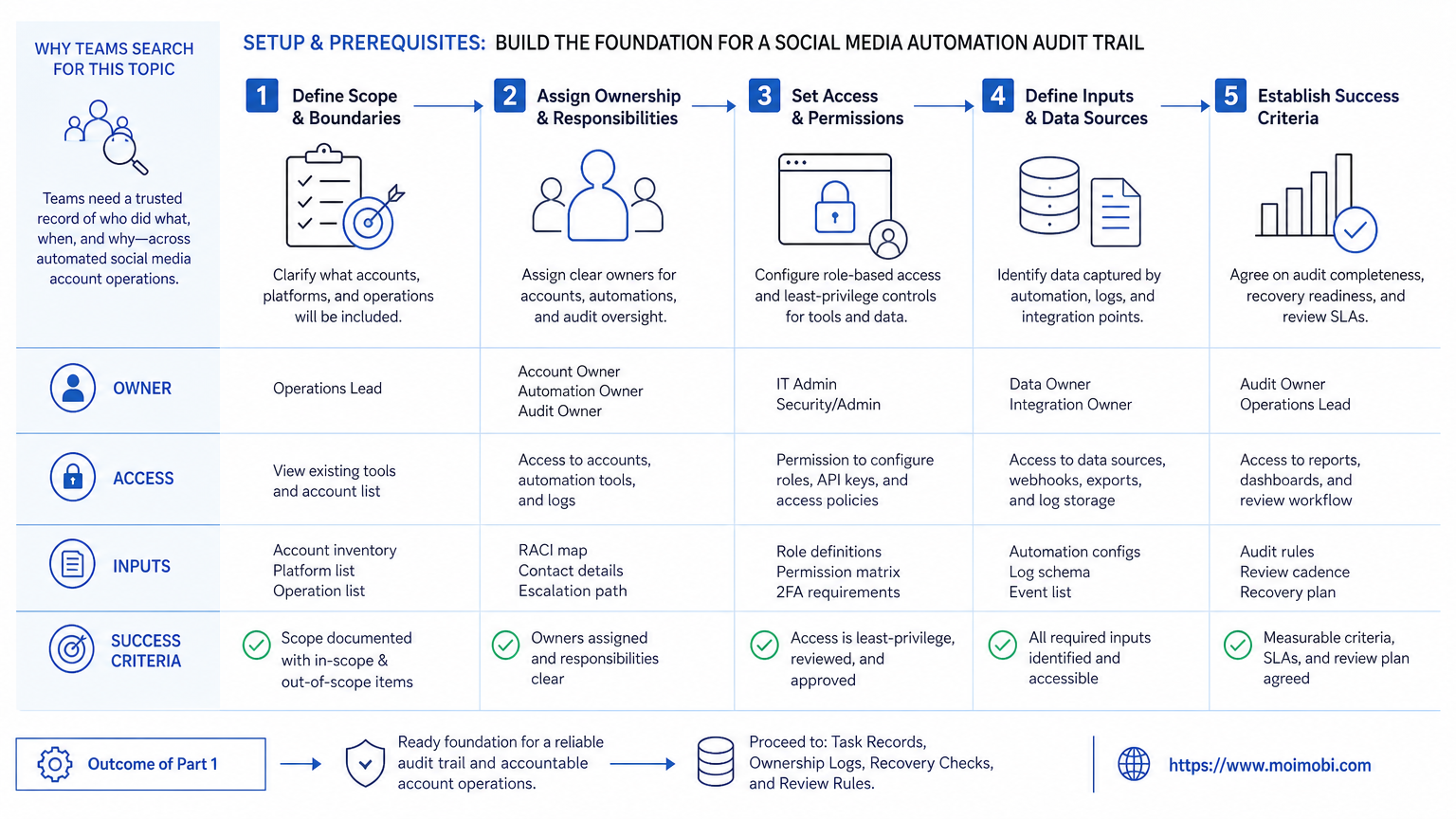
Teams usually search for this topic after automation starts to create uncertainty. They may have multiple accounts, several operators, and tasks running across content publishing, comment replies, inbox checks, and competitor monitoring.
The pain appears when something goes wrong. A customer receives a wrong reply. A scheduled post uses the wrong account. A workflow repeats a task. A manager asks who approved an action, and no one can answer.
Platform rules make traceability more important. X’s automation rules warn against spammy and aggressive automated behavior. Meta’s Instagram comment moderation documentation shows official comment actions such as reading, replying, hiding, deleting, and disabling comments on owned media. TikTok developer documentation separates API products and permissioned operations. These platform boundaries mean teams should know exactly which workflow did what.
A social media automation audit trail does not make every action acceptable. It makes actions reviewable. That difference matters when teams need to pause, correct, or explain their workflows.
Who Benefits Most and In What Situations
Audit trails are most useful when social work is shared. A solo creator can often remember what happened. A team cannot rely on memory.
- Agencies managing client accounts.
- Brands with separate content, support, and growth teams.
- Cross-border sellers using social and messaging channels.
- Teams running browser and mobile workflows together.
- Teams without clear account ownership.
- Workflows that send replies without review rules.
- Operations with no pause or escalation process.
- Automation built only to increase volume.
The strongest fit is multi-account operations. When one account maps to one environment and one workflow owner, review becomes easier. When accounts, devices, and operators are mixed freely, the audit trail has to work harder.
Moimobi is designed for this kind of execution layer. Teams can combine device isolation, mobile automation, and account workspaces so activity is not scattered across unmanaged tools.
How to Start a Social Media Automation Audit Trail
Start with the minimum useful record. Do not wait for a perfect analytics system.
Use this workflow:
- Define account ownership. Each account should have an owner, team, or workflow role.
- Map execution environments. Link each account to a browser profile, cloud phone, Android device, or app workspace.
- Create task IDs. Every publish, reply, monitor, or lead task needs a unique task record.
- Record approval state. Track whether the action was automatic, reviewed, edited, or escalated.
- Log exceptions. Save failure reason, retry count, pause action, and recovery owner.
- Review weekly. Check repeated failures, unclear ownership, duplicate actions, and missing logs.
This sequence is intentionally simple. It gives the team a record before building advanced reporting. If a workflow cannot write these fields, it is not ready for broad automation.
Mistakes That Reduce Results
The first mistake is logging only success. Success logs are useful, but failures reveal whether the workflow is safe to scale. A missing failure record can hide repeated problems.
The second mistake is treating account and environment as separate worlds. In real operations, an account action happens somewhere. The audit trail should show whether the task ran from a browser profile, a mobile device, or an app workflow.
The third mistake is hiding human review. If a person edits an AI-suggested reply, that edit matters. The audit trail should record the original suggestion, the final version, and the reviewer.
The fourth mistake is skipping stop rules. A workflow should pause when account ownership is unclear, when retries repeat, when platform permissions fail, or when a task touches sensitive customer issues.
Pilot Rollout, Measurement, and Recovery Checks
Pilot the audit trail on one workflow before using it everywhere. Pick a low-risk task such as content approval, comment triage, or inbox labeling.
Measure audit quality with practical questions:
- Can the team find every task by account?
- Can managers see who approved or edited an action?
- Can the system show which environment executed the task?
- Can failures be grouped by cause?
- Can recovery actions be reviewed later?
- Can duplicate actions be traced back to a scheduler or operator?
The recovery check is the most important test. Choose one failed task and reconstruct the full path. If the team can identify account, environment, task, owner, approval state, and recovery action, the audit trail is working.
If the team cannot answer those questions, reduce scope. Do not add more accounts until the current workflow is explainable.
A minimum acceptable pilot should produce three review artifacts: a task list, an exception list, and a recovery log. The task list shows normal work. The exception list shows where automation paused or needed help. The recovery log shows what the team changed after a failure. Together, these three records give managers enough detail to decide whether the workflow is ready for more accounts.
What to Record for Browser and Mobile Execution
Browser and mobile workflows need slightly different audit fields. Browser work often depends on profile, cookies, dashboards, and operator sessions. Mobile work depends on device assignment, app version, login state, and network route.
For browser execution, record:
- browser profile ID;
- account workspace;
- operator;
- dashboard or platform;
- task type;
- timestamp and result.
For mobile execution, record:
- device or cloud phone ID;
- app name and app version;
- account assignment;
- network route label;
- task ID;
- pause or retry reason.
This separation helps teams avoid vague reports. “Task failed” is not enough. “Instagram reply task failed on Android-07 after login refresh” gives the operator a useful next step.
Data Model for a Social Media Automation Audit Trail
The data model should stay boring. Complex schemas are hard to maintain during daily operations. A practical model has a few core objects and clear relationships.
The first object is the account. It stores the platform, account label, owner, region, status, and approved workflow types. This prevents a scheduler from treating every account as interchangeable capacity.
The second object is the execution environment. It can be a browser profile, cloud phone, Android device, or mobile workspace. The record should show which account is assigned to it, when that assignment changed, and who approved the change.
The third object is the task. A task should include type, source, input, owner, approval state, start time, end time, and result. Publishing, replying, monitoring, and lead collection should not share one vague “automation action” label.
The fourth object is the event. Events are smaller than tasks. They include login refreshed, app opened, comment found, draft created, human approved, reply sent, task paused, retry started, or escalation created.
This structure gives the team both a summary and a timeline. Managers can ask, “Which accounts failed today?” Operators can ask, “What happened before this retry?” Both questions use the same records.
| Object | Required Fields | Review Question |
|---|---|---|
| Account | Platform, owner, status, workflow scope | Who is responsible for this account? |
| Environment | Device/profile ID, assignment, network label | Where did the action run? |
| Task | Task type, source, approval, result | What was the system trying to do? |
| Event | Timestamp, actor, action, error code | What happened at this step? |
Avoid storing only screenshots or final status. They may help later review, but they do not replace structured fields. A record with task ID, account ID, environment ID, and event type is easier to search and compare.
Weekly Review Reports and Escalation Rules
Audit trails become useful when teams review them. A log that no one reads becomes storage, not management.
A weekly report should answer five questions. Which accounts had the most failures? Which workflow created the most retries? Which operator or queue had the longest approval delay? Which environments had unexplained changes? Which tasks required manual correction?
The report should separate normal friction from urgent escalation. A single edited AI reply may only show normal review. Repeated edits on the same reply category may show a weak prompt, unclear policy, or bad template.
Escalation rules should be written before the team scales. Escalate when:
- the same account fails in two different environments;
- the same task retries more than the allowed limit;
- an operator cannot identify who approved a public reply;
- a customer issue was handled without review;
- environment assignment changes without a reason;
- a workflow creates duplicate posts, replies, or DMs.
Managers should use these rules to improve the workflow, not only to blame operators. A good review loop finds weak routing, missing approvals, unclear ownership, and task categories that should stay manual.
For a growing team, this report becomes a planning tool. It shows which workflows can scale and which ones need better controls. That is how account operations move from manual memory to repeatable execution.
Frequently Asked Questions
What is a social media automation audit trail?
It is a chronological record of account actions, task execution, environment use, approvals, failures, and recovery steps.
Why does social media automation need audit logs?
Teams need to know what happened, who approved it, and which account or environment performed the action.
Is an audit trail only for compliance?
No. It also helps daily operations, debugging, handoff, and workflow improvement.
What should be logged first?
Start with account, task ID, environment, operator, approval state, timestamp, result, and failure reason.
Does this replace human review?
No. It makes human review visible. Sensitive replies, customer issues, and account changes still need owner judgment.
How often should teams review logs?
Weekly review is practical for many teams. Review sooner when failures repeat or account ownership is unclear.
Can Moimobi support audit trails?
Moimobi supports account-based execution environments, device isolation, and workflow records for browser and mobile operations.
What is the main warning sign?
The biggest warning sign is an action that no one can connect to an account owner, task, or execution environment.
Conclusion
A social media automation audit trail turns automation into accountable operations. It records account, environment, task, owner, approval, result, and recovery.
Start small. Pick one workflow, define the required fields, run a recovery check, and confirm the team can explain every action. Scale only after the trail is readable.



