
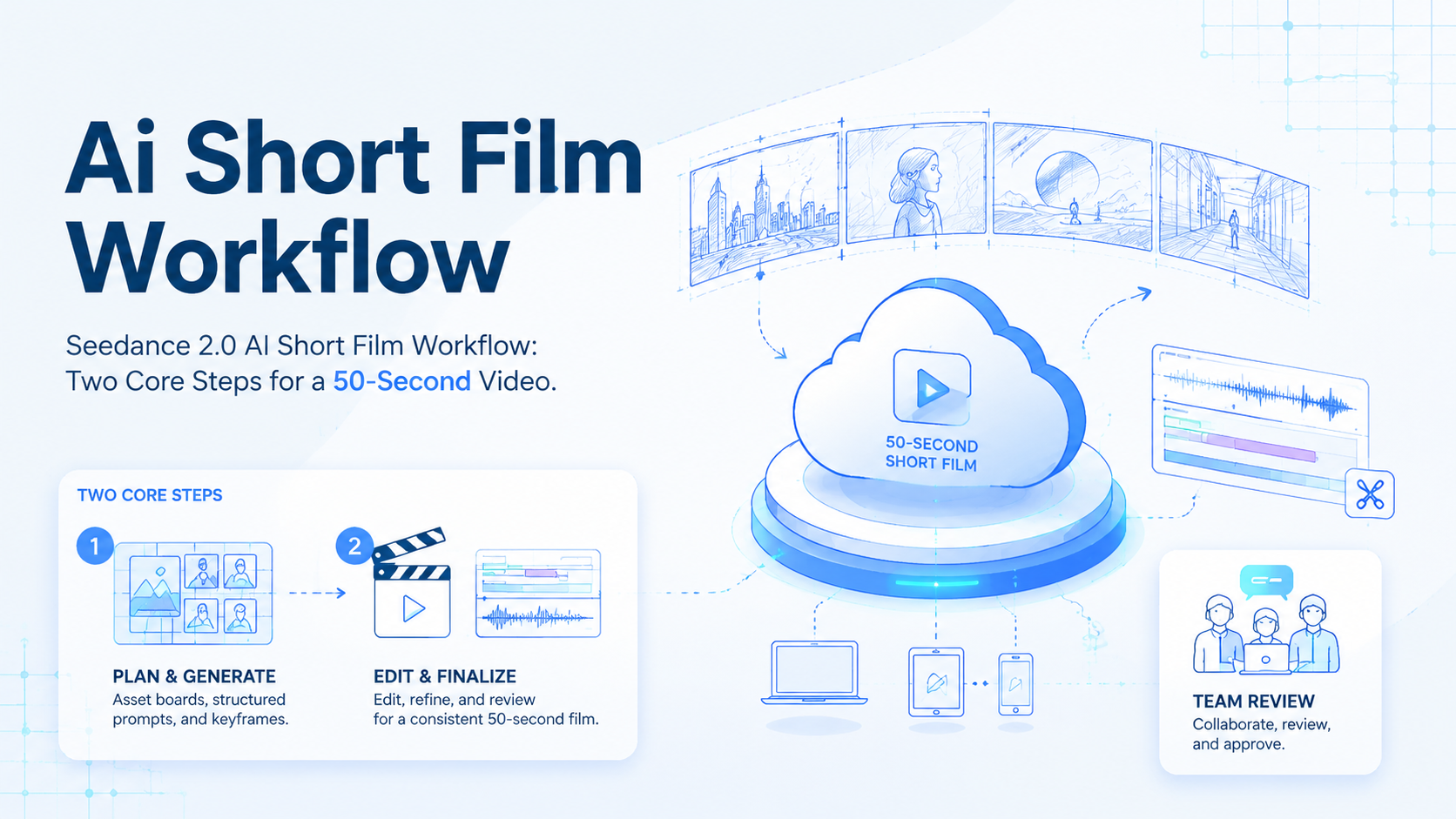
An AI short film workflow is a repeatable production process for turning a script, visual references, prompts, generated clips, and edits into one coherent video. It is not only about generating one strong shot.
The harder part is keeping character, environment, style, motion, and story consistent across several clips. The article being rewritten here gives a practical workflow: build a unified asset board first, then use Seedance 2.0’s reference mode with structured video prompts.
This matters for teams that produce short-form content at scale. A single prompt can create a striking clip. A repeatable workflow creates reusable assets, review checkpoints, and publish-ready videos. For growth teams, that workflow should eventually connect with an AI browser, content library, account routing, and review state.
Good workflow documentation also helps SEO. Google’s helpful content guidance recommends content that is useful, experience-based, and written for people first. In this case, the useful part is not a tool name.
The practical sequence matters: asset board, prompt blocks, clip duration, keyframe continuity, edit review, and team reuse. See Google Search Central’s helpful content guidance for the broader principle.


Key Takeaways
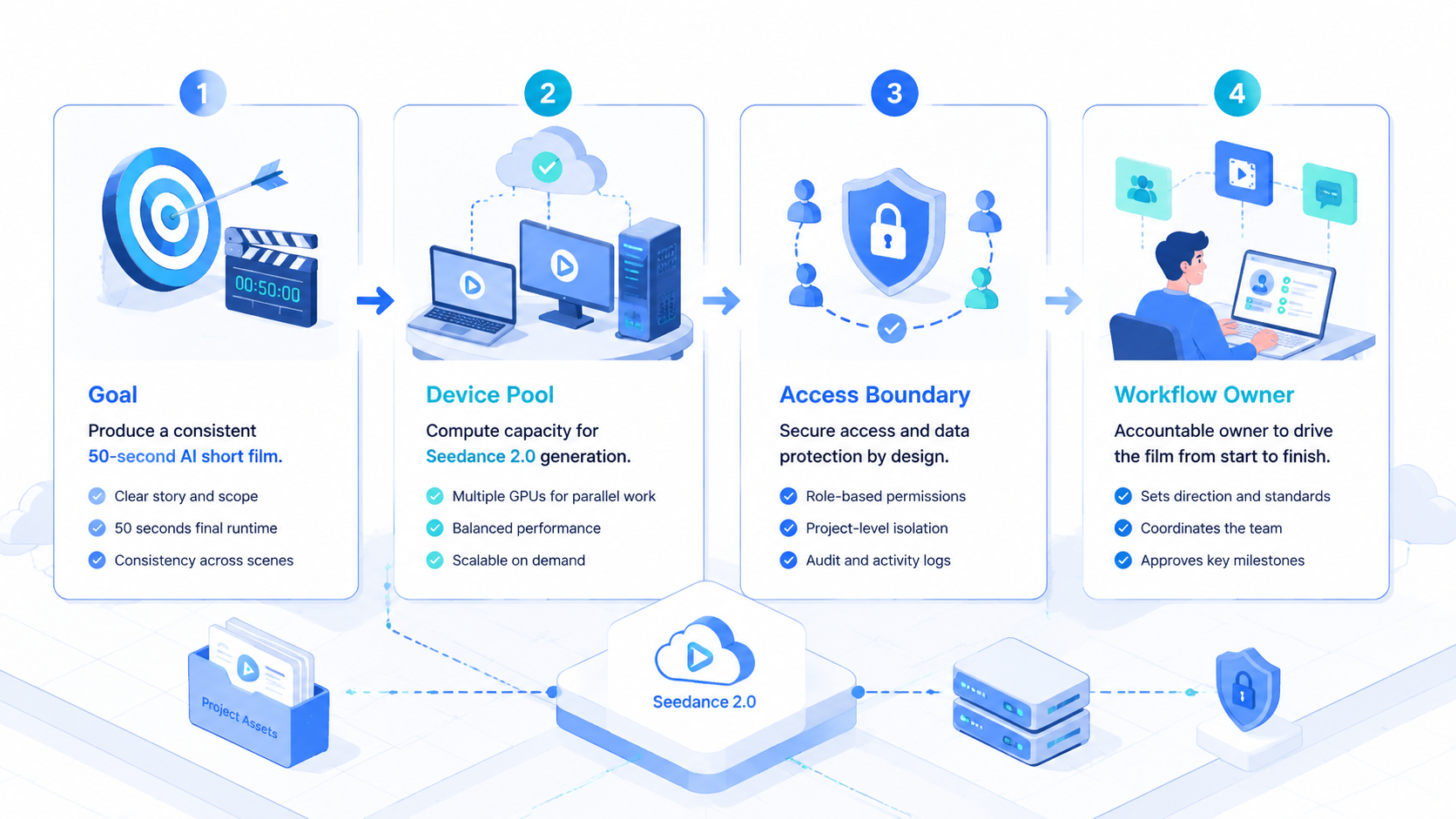
- The workflow starts with a unified asset board, not isolated shots
- Asset images help preserve characters, side roles, settings, and color tone
- Seedance 2.0 reference mode can reduce dependence on storyboard frames
- Video prompts still need scene order, camera action, sound limits, and duration
- Teams should store scripts, assets, keyframes, clips, edits, and review notes
Why an AI Short Film Workflow Needs an Asset Board
Many AI video attempts fail because each clip is generated as a separate idea. The first shot looks good. The next shot changes the character.
Then the location or lighting shifts. When the editor joins the clips, the short film feels unstable.
That breaks trust because viewers notice continuity errors faster than teams notice prompt drift during production.
An asset board gives the model one visual reference system. It can include the main character, supporting roles, environment views, color palette, mood, and style constraints. Instead of asking the video model to recreate the world from text every time, the team gives it a shared visual anchor.

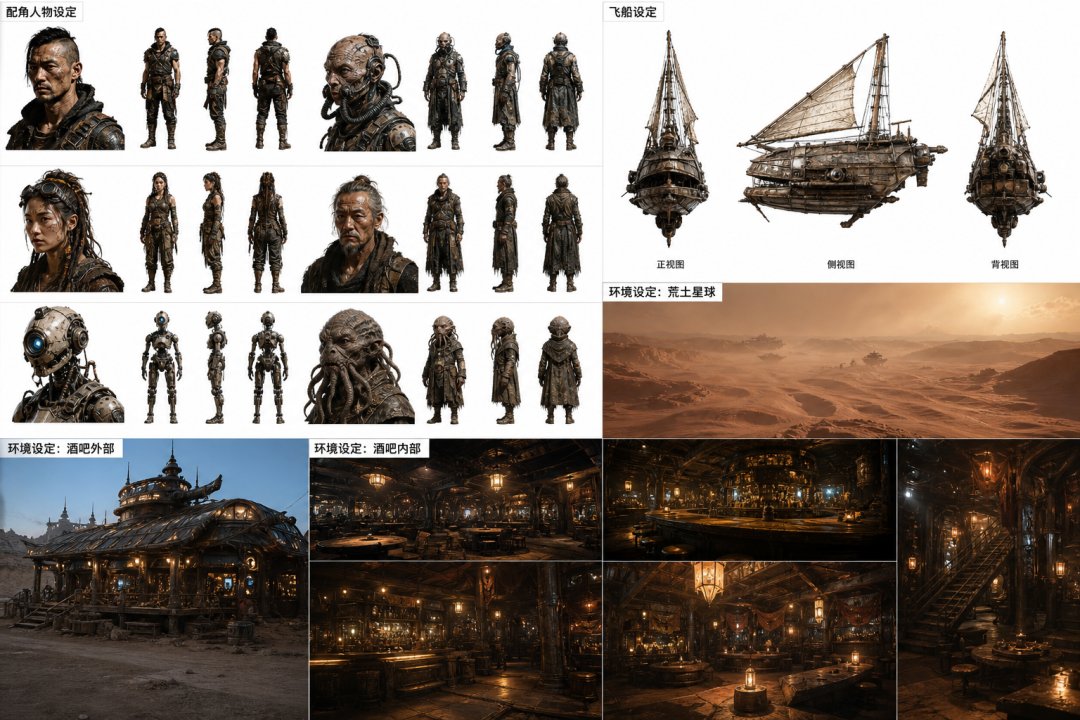
In the source workflow, the asset board defines a wasteland cyber world, a seaside villa, zombie robot patrols, character style, environment views, and cinematic realism. That is more useful than a single pretty image because it becomes production material for later shots.
The Two-Step AI Short Film Workflow
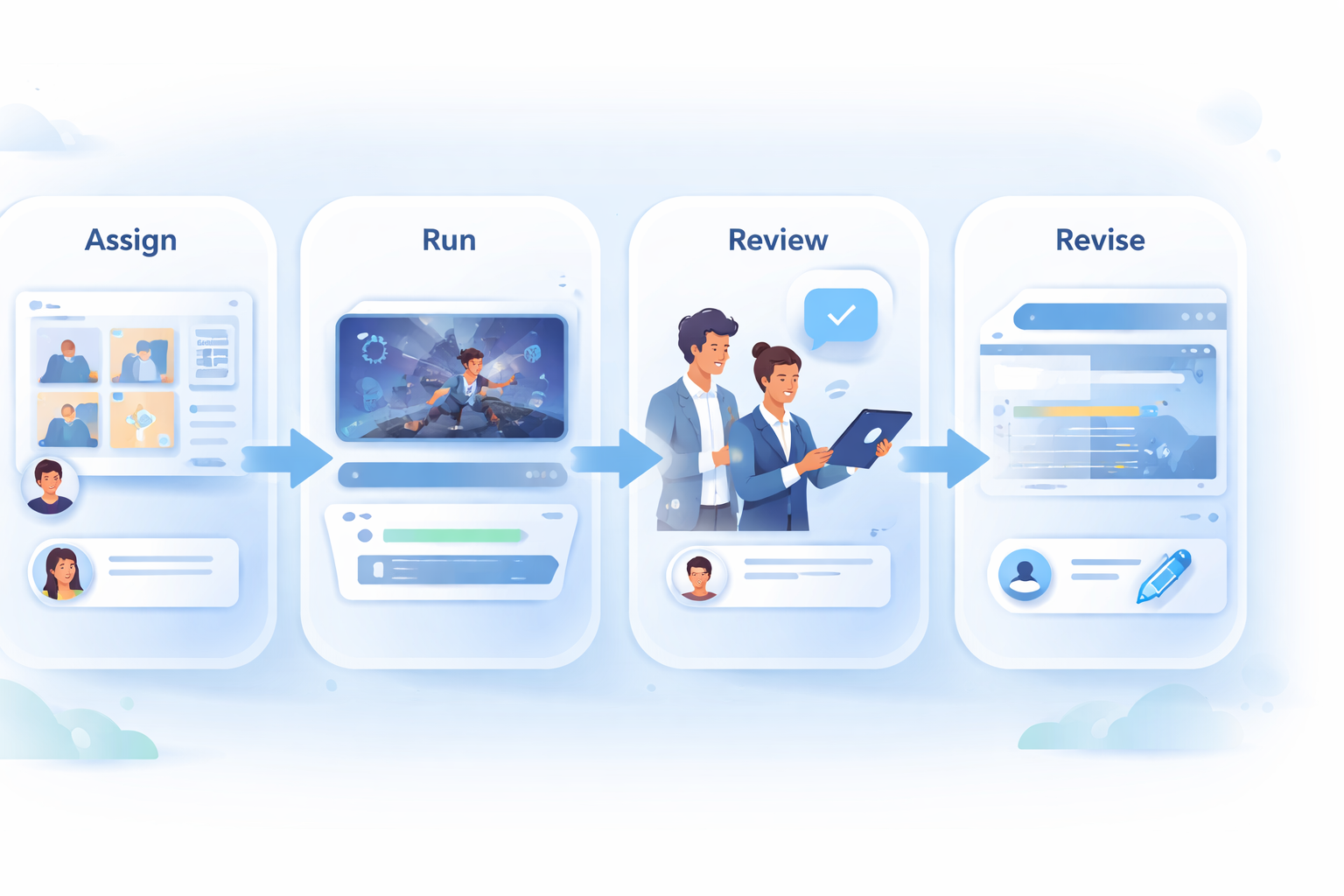
The core method is simple. Step 1 creates the asset board. Step 2 uses structured video prompts inside Seedance 2.0’s reference mode. Editing then joins the generated clips into one short film.
Traditional production may require a script, storyboard, multiple environment images, first frames, last frames, video generation, and editing. This workflow reduces some of that preparation by making the asset board and prompt structure carry more of the control.
| Stage | Traditional method | Two-step AI workflow |
|---|---|---|
| Character consistency | Multiple character sheets and frame checks | One asset board anchors the character system |
| Scene consistency | Separate environment images | Unified visual board for location and tone |
| Shot control | Storyboard and first/last frames | Structured prompt with scene order |
| Clip generation | Many manual references | Reference mode plus keyframe reuse |
| Editing | Assemble and repair | Assemble, add sound, text, and rhythm |
This is not a one-click film pipeline. It is a lighter production workflow that still requires decisions, review, and editing.
Step 1 in the AI Short Film Workflow: Build the Asset Image
The asset image should answer one question: what world should every later clip come from? In this example, the answer is a bright seaside villa in a wasteland cyber world with a zombie robot patrol and a realistic cinematic look.
The prompt includes setting, supporting characters, environment views, style, lighting, texture, and negative constraints. It also asks the image model to keep the visual style aligned with reference images. That keeps the board useful for future video generation.


For a team, the asset board should be treated as a production file. Store it with the script, prompt, intended channel, owner, and review status. That makes the board reusable instead of being a one-off image.
No shortcut replaces that shared context when several operators need to generate clips from the same story world.
A Better Asset Prompt Structure
A strong asset prompt has several blocks. Start with the world: location, era, atmosphere, and genre. Then define the main character and side roles.
Next, define the environment views that should appear. After that, describe lighting, camera feel, color, texture, and style exclusions.
Keep it specific so the image model understands which details are stable production assets and which details are optional mood language.
The original prompt is useful because it includes constraints. It asks for cinematic realism, 35mm handheld camera feeling, strong contrast, realistic texture, and no game-CG or 3D-modeling style. Those negative constraints matter.
Use this compact structure:
| Prompt block | What to include |
|---|---|
| World | Genre, location, atmosphere, time, color tone |
| Characters | Main role, side roles, outfits, weapons, silhouettes |
| Environment | Exterior views, key locations, forbidden areas |
| Style | Camera, lighting, texture, realism level |
| Consistency | Match references, preserve face and palette |
| Negative rules | No unwanted style, no extra people, no wrong setting |
The more complex the short film is, the more useful this board becomes.
Treat the asset prompt like a production brief, not a caption. A caption describes the final image. A production brief tells the system what must stay stable later. That difference is important when the same asset board supports several generated clips.
Small details matter.
Teams should version the board. Save the prompt, the reference images, the generated asset image, and notes about what worked. When the next video needs a similar world, the team can reuse the structure and change only the scenario.
Step 2 in the AI Short Film Workflow: Generate Video With Reference Mode
The second step uses Seedance 2.0 reference mode. This workflow avoids building many first-frame and last-frame images. Instead, it relies on the asset board plus a structured video prompt. That tradeoff only works when the board can carry identity, location, and tone.
Check this.
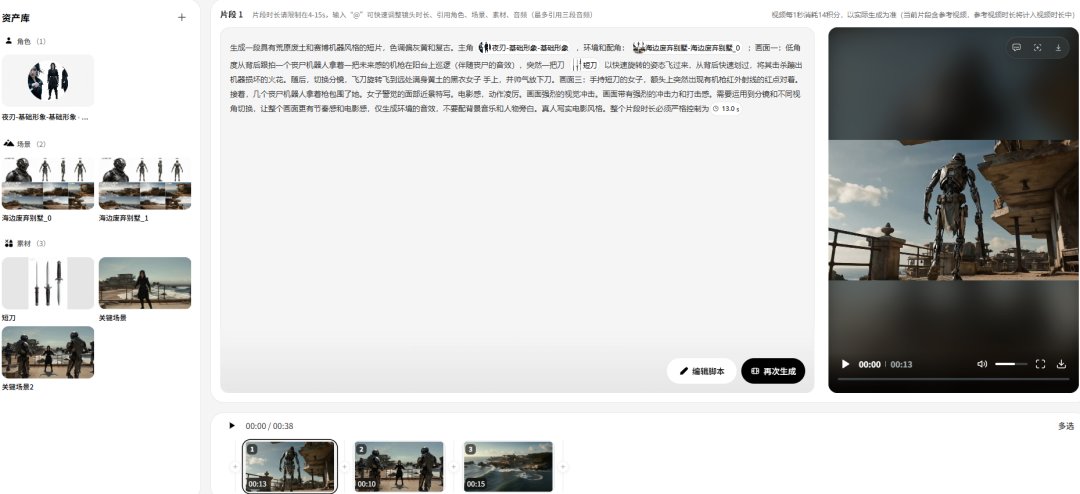
This saves preparation time, but it increases the importance of the prompt. The prompt needs to describe shot order, camera angle, character action, environment, sound limits, and duration. If it only says “make a cinematic fight,” the result may drift.
Be precise.
How to Write the Video Prompt
The example uses a three-part visual prompt. It defines a wasteland cyber tone, a recurring main character, the seaside villa environment, and then several shot beats.
One beat follows a robot patrol. Another beat shows a spinning blade strike. A later beat cuts to the heroine and the surrounding robots.
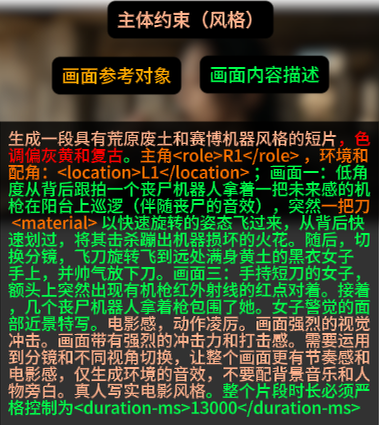
The reusable prompt structure looks like this:
| Prompt section | Purpose |
|---|---|
| Tone and world | Keeps the clip inside the same visual universe |
| Character and environment | Reuses the asset board |
| Shot 1 | Establishes action and camera angle |
| Shot 2 | Adds conflict or motion change |
| Shot 3 | Adds close-up, reaction, or hook |
| Sound rule | Limits music, narration, or unwanted audio |
| Duration | Keeps each clip editable |
Keep the language concrete. Name the camera angle, movement, subject, action, sound, and timing. A prompt should read closer to a shot plan than a mood sentence.
There is a useful editing rule here: one clip should do one job. Do not ask a single 12-second clip to introduce the world, show a chase, reveal a villain, complete a fight, and close the story. Separate those jobs into different clips. The final edit can create speed and drama without forcing the generation step to solve everything at once.
Cut later.
Why 12-15 Seconds Works Better
The practical target is 12-15 seconds with 3-4 visual moments. That range gives the model enough room to create motion while keeping the clip short enough to control. Longer clips can drift in character, action, or scene logic.
For a 50-second film, split the story into several controlled clips. Each clip should have one job: establish the scene, start the fight, continue the action, reveal a twist, or close the moment. Editing can create the final rhythm.
For teams that run content programs, the same idea applies to mobile automation and account operations. Break long workflows into smaller runs, review each run, and then assemble the result. This operating pattern is boring on purpose because boring checkpoints prevent expensive creative rework.
Keep control.
This is also easier to manage inside a team. A reviewer can approve one clip, reject one clip, and request a fix for one transition. The operator does not need to regenerate the entire short film after every small issue.
Ship safely.
Use Keyframes for Continuity
When two generated clips are closely connected, the workflow uses a keyframe from the previous clip as the next reference. This helps preserve character pose, location, and scene direction.

Keyframes are also useful for cost control. If a clip already has a good moment, reuse that moment and remove repeated prompt parts in the next generation. Shorter prompts and shorter clips can reduce repeated errors.
Keyframes should be selected deliberately. Pick frames where the face, body pose, camera direction, and environment are clear. Avoid blurry action frames unless the next shot is meant to continue the same motion.
Editing Turns Clips Into a Film
AI generation creates raw material. Editing makes the short film work. The editor still needs to order clips, trim weak parts, add sound effects, add text, and control pacing.
For an action clip, sound matters. Metal impact, movement, environment noise, and cuts can make a generated sequence feel more physical. Text and title cards can also help the viewer understand the setup quickly.
For social content operations, the finished clip should enter a review queue before publishing.
MoiMobi’s social media marketing, multi-account management, and cloud phone layers are relevant when teams route clips to different accounts or mobile app surfaces.
Production Checklist for Teams
| Step | Owner | Output | Review check |
|---|---|---|---|
| Script | Writer or operator | 50-second story outline | Conflict is clear |
| Asset board | Visual operator | Characters, side roles, environment | Style is consistent |
| Prompt set | AI operator | 3-5 structured prompts | Each clip has one job |
| Clip generation | AI operator | Video segments | Character stays stable |
| Keyframe reuse | AI operator | Reference frames | Continuity is preserved |
| Edit | Editor | Final video with sound and text | Rhythm is watchable |
| Publish | Growth operator | Account-ready asset | Owner approves |
This checklist turns the workflow into a team process. It also makes failures easier to diagnose. When the final video feels inconsistent, the team can inspect the asset board, prompt section, keyframe, or edit.
Common Failure Points in an AI Short Film Workflow
The first failure point is weak asset planning. A board that does not show the character, side roles, environment, and style clearly leaves too much work for text prompts. Text alone is easy to misread in visual generation.
Prevent that early by reviewing the asset board before the first generation run and keeping notes beside the prompt.
The second failure point is overloaded prompting. A prompt with too many actions often creates partial results. The fix is not always a longer prompt. Often the fix is a smaller clip with fewer jobs.
Less can work when each clip has one clear job, one visible subject, and one reviewable output.
The third failure point is late review. Waiting until the final edit to check consistency makes every mistake more expensive.
Review the asset board before generation. Review each clip before editing. Review the final version before publishing.
The fourth failure point is poor asset storage, especially when teams keep only the final export and lose the prompts behind it. A good failed attempt can still teach the team what to avoid. Store failed prompts and failed clips with notes. That history can prevent repeated mistakes in the next production cycle.
Save the lessons.
How Teams Can Adapt This Workflow for Campaigns
A campaign version of this workflow should start with the distribution goal. A product teaser needs a different opening than a creator story. A tutorial needs clearer step labels. A character-led short needs stronger continuity checks.
Context decides because the same visual world can support different business goals only when the opening, pacing, caption, and account target are chosen early.
Before generation, choose the campaign role for the film. Is it a hook for paid traffic? Is it a top-of-funnel social post?
The answer should shape the first shot, the asset board, and the review standard before anyone spends generation credits.
Maybe it is a reusable brand world. That decision changes the asset board and the prompt.
Choose early before the asset board, prompt set, and review checklist start pulling the short film in different directions.
For a hook-driven video, the first clip should carry the tension. The asset board still matters, but the prompt should give more detail to the opening motion, first close-up, and first line of on-screen text.
For an educational video, clarity matters more than spectacle. The edit should preserve the sequence of ideas. The prompt can still use cinematic language, but the clip should not hide the lesson behind too much motion.
For a reusable brand world, consistency becomes the main asset. The same character, location, color palette, and camera feel can support several short films. Each new story then becomes cheaper to plan because the visual system already exists.
Teams should also define a review rubric before publishing, rather than deciding quality by taste after the final export. Check visual continuity, story clarity, caption fit, sound quality, export format, account match, and reuse potential. This keeps the workflow tied to business output instead of only visual novelty.
Publish with evidence.
Measure usefulness.
One more operational detail matters. Name files in a way that links the script, asset board, prompt set, generated clip, keyframe, and final edit. Clear naming makes the workflow searchable when the team returns to it weeks later.
Frequently Asked Questions
Do AI short films still need storyboards?
Sometimes. A storyboard gives stronger control. This workflow reduces storyboard dependence by using an asset board and structured prompts, but complex client work may still need storyboards.
What is the role of an asset board?
It anchors the visual world. It helps the model preserve characters, side roles, settings, color, and style across clips.
In practice, it is the shared production reference that keeps several generated clips from feeling like separate experiments.
Why not generate the full 50 seconds at once?
Shorter clips are easier to control. A 12-15 second clip with 3-4 visual moments is easier to review, regenerate, and edit.
How does reference mode help?
Reference mode lets the video generation process use existing visual material. That can reduce drift in character, location, and tone.
When should a keyframe be reused?
Reuse a keyframe when the next clip must continue the previous action, location, pose, or character state.
What should teams store after each project?
Store the script, asset board, prompts, generated clips, keyframes, final edit, performance notes, and failed attempts. Those files become the next workflow template.
How can this workflow support multi-account publishing?
Teams can reuse the same world and asset board, then create variations in opening text, caption, edit rhythm, and account routing. Each variation should still pass review before publication.



