Content Type: howto
Page Role: howto
Intent Type: problem-solving
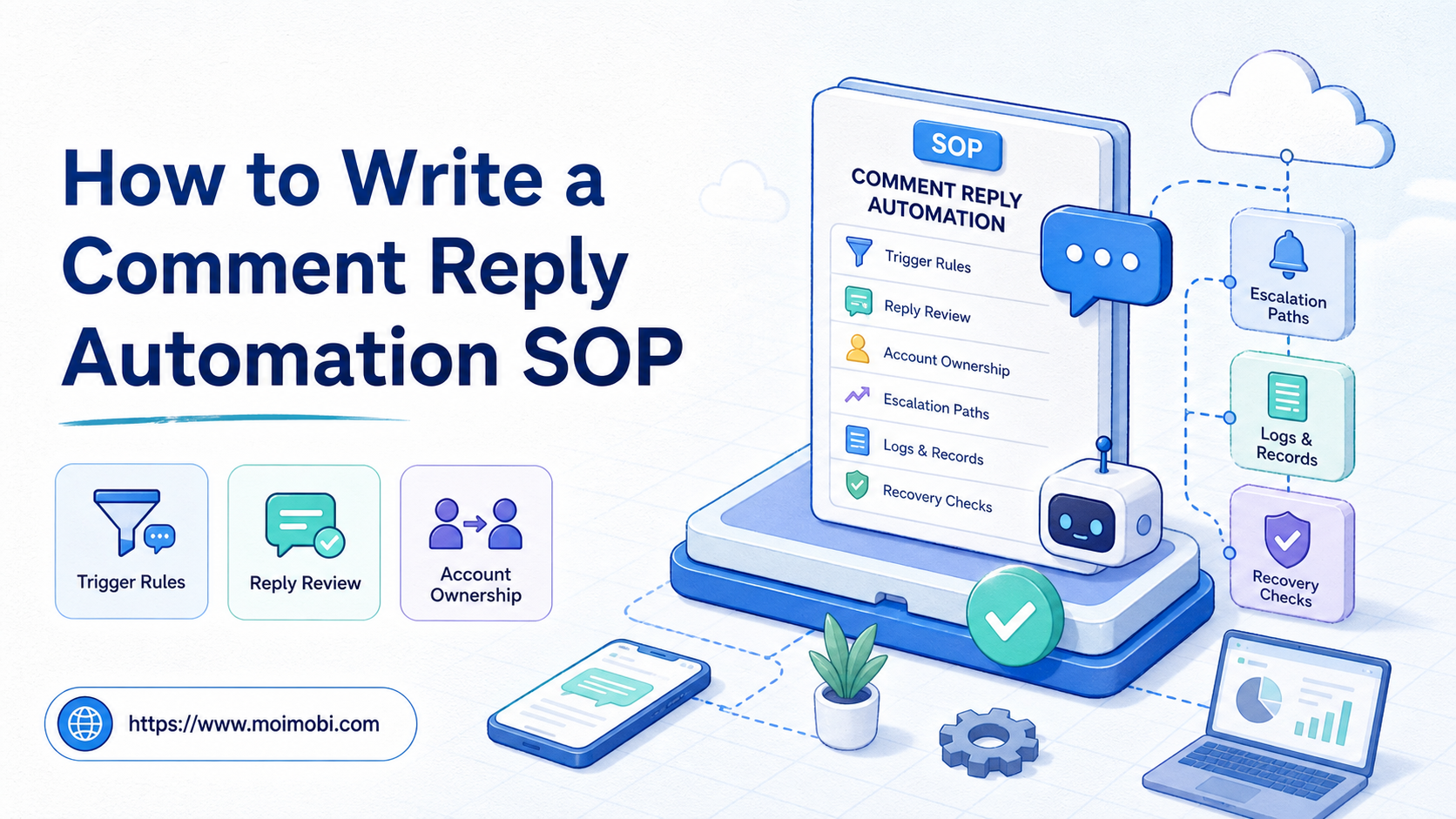
A comment reply automation SOP is a written operating procedure for detecting comments, preparing replies, reviewing sensitive cases, sending approved responses, and recording results. Teams that need to write comment reply automation SOP documents should define what automation may do, when humans must step in, and how every account action is tracked.
This document matters because comment replies sit between marketing and customer support. A reply can answer a simple question, create a sales lead, calm a complaint, or create a public mistake. Automation should reduce repeated preparation, not remove judgment.
Moimobi supports this workflow through AI-assisted planning, isolated account workspaces, browser profiles, Android environments, and task records. The product is useful when teams need a repeatable comment operation across multiple social accounts.
Key Takeaways
- A comment reply automation SOP should define triggers, reply categories, approval rules, account ownership, and escalation.
- Do not automate every reply. Keep human review for complaints, sensitive claims, pricing, and uncertain intent.
- Include a stop rule for abnormal account state, high complaint volume, or platform UI changes.
- Every reply workflow needs logs: source post, account, suggested reply, reviewer, final action, and outcome.
- Begin with suggestion-only automation before allowing any direct reply action.
What to Include When You Write Comment Reply Automation SOP Rules
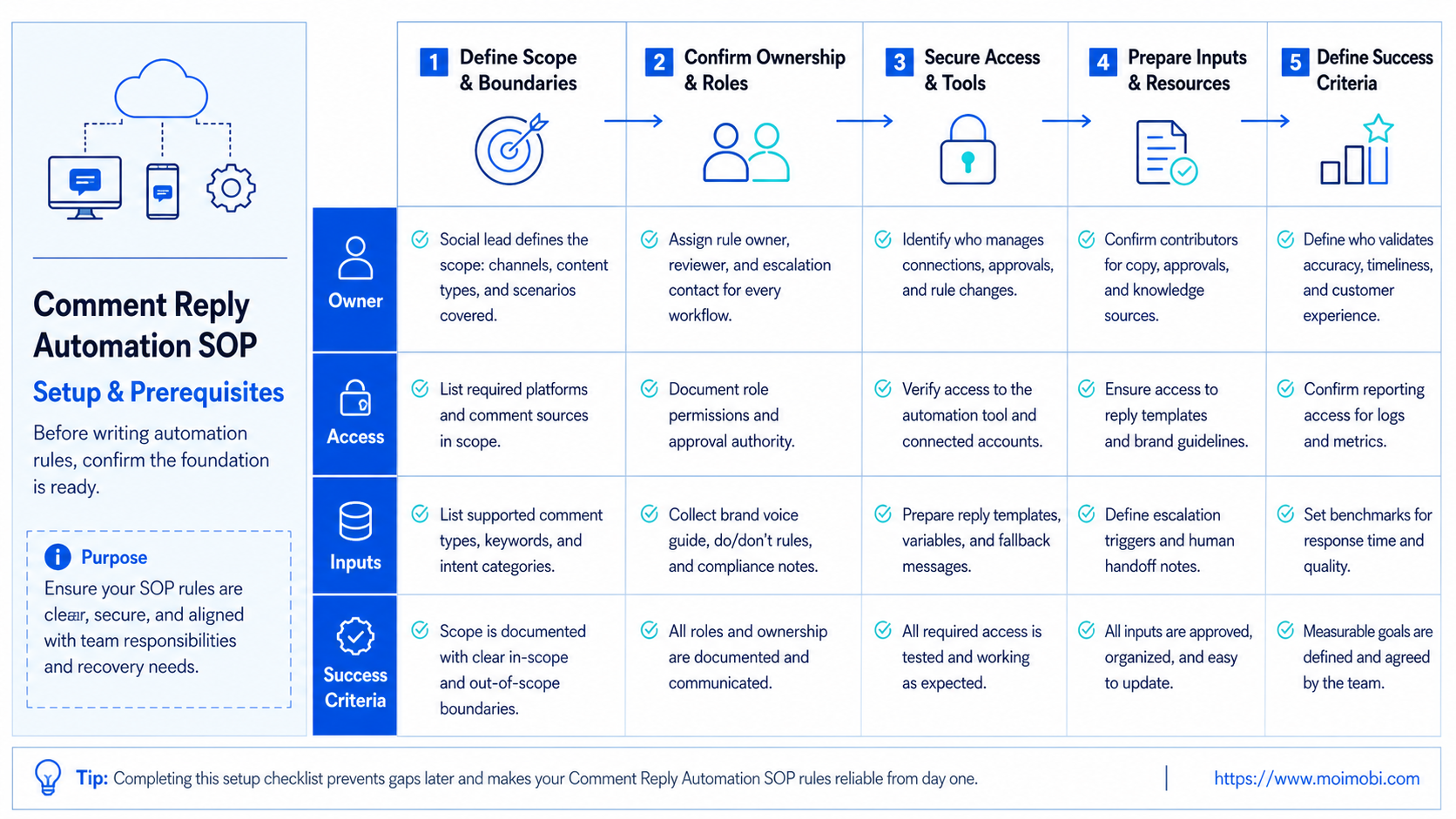
A usable SOP should be short enough for operators and specific enough for managers. It should not read like a vague policy page. It should tell the team what to do during a normal shift.
Use this core table:
| SOP Area | Required Rule | Example |
|---|---|---|
| Trigger | Which comments enter the workflow | Questions, product mentions, support keywords |
| Classification | How comments are labeled | Sales, support, spam, complaint, praise |
| Reply source | Where suggested replies come from | Approved templates, AI drafts, saved answers |
| Approval | Who must review the reply | Operator, support lead, client owner |
| Execution | Which account sends the reply | Brand page, support account, regional account |
| Record | What gets stored | Post URL, comment text, reply, owner, status |
This structure keeps the SOP practical. A comment that says “price?” should not follow the same path as a complaint. A public product claim should not use the same approval rule as a simple thank-you reply.
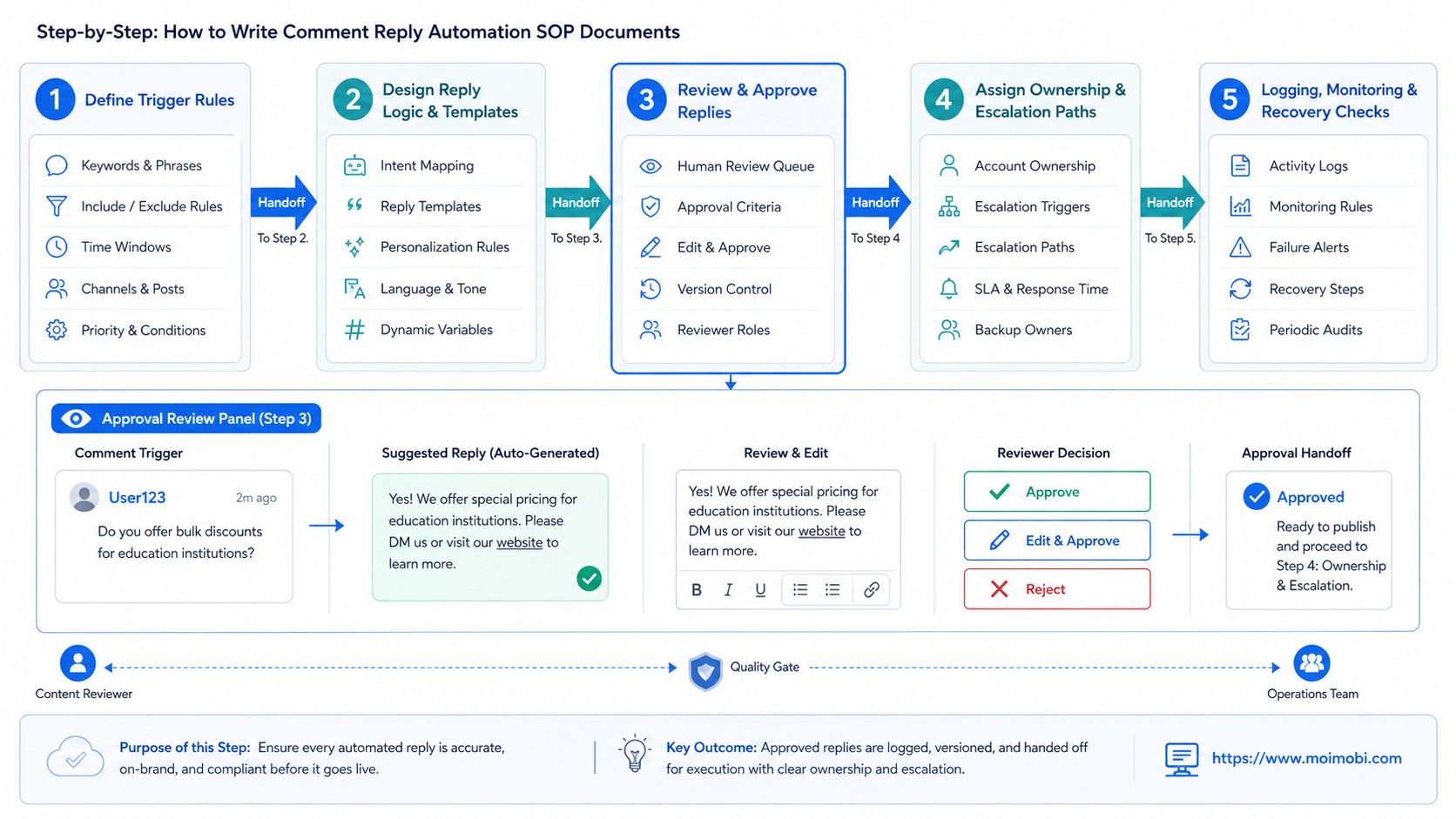
Step-by-Step: How to Write Comment Reply Automation SOP Documents
Follow a clear build order. Do not start by writing reply templates. Define boundaries first.
- Define supported platforms. List whether the SOP covers TikTok, Instagram, Facebook, YouTube, or other channels.
- Define account groups. Separate brand accounts, client accounts, support accounts, and test accounts.
- Define comment categories. Use simple categories that operators can apply quickly.
- Write allowed actions. Decide whether automation may draft, label, queue, notify, or send.
- Write blocked actions. Block sensitive replies, repetitive spam, fake engagement, or any action without owner approval.
- Set approval points. Require human review for complaints, first contact, pricing, medical claims, legal topics, or refunds.
- Define recovery. Write what happens when the account prompt changes, the reply fails, or the comment context is unclear.
- Test one account group. Run a small pilot before scaling to more accounts.
The result should be a page the operator can follow during real work. If the SOP needs a meeting to explain, it is too vague.
Comment Categories and Reply Rules
Comment classification is the heart of the workflow. A good category system keeps AI and human operators aligned.
Use a compact set:
| Category | Automation Role | Human Review |
|---|---|---|
| Simple question | Suggest reply from approved answers | Optional after pilot |
| Product interest | Suggest next step and tag lead | Usually required |
| Complaint | Summarize and escalate | Required |
| Spam or abuse | Hide, ignore, or flag by policy | Required for edge cases |
| Praise | Suggest short reply | Optional |
| Sensitive claim | Stop and escalate | Required |
| Unknown intent | Ask reviewer to classify | Required |
Clear exclusion rules are just as important as approved replies. Operators need permission to pause. A bad automated reply is worse than a slow human reply when the comment is sensitive.
Platform and Policy Boundaries
Comment automation touches platform rules. Written boundaries should state that the workflow must not create fake engagement, operate accounts deceptively, or use unauthorized data collection.
TikTok’s Community Guidelines describe fake engagement, spam, and bulk automated account operation as integrity issues. Meta’s terms also restrict unauthorized automated access and spam behavior. These sources do not mean all workflow support is banned. They mean the document must distinguish controlled team operations from manipulation or spam.
For influencer, partner, or sponsored replies, include disclosure review. The FTC explains that material relationships may need clear disclosure in social media contexts. If a comment reply promotes a partner offer, the rulebook should tell the operator when disclosure is required.
Approval and Escalation Workflow
Approval rules should be written before automation starts. Otherwise, operators will improvise during public conversations.
Use this escalation ladder:
- AI labels the comment.
- AI suggests a reply from approved language.
- Operator checks the suggested reply.
- Sensitive cases move to the support lead.
- Client or manager approves account-sensitive replies.
- Final reply is sent from the assigned account.
- Result and next action are logged.
This workflow keeps automation in the preparation layer. It allows direct sending only after the team has enough confidence and a clear category boundary.
For multi-account teams, connect reply ownership to cross-account reply assignment. The account owner should be visible before anyone sends a public response.
Execution Environments for Reply Automation
Execution rules should name the environment. A team may use browser profiles for web dashboards, mobile workspaces for app-first workflows, or a cloud phone when the reply must be checked in a mobile environment.
Environment rules prevent account confusion. A support operator should not reply from a creator account by mistake. A client account should not share the same session as a test account.
Moimobi’s browser and Android workspace split can help when comments are reviewed on the web but final account checks happen on mobile. Keep this split documented in the SOP so operators know where each step belongs.
Logs and Measurement
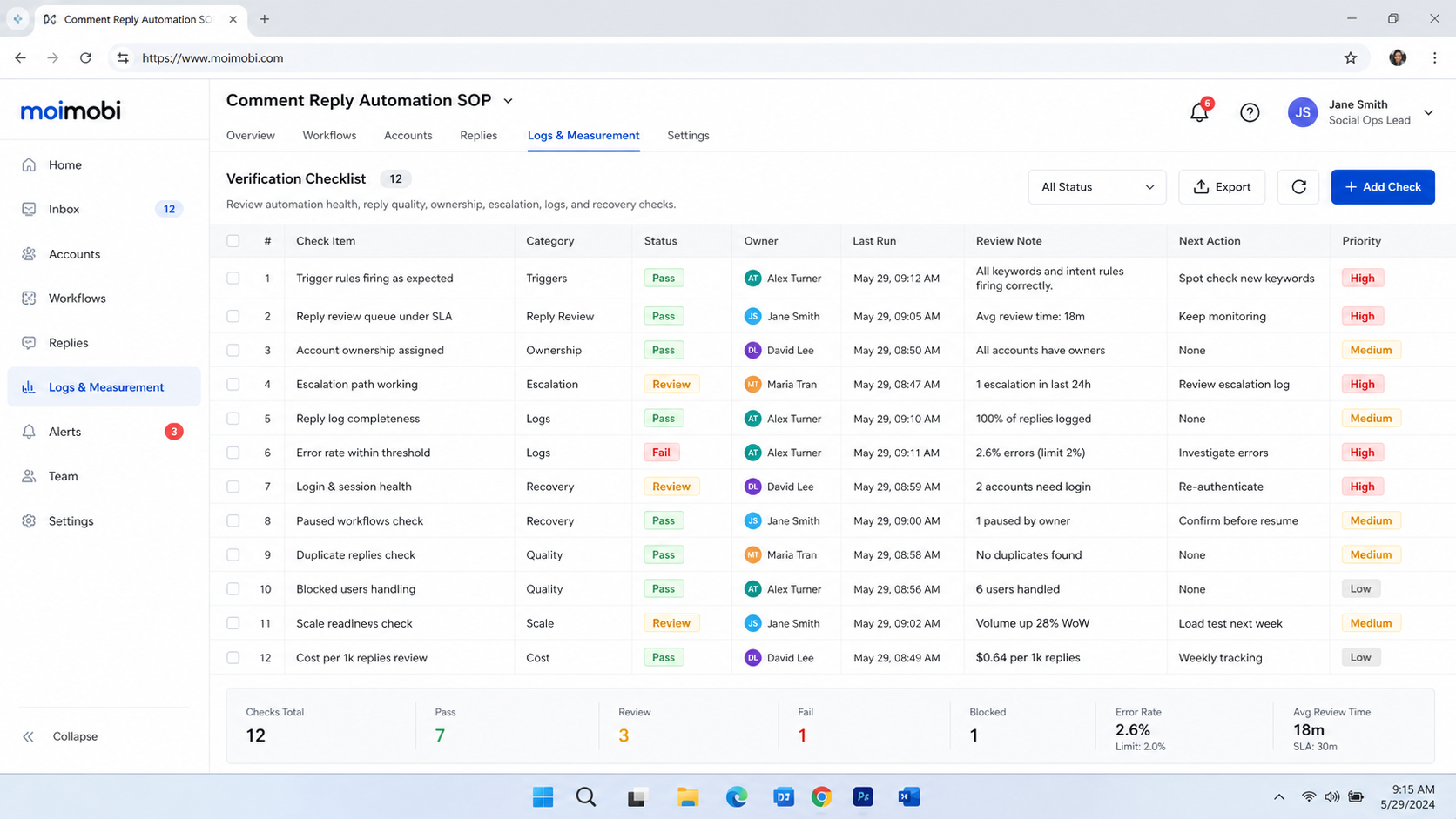
A comment reply SOP should leave a record. Without logs, the team cannot improve reply quality or find the cause of account issues.
Track these fields:
- Platform.
- Account.
- Source post URL.
- Comment category.
- Suggested reply.
- Reviewer.
- Final reply.
- Sent time.
- Escalation reason.
- Outcome.
Measurement should focus on quality and control. Useful metrics include review rate, escalation rate, resolved questions, response time, complaint rate, and cases reopened by customers.
Do not judge success only by reply volume. High volume with low trust can hurt a brand. A better measure is whether the workflow helps the team answer the right comments with the right level of review.
Team Roles Inside the SOP
Reply automation breaks down when every operator has the same permission. Role design should come before tool selection.
A lean team can use four roles:
| Role | Responsibility | Cannot Do |
|---|---|---|
| Account owner | Owns the account, access, and final accountability | Skip recovery records |
| Reply reviewer | Approves suggested replies and escalations | Change account rules alone |
| Workflow operator | Runs the queue and records outcomes | Reply to sensitive cases alone |
| Manager | Reviews weekly quality and failure patterns | Rewrite individual replies without context |
The same person can hold more than one role in a small team. The SOP still needs the role names because they define responsibility. When the team grows, the workflow can split those roles without rewriting the entire process.
For agencies, add a client approval role. Client accounts usually need stricter records than internal brand accounts. The approval rule should show when a client must approve a reply, a campaign line, or a public response to a complaint.
Reply Template Library Structure
A reply template library should be small at first. Operators need language they can trust, not hundreds of similar answers.
Build the library in layers:
- Neutral acknowledgement. Short replies for praise, thanks, and simple reactions.
- Question response. Approved answers for product availability, shipping, usage, and support paths.
- Lead handoff. Replies that move interested users to a form, support agent, or sales owner.
- Complaint intake. Safe responses that acknowledge the issue and move it to human support.
- Stop templates. Messages that say the team cannot answer publicly and will escalate.
Each template should include the category, allowed account type, approval rule, and last review date. Do not let old templates stay active forever. Social campaigns change, product policies change, and support language changes.
Operators should also record when they edited a suggested reply. Repeated edits show that a template is weak. Clean logs help managers improve the library instead of blaming the operator.
Quality Review for Comment Reply Automation
Quality review should happen every week during the pilot. The review does not need to be complex. It should answer whether the workflow improved response quality, speed, and control.
Review a small sample of replies and ask:
- Was the comment category correct?
- Did the suggested reply match the post context?
- Did the operator approve or rewrite the reply?
- Was the account owner clear?
- Was escalation handled on time?
- Did any reply create a follow-up issue?
- Did the log contain enough context for audit?
The review should produce changes to the SOP. Add a category, remove a weak template, tighten an approval rule, or split one account group into two. If no one updates the SOP after review, the automation will slowly drift away from real customer behavior.
When to Pause the Workflow
Pause rules protect the account and the team. They also give operators permission to stop when something feels wrong.
Pause the workflow when:
- A login or verification prompt appears.
- Reply suggestions no longer match comment context.
- Complaint volume rises.
- A platform screen changes during execution.
- Several replies fail from the same account.
- A campaign claim has not been approved.
- The operator cannot identify the account owner.
The pause rule should be visible in the SOP. A paused workflow is not a failure. It is a controlled response to uncertainty.
Pilot Plan for a Comment Reply Automation SOP
A pilot works best with one platform and one account group. The first phase can be suggestion-only. The AI drafts or classifies, but humans approve every reply.
Use this pilot checklist:
- Select one account group.
- Select three to five comment categories.
- Prepare approved reply examples.
- Require review for all replies.
- Log every skipped or escalated comment.
- Review results after a fixed test window.
- Decide which categories are safe to speed up.
The pilot should produce changes to the SOP. If many comments fall into “unknown,” the categories are weak. If reviewers rewrite every reply, the template language needs work. If failures come from account state, fix the environment before adding more accounts.
Common Mistakes to Avoid
The first mistake is writing one universal reply. Public comments have context. Automation rules should block copy-paste behavior across unrelated posts.
The second mistake is sending replies without account ownership. If nobody owns the account, nobody owns the consequences.
The third mistake is ignoring negative comments. Complaints need a path, not a generic friendly message.
The fourth mistake is skipping stop rules. Reply automation should pause when the account prompts for verification, reply quality drops, or user complaints rise.
Frequently Asked Questions
What is a comment reply automation SOP?
It is a written workflow for detecting comments, classifying them, preparing replies, reviewing sensitive cases, sending approved responses, and logging outcomes.
Can AI write every comment reply?
AI can draft many replies, but human review should remain for complaints, sensitive claims, pricing, legal issues, and uncertain intent.
What should be automated first?
Begin with classification, suggested replies, routing, and logging. These steps reduce manual work without giving up control.
Should the SOP include platform rules?
Yes. The rules should remind operators to avoid spam, fake engagement, deceptive account behavior, and unauthorized data collection.
How many reply templates are enough?
Use a small set for common categories. Add variants only after operators see repeated cases.
How should complaints be handled?
Complaints should be escalated to a human owner. The automation can summarize and route them, but it should not improvise final decisions.
What does Moimobi provide for this workflow?
Moimobi provides account workspaces, browser and mobile execution environments, task records, and AI-assisted workflow support.
How do you know the SOP is working?
Check review rate, escalation quality, response time, resolved cases, and whether operators can audit past replies from records.
Conclusion
A comment reply automation SOP should make social replies faster without turning public conversations into uncontrolled automation. Define categories, approval rules, execution environments, logs, and stop conditions before scaling.
Begin with suggestion-only automation on one account group. Review the results, tighten the SOP, and expand only when the team can explain every reply path from the record.
References