
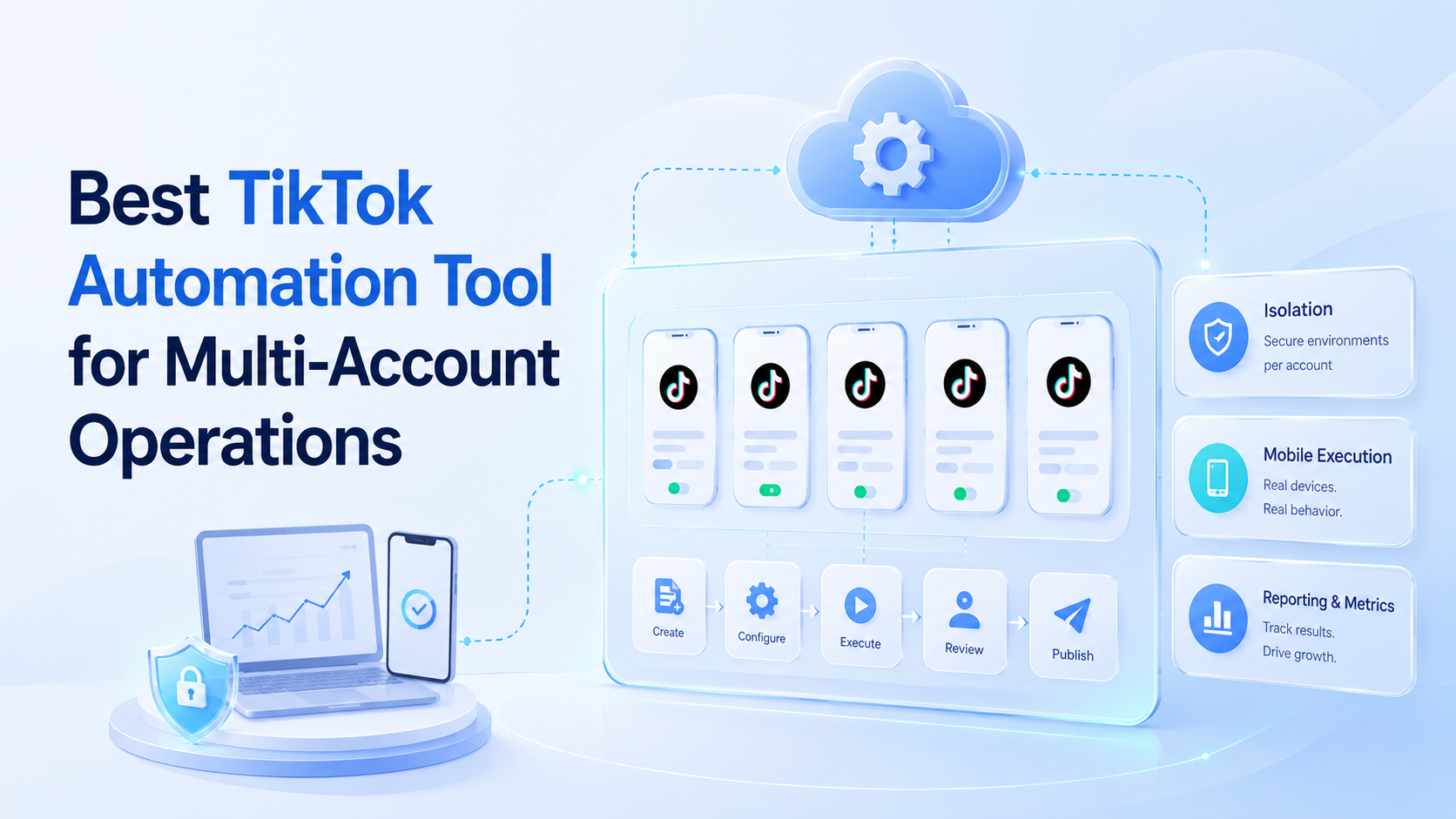
The best TikTok automation tool is the one that matches the account workflow, execution environment, review process, and reporting needs of the team using it. A solo creator may need a simple scheduler. A multi-account team usually needs a controlled system for content, account separation, mobile execution, and recovery.
TikTok work is operationally different from generic social scheduling. Teams may handle short video publishing, comment review, account warm-up, competitor monitoring, and campaign checks across many accounts. A tool that only queues posts may leave the hardest work outside the system.
Moimobi approaches this as execution infrastructure. It combines mobile automation, multi-account management, device isolation, and cloud phone environments for teams that need controlled account work.
Key takeaways
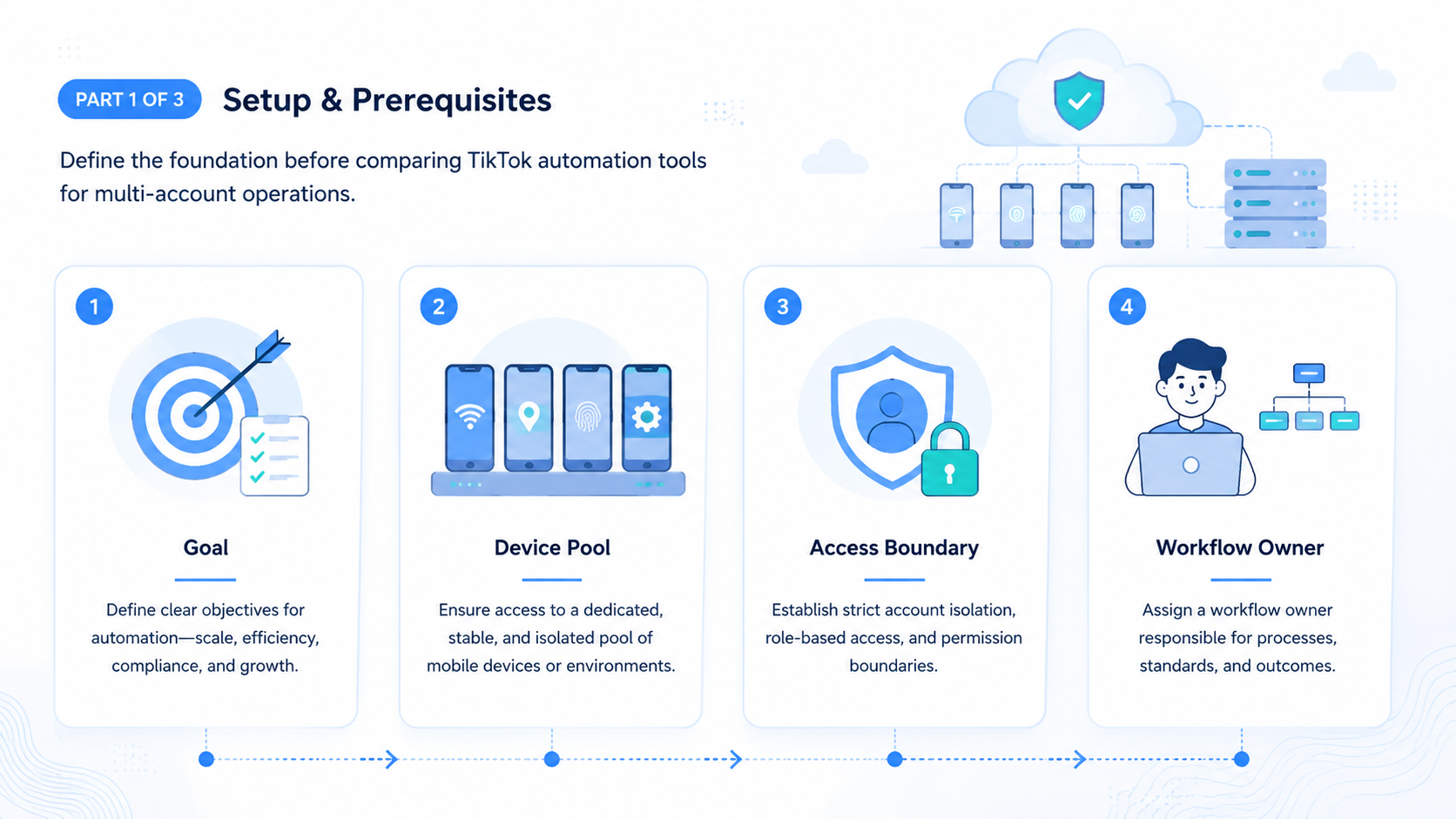
- Choose by workflow fit, not by the longest feature list.
- Multi-account TikTok teams need account isolation and run history.
- Official posting APIs are useful where supported, but mobile workflows still matter.
- Browser profiles help dashboard tasks; cloud phones help app-first tasks.
- A pilot should test execution, review, errors, and recovery.
- Avoid tools that hide account-level failures behind broad success metrics.
How to Evaluate a Best TikTok Automation Tool
Start by naming the real job. A TikTok automation tool may support posting, monitoring, comments, inbox triage, lead capture, or campaign reporting. Each job has a different risk profile and execution path.
Use this selection order:
-
Define the account model.
Count accounts by brand, client, region, and operator. A tool should map cleanly to that structure. -
Separate execution environments.
Browser profiles work for web dashboards. Mobile devices or cloud phone environments fit app-first tasks. -
Check supported posting paths.
TikTok documents Content Posting API options for approved integrations. That matters when a team wants structured publishing through official channels. -
Add review and approval.
Video captions, product claims, and customer-facing messages should not move without the right reviewer. -
Inspect logging.
The system should record account, workflow, result, timestamp, and failure reason. -
Pilot before scale.
Run a small account set first. Do not expand until failed tasks are explainable.
This order prevents a common buying mistake. Teams often compare automation tools by feature volume, then discover that the tool cannot support their actual account structure.
The Capabilities That Actually Change Outcomes in a best TikTok automation tool
The most useful capabilities are the ones that reduce manual switching and make failures visible. For TikTok teams, that usually means isolated accounts, reusable tasks, execution queues, and clear run history.
Official documentation sets part of the boundary. TikTok's developer documentation describes account management, app review, scopes, and content posting features. That shows why teams should not assume every desired action is available through one simple API path.
Browser automation has another boundary. The W3C WebDriver standard defines browser automation concepts, and Playwright documents isolated browser contexts. Those references support a practical point: logged-in browser work needs session control when many accounts are involved.
Mobile execution is separate again. AWS Device Farm describes remote access to real mobile devices for app testing, which reflects why app behavior often needs a managed device context. For TikTok operations, a cloud phone can become a controlled workspace for mobile-first checks and repeated tasks.
The best TikTok automation tool for a team should connect these layers instead of pretending one layer solves every workflow.
Why the best TikTok automation tool needs account-level records
Account-level records turn automation from a black box into an operations system. A team should be able to answer which account ran a task, which environment performed it, what asset was used, who approved it, and what result came back.
This matters because TikTok operations often involve campaign timing. A delayed post, missing video, or wrong caption can affect a launch even if the task eventually succeeds. Broad success rates hide these problems. Account-level records expose them.
The record does not need to be complicated. Start with account, campaign, task type, environment, reviewer, status, error reason, and follow-up owner. Those fields are enough to build a weekly review. They also show whether the next improvement should happen in content production, account setup, review, or execution.
Teams evaluating Moimobi can use this record model as a pilot template. Each browser profile or mobile environment should map to a real account workflow, not a vague pool of shared access.
Selection Matrix for Multi-Account TikTok Teams
| Requirement | Why it matters | What to look for |
|---|---|---|
| Account isolation | Prevents mixed sessions and unclear ownership | One account per browser or mobile workspace |
| Mobile execution | Supports app-first workflows | Cloud phones, Android devices, controlled task queues |
| Browser workflow support | Handles dashboards and web tools | Persistent profiles, session separation, operator logs |
| Review gates | Protects brand and customer-facing actions | Approval fields, draft status, reviewer notes |
| Run history | Makes failures actionable | Account, task, result, error, timestamp |
| Team roles | Keeps work controlled | Admin, operator, reviewer, account owner |
The table also helps reject weak fits. A tool may be excellent for single-account scheduling while still being poor for agency operations. Another tool may offer automation APIs but lack mobile execution for app-based tasks.
Adoption Cost, Setup Friction, and Team Fit
Setup cost is not only subscription price. The real cost includes account mapping, environment creation, proxy or routing decisions, review rules, asset naming, and team training.
A team with five accounts may tolerate manual checks. A team with fifty accounts needs predictable queues and handoff. Every account should have a known owner, environment, task type, and recovery path.
Moimobi is strongest when the team already treats TikTok as an operational channel. That means content calendars exist, account roles are clear, and repeated work can be expressed as steps.
It is weaker when the team has no repeatable workflow. Automation cannot decide which content should exist, which audience matters, or which brand rules apply.
There is also a training cost. Operators need to know when to run a task, when to pause it, and when to escalate. Reviewers need clear rules for captions, product claims, comments, and campaign changes. Admins need a way to see stuck work without asking every teammate for an update.
That is why the best TikTok automation tool for multi-account teams should be judged during a live pilot. A demo can show features. A pilot shows whether the team can keep the workflow clean on a normal working day.
Which Option Fits Different Operating Scenarios
Different teams should choose different automation models.
Solo creator: A lightweight scheduler or native platform feature may be enough. The main need is planning, not infrastructure.
Small brand team: A scheduling tool plus manual review can work if account count is low. Add automation only where repeated tasks consume time.
Agency team: Account isolation, role control, and run history matter more. Client accounts should not share one workspace.
Cross-border seller: Mobile execution, account grouping, and campaign tracking become more important. TikTok may sit beside Instagram, WhatsApp, and marketplace workflows.
High-volume operations team: The tool should support parallel capacity, review queues, and recovery checks. A narrow posting tool may not be enough.
Moimobi fits the last three scenarios better than simple scheduling. It is designed for teams evaluating social media marketing workflows across mobile and browser environments.
Common Mistakes When Choosing a TikTok Automation Tool
The first mistake is buying for post volume only. Volume does not matter if the team cannot trace which account performed which action.
The second mistake is ignoring mobile workflows. TikTok is strongly app-centered for many operational tasks. A browser-only system may leave checks, replies, and app interactions outside the workflow.
Another mistake is treating "anti-detect" language as the main requirement. Safer wording and safer operations should focus on separated workspaces, account ownership, device isolation, and controlled routing. Avoid vendors that frame the product around reckless account behavior.
Finally, do not automate replies and engagement before the review process is ready. Customer-facing comments need different controls from scheduled publishing.
Pilot Rollout, Measurement, and Recovery Checks
A good pilot uses a narrow campaign. Choose a small number of accounts, one content format, and one publishing workflow. Keep the test simple enough to debug.
Track these fields for every run:
- Account name and group.
- Execution environment.
- Content asset.
- Reviewer.
- Publish status.
- Failure reason.
- Manual correction needed.
Review failures at the end of each week. If most failures come from missing assets, fix the content handoff. If failures come from login state, adjust environment ownership. If captions keep changing after approval, improve the review rule.
The pilot is successful when the team can explain every outcome. Scale only after success and failure data both make sense.
One more check belongs in the pilot: operator load. Count how many manual steps remain after the workflow runs. A team may accept two checks per account, such as final caption review and post-status confirmation. Ten hidden manual fixes per account means the workflow is not ready.
A strong TikTok operations platform should make that load visible. When work stays invisible, managers see only output. Operators feel the friction first, and the system improves too late.
Add a stop rule before expansion. Pause rollout if failed runs cluster around the same account group, if reviewers keep bypassing the workflow, or if operators still need private notes to finish common tasks. Those signals mean the process needs repair before more accounts are added.
Frequently Asked Questions
What is the best TikTok automation tool for agencies?
Agencies should prioritize account isolation, role control, run history, and mobile execution. A simple scheduler may be too narrow.
Does every TikTok workflow need a cloud phone?
No. Web dashboards and official API paths may handle some work. Cloud phones matter when the task needs a mobile environment.
Is a fingerprint browser enough for TikTok automation?
It depends on the task. Browser profiles help web workflows. Mobile-first actions may require Android environments.
Can AI generate TikTok captions?
Yes. AI can draft captions and ideas. Teams should still review brand tone and claims before publishing.
What should I test in a pilot?
Test setup time, publish success, failed reasons, review time, and manual corrections.
How should multi-account teams organize TikTok accounts?
Group accounts by brand, client, region, role, and environment. Avoid one shared workspace for unrelated accounts.
Where does Moimobi fit?
Moimobi fits teams that need TikTok execution across isolated browser and mobile environments, not only a calendar tool.
Conclusion
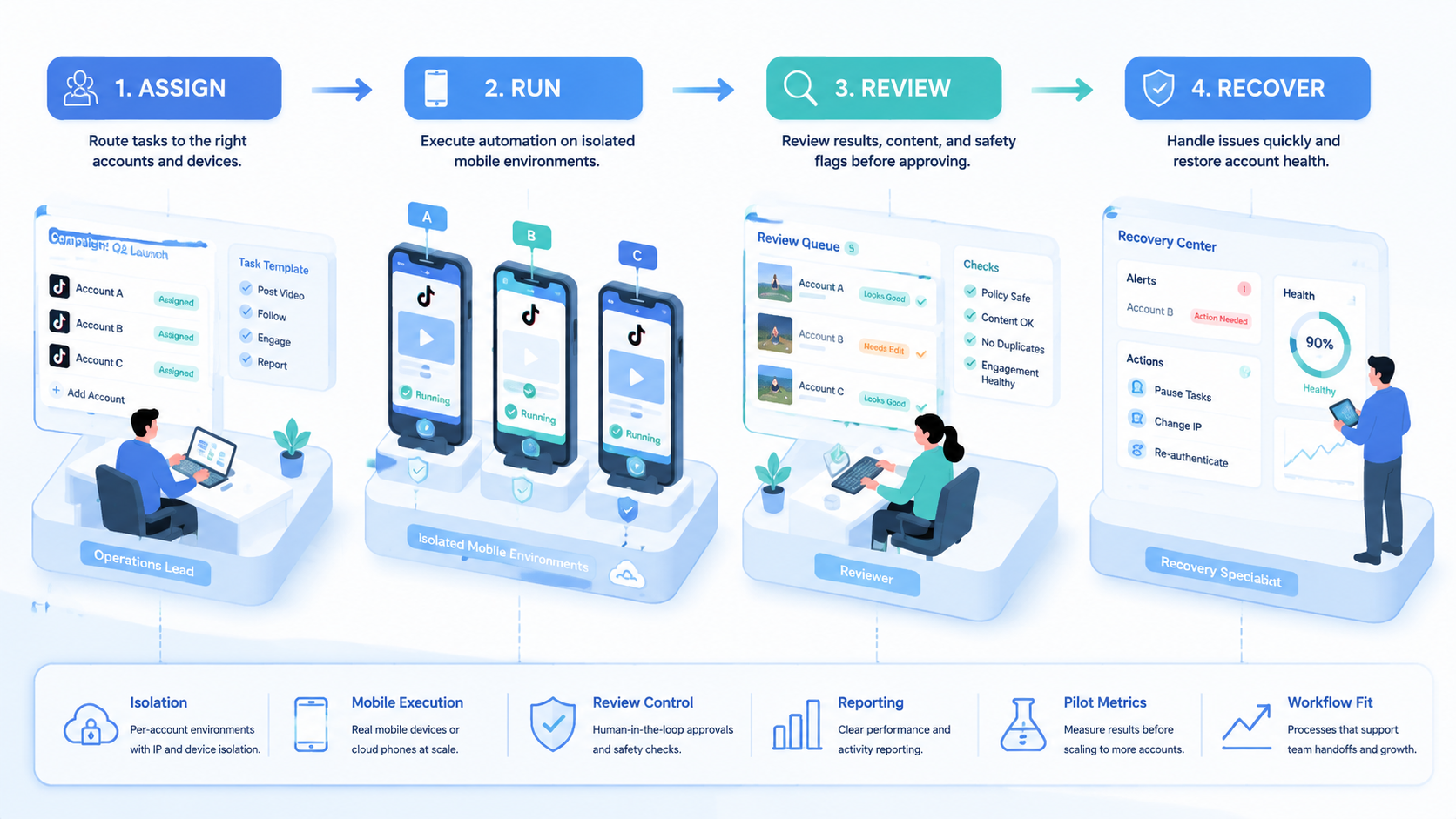
The best TikTok automation tool depends on the operating model. Start with account structure, then evaluate execution environments, review controls, and reporting.
For multi-account teams, the next step is a small pilot. Pick a few accounts, run one workflow, record every outcome, and fix the weakest handoff. If the team needs browser and mobile execution together, Moimobi gives that workflow a controlled infrastructure layer.



