
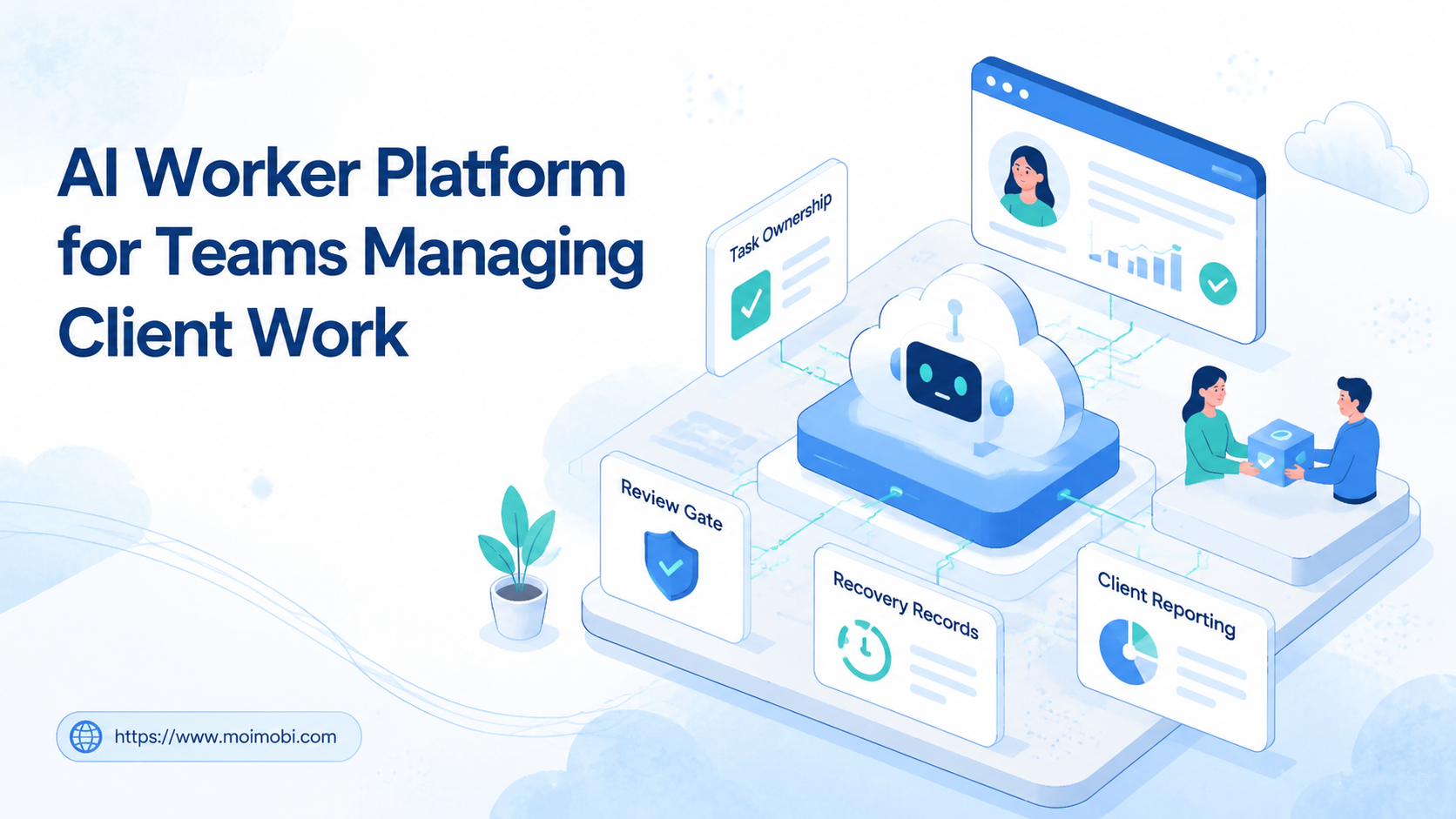
Title: AI Worker Platform for Teams Managing Client Work
An AI worker platform is a system for assigning, executing, reviewing, and tracking repeated client work with AI-assisted workers. It helps teams move from scattered prompts to controlled workflows.
Client work is not only about producing more tasks. The real challenge is keeping the right person, account, environment, approval rule, and result record connected. That becomes difficult when teams manage several clients across social channels, dashboards, inboxes, and mobile apps.
The practical decision is whether the team has enough repeated work to justify a structured worker model. If client tasks are recurring, account-based, and review-heavy, a worker platform can help turn them into a clearer operating system.
Key Takeaways
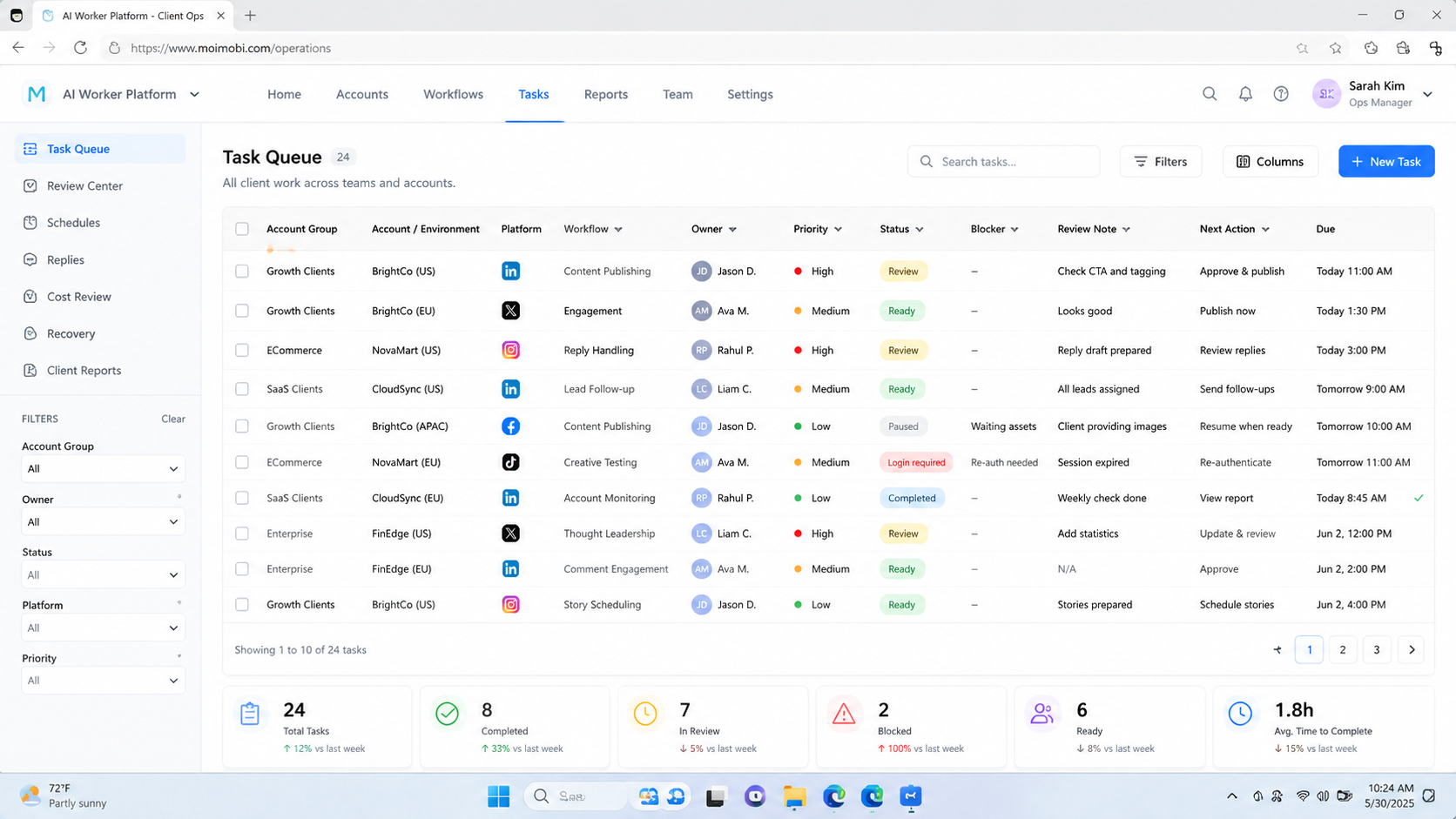
- Client work needs clear ownership before automation.
- AI workers should be assigned to roles, accounts, environments, and review rules.
- Browser and mobile execution environments matter when work happens inside logged-in tools.
- Teams should measure completed work, exception handling, and client-visible quality.
- A pilot should prove the workflow is reviewable before more clients are added.
The Core Idea Behind AI Worker Platform for Teams Managing Client Work
The core idea is not that AI replaces the team. The workable model is that AI prepares or executes repeatable steps while the team controls assignments, approvals, and exceptions.
Client work usually has more context than internal operations. One client may require a formal approval step. Another may allow routine publishing but require human review for replies. A third may need strict records for every account action. The platform should keep those differences visible.
For example, a team may handle content planning, publishing, inbox review, and weekly reporting for five clients. A basic AI assistant can draft captions. A structured worker platform can assign the draft to a client workspace, connect it to the right account environment, route it to a reviewer, and record the final result.
Browser execution is part of this picture when client work runs inside dashboards, social platforms, CRMs, or admin panels. The W3C WebDriver specification describes browser automation as remote control of a user agent. Playwright shows a modern browser automation model with pages, contexts, and traces. Teams do not need to become browser engineers, but they do need to understand that execution context affects logged-in work.
Why Teams Search for This Topic
Teams search for an AI worker platform when client work becomes too fragmented. The symptoms are usually operational, not theoretical.
Common signs include:
- tasks assigned in chat but finished elsewhere
- client approvals lost across email, spreadsheets, and screenshots
- account actions completed without a clear owner
- several operators sharing the same browser or mobile environment
- reporting built manually from scattered task notes
- failures that cannot be traced to a workflow step
The problem gets worse as clients and channels grow. A missed reply, wrong account, unapproved post, or undocumented change can become a client-service issue. The team may not need more AI output. It may need a clearer way to run, review, and recover work.
That is where multi-account management and execution infrastructure matter. The team needs to know which client account belongs to which worker, where the task ran, what approval rule applied, and what happened after completion.
Scenario Map: Client Work, Workers, Environments, and Metrics
A useful worker model starts with a scenario map. It shows who does what, where the work runs, and how the result is judged.
| Client workstream | Assigned worker role | Execution environment | Success metric |
|---|---|---|---|
| Content calendar prep | Brief and caption worker | Client workspace or browser dashboard | Approved draft rate |
| Publishing checks | Publish readiness worker | Browser profile or cloud phone | Successful scheduled posts |
| Inbox triage | Reply classification worker | Inbox workspace with review queue | Correct escalation rate |
| Lead follow-up | Research and routing worker | CRM, web research, or account workspace | Qualified handoffs |
| Weekly reporting | Report collection worker | Task history and reporting board | On-time client reports |
This map gives the team a shared operating language. A worker is not only a model prompt. The role is linked to a client task, an environment, and a metric.
For mobile-first client work, a cloud phone can support persistent app execution. For browser-based work, an AI browser execution platform can help connect AI-assisted tasks with logged-in web sessions and task records.
Who Benefits Most and In What Situations
The strongest fit is a team that repeats similar work across several client accounts. This may include agencies, outsourced operations teams, growth teams, customer engagement teams, or e-commerce service providers.
Good-fit conditions include:
- client work repeats daily or weekly
- several team members touch the same client account
- account environments affect execution quality
- approvals and exceptions must be tracked
- clients expect reports or proof of completed work
- the team already has SOPs but struggles to execute them consistently
Weak-fit situations are different. If client work is mostly strategic consulting, each project may require a custom decision. In that case, a project manager and AI writing assistant may be enough. A worker platform becomes useful when tasks repeat enough to justify assignment, environment control, and review records.
Team size also matters less than workflow shape. A small team with ten recurring client workflows may benefit more than a large team with one custom consulting project. The pattern is the deciding factor.
How to Evaluate or Start Using AI Worker Platform for Teams Managing Client Work
Do not start with every client account. Start with one repeated workflow and one client group. A narrow pilot makes problems easier to diagnose.
- Choose one recurring client workflow. Pick a task such as report collection, publishing checks, or inbox triage.
- Define the worker role. Name what the worker can do and what it cannot do.
- Assign the account environment. Link the workflow to a browser profile, cloud phone, or mobile device group.
- Add approval gates. Keep client-sensitive messages, public posts, and unusual decisions under human review.
- Track structured fields. Record client, account, owner, environment, task version, result, and failure reason.
- Review the first run. Look for missed approvals, unclear ownership, and environment issues before scaling.
This process keeps the first rollout inspectable. It also prevents a common mistake: turning AI into a hidden operator with no task boundary.
NIST guidance on session management explains why authenticated work needs attention to session state, continuity, and termination. Client workflows are not identity systems, but the same caution applies to logged-in account work. The NIST Digital Identity Guidelines provide a formal reference for session-control thinking.
Account Environment and Client Boundary Rules
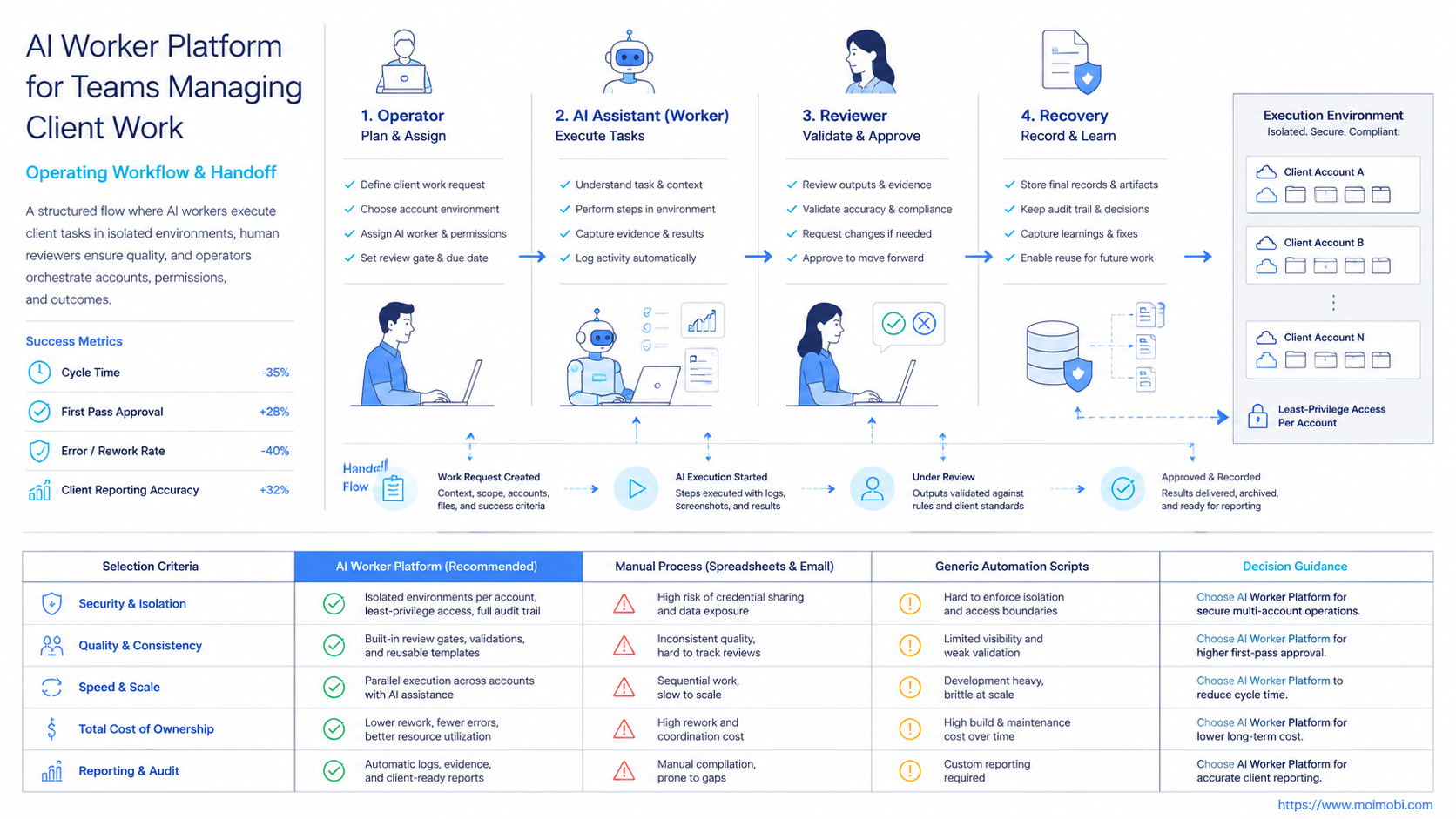
Client work needs environment boundaries. A content workflow may run in a browser dashboard. A mobile social workflow may need an Android app environment. A support workflow may involve an inbox with client-specific rules.
Teams should define these records before execution:
- client name
- account group
- assigned worker
- assigned operator
- browser profile or mobile environment
- route or network rule when relevant
- approved action list
- blocked action list
- reviewer and recovery owner
The blocked action list is especially useful. It tells the team where AI-assisted execution stops. Examples include sending sensitive replies, changing billing settings, approving refunds, editing client permissions, or publishing unapproved content.
Device isolation and mobile automation become relevant when the workflow depends on separated environments. The goal is not to promise perfect safety. The goal is to keep client work readable when something changes.
Client Delivery Model: From Task Queue to Review Record
Client work becomes easier to manage when every task has a delivery record. The record does not need to be complex. It should show what the team promised, what ran, who reviewed it, and what the client can see.
Use a simple delivery model:
| Stage | Worker responsibility | Human responsibility | Client-facing output |
|---|---|---|---|
| Intake | Classify request and collect context | Confirm priority and client rule | Task accepted or clarified |
| Preparation | Draft, summarize, or collect data | Check fit and brand rule | Draft or work packet |
| Execution | Run approved browser or mobile step | Monitor exceptions | Completed action or paused task |
| Review | Attach result and failure reason | Approve, reject, or escalate | Client-ready update |
This delivery model separates preparation from approval. A worker can gather context or prepare a draft without taking final client-visible action. That boundary keeps the workflow useful while reducing confusion around who made the final decision.
The review record should also support handoff. When a teammate is unavailable, the next operator should see the account, task version, environment, status, reviewer, and next action. A task that can only be understood by reading a long chat thread is not ready for scale.
Client-Visible Quality Controls
Quality control should happen before the client notices a problem. For teams managing client work, the most useful controls are not abstract AI scores. They are checks tied to client expectations.
Add these checks before expanding a worker workflow:
- Does the task use the correct client account?
- Is the right environment assigned?
- Has the client approved this type of action?
- Is the output client-visible or internal only?
- Does the reviewer know the escalation rule?
- Can the team explain the result in one sentence?
These checks reduce confusion between “AI produced something” and “the team delivered client work.” The first is an output. The second is an accountable workflow.
Teams should also keep a small correction log. A correction log tracks what needed fixing, who fixed it, and what rule changed afterward. That record is more useful than a generic “failed” label because it improves the next run.
Mistakes That Reduce Results
One mistake is measuring only output volume. A team may create more drafts, posts, or reports, yet still lose control if approvals are unclear. Client work needs quality and traceability, not only throughput.
Another mistake is giving one worker too many jobs. A worker that drafts content, publishes posts, replies to customers, and edits reports becomes hard to review. Better workers have narrow names and clear stop rules.
Avoid these patterns:
- one shared worker across unrelated clients
- one shared browser or mobile environment for sensitive account work
- no reviewer for client-visible content
- task records stored only in chat
- no recovery owner after failed tasks
- no difference between draft, approve, publish, and reply actions
The fix is not complex. Separate roles, environments, approval gates, and result records. Then expand only after the workflow can be explained without private memory.
Pilot Rollout, Measurement, and Recovery Checks
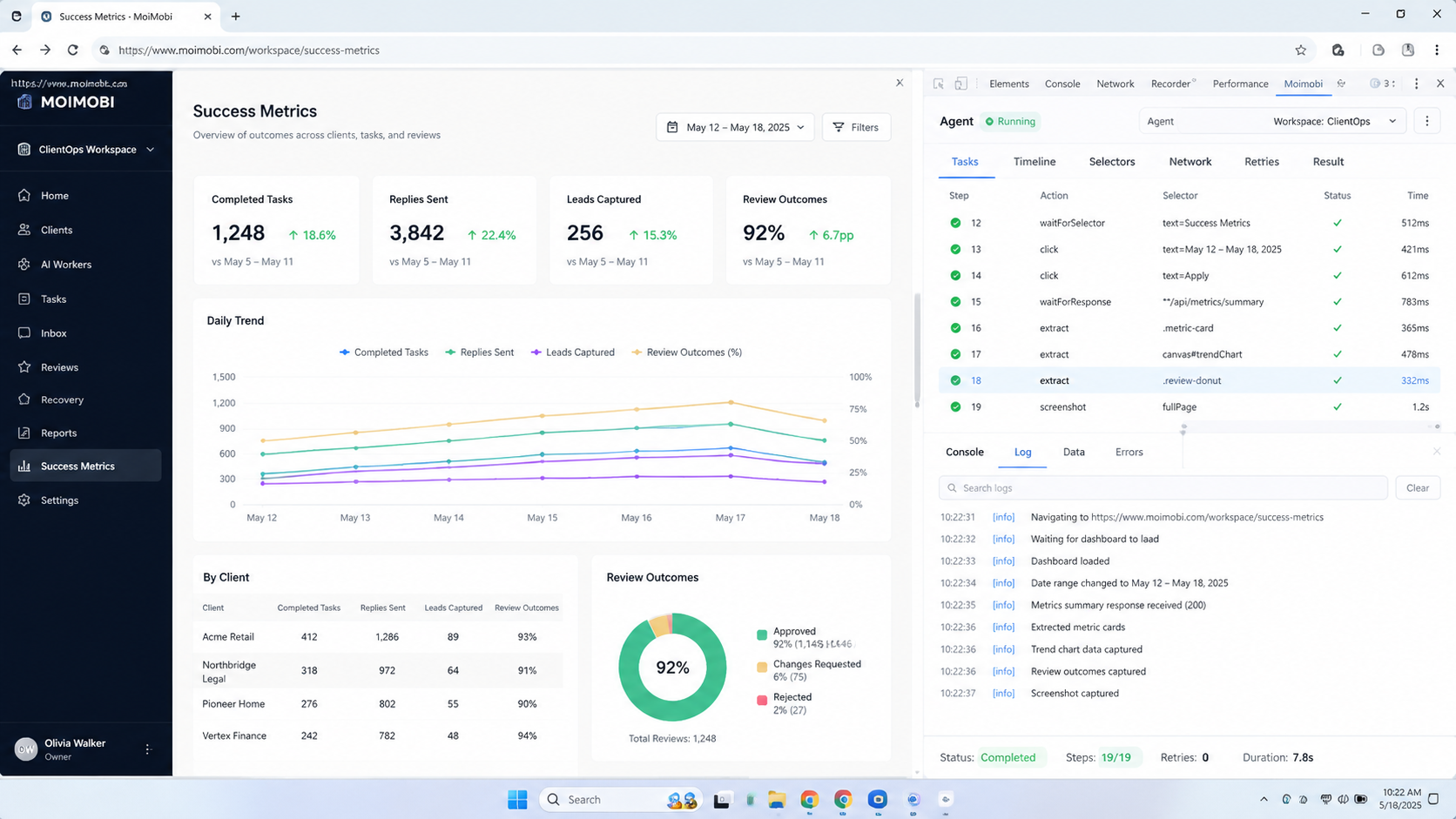
The pilot should prove reviewability before scale. A workflow that produces output but cannot explain failures is not ready for more clients.
Track a small set of metrics:
- completed tasks
- approved outputs
- paused tasks
- failed tasks by reason
- recovery time
- client-visible corrections
- handoff delays
- reporting completeness
Use these numbers to decide the next step. If approvals are slow, adjust the reviewer. If failures come from environment state, review account assignment. If outputs are off-brand, revise the workflow instructions. If recovery records are weak, slow down and fix the fields before adding more accounts.
For teams that need more parallel capacity, phone farm infrastructure and social media marketing workflows can help frame when execution capacity becomes part of the client delivery model.
Frequently Asked Questions
1. Is an AI worker platform the same as AI employees software?
No. AI employees software is a broad term. An AI worker platform focuses on assigned tasks, execution environments, review gates, and records.
2. What client workflow should teams start with?
Start with a repeated and low-risk workflow. Good options include report collection, draft preparation, account checks, or inbox triage.
3. Should AI workers publish client content directly?
Not by default. Public posts and sensitive replies should usually pass through approval rules before they go live.
4. Why do browser and mobile environments matter?
Client work often happens inside logged-in tools. The environment affects account state, task traceability, and recovery checks.
5. How many workers should a team create first?
Start with one or two narrow workers. Clear roles are easier to review than many broad workers with overlapping duties.
6. What metrics prove the workflow is working?
Track approved outputs, completed tasks, failure reasons, recovery time, and client-visible quality. Volume alone is too narrow.
7. When is this not a strong fit?
This is not a strong fit when client work is rare, highly custom, or lacks any repeatable operating pattern.
8. How does MoiMobi fit this model?
MoiMobi provides browser and mobile execution infrastructure for account-based workflows. It helps teams connect AI-assisted work to real execution environments and review records.
Conclusion
The platform helps teams manage client work when recurring tasks need clear ownership, controlled environments, and reviewable results. The best starting point is not broad automation. Choose one workflow that the team can assign, execute, pause, and review.
Prioritize three checks before scaling: account boundaries, approval gates, and recovery records. If those are clear, the team can add more workers or client accounts with less confusion. If they are not clear, fix the operating model before increasing task volume.



