Content Type: guide
Page Role: howto
Intent Type: problem-solving
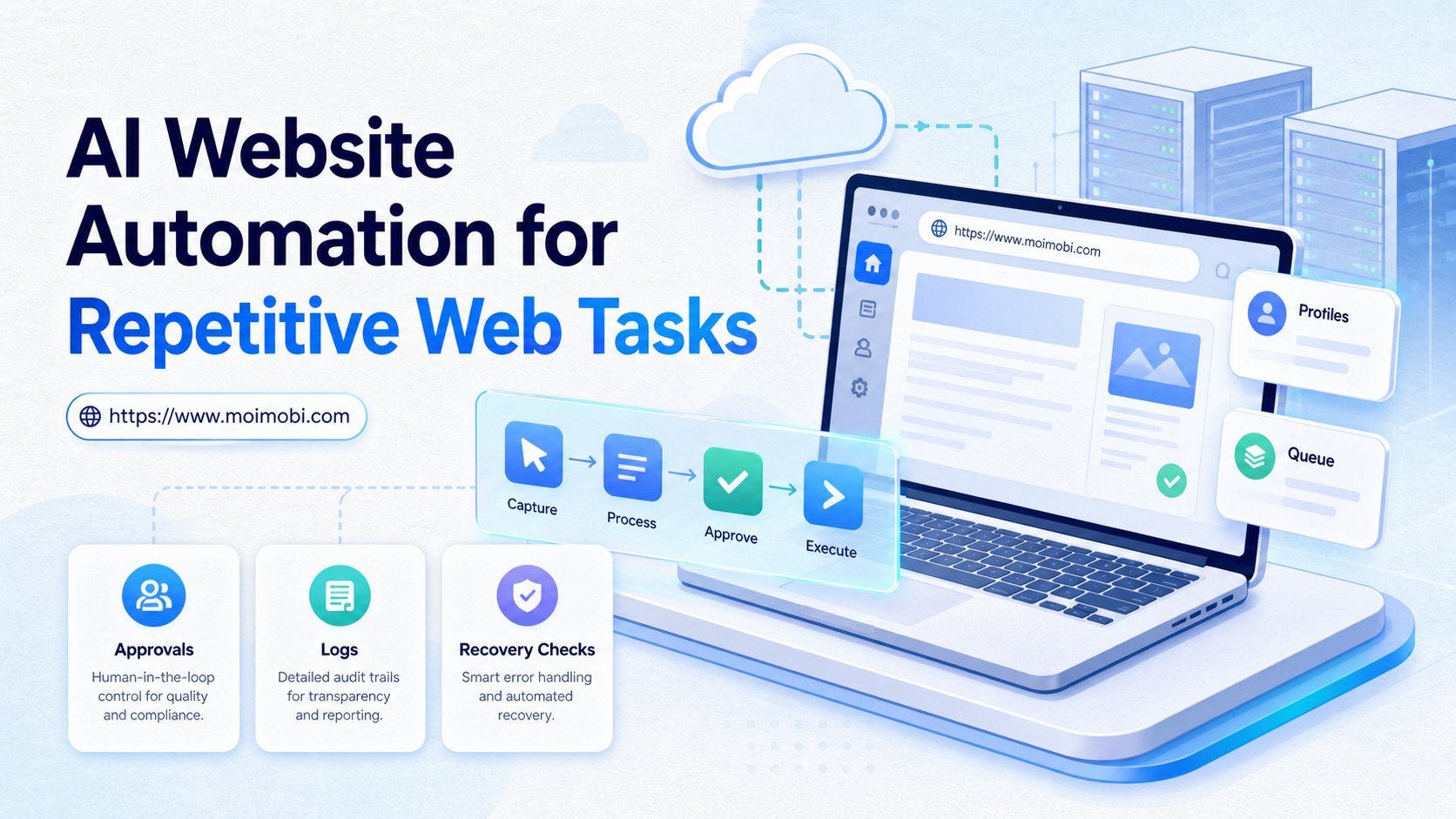
AI website automation means using AI-assisted browser workflows to complete repeated website tasks such as form filling, dashboard checks, inbox triage, data entry, and status collection. It works best when the team defines the task path, account environment, approval rule, and recovery record before scaling.
The important difference is execution. A chatbot can suggest what to do, but a browser workflow must open the site, handle fields, read page state, and record the result. That makes the work an operations design problem, not only a prompt problem.
Teams should start with narrow workflows. A good first task has a clear website, stable fields, visible success state, and low risk if a human reviews the result. A poor first task has unclear rules, sensitive decisions, or many hidden page states.
Key Takeaways
- AI website automation should begin with one repeatable browser task, not a broad goal.
- Browser profiles, session state, permissions, and logs matter as much as the AI model.
- Human review is important for sensitive edits, customer replies, payments, and public actions.
- Teams need success checks, failure categories, and recovery notes before scaling.
- A pilot should prove task accuracy and handoff clarity across real accounts.
What Is AI Website Automation for Repetitive Web Tasks?
This approach is not the same as a simple script. A script usually follows fixed selectors and actions. AI-assisted automation can interpret page state, choose the next step, and adapt when a workflow has small variations.
That flexibility still needs boundaries. The browser should run inside a controlled account workspace. The task should have a clear goal. The output should be logged. A person should review uncertain or high-impact actions.
W3C WebDriver defines a way for programs to remotely control browsers for testing and automation. Playwright documents browser contexts as isolated sessions with separate cookies and storage. Those concepts are useful because real web work often depends on logged-in sessions and repeatable state.
For Moimobi-style operations, a browser execution workspace for AI teams is the layer that connects instructions, browser state, accounts, and task records. The AI is useful because it can interpret the workflow. The environment is useful because it gives the AI a place to act.
Why AI Website Automation Matters
Repetitive web work creates hidden labor. A person may spend hours copying lead data, checking order dashboards, replying to basic inbox items, updating records, or monitoring competitor pages. The work may be simple, but it still consumes attention.
The value appears when the task has enough repetition to justify setup. The team can define the path once, test it, and reuse it with records. This is different from asking an employee to remember the same steps every day.
Review the decision table below:
| Task Type | Good Automation Fit | Needs Human Review |
|---|---|---|
| Dashboard checks | Status, inventory, report availability, alerts, and routine metrics. | Unusual values or business decisions. |
| Forms | Known fields, repeated data, validation messages, and draft submission. | Final submission with legal, payment, or account impact. |
| Inbox work | Tagging, drafting, routing, and simple status updates. | Refunds, complaints, sensitive details, or public replies. |
| Research | Collecting URLs, names, visible facts, and page snapshots. | Interpreting claims or ranking leads. |
Core Components of an AI Website Automation Workflow
The workflow needs more than a model. It needs a stable operating structure.
Use these components:
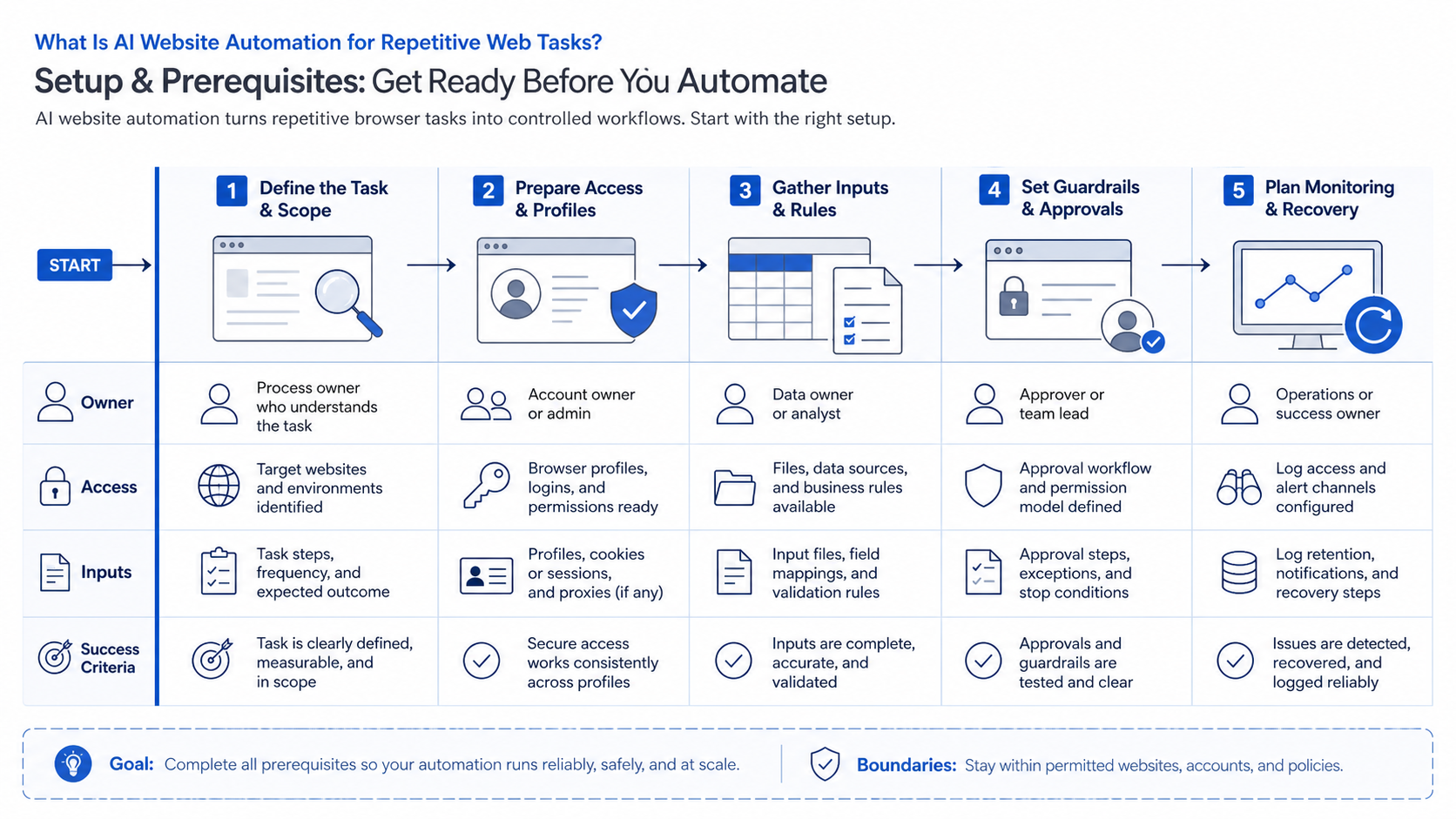
- Account environment: browser profile, login session, proxy if required, and account owner.
- Task definition: target site, start page, allowed actions, and stop conditions.
- Input source: spreadsheet, queue, CRM, ticket, or manual task request.
- Execution path: fields to read, buttons to click, decisions to make, and pages to check.
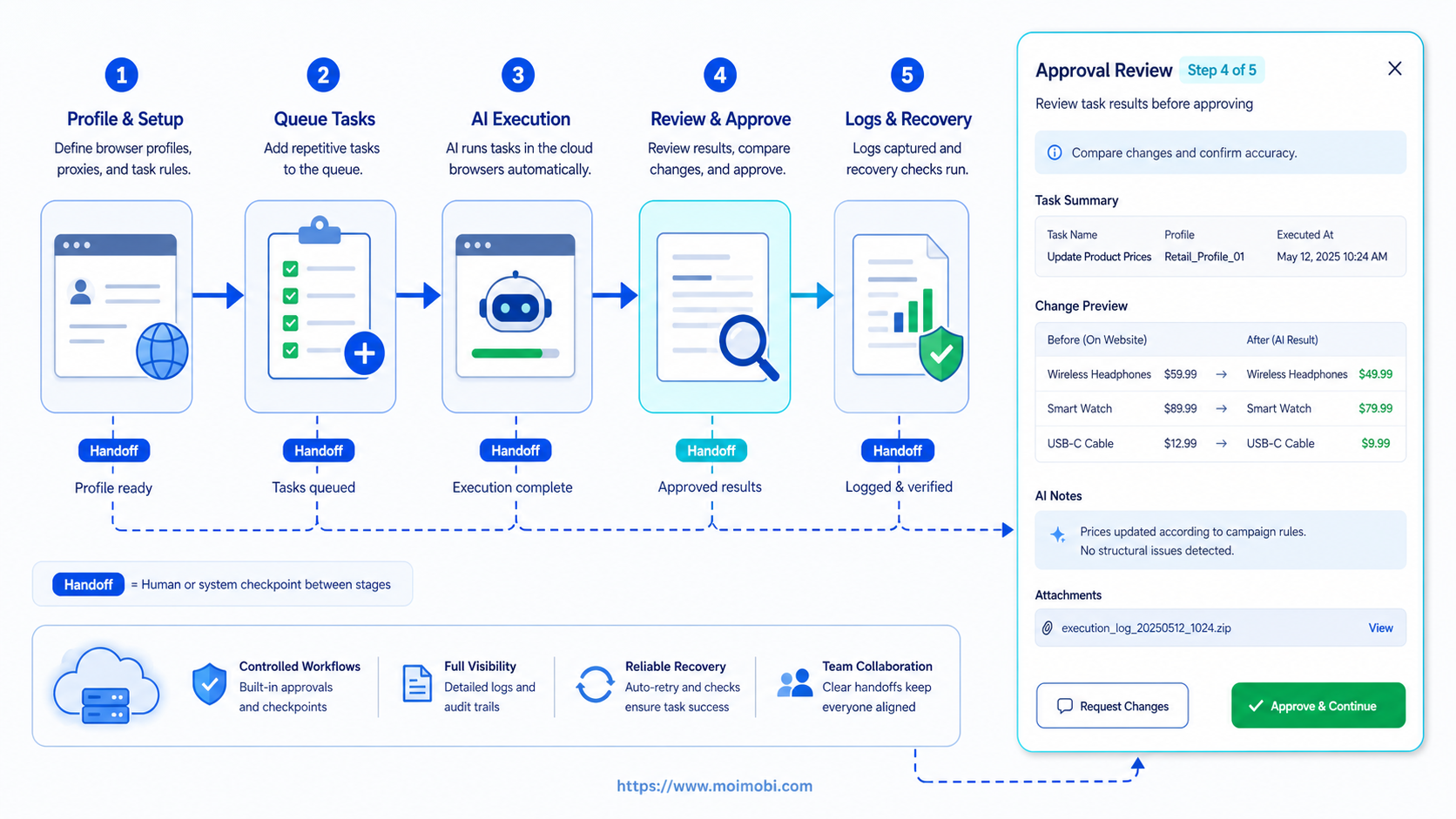
- Approval rule: when the task can continue and when a human must review.
- Result record: task ID, status, screenshot, output, error, and next action.
- Recovery owner: person responsible for failed or uncertain tasks.
Playwright's documentation shows why session context matters. Cookies and local storage can belong to a context. For business workflows, that means account state should be intentional, not accidental.
A web-to-mobile profile handoff can help when some work starts on the web and other work depends on app-first account environments.
How to Get Started with AI Website Automation
Do not begin with the hardest workflow. Start with a task that a human can explain in one page.
Follow this sequence:
- Pick one repeated task. Choose a workflow that happens daily or weekly.
- Write the human SOP. List start page, login account, fields, actions, success state, and stop rules.
- Define the account environment. Assign the browser profile, account owner, and recovery owner.
- Create input fields. Use structured input such as task ID, URL, account, note, and expected output.
- Run a watched pilot. Let the AI prepare or execute low-risk steps while a human observes.
- Log every result. Save success, skipped, failed, needs review, and blocked states.
- Review failures. Sort errors into selector changes, login issues, missing data, permission problems, or unclear instructions.
- Expand carefully. Add more accounts or sites only after the first workflow is stable.
For cross-account work, connect the workflow to an account task ownership model. This keeps operators from mixing client accounts, login sessions, or task ownership.
Designing Inputs, Outputs, and Stop Rules
Repeated website work becomes easier to manage when each task has a contract. The contract should say what data enters the workflow, what output is expected, and when the browser agent must stop.
Define inputs first:
- Target website or dashboard.
- Account or browser profile.
- Start URL.
- Data fields to read or enter.
- Allowed actions.
- Required screenshot or evidence.
- Reviewer or recovery owner.
Then define outputs:
- Completed status.
- Draft created.
- Data collected.
- Record updated.
- Needs review.
- Skipped.
- Failed with reason.
Stop rules are the most important part. The workflow should stop when a required field is missing, a page looks different from the expected state, a login prompt appears, a policy-sensitive decision is required, or a final public action needs approval.
This contract prevents the AI from “trying harder” in the wrong direction. The system can route uncertainty to a person instead of guessing.
Account Workspace and Permission Planning
Repeated website work often depends on account roles. One operator may have read-only access. Another may have edit access. A manager may be the only person allowed to approve final changes.
Map permissions before automation starts:
- Read dashboards.
- Export reports.
- Create drafts.
- Edit records.
- Submit forms.
- Reply to messages.
- Change account settings.
Each permission should map to a role. The AI workflow should inherit the allowed actions of that role, not the broadest available account access.
This matters for agencies and multi-brand teams. A task that updates the wrong client account can create more damage than a failed task. Account workspace planning keeps the browser session tied to the right customer, team, and approval path.
A Practical Example: Dashboard Check to Support Task
Consider a support operations team that checks a web dashboard every morning. The human workflow is simple: open the dashboard, filter by region, check failed orders, copy the order ID, create a support task, and mark the dashboard item as reviewed.
The automated version should not start by clicking through every page. It should start by validating the account, opening the correct dashboard, checking the region filter, and reading only the rows that match the task rule.
If the data is clear, the workflow can prepare support tasks. If a row has missing customer data, unusual status, or a new error message, it should stop and route the item to review.
This example shows the right pattern. AI handles repeated browser work. Humans handle ambiguous business decisions.
Fit and Not-Fit Boundaries
Operations teams get the most value when the same website work repeats across accounts, dashboards, or tools. The pattern is useful for marketing operations, sales research, support triage, e-commerce checks, and back-office updates.
It is not a strong fit for workflows with unclear policies, unpredictable outcomes, or high-stakes decisions. Payments, legal commitments, medical claims, refunds, and account security changes should keep human approval.
Compare fit with this grid:
Good Fit
- Stable website path
- Repeatable fields
- Visible success state
- Clear account owner
- Low-risk draft or status work
Poor Fit
- Unclear business judgment
- Hidden page state
- No recovery owner
- High-impact final action
- No audit requirement
Common Mistakes to Avoid
The first mistake is automating from a vague instruction. “Check the dashboard” is not enough. The task needs a start page, account, fields, success state, and stop condition.
Another mistake is ignoring login state. A browser workflow that works in one profile may fail in another profile because cookies, permissions, and account roles differ.
Teams also fail when they only record success. Failure data is the training ground for a stable process. Logs should explain whether the problem came from the site, account, data, browser state, or instruction.
Finally, avoid using AI to make sensitive public or financial decisions without review. The right model is assisted execution with visible boundaries.
Pilot Rollout and Recovery Checks
A pilot should prove that the task can run twice with the same result. It should also prove that another operator can understand what happened from the logs.
Track these pilot metrics:
- Task completion state.
- Number of human reviews.
- Error category.
- Time spent on recovery.
- Account or profile involved.
- Field that caused uncertainty.
Add one recovery drill. Break the workflow on purpose by removing one required input field. The system should stop, label the issue, and route it to the owner. If it continues with missing data, the workflow is not ready.
Governance Checks for Repeated Web Work
Governance sounds heavy, but the first version can stay simple. The team only needs enough control to know who approved a workflow, which account ran it, and what happened when the website changed.
Create three review layers:
- Task review: confirms the workflow is still worth automating.
- Account review: confirms the right profile and account are assigned.
- Result review: confirms that the output is usable and the failure record is clear.
Website changes are a normal source of failure. A button label may change, a field may move, a login challenge may appear, or a dashboard may add a new filter. The workflow should record these cases as website-state errors rather than vague AI failures.
Governance also protects the team from silent scope creep. A workflow that begins with “collect dashboard status” may slowly become “update customer records” or “send replies.” Each added action needs its own approval rule.
For managers, the useful question is not whether the AI completed a task once. The useful question is whether the team can explain the last ten runs, including failures, from the record alone.
When to Add More Sites or Accounts
Expansion should happen after the pilot shows repeatability. Add one dimension at a time. Add more accounts, more task types, or more websites, but avoid changing all three during the same week.
Apply this expansion checklist:
- The first workflow has a stable success state.
- Failure categories are clear.
- A second operator can run recovery.
- Account ownership is visible.
- The site path is still stable after several runs.
- Human review catches uncertain cases.
- Logs are detailed enough for later audit.
If those checks are missing, keep the scope small. A narrow workflow with good records is more useful than a broad workflow that nobody can debug.
Frequently Asked Questions
What is AI website automation?
It is AI-assisted browser execution for repeated website tasks such as forms, dashboards, inboxes, and data entry.
Is it the same as RPA?
It overlaps with RPA, but AI-assisted workflows can interpret page state and handle small variations. They still need limits.
Can AI submit forms automatically?
It can prepare and submit low-risk forms, but sensitive or final actions should use human review.
What tasks should be automated first?
Start with status checks, draft preparation, data collection, routing, and repeatable updates.
What should not be automated first?
Avoid payments, legal commitments, refunds, account security changes, and public replies as first tasks.
Do browser profiles matter?
Yes. Profiles control login state, cookies, storage, and account context.
How should failures be handled?
Record the failed step, screenshot, account, browser profile, input data, and next action.
How does Moimobi fit this workflow?
Moimobi connects AI task execution with browser and mobile environments so teams can run account-based workflows with records.
Conclusion
The strongest results come when the team treats automation as a workflow system, not a magic shortcut. Start with one repeated task, one account environment, one success state, and one recovery owner.
Before scaling, check three things: the task runs correctly, failures are explainable, and a second operator can continue from the record. If those checks pass, the workflow is ready for broader use.
References