
Key Takeaways
- Choose a comment management tool when the team needs queues, ownership, moderation, and review.
- Choose AI reply automation when the main bottleneck is drafting consistent response suggestions.
- Use human approval for sensitive replies, first-contact messages, complaints, and public brand issues.
- Platform API limits and policy boundaries should shape the workflow before automation scope.
- The best setup often combines comment management with AI-assisted drafts, not full autonomous replies.
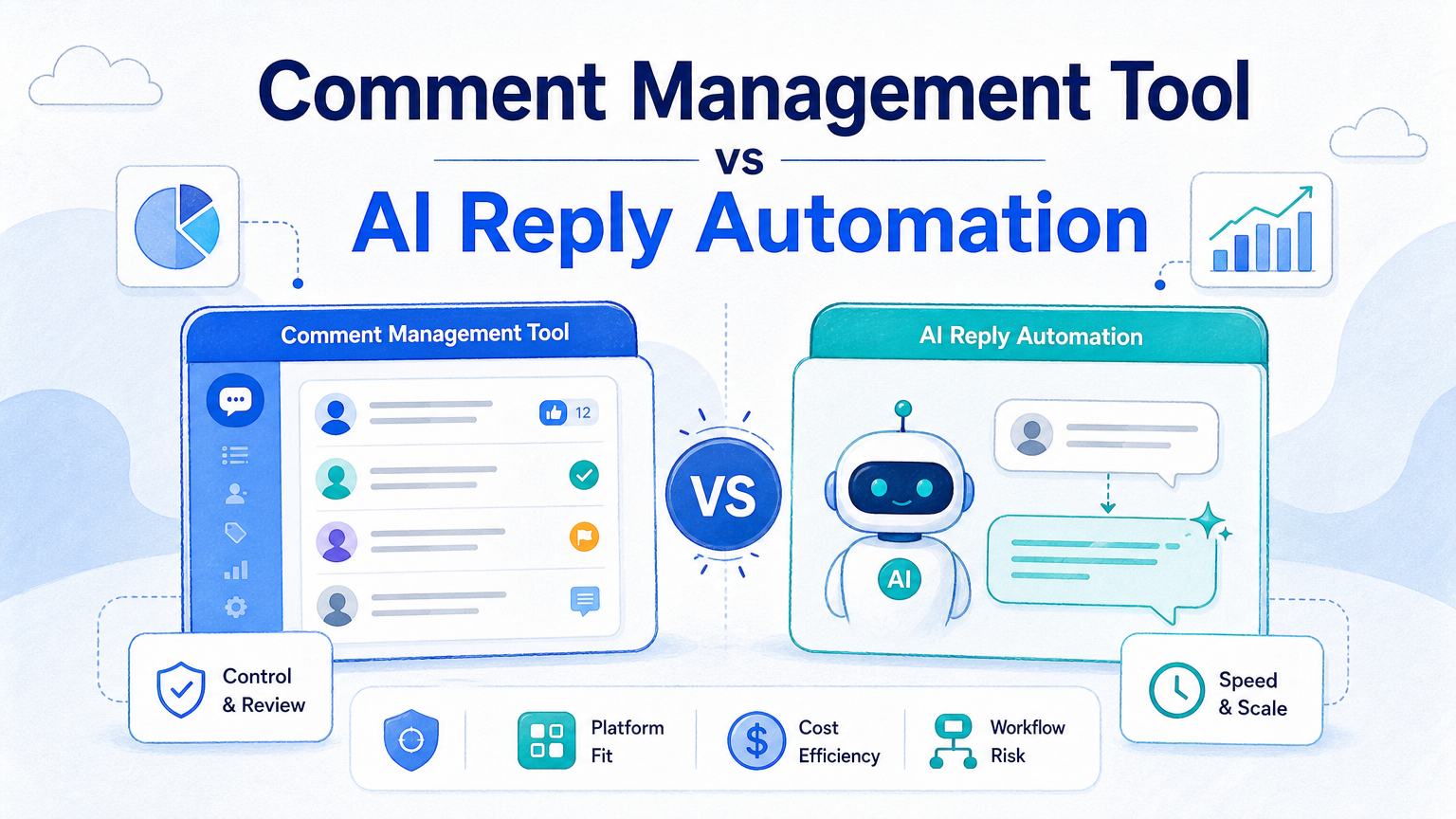
Comment management tool vs AI reply automation is a choice between workflow control and response generation. A comment management tool organizes comments, assignments, status, moderation actions, and team review. AI reply automation helps draft or suggest replies based on rules, context, or templates.
The selection rule is simple: choose comment management first if your team loses track of comments. Add AI reply automation when the team already has clear routing, review rules, and escalation paths.
For social media operations, the risky version is “let AI answer everything.” The stronger version is “let the system collect, classify, draft, route, and ask for human approval when needed.” Meta’s Instagram comment moderation documentation describes official comment actions such as reading, replying, hiding, and deleting comments on owned media. TikTok’s developer docs expose comment query capabilities in specific API contexts. X’s automation rules warn against spam and unsolicited automated behavior. Those boundaries matter.
A Practical Comparison Framework for Comment Management Tool vs AI Reply Automation
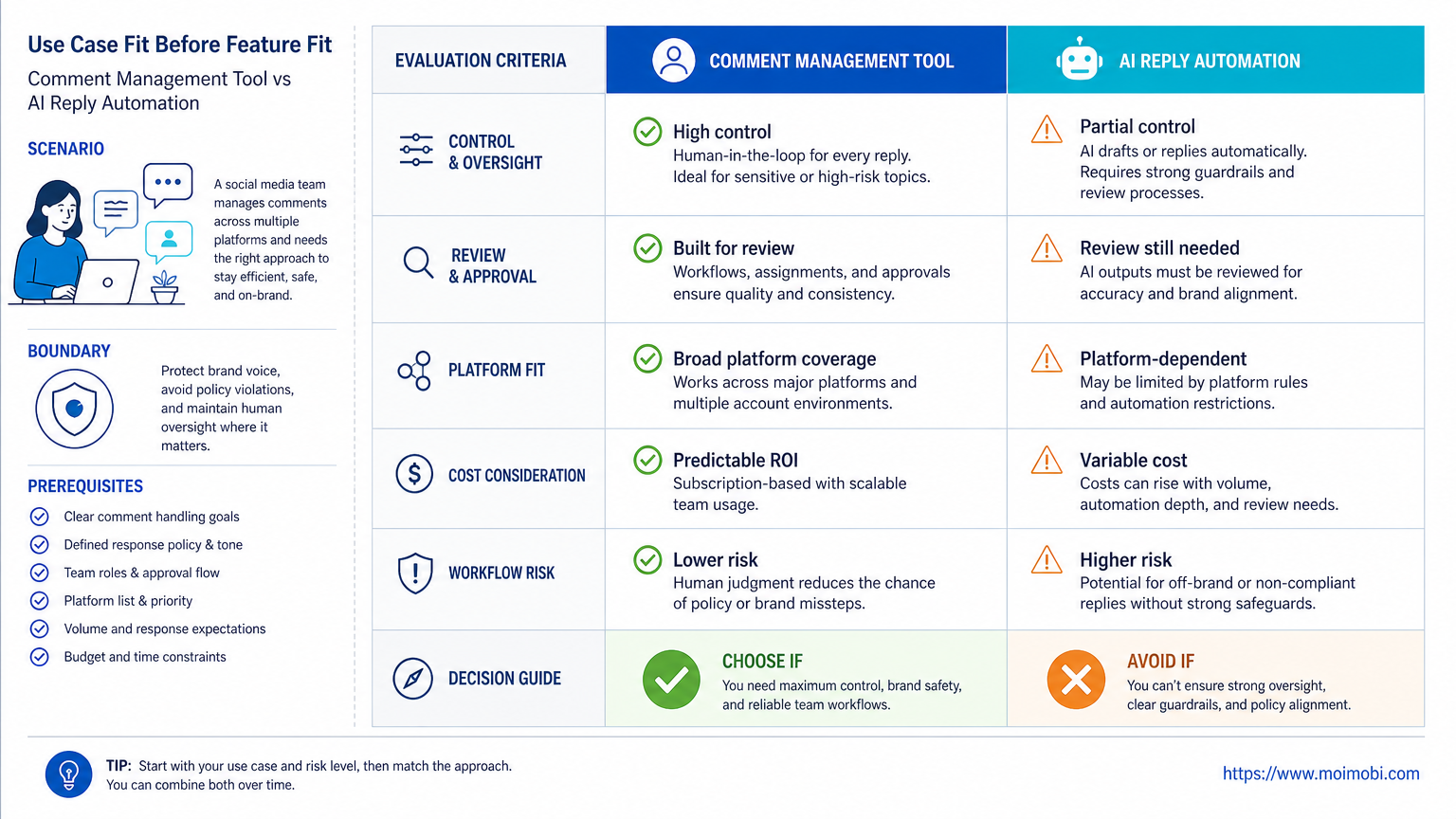
The first comparison axis is ownership. Comment management tools usually help teams decide who handles each comment. AI reply automation focuses more on what the response might say. Both are useful, but they solve different problems.
The second axis is control. A comment management system can show status, priority, tags, handoff, and history. AI reply automation may improve speed, but it needs guardrails so it does not publish replies that need human judgment.
The third axis is platform fit. Instagram comment workflows may use official Meta APIs for Business or Creator accounts. TikTok comment workflows may depend on the available API product, account type, and use case. Some teams also need mobile app execution when official APIs do not support the exact operating path.
| Decision Area | Comment Management Tool | AI Reply Automation |
|---|---|---|
| Primary job | Queue, assign, moderate, and track comments | Draft or suggest response text |
| Best fit | Teams with many comments and multiple operators | Teams with repeated reply patterns |
| Main risk | Slow setup or fragmented platform coverage | Incorrect, insensitive, or over-automated replies |
| Review need | Moderation and ownership review | Content and policy review |
Use Case Fit Before Feature Fit and Comment Management Tool vs AI Reply Automation
Use case fit should come before feature lists. A tool with many automation options may still fail if the team cannot define which comments deserve a reply, which need escalation, and which should stay unanswered.
Comment management fits teams that need order. Agencies, e-commerce sellers, and brand support teams often need queues, labels, ownership, and response status. This is especially true when comments span Instagram, TikTok, Facebook, YouTube, and ad accounts.
AI reply automation fits teams with repeatable language. Examples include store hours, shipping questions, event reminders, simple product questions, and “thank you” responses. Sensitive topics still need human review.
Moimobi fits the execution side when teams need social media marketing workflows across browser dashboards and mobile apps. If the workflow depends on mobile app surfaces, a cloud phone can be part of the execution environment, but it should not remove review.
Operational Trade-Offs and Team Workflow
The biggest trade-off is speed versus control. AI can draft faster than a person can type. It cannot replace policy judgment, brand judgment, or escalation rules.
Comment management usually improves visibility first. The team can see which comments are new, pending, assigned, hidden, answered, or escalated. This reduces duplicate work and missed replies.
AI reply automation improves throughput after the workflow is clear. It can propose answers, rewrite rough replies, translate standard responses, or suggest tone variants. The team still needs approval rules.
For multi-account teams, the workflow should include:
- account and platform source;
- comment type and priority;
- assigned operator;
- suggested response;
- approval status;
- published reply status;
- exception or escalation reason.
These fields matter more than a flashy automation demo. Without them, the team cannot audit what happened after the reply was sent.
Setup Cost, Ongoing Cost, and Management Overhead
Comment management tools usually cost time during setup. The team must define tags, inbox rules, roles, and escalation paths. That setup work is worthwhile when comments already create confusion.
AI reply automation may look faster to launch, especially when templates already exist. The hidden cost appears during review. Someone must approve prompt rules, response libraries, tone, forbidden claims, and stop conditions.
Official APIs can reduce some overhead when they fit the use case. Meta’s Instagram Platform documentation describes comment management capabilities through official developer routes. TikTok’s developer documentation shows comment query structures for supported API contexts. These sources are useful, but they do not mean every comment action is available for every team, account, or platform workflow.
When official APIs are not enough, teams may use mobile automation for app-based workflows. That path needs stronger review, logging, and account separation because more execution happens through real environments.
API, Browser, and Mobile Execution Paths
The execution path matters as much as the reply logic. A team may compare a comment management tool vs AI reply automation and still miss the more basic question: where will the action run?
API-based workflows are usually the cleanest when the platform supports the required action. They can be easier to log, monitor, and limit. They also make it clearer which business account, page, or app permission performed the action. However, API support is not identical across Instagram, TikTok, YouTube, X, and other platforms. A workflow that works for reading comments may not support every moderation, reply, or account handoff action.
Browser-based workflows help when teams already operate from web dashboards. They are useful for review queues, inboxes, moderation panels, customer support tools, and campaign dashboards. The risk is that browser sessions, account permissions, and operator handoffs need clear isolation. If multiple people share one browser workspace, review history becomes hard to trust.
Mobile execution becomes important when the real workflow lives inside an app. Many social and messaging operations are still app-first. In that case, the workflow needs device assignment, account separation, pause controls, and a record of what happened. AI reply automation should be treated as a drafting layer inside this path, not as permission to run unattended replies across every mobile account.
For practical planning, separate actions into four groups:
- comments that only need collection and classification;
- comments that need an AI draft but human approval;
- comments that can use a pre-approved template;
- comments that must be escalated to a person without automation.
This split helps teams avoid one common mistake: using the same automation level for every comment. A product question, a complaint, a refund request, and a spam comment should not move through the same path.
Which Option Fits Different Teams Best
The better choice depends on where the current bottleneck lives.
- Comments are missed or answered twice.
- Several operators manage the same accounts.
- The team needs moderation status and escalation.
- Brand, support, and sales teams share comment work.
- Many comments use repeatable response patterns.
- The team has approved reply guidelines.
- AI drafts go through human review for sensitive cases.
- Logs show which replies were suggested and approved.
A creator team may only need simple comment triage and a few AI draft templates. An agency may need multi-account management, role assignment, platform separation, and workflow reporting. An e-commerce support team may need stricter escalation rules because comments can become order issues.
Pilot Rollout, Measurement, and Recovery Checks
Do not pilot AI reply automation by turning it on for every comment. Start with one account group, one platform, and one comment category.
A safe pilot might begin with low-risk replies such as thanks, delivery-status guidance, event reminders, or routing users to support. Leave complaints, pricing disputes, medical claims, financial claims, and identity-sensitive replies for manual handling.
Measure the pilot with operational metrics:
- unassigned comment count;
- duplicate reply count;
- average review time;
- AI draft acceptance rate;
- edited reply rate;
- escalation rate;
- complaints after reply;
- operator takeover count.
Recovery checks matter. The system should show the original comment, AI suggestion, reviewer, final reply, and status. If a wrong reply goes out, the team needs a record for correction and training.
Review Queue Design for Comment Management Tool vs AI Reply Automation
A strong review queue is the bridge between comment management and AI reply automation. It prevents the workflow from becoming either too manual or too risky.
Start with a simple queue structure. New comments should enter a pending state. The system should then classify them by platform, account, language, topic, and risk level. Low-risk comments can receive suggested replies. Medium-risk comments should show suggested replies with stronger review. High-risk comments should skip AI drafting and go directly to a human owner.
The review screen should show enough context for a person to make a decision quickly. That includes the original post, the comment, the account, previous interaction history when available, suggested response, and reason for the suggested response. Without that context, reviewers may approve replies that look fine in isolation but fail in the real conversation.
Approval controls should also be clear. Reviewers need options such as approve, edit, reject, escalate, pause account, and mark as training example. These actions give managers a way to improve the workflow over time. They also create an audit trail if a customer complains or a platform warning appears.
Teams should avoid hidden automation. Operators need to know when AI drafted a reply, when a template was used, and when a message was manually written. This distinction is useful for quality review. It also helps managers compare whether AI assistance is saving time or just creating more editing work.
Finally, set stop rules. If a platform login fails, if a reply category starts receiving complaints, if AI drafts are rejected too often, or if an account shows abnormal activity, the workflow should pause before more replies go out. In real operations, a clean pause button is often more valuable than another automation feature.
Comment Management Tool vs AI Reply Automation: Decision Checklist
Use this checklist before choosing a vendor or building a workflow with n8n, GitHub scripts, or internal tools.
- Can the workflow identify the account and platform for every comment?
- Can operators assign, pause, approve, and escalate comments?
- Can AI suggestions be blocked for sensitive categories?
- Can the team review reply history by account and campaign?
- Can the workflow separate API-based actions from app-based actions?
- Can the system stop when login, permission, or policy issues appear?
- Can managers compare response quality before and after automation?
If the answer is mostly “no,” start with management. If the answer is mostly “yes,” AI reply automation can be tested as a drafting layer.
Frequently Asked Questions
What is a comment management tool?
A comment management tool collects, labels, assigns, moderates, and tracks comments across one or more social platforms.
What is AI reply automation?
AI reply automation drafts or suggests replies based on comment content, templates, rules, or previous approved responses.
Which is better for Instagram?
For Instagram, start with official comment moderation capabilities and team review needs. Add AI drafts only after routing and approval rules are clear.
Can AI reply to every comment automatically?
It can be technically possible in some setups, but it is not a good default. Sensitive, public, or unclear comments need human review.
Does TikTok have a comment management API?
TikTok developer documentation includes comment query APIs in specific contexts. Teams should verify whether the available API product fits their use case.
Is n8n enough for TikTok comment automation?
n8n can help connect workflows, but platform capability, account permission, review logic, and execution environment still decide whether the workflow is practical.
What should a pilot measure?
Track assigned comments, duplicates, review time, AI draft acceptance, edited replies, escalations, and wrong-reply corrections.
Where does Moimobi fit?
Moimobi fits teams that need browser and mobile execution environments, account separation, and workflow records for multi-account comment operations.
Conclusion
The practical answer is not “comment management tool or AI reply automation.” Most teams need comment management first, then AI-assisted drafting where the reply pattern is clear and low risk.
Before choosing, map the comment workflow. Decide who owns each account, which comments need review, which replies can use AI drafts, and how errors are corrected. A good system makes those decisions visible before it starts replying at scale.


